
IIS folder path being ignored by Lucee
55 views
Skip to first unread message

Andy Bellenie
Dec 2, 2015, 12:53:56 PM12/2/15
to Lucee
Fresh install on Windows 10 using IIS connector, default settings.
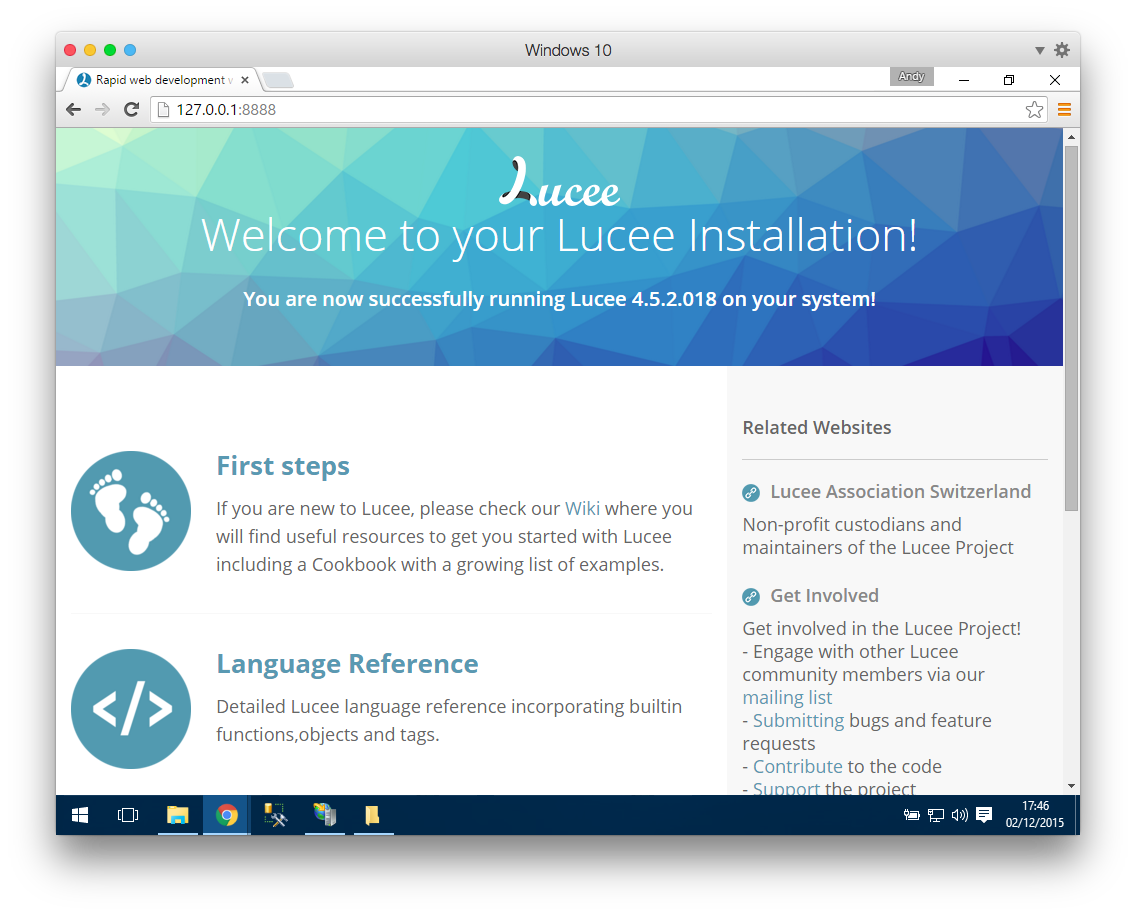
When I browse to http://127.0.0.1:8888/ I get the normal welcome page.
I have added a new site in IIS with it's own webroot and configured a host header. I'm picking that up in the browser fine and it's hitting the IIS site but instead of going to the path defined in the IIS settings I'm still seeing the default Lucee page (only now the asset links are broken).
I've used this setup with Railo many times, but this is my first attempt with Windows 10 or Lucee. Any ideas?
Thanks!
Andy


Andy Bellenie
Dec 2, 2015, 12:58:37 PM12/2/15
to Lucee
I'm wondering if it's something to do with mod_cfml which is new to me and wasn't part of any Railo install in the past.

Jordan Michaels
Dec 3, 2015, 3:15:32 PM12/3/15
to lu...@googlegroups.com
How did you add hosts to Railo?
Regardless, there are a number of possible causes for this. We need more information. Go ahead and turn on logging in the mod_cfml valve config (located in the tomcat server.xml file). Once turned on, restart Lucee and hit your site. The new mod_cfml logs should now be recorded in your catalina.out file (or similarly-named windows version of the file) in your tomcat/logs/ directory. Does mod_cfml see and create the new host? If not, what is the valve seeing being passed by IIS?
Kind regards,
Jordan Michaels
> <https://lh3.googleusercontent.com/-jE46kxU5h5k/Vl8vfPMDCmI/AAAAAAAAA18/uuJqeG78srQ/s1600/Screen%2BShot%2B2015-12-02%2Bat%2B17.46.07.png>
> <https://lh3.googleusercontent.com/-jh86tmiMm-U/Vl8vbMOwyyI/AAAAAAAAA1w/6Rc4ATIGRPI/s1600/Screen%2BShot%2B2015-12-02%2Bat%2B17.47.09.png>
> <https://lh3.googleusercontent.com/-qDbIRg8VNLs/Vl8vhK6G77I/AAAAAAAAA2E/vXv1OcxKGps/s1600/Screen%2BShot%2B2015-12-02%2Bat%2B17.45.52.png>
> <https://lh3.googleusercontent.com/-rcVRRhYhyFU/Vl8vdC60R7I/AAAAAAAAA10/V6HrZWRa_k0/s1600/Screen%2BShot%2B2015-12-02%2Bat%2B17.46.36.png>
>
--
Love Lucee? Become a supporter and be part of the Lucee project today! - http://lucee.org/supporters/become-a-supporter.html
---
You received this message because you are subscribed to the Google Groups "Lucee" group.
To unsubscribe from this group and stop receiving emails from it, send an email to lucee+un...@googlegroups.com.
To post to this group, send email to lu...@googlegroups.com.
To view this discussion on the web visit https://groups.google.com/d/msgid/lucee/838de559-ca54-4c82-9323-a1fb69f18aa0%40googlegroups.com.
For more options, visit https://groups.google.com/d/optout.
Regardless, there are a number of possible causes for this. We need more information. Go ahead and turn on logging in the mod_cfml valve config (located in the tomcat server.xml file). Once turned on, restart Lucee and hit your site. The new mod_cfml logs should now be recorded in your catalina.out file (or similarly-named windows version of the file) in your tomcat/logs/ directory. Does mod_cfml see and create the new host? If not, what is the valve seeing being passed by IIS?
Kind regards,
Jordan Michaels
> <https://lh3.googleusercontent.com/-jh86tmiMm-U/Vl8vbMOwyyI/AAAAAAAAA1w/6Rc4ATIGRPI/s1600/Screen%2BShot%2B2015-12-02%2Bat%2B17.47.09.png>
> <https://lh3.googleusercontent.com/-qDbIRg8VNLs/Vl8vhK6G77I/AAAAAAAAA2E/vXv1OcxKGps/s1600/Screen%2BShot%2B2015-12-02%2Bat%2B17.45.52.png>
> <https://lh3.googleusercontent.com/-rcVRRhYhyFU/Vl8vdC60R7I/AAAAAAAAA10/V6HrZWRa_k0/s1600/Screen%2BShot%2B2015-12-02%2Bat%2B17.46.36.png>
>
--
Love Lucee? Become a supporter and be part of the Lucee project today! - http://lucee.org/supporters/become-a-supporter.html
---
You received this message because you are subscribed to the Google Groups "Lucee" group.
To unsubscribe from this group and stop receiving emails from it, send an email to lucee+un...@googlegroups.com.
To post to this group, send email to lu...@googlegroups.com.
To view this discussion on the web visit https://groups.google.com/d/msgid/lucee/838de559-ca54-4c82-9323-a1fb69f18aa0%40googlegroups.com.
For more options, visit https://groups.google.com/d/optout.
Ed Sanford, ODI Consulting.
Dec 4, 2015, 3:51:05 PM12/4/15
to Lucee
Try adding host entries in conf\server.xml, making them match your iis layout, then restarting Tomcat/Lucee.
Even if the dynamic hosts feature is not working correctly, the static hosts option should still work.
There should be a host example at the bottom of the server.xml file.
Even if the dynamic hosts feature is not working correctly, the static hosts option should still work.
There should be a host example at the bottom of the server.xml file.
Reply all
Reply to author
Forward
0 new messages