
LayOut Case Study

Niwest Jeenaboonrueang
 |  | |
| ||
LayOut Case Study
Mike Brightman, M.Arch , See Before Building http://www.SeeBeforeBuilding.com
Mike Brightman, M.Arch , Bright Ideas Consultants http://www.BrightIdeasConsultants.com
Introduction:
Hello SketchUp Pro and LayOut enthusiasts! Allow me to introduce myself, this is Mike Brightman, owner of See Before Building, a design and 3D visualization company, and Bright Ideas Consultants, a Google Authorized Training Center. I have been immersed in the use of Google SketchUp Pro, Google Earth, and LayOut exclusively for the last 7 years. During this time I have come to realize that SketchUp Pro is a designer's dream, it is like reaching into the computer and modeling with your own hands. Designing in SketchUp Pro and presenting in LayOut allows me unlimited flexibility and revisions combined with the ability to create quick dynamic presentations. What good is a 3D model anyway without a compelling presentation? LayOut is the compelling solution!
Please see the projects below that I have used SketchUp Pro and LayOut combined to achieve an extremely efficient design work-flow, create impressive progress presentations, and produce final design documents.
Project 1: Denver Patio
Challenge:
This urban residential patio project presented unique challenges in that the backyard was small and the circulation between the garage and house was critical. After exploring several designs in SketchUp Pro, It was essential that the actual patio be built as drawn. To do this we needed to communicate clearly with the concrete team.
Solution:
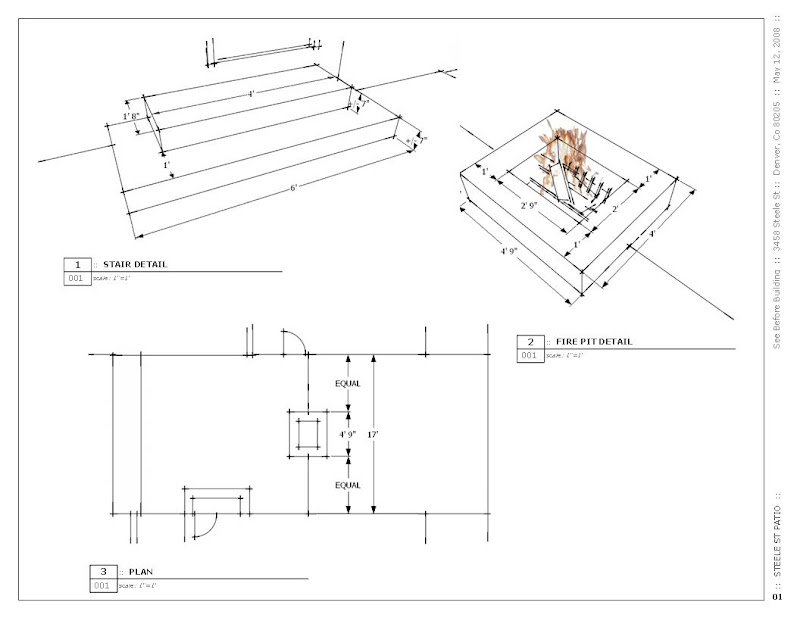
After the design was born in SketchUp Pro it was then easily presented in LayOut with the File > Send to LayOut command in SketchUp Pro. This one page presentation of the proposed construction allowed me to clearly communicate the design intent graphically which eliminated the communication barrier between me and the concrete team. Three quick scaled and dimensioned diagrams display the critical dimensions in a way that anyone can understand. The workforce immediately understood the design intent and delivered the patio as shown in my 3D SketchUp Pro model. LayOut allowed us to insure complete satisfaction for the client and eliminate any possibility of disappointment.
In the image below you can see how SketchUp Pro's dimension tool allowed us to communicate exact dimensions clearly in our LayOut presentation.
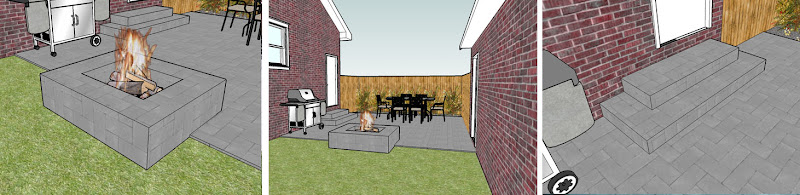
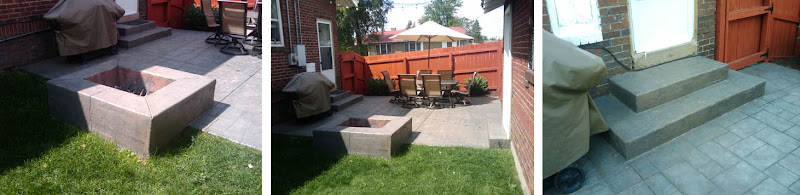
The final visualizations.
Conclusion:
At See Before Building I use Google SketchUp Pro to walk clients through spaces before they are built to insure that the customer is getting what they want. SketchUp Pro gives me the freedom to design these spaces in 3D and present crystal clear 2D graphics to accurately communicate my design. SketchUp Pro and LayOut allow me to provide a unique service that eliminates disappointment and costly change orders for any type of construction.
Project 2: Colorado Basement Remodel
Challenge:
At See Before Building I also offer "real-time" design services. Recently I was hired by a Denver couple to design their new basement. When sitting down for a design session like this I need a fast modeling tool so that I can modify the design right in front of the client as they make suggestions. Also, I need a way to present different iterations of the design without having to recreate the presentation from scratch for each review.
Solution:
SketchUp Pro's extremely fast modeling tools and "what you see is what you get" rendering style allows me to design and build the model as fast as the client can make suggestions. It is amazing what is created after just three one hour long design sessions. Being fast at SketchUp Pro allows me to see my design evolve in real time, but it wasn't until the invent of LayOut that I was able to update my presentations just as fast. The dynamic link between SketchUp Pro Models and LayOut presentations saves me the trouble of recreating the presentation for every design review and allows me to always be moving forward.
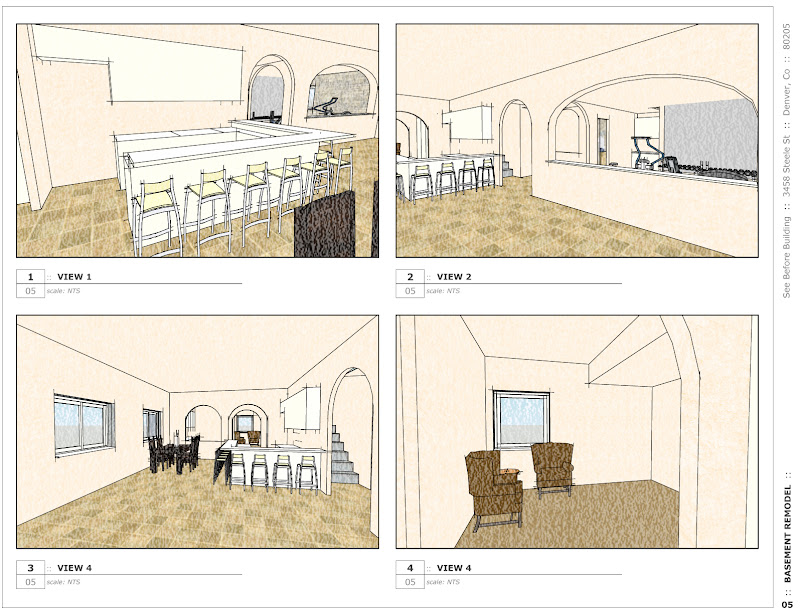
Below is the first draft of the presentation created immediately after measuring the basement and generating the as-built 3D model in SketchUp Pro. These camera angles are just placeholders until the best views of the design are realized.
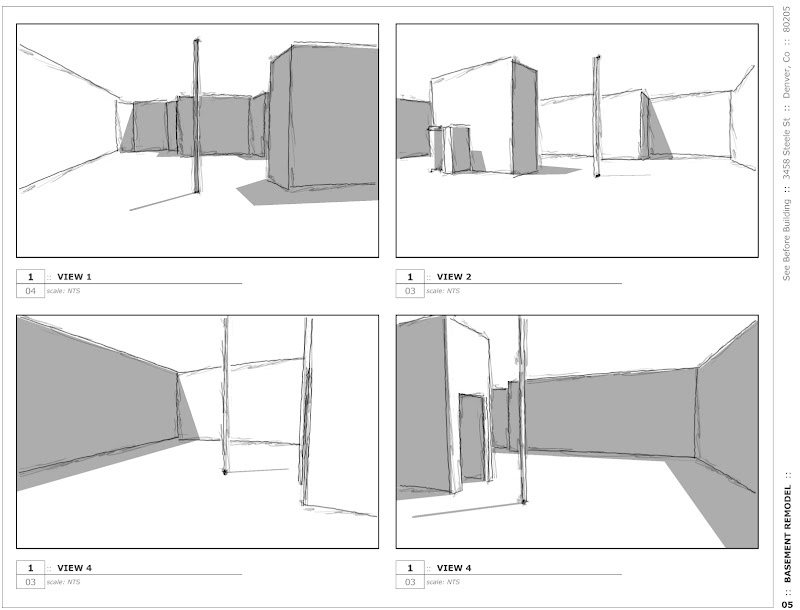
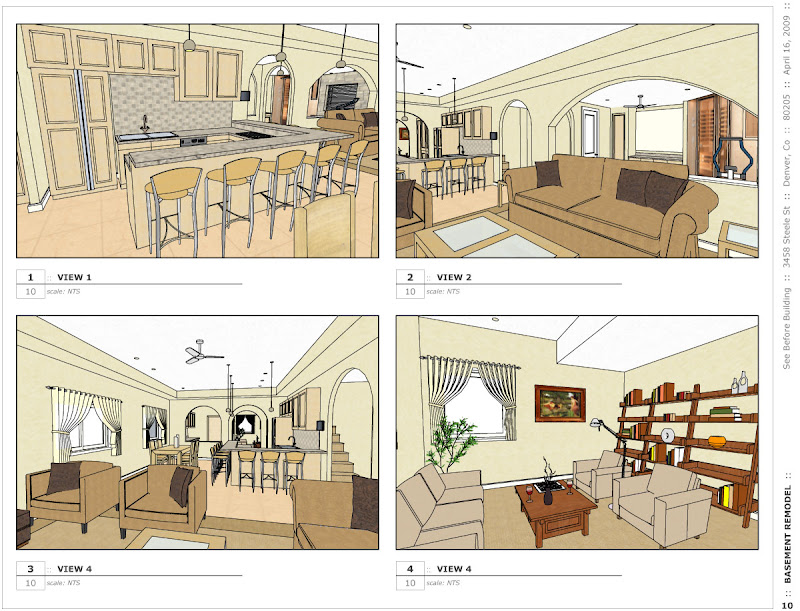
File > Document Setup > Update. It's that easy to update your presentation! This last sheet shows all of the millwork and furniture details much more refined. Also, the arches were revised and ceiling lights, fans, and soffit detail were added. These highly detailed final design documents created in LayOut were used to gather much more accurate and competitive bids which saved my client time and money.
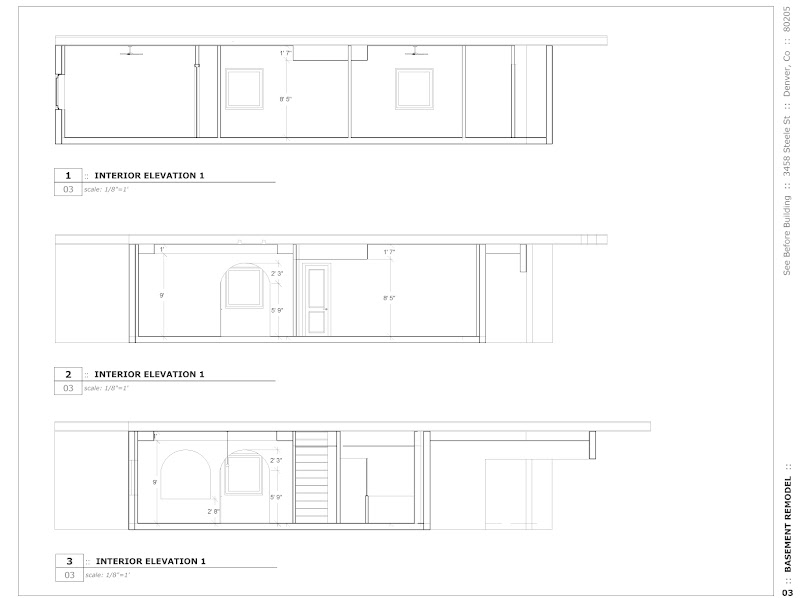
To further explore the interiors I use SketchUp Pro sections set to an exact architectural scale in LayOut to create interior elevations and millwork details that are dynamically linked to the SketchUp Pro model. When I need to generate construction documents it only takes three clicks to export these interior elevations as 2D dwg's. The SketchUp Pro/LayOut work-flow saves me an amazing amount of time by drastically reducing CAD drafting and revisions.
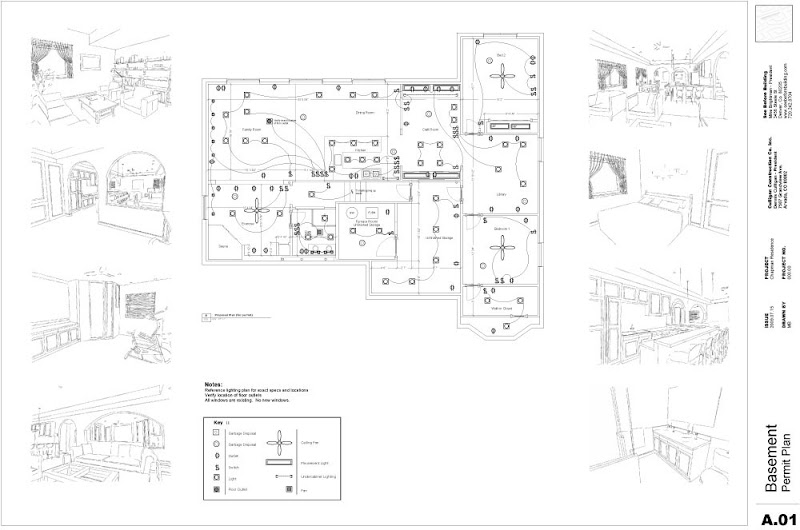
Last, I produced these permit drawings in LayOut. This process was expedited by the creation of my own custom scrapbook of lighting and electrical symbols. These scrapbooks will allow me to create the next permit drawing even faster!
Conclusion:
One of the many impressive features of LayOut is the dynamic link between the SketchUp Pro model and the LayOut presentation. Once the presentation is set up in LayOut, I never have to export, resize, or crop, I just simply update and to create a new presentation. With this work-flow I am able to jump back and forth between SketchUp Pro modeling and LayOut presentations without losing any work. This allows me to spend my time designing rather than recreating the presentation. LayOut also automates the export process and provides much crisper final output with raster/vector/hybrid rendering options.
Project 3: California Remodel and New Construction
Challenge:Each building department requires a different level of detail for permit drawings. In this case we needed extremely detailed permit drawings to satisfy California's additional structural consideration for earthquakes. For my client, these structural needs were easy to understand from a builder's perspective, but he was having trouble communicating his design to the building department in 2D documents. He needed an extremely accurate visualization tool that would allow him to design the building in 3D and present in 2D.
Solution:
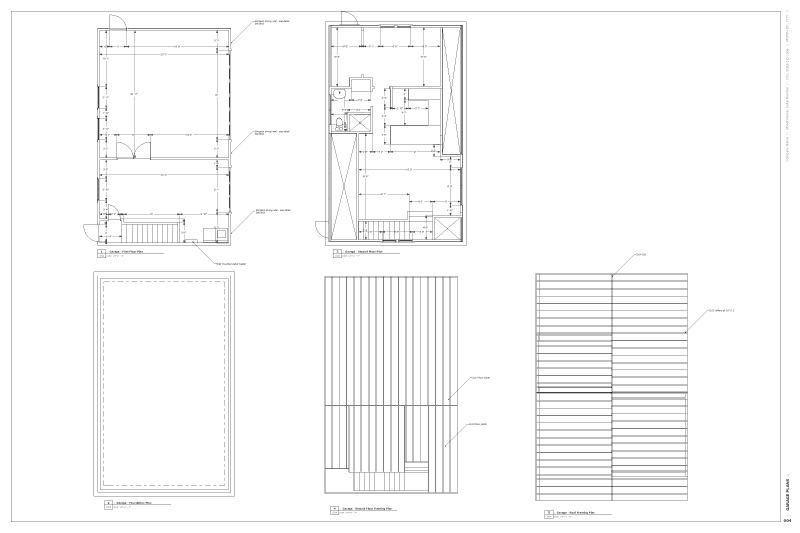
This project started out with a Bright Ideas Online Consulting session to show the client the best approach to build this 3D model. Because of the complex output needed from the model, we decided that I would create the model with the client's guidance. SketchUp Pro was used to explore the design and building methods and then ultimately presented as extremely detailed permit drawings in LayOut.
Below is a composite view of the framing and design layers. By attaching the framing layer and design layer visibility to scene tabs in SketchUp Pro, I am able to easily switch between design and practical building mode of thought.
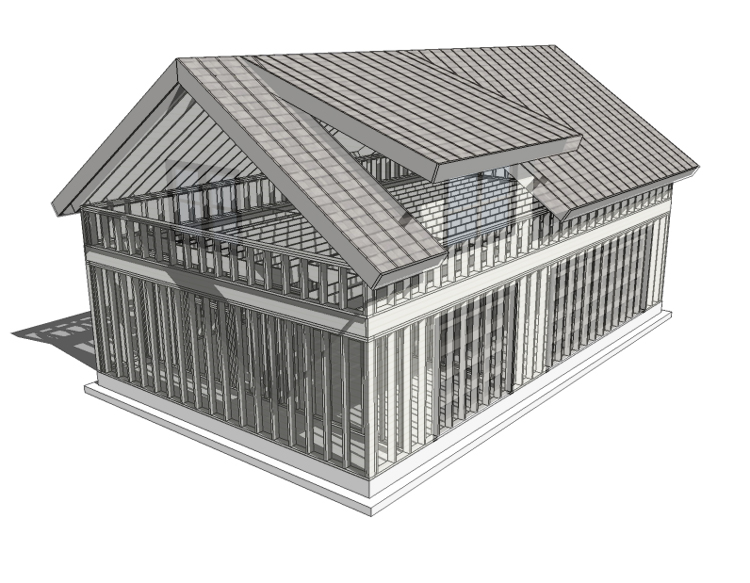
After building the renovated house and new garage board by board in SketchUp Pro, we peeled the model apart using the section tool, innovative layering techniques, scenes, and styles. With these scenes we generated the permit plan presentation (almost construction documents!) in LayOut. The set also contains elevations, sections, site plan, and details sheets.

Conclusion:
SketchUp Pro and LayOut are extremely efficient in all phases of the design process. I can generate a concept, thoroughly explore and revise my design, create design documents, generate permit drawings, and then export from SketchUp Pro to a 3D .dwg model or 2D .dwg snapshots. This work-flow gives me all of the speed and freedom of SketchUp Pro and the ability to move quickly into the construction document phase in CAD. The transition from design documents to construction documents is almost seamless because I am not starting from scratch in CAD. All exported plans, elevations, and sections are brought into CAD at 1:1 real world scale and even components and layers stay intact.