
I cannot get LKB.exe to see my Kinect
285 views
Skip to first unread message

Sam Champlin
Oct 6, 2012, 11:14:02 PM10/6/12
to lkb...@googlegroups.com
Hello,
Sam Champlin
I really hope that people actualy look at this group as I would really like to get this working. I am running windows 7x64. I have downloaded and installed all prerequisites.
- nite-win64-1.5.2.21-dev.msi
.exe
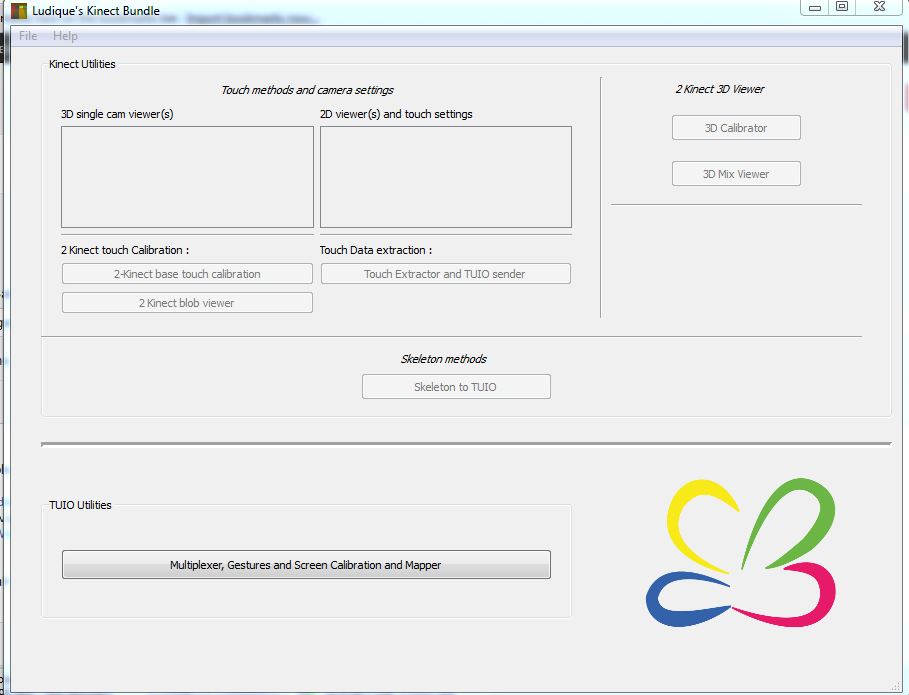
I have installed them all on two different workstations. But, when I run LKB.exe I get a normal window with no options, I cannot see a kinect to select.
What am I doing wrong. I would really like to try out this solution
Sam Champlin

Nicolas Zalaquett
Oct 8, 2012, 1:30:56 AM10/8/12
to lkb...@googlegroups.com
Hi,
First of all, do you have Microsoft Kinect SDK installed? if you do avin2 drivers wont be called and you will not be able to see the camera.
If you dont have them installed, have you tested the sample (NiViewer) that got installed with OpenNI?
If that is working, last resort: uninstall the libraries and install the 32 bit versions of each (in this case you will probably have to copy OpenNi.dll inside C:/Program Files (x86)/OpenNI to LKB directory) .
Let us know if it worked
Good luck!
--
Sam Champlin

Ibo SixtyTwo
Oct 8, 2012, 6:05:40 AM10/8/12
to lkb...@googlegroups.com
same here! win764bit - yes, i read almost any tutorial about how to install openni (i never experienced such a complicated installation process - im trying to get openni to work ...since a week! )
all this driver in-/uninstallation (incl. the XML file-editing ) is very annoying - i tried 32bit, & 64bit ... and of course i uninstalled all previous MS kinect drivers... still im getting error messages - isnt there a "check-routine" that can help to make sure openni is installed correctly
all this driver in-/uninstallation (incl. the XML file-editing ) is very annoying - i tried 32bit, & 64bit ... and of course i uninstalled all previous MS kinect drivers... still im getting error messages - isnt there a "check-routine" that can help to make sure openni is installed correctly
Sam Champlin
Oct 16, 2012, 7:04:54 AM10/16/12
to lkb...@googlegroups.com
Thank you for the info.
Sam
I do not have the Kinect SDK installed. I have uninstalled all the 64bit stuff and have already tried the 32bit with the same results. I am able to use the NiViewer with no problem. I just cant seem to get Kinect to show in the LKB window...Any other suggestions. Is this a 64bit issue.
Sam

Mihai Marinescu
Dec 14, 2012, 5:28:35 AM12/14/12
to lkb...@googlegroups.com
@Sam Champlin
I am using Win 7 64 bit but installed 32bit of the Ustable OpenNI and the driver. I can use NiViewer ok but LKB does not start. I have tried loading LKB in a command prompt but it does not say anything like any errors.
Mihai Marinescu
Dec 14, 2012, 6:12:30 AM12/14/12
to lkb...@googlegroups.com
I resolved my problem, i was missing NITE so after i installed that it started to work.
Reply all
Reply to author
Forward
0 new messages