
When a PDF created in LiveCycle is opened in a browser window, we receive the "Please wait... If this message is not eventually" etc etc

brentschaus
- Internet Explorer: it works! Believe it or not.
- Chrome: error message (see below)
- Firefox: requires changing the default reader from Adobe Reader to Firefox's reader; otherwise, we see the error below.
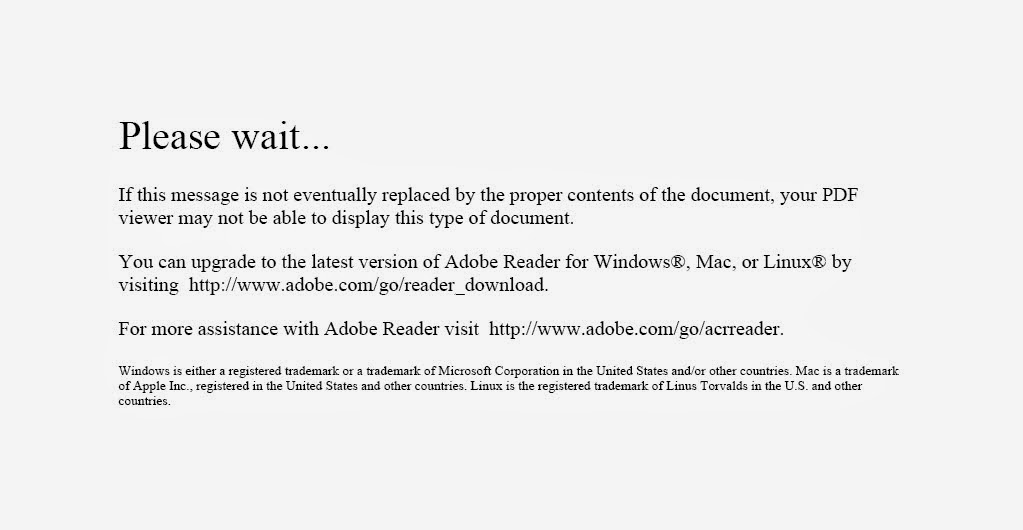

Jono Moore
--
You received this message because you are subscribed to the Google Groups "Adobe LiveCycle Developers" group.
To unsubscribe from this group and stop receiving emails from it, send an email to livecycle+...@googlegroups.com.
To post to this group, send email to live...@googlegroups.com.
Visit this group at http://groups.google.com/group/livecycle.
For more options, visit https://groups.google.com/groups/opt_out.
brentschaus
I ran into this issue on my site as well. I addressed it by forcing the PDF to download instead of open in the browser. You can force download with a few lines in an .htaccess file on an Apache webserver. Instead of making all of my PDF files download, I created a separate folder on the server just for the PDF files that don't display in the browser properly, and I put the .htaccess file in that folder (so it doesn't affect the rest of the site).
Simply create a plain text file and name it .htaccess (no other extension), copy the following code into it, and upload it as ASCII to your server in the same folder with the PDF files that are giving you a headache.
<FilesMatch "\.(pdf)$">
  ForceType application/octet-stream
  Header set Content-Disposition attachment
</FilesMatch>
If you are on a Windows server, you'll have to use another method.
Jono Moore

swapnil patil
Thanks and Regards,
Swapnil P Patil.
: People matter, results count

Murali Raghavan
You will need es4 html 5 forms for it to work on all platforms and browsers. Xfa forms need acrobat plugin to work.
swapnil patil
Murali Raghavan
I am not sure if xfa forms work in mobile adobe reader. If the user does not need to edit it u can convert it to a flattened pdf and send it out.

Dave Venance
If you only need to present the PDF on those platforms, you can use LiveCycle Output to render a flat non-interactive PDF that should be viewable with any PDF viewer.
Dave Venance
4Point

tarekahf
brentschaus
Murali Raghavan
Basics:
Introduction to Mobile Forms : http://helpx.adobe.com/livecycle/help/mobile-forms/introduction.html
Mobile Forms Architecture : http://helpx.adobe.com/livecycle/help/mobile-forms/mobile-forms-architecture.html
Feature differentiation between Mobile Forms and PDF Forms : http://helpx.adobe.com/livecycle/help/mobile-forms/feature-differentiation-mobile-forms-pdf.html
Rendering & Submitting:
Creating a Custom Profile : http://helpx.adobe.com/livecycle/help/mobile-forms/creating-profile.html
Rendering Form Template : http://helpx.adobe.com/livecycle/help/mobile-forms/rendering-form-template.html
Designing Forms:
Designing form templates : http://helpx.adobe.com/livecycle/help/mobile-forms/designing-form-template.html
Scripting support : http://helpx.adobe.com/livecycle/help/mobile-forms/scripting-support.html
tarekahf
Murali Raghavan
It appears as a text field and data entered will not be retained. U will need alternate subforms for html5 and pdf
Murali Raghavan
Scribble pad captures ur signature drawn via touch / mouse as a base 64 image. Can also captures latitude longitudinal details. This Control Doesnt work with older versions of acrobat before 11 if converted to pdf.
tarekahf

Darren
- Scribble signatures work in both HTML5 and PDF. HTML5 you can scribble with the mouse or your finger. PDF prompts you to upload an image file (jpg, gif, png, tif)
- Digital signatures only works in PDF land. HTML5 seems to just create a blank box that you cant interact with which makes sense as its not a PDF.

Belinda Franklin

Bastian Landherr
chrome added an own pdf viewer, which can't handle dynamic PDFs. Change the std PDF Viewer (as URL: chrome://plugins/) to Adobe Reader / Acrobat.
IE is the only Browser in your list without an internal view ;)
Greetings