
How does one set the size of the SwingTerminal?
982 views
Skip to first unread message

Micah Lloyd
Jan 17, 2017, 3:18:07 PM1/17/17
to lanterna-discuss
I see how to set the size of a panel like so:
panel.setPreferredSize(new TerminalSize(100,10));
then tell the window to grow with the panel:
window.setHints(Arrays.asList(Window.Hint.FIT_TERMINAL_WINDOW));
The problem comes when I set a terminal size larger than the swingterminal window. The window doesn't grow, but I can manually drag it to the correct size.
I think I must be missing something really basic.
Any ideas?
Micah Lloyd
Jan 25, 2017, 1:13:08 PM1/25/17
to lanterna-discuss
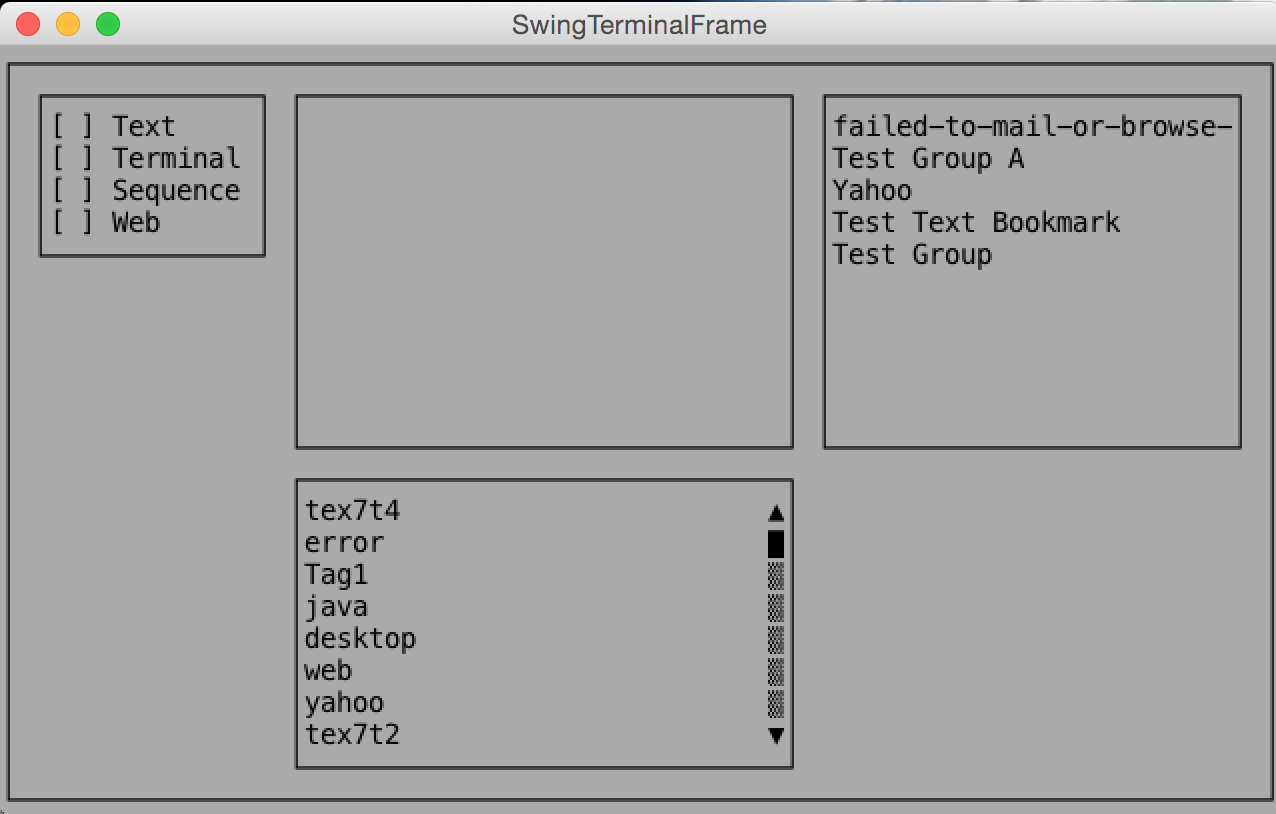
Please see the attached pictures for reference. When I start the swing terminal it is a certain size. Can you point me to an example of setting the size of the terminal window to include all components or be a set size?


AvL42
Jan 31, 2017, 5:20:54 AM1/31/17
to lanterna-discuss
It might be possible to later on resize a SwingTerminal using either Swing-API (SwingTerminals are JFrames), or even some method of SwingTerminal.
However it is never done automatically, because that wouldn't fit the concept behind a Terminal. (-> "it's a feature")
A terminal is either cast in hardware at a fixed size, like an ancient CRT+keyboard connected over RS232, or an emulator, whose size is whatever the user grows or shrinks the window to.
Now for the exceptions: some terminal emulators support a certain Escape-sequence to resize the terminal. Even some hardware terminals allowed switching 80/132 mode, some window-based emulators allow setting any size. I've seen it working - and it sucks. Please don't, unless it's just for yourself. (These sequences aren't relevant for SwingTerminal, anyway; here, the Swing API should do it.)
Lanterna's way of dealing with conflicts between components needing more space while terminal being to small is, that it uses the VirtualTerminal to eventually display "scrollbars" and a short textual hint to use some modifier with the cursor keys to scroll.
I'm slightly surprised not to see scrollbars in your send screen shot. Maybe your way to "set a terminal size" happens to trick lanterna into undefined behaviour - I could judge it better, if I saw your code for setting the size.
However it is never done automatically, because that wouldn't fit the concept behind a Terminal. (-> "it's a feature")
A terminal is either cast in hardware at a fixed size, like an ancient CRT+keyboard connected over RS232, or an emulator, whose size is whatever the user grows or shrinks the window to.
Now for the exceptions: some terminal emulators support a certain Escape-sequence to resize the terminal. Even some hardware terminals allowed switching 80/132 mode, some window-based emulators allow setting any size. I've seen it working - and it sucks. Please don't, unless it's just for yourself. (These sequences aren't relevant for SwingTerminal, anyway; here, the Swing API should do it.)
Lanterna's way of dealing with conflicts between components needing more space while terminal being to small is, that it uses the VirtualTerminal to eventually display "scrollbars" and a short textual hint to use some modifier with the cursor keys to scroll.
I'm slightly surprised not to see scrollbars in your send screen shot. Maybe your way to "set a terminal size" happens to trick lanterna into undefined behaviour - I could judge it better, if I saw your code for setting the size.
Micah Lloyd
Jan 31, 2017, 12:10:25 PM1/31/17
to lanterna-discuss
AvL42,
Thanks for the detailed response. I think it's safe to assume I don't understand enough about terminals in general to understand your answer in depth. However the reason I was using the swing terminal was to be able to quickly create a test UI (and try lanterna out) to verify my controller was working as designed. That and the retro style looks cool to me :). My eventual goal was to create a JavaFx UI, so instead of spending more time using lanterna I just switched to a simple JavaFx window to test.
Thanks for your help!
Reply all
Reply to author
Forward
0 new messages