
Language Forge v1.2.18 released (sort and filtering)

Christopher Hirt
This release is in response to many users asking for a better way to sort and filter data. With the new sort and filter feature, users are able to more easily find and sort entries in ways that are helpful to their workflow. In the editor, click on the new "+ Options" button to the right of the search entries box to see the sort and filter options. The fields that show up in the sort and filter are configurable in the Configuration area.
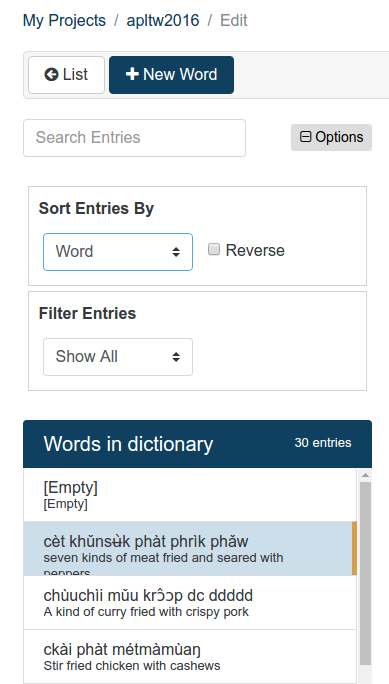
Sort Features
- Easily sort by common fields (those fields which are not "hide if Empty" in the field configuration, which is configurable)
- Reverse sort
- Sorts on the first input system where applicable (input systems can be re-ordered for a field in the field configuration)
- For sense level fields, the first sense is used
- Compact list display changes to show item being sorted
Filter Features
- Filter any common field (user configurable), including all writing systems, whether or not that field contains data
- Filter for entries that have or do not have comments
- Filter for entries that have or do not have pictures
- Filter for entries that have or do not have examples
- Filter for entries that have or do not have audio
- For sense level fields, the first sense is used
Missing Info Task
These sort/filter features provide the user with the basic features needed to perform the missing info task, something WeSay users are used to.
Send / Receive with FLEx
As has been mentioned before, Language Forge is now able to do Send/Receive with FLEx, provided that you already have your project in FLEx.
If you have questions, please reply on this list. We would really like to hear how Language Forge is helping you!
Regards,
The Language Forge development team