
How to bind an audio with movie using FFFMPEGFramerecorder and FrameGrabber ?

RAJESH K
I want to bind an audio with an video file using javacv/Android platform .
If any one has idea or any experience in that please advice me to come out .
Thanks ,
Rajesh K .

Samuel Audet
> Hi All ,
>
> I want to bind an audio with an video file using javacv/Android platform .
> If any one has idea or any experience in that please advice me to come
> out .
FrameGrabber grabber1 = new FFmpegFrameGrabber("video.avi");
FrameGrabber grabber2 = new FFmpegFrameGrabber("audio.mp3");
grabber1.start();
grabber2.start();
FrameRecorder recorder = new FFmpegFrameRecorder("output.mp4",
grabber1.getImageWidth(), grabber1.getImageHeight(),
grabber2.getAudioChannels());
recorder.setFrameRate(grabber1.getFrameRate());
recorder.setSampleFormat(grabber2.getSampleFormat());
recorder.setSampleRate(grabber2.getSampleRate());
recorder.start();
Frame frame1, frame2;
while ((frame1 = grabber1.grabFrame()) != null ||
(frame2 = grabber2.grabFrame()) != null) {
recorder.record(frame1);
recorder.record(frame2);
}
recorder.stop();
grabber1.stop();
grabber2.stop();
Samuel

He Jibo
Thanks for the code. Can we record the audio and video at the same time using opencv on windows platform?
---------------------------
He Jibo
Department of Psychology,
Beckman Institute for Advanced Science and Technology
University of Illinois, Urbana Champaign,
603 East Daniel St.,
Champaign, IL 61820
website: www.hejibo.info
Samuel Audet
> Hi, Samuel,
>
> using opencv on windows platform?*
I don't think OpenCV offers anything in the way of audio, you need FFmpeg

Rajesh
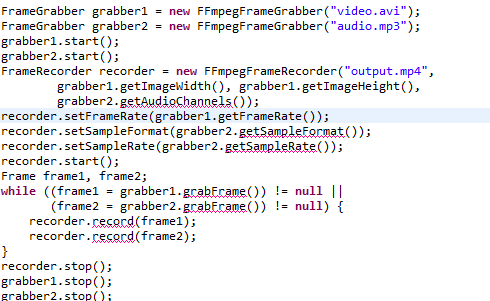
Hi Samuel ,
Above shows few issues for me . i am attached the issue as the image and also the issues .
issues are like as follows :
The method getAudioChannels() is undefined for the type FrameGrabber
The method getSampleFormat() is undefined for the type FrameGrabber
so please advice me .
Samuel Audet
On 08/23/2012 12:12 AM, Rajesh wrote:
> <https://lh5.googleusercontent.com/-AOQwylpnxuk/UDT2wWNXhCI/AAAAAAAAADA/it-yYLVA9Cw/s1600/Capture.PNG>
RAJESH K
I am using the latest update which is available in the javacv website.
now i am getting the issues while merging the files. i have added the issue line which i have got .
08-30 15:35:49.400: W/System.err(1542): com.googlecode.javacv.FrameRecorder$Exception: Audio codec not found
08-30 15:35:49.400: W/System.err(1542): at com.googlecode.javacv.FFmpegFrameRecorder.start(FFmpegFrameRecorder.java:340)
08-30 15:35:49.630: W/System.err(1542): com.googlecode.javacv.FrameRecorder$Exception: No video output stream (Is imageWidth > 0 && imageHeight > 0 and has start() been called?)
08-30 15:35:49.630: W/System.err(1542): at com.googlecode.javacv.FFmpegFrameRecorder.record(FFmpegFrameRecorder.java:493)
08-30 15:35:49.630: W/System.err(1542): at com.googlecode.javacv.FFmpegFrameRecorder.record(FFmpegFrameRecorder.java:489)
08-30 15:35:49.630: W/System.err(1542): at com.googlecode.javacv.FrameRecorder.record(FrameRecorder.java:210)
08-30 15:35:49.630: W/System.err(1542): at com.example.javacv_latest_update.MainActivity$ImageconvertsionAsyncTask.doInBackground(MainActivity.java:88)
08-30 15:35:49.630: W/System.err(1542): at com.example.javacv_latest_update.MainActivity$ImageconvertsionAsyncTask.doInBackground(MainActivity.java:1)
Please advice me to come out of this issue.
My video file length is 20 secs and format is mp4.
My audio file length is 20 secs and format is mp3.
Thanks
Rajesh K
Samuel Audet
> I am using the latest update which is available in the javacv website.
>
> now i am getting the issues while merging the files. i have added the
> issue line which i have got .
>
> 08-30 15:35:49.400: W/System.err(1542): at
Well, try to setAudioCodec() to something else before calling start()
RAJESH K
Still i am not able to get the answer for the solution which i have got . Please advice me . I have posted the issue also in below.

Deepak R K
Rajesh
Sorry guys .. still i am also searching the solution .

Ram
On Tuesday, September 4, 2012 8:02:01 PM UTC+5:30, Stuart Keough wrote:
Rajesh, did you ever fix this issue? This is the exact issue i'm trying to work through over here. Video works fine, but audio fails every time :(
Samuel Audet
> hi stuart did you solve this issue?i am also facing the same problem.
Samuel Audet
> Hi samuel ,
>
> I need to combine both audio and video.
> 1. i have two options to do . please advice me from which one we can
> make it with the help of javacv.
>
> * option 1: *
> * while creating the video from images , we can add the
> audio by use of audio recording ?? *
> *option 2 : *
> * i can combine two files (Audio and video ) , which is
> already available in the mobile sd-card. *
> *
We can do both, just call FFmpegFrameRecorder.record() with whatever
audio and video data you want to save
Samuel
Ram
08-30 15:35:49.630: W/System.err(1542): com.googlecode.javacv.FrameRecorder$Exception: No video output stream (Is imageWidth > 0 && imageHeight > 0 and has start() been called?)
08-30 15:35:49.630: W/System.err(1542): at com.googlecode.javacv.FFmpegFrameRecorder.record(FFmpegFrameRecorder.java:493)
08-30 15:35:49.630: W/System.err(1542): at com.googlecode.javacv.FFmpegFrameRecorder.record(FFmpegFrameRecorder.java:489)
08-30 15:35:49.630: W/System.err(1542): at com.googlecode.javacv.FrameRecorder.record(FrameRecorder.java:210)
08-30 15:35:49.630: W/System.err(1542): at com.example.javacv_latest_update.MainActivity$ImageconvertsionAsyncTask.doInBackground(MainActivity.java:88)
08-30 15:35:49.630: W/System.err(1542): at com.example.javacv_latest_update.MainActivity$ImageconvertsionAsyncTask.doInBackground(MainActivity.java:1)
Samuel Audet
> 08-30 15:35:49.400: W/System.err(1542): com.googlecode.javacv.FrameRecorder$Exception: Audio codec not found
> 08-30 15:35:49.400: W/System.err(1542): at com.googlecode.javacv.FFmpegFrameRecorder.start(FFmpegFrameRecorder.java:340)
> 08-30 15:35:49.630: W/System.err(1542): com.googlecode.javacv.FrameRecorder$Exception: No video output stream (Is imageWidth > 0 && imageHeight > 0 and has start() been called?)
> 08-30 15:35:49.630: W/System.err(1542): at com.googlecode.javacv.FFmpegFrameRecorder.record(FFmpegFrameRecorder.java:493)
> 08-30 15:35:49.630: W/System.err(1542): at com.googlecode.javacv.FFmpegFrameRecorder.record(FFmpegFrameRecorder.java:489)
> 08-30 15:35:49.630: W/System.err(1542): at com.googlecode.javacv.FrameRecorder.record(FrameRecorder.java:210)
> 08-30 15:35:49.630: W/System.err(1542): at com.example.javacv_latest_update.MainActivity$ImageconvertsionAsyncTask.doInBackground(MainActivity.java:88)
> 08-30 15:35:49.630: W/System.err(1542): at com.example.javacv_latest_update.MainActivity$ImageconvertsionAsyncTask.doInBackground(MainActivity.java:1)
FFmpegFrameRecorder. Can you try again with JavaCV 0.3? thanks
Samuel
Ram
thanks for your reply.i am already using javacv0.3 only.in this version only i am getting error like that.i want to merge audio with video.please advice me.
thanks.
Samuel Audet
> hi samuel,
>
>
> thanks for your reply.i am already using javacv0.3 only.in this
> version only i am getting error like that.i want to merge audio with
> video.please advice me.
exception messages do not correspond to JavaCV 0.3, so what you are
actually executing is probably an older version of JavaCV. If you can
figure out how to make Android run the new version of JavaCV, you are
probably going to have better luck! Uninstalling and reinstalling
everything usually does the trick
Samuel Audet
On 05/17/2013 11:18 PM, Ophir Levinson wrote:
> the problem is that when playing the produced video, the audio always
> finishes before the video (even though the sound mp3 file is a couple of
> minutes long. I would expect the final video to have full audio for the
> whole lengh of the video recorded (which is a about 10 seconds).
Maybe the final video frames aren't flushed properly:
http://code.google.com/p/javacv/issues/detail?id=302
Please try out the modifications here:
http://code.google.com/p/javacv/source/detail?r=9fab7522f5904904eaec4744e7f99b7bd8f48ac6
> 2. Is it possible to combine 2 audios with one video (having music
> (Audio 1), speech (Audio 2 ) , video ), is it possible to control the
> volume of the audio recorded?
FFmpeg probably has functionality for that, but it's not part of
FFmpegFrameRecorder, no. If you'd like to make a contribution, let me
know :)
Samuel

Gui de Guinetik
Samuel Audet
> i think the version of the FFmpegFrameRecorder in my jar doesn't support mp3. i already have the lame lib in my project, so any way of accomplishing this merge?
calling setSampleFormat().
Samuel

To Quang Ngoc
try {
FrameGrabber grabber1 = new FFmpegFrameGrabber("/sdcard/Video/RCD_20131204_141146.mp4");
FrameGrabber grabber2 = new FFmpegFrameGrabber("/sdcard/Video/tempAudio.mp3");
grabber1.start();
grabber2.start();
//Log.e("WIDTH",grabber2.getSampleRate()+"");
recorder = new FFmpegFrameRecorder(ffmpeg_link,
grabber1.getImageWidth(), grabber1.getImageHeight(),
2);
recorder.setFormat("mp4");
recorder.setFrameRate(grabber1.getFrameRate());
//recorder.setSampleFormat(grabber2.getSampleFormat());
recorder.setSampleRate(grabber2.getSampleRate());
//recorder.setAudioCodec(avcodec.AV_CODEC_ID_AC3);
//recorder.setVideoCodec(avcodec.AV_CODEC_ID_MPEG4);
recorder.start();
Frame frame1, frame2 = null;
while ((frame1 = grabber1.grabFrame()) != null ||
(frame2 = grabber2.grabFrame()) != null) {
recorder.record(frame1);
recorder.record(frame2);
}
recorder.stop();
grabber1.stop();
grabber2.stop();
Log.e(LOG_TAG, "recorder initialize success");
} catch (com.googlecode.javacv.FrameGrabber.Exception e) {
// TODO Auto-generated catch block
e.printStackTrace();
} catch(Exception e1){
e1.printStackTrace();
}
Vào 17:51:23 UTC+7 Thứ ba, ngày 24 tháng bảy năm 2012, RAJESH K đã viết:

Twos
while ((frame1 = grabber1.grabFrame()) != null &&
(frame2 = grabber2.grabFrame()) != null) {
recorder.record(frame1);
recorder.record(frame2);
}
在 2013年12月5日星期四UTC+8下午12时17分22秒,To Quang Ngoc写道:
Samuel Audet
> Hi,
> If I use && for below while, the audio can only be heard for only 3~4 seconds... What happened?
>
> while ((frame1 = grabber1.grabFrame()) != null &&
>
> (frame2 = grabber2.grabFrame()) != null) {
>
> recorder.record(frame1);
>
> recorder.record(frame2);
>
> }
Samuel

Illia Kaluzhniy
ublic class AddAudioToVideoAsyncTask extends AsyncTask<Void, Void, Void> {


    String videoFromFilePath;
    String videoToFilePath;
    double frameRate;

    FFmpegFrameRecorder recorder;
    FFmpegFrameGrabber grabberFirst;
    FFmpegFrameGrabber grabberSecond;

    public AddAudioToVideoAsyncTask(String audioName){


        Log.d("MY", "WORKING FINE ON THE BEGINNING!");

        File workingFile = Environment
                .getExternalStoragePublicDirectory(Environment.DIRECTORY_DCIM);

        videoFromFilePath = workingFile + "/myvideo.3gp";
        videoToFilePath = workingFile + "/output.mp4";

        Log.d("MY_TAG", "result video - " + videoToFilePath);
        Log.d("MY_TAG", "source video - " + videoFromFilePath);

        grabberFirst = new FFmpegFrameGrabber(videoFromFilePath);
        grabberSecond = new FFmpegFrameGrabber(audioName);
    }

    @Override
    protected void onPreExecute() {
        super.onPreExecute();


        try {
            grabberFirst.start();
        } catch (FrameGrabber.Exception fge) {
            fge.printStackTrace();
        }
        try {
            grabberSecond.start();
        } catch (FrameGrabber.Exception fge) {
            fge.printStackTrace();
        }

        Log.d("MY", "STILL ALIVE AFTER GRABBERFIRST.START");


        frameRate = grabberFirst.getFrameRate();
        recorder = new FFmpegFrameRecorder(videoToFilePath, grabberFirst.getImageWidth(), grabberFirst.getImageHeight(), grabberSecond.getAudioChannels());


        try {
            recorder.start();
        } catch (FrameRecorder.Exception e) {
            e.printStackTrace();
        }


    }

    @Override
    protected void onPostExecute(Void aVoid) {
        super.onPostExecute(aVoid);
        try {
            recorder.release();
            grabberFirst.release();
            grabberSecond.release();
        } catch (FrameGrabber.Exception fge) {
            fge.printStackTrace();
        } catch (FrameRecorder.Exception fre) {
            fre.printStackTrace();
        }

        //ButtonClickActions.returnFromAddMusicFragment((MainActivity)act);
    }

    @Override
    protected Void doInBackground(Void... params) {
        Log.d("MY", "DOING GREAT! DOINBACKGROUND!");

        Frame frame1 = null;
        Frame frame2 = null;

        try {
            while ((frame1 = grabberFirst.grabFrame()) != null ||
                    (frame2 = grabberSecond.grabFrame()) != null) {


                recorder.record(frame1);
                recorder.record(frame2);

            }

            recorder.stop();
            grabberSecond.stop();
            grabberFirst.stop();

        } catch (FrameGrabber.Exception fge) {
            fge.printStackTrace();
        } catch (FrameRecorder.Exception fre) {
            fre.printStackTrace();
        }

        Log.d("MY", "I am done with merging");

        return null;
    }
Samuel Audet
> I did like in my code in the bottom, and as a result i have 40 sec video (
> 20 sec video + 20 sec audio). I want it one on top of other! Do any1 know
> how to mix them up? maybe there is startFromBeginning or smth?
want:
https://github.com/bytedeco/javacv/blob/master/samples/RecordActivity.java
Samuel

Oben IŞIK
BytePointer data = image[0] instanceof ByteBuffer?new BytePointer((ByteBuffer)image[0].position(0)):new BytePointer(new Pointer(image[0].position(0)));
@Override
protected Void doInBackground(Void... params) {
    finalPath = Util.createFinalPath();

    try {
        FrameGrabber videoFrames = new FFmpegFrameGrabber(videoPath);
        FrameGrabber audioFrames = new FFmpegFrameGrabber(audioPath);

        videoFrames.start();
        audioFrames.start();

        FFmpegFrameRecorder recorder = new FFmpegFrameRecorder(finalPath,
                videoFrames.getImageWidth(), videoFrames.getImageHeight(),
                audioFrames.getAudioChannels());

        recorder.setFrameRate(videoFrames.getFrameRate());
        recorder.setSampleRate(audioFrames.getSampleRate());
        //recorder.setSampleFormat(videoFrames.getSampleFormat());
        recorder.setFormat(videoFrames.getFormat());
        recorder.start();

        Frame frameVideo, frameAudio;

        boolean bothNull = false;
        while(true)
        {

            frameVideo = videoFrames.grabFrame();
            frameAudio = audioFrames.grabFrame();
            bothNull = frameVideo == null && frameAudio == null;

            if(bothNull){
                Util.log("frameVideo = " + frameVideo + ", frameAudio = " + frameAudio);
                break;
            }

            recorder.record(frameAudio);
            recorder.record(frameVideo);

        }

        recorder.stop();
        videoFrames.stop();
        audioFrames.stop();

    } catch (FrameGrabber.Exception e) {
        e.printStackTrace();
    } catch (FrameRecorder.Exception e) {
        e.printStackTrace();
    } catch (UnsupportedOperationException e){
        e.printStackTrace();

    }

    return null;
}
5 Aralık 2013 Perşembe 06:17:22 UTC+2 tarihinde To Quang Ngoc yazdı:

Avani Bhatnagar
I tried doing this, but it doesn't work.
I added this to my existing class which converts a sequence of images to a video. I created a method to add the audio using the code you provided. But my output still doesn't have the audio. Nothing changes in the output. Any help is appreciated! :)
On Friday, 27 July 2012 21:09:48 UTC-7, Samuel Audet wrote:
On 2012-07-24 19:51, RAJESH K wrote:
> Hi All ,
>
> I want to bind an audio with an video file using javacv/Android platform .
> If any one has idea or any experience in that please advice me to come
> out .
Something like this should work:
FrameGrabber grabber1 = new FFmpegFrameGrabber("video.avi");
FrameGrabber grabber2 = new FFmpegFrameGrabber("audio.mp3");
grabber1.start();
grabber2.start();
FrameRecorder recorder = new FFmpegFrameRecorder("output.mp4",
grabber1.getImageWidth(), grabber1.getImageHeight(),
grabber2.getAudioChannels());
recorder.setFrameRate(grabber1.getFrameRate());
recorder.setSampleFormat(grabber2.getSampleFormat());
recorder.setSampleRate(grabber2.getSampleRate());
recorder.start();
Frame frame1, frame2;
while ((frame1 = grabber1.grabFrame()) != null ||
(frame2 = grabber2.grabFrame()) != null) {
recorder.record(frame1);
recorder.record(frame2);
}
recorder.stop();
grabber1.stop();
grabber2.stop();
Samuel
Avani Bhatnagar
On Tuesday, 24 July 2012 03:51:23 UTC-7, Rajesh Krishnamoorthy wrote:
Hi All ,
I want to bind an audio with an video file using javacv/Android platform .
If any one has idea or any experience in that please advice me to come out .
Samuel Audet
--
---
You received this message because you are subscribed to the Google Groups "javacv" group.
To unsubscribe from this group and stop receiving emails from it, send an email to javacv+un...@googlegroups.com.
For more options, visit https://groups.google.com/d/optout.
Avani Bhatnagar
public static void addMP3toMovie() throws FrameGrabber.Exception, FrameRecorder.Exception {
    FrameGrabber grabber1 = new FFmpegFrameGrabber(vidPath);
    FrameGrabber grabber2 = new FFmpegFrameGrabber(audioPath);
    grabber1.start();
    grabber2.start();
    FrameRecorder recorder = new FFmpegFrameRecorder(outputPath,
            grabber1.getImageWidth(), grabber1.getImageHeight(),
            grabber2.getAudioChannels());
    recorder.setFormat("mp4");
    recorder.setVideoQuality(1);
    recorder.setFrameRate(grabber1.getFrameRate());
    recorder.setSampleFormat(grabber2.getSampleFormat());
    recorder.setSampleRate(grabber2.getSampleRate());
    recorder.start();   //I get an error here
while ((frame1 = grabber1.grabFrame()) != null ||
((frame2 = grabber2.grabFrame()) != null)) {
        recorder.record(frame1);
        recorder.record(frame2);
    }
    recorder.stop();
    grabber1.stop();
    grabber2.stop();

}
Does it have something to do with the audio format?
Samuel Audet
Try not to set it to use the default, and see what that does.
Avani Bhatnagar
ALSO, thanks a TON for the above help! :)
Samuel Audet
but FFmpeg doesn't usually support going back in time, so if you get any errors,
make sure to never decrease the value you give to setTimestamp().
Samuel
Avani Bhatnagar
Samuel Audet
There's a "drawText" filter for that, some examples in issues here:
https://github.com/bytedeco/javacv/issues/254
https://github.com/bytedeco/javacv/issues/164#issuecomment-134609198
Samuel Audet
https://github.com/bytedeco/javacv/blob/master/platform/src/test/java/org/bytedeco/javacv/FrameFilterTest.java
On 07/20/2018 01:10 AM, Avani Bhatnagar wrote:
> I'm unable to do that because I can't seem to import FFmpegFrameFilter.
>
> I get Can't resolve 'FFmpegFrameFilter'...
Avani Bhatnagar
I have a lot of features implemented which I don't wanna lose.. And when I change the version back to 1.0, it can't resolve FFmpegFrameFilter
Avani Bhatnagar

Samuel Audet
Avani Bhatnagar
When I have the version 1.0, my java class converts a series of images to a video and then adds audio to create a movie. It works perfectly so far:

I am trying to add text to it as well. So when I update to version 1.4, to be able to use the FFmpegFrameFilter, then this happens:

Is there a way to use the drawtext filter without updating to version 1.4 and just using 1.0 instead?
Avani Bhatnagar

Samuel Audet
Avani Bhatnagar
I acually moved forward without the text for now.
The problem I'm facing is that the video works on the server, but on the browser I can just hear the audio..
According to this post, https://stackoverflow.com/questions/39229930/amazon-s3-mp4-video-not-playing-in-html-video-tag, I should change the video codec to AVC codec (aka H.264). Currently it is this:
recorder.setVideoCodec(avcodec.AV_CODEC_ID_MPEG4);
Avani Bhatnagar
recorder.setVideoCodec(avcodec.AV_CODEC_ID_H264);
Do you have any idea about how to make the video and audio both show. Currently I'm using the HTML video tag. If there is something else that can make it work, I can try that..
Avani Bhatnagar
recorder.setFormat("mp4");
recorder.setVideoCodec(avcodec.AV_CODEC_ID_H264);
recorder.setVideoQuality(1);
Then a 0Kb file was created and this happened...
Samuel Audet
Avani Bhatnagar
Avani Bhatnagar
Samuel Audet
Sure, we can call setFormat("ogv"), but we would probably need to build FFmpeg with libtheora first...
Avani Bhatnagar
Samuel Audet
https://github.com/bytedeco/javacv/issues
And attach sample files to reproduce this bug?
Then I'll be able to understand better what's happening.
Thanks for your time!
Samuel Audet
On 08/10/2018 05:35 AM, Avani Bhatnagar wrote:
I'm actually using version 1.0 because when I change it to 1.4.2, everything else stops working:
Exception in thread "main" java.lang.reflect.InvocationTargetExceptionat sun.reflect.NativeMethodAccessorImpl.invoke0(Native Method)at sun.reflect.NativeMethodAccessorImpl.invoke(NativeMethodAccessorImpl.java:62)at sun.reflect.DelegatingMethodAccessorImpl.invoke(DelegatingMethodAccessorImpl.java:43)at java.lang.reflect.Method.invoke(Method.java:497)at com.intellij.rt.execution.CommandLineWrapper.main(CommandLineWrapper.java:67)Caused by: java.lang.NoClassDefFoundError: Could not initialize class org.bytedeco.javacpp.avutilat java.lang.Class.forName0(Native Method)at java.lang.Class.forName(Class.java:348)at org.bytedeco.javacpp.Loader.load(Loader.java:941)at org.bytedeco.javacpp.Loader.load(Loader.java:882)at org.bytedeco.javacpp.avformat$Write_packet_Pointer_BytePointer_int.<clinit>(avformat.java:640)at org.bytedeco.javacv.FFmpegFrameRecorder.<clinit>(FFmpegFrameRecorder.java:310)at com.creatics.web.IAmVideoController.convertJPGtoMovie(IAmVideoController.java:113) ///the line 113 is: FFmpegFrameRecorder recorder = new FFmpegFrameRecorder(file,640,720);
Avani Bhatnagar
That should add everything right?
<dependency>
   <groupId>org.bytedeco</groupId>
   <artifactId>javacv-platform</artifactId>
   <version>1.4.2</version>
</dependency>
Avani Bhatnagar
Error caused at recorder.record(frame1);
Caused by: org.bytedeco.javacv.FrameRecorder$Exception: avcodec_encode_video2() error -542398533: Could not encode video packet.
Samuel Audet
recorder.setSampleFormat(AV_SAMPLE_FMT_S16);Support for that has been removed from FFmpeg, and we never needed that line anyway, so you shouldn't use it.
Avani Bhatnagar
Can I change the codec to Vorbis or vp8?
Avani Bhatnagar
Samuel Audet
In any case, could you file an issue on GitHub and attach a sample file that causes that error? I'd like to fix that if possible, thanks!
https://github.com/bytedeco/javacv/issues
Samuel Audet
https://github.com/bytedeco/javacv/issues/745#issuecomment-336786816
Try to
setVideoOption("threads", "1");