
Invalid PO info - POInfo(null,AD_Table_ID=112 when I was log into Devina Release v1.0b
517 views
Skip to first unread message

nadrog
Apr 26, 2013, 8:03:24 AM4/26/13
to idem...@googlegroups.com
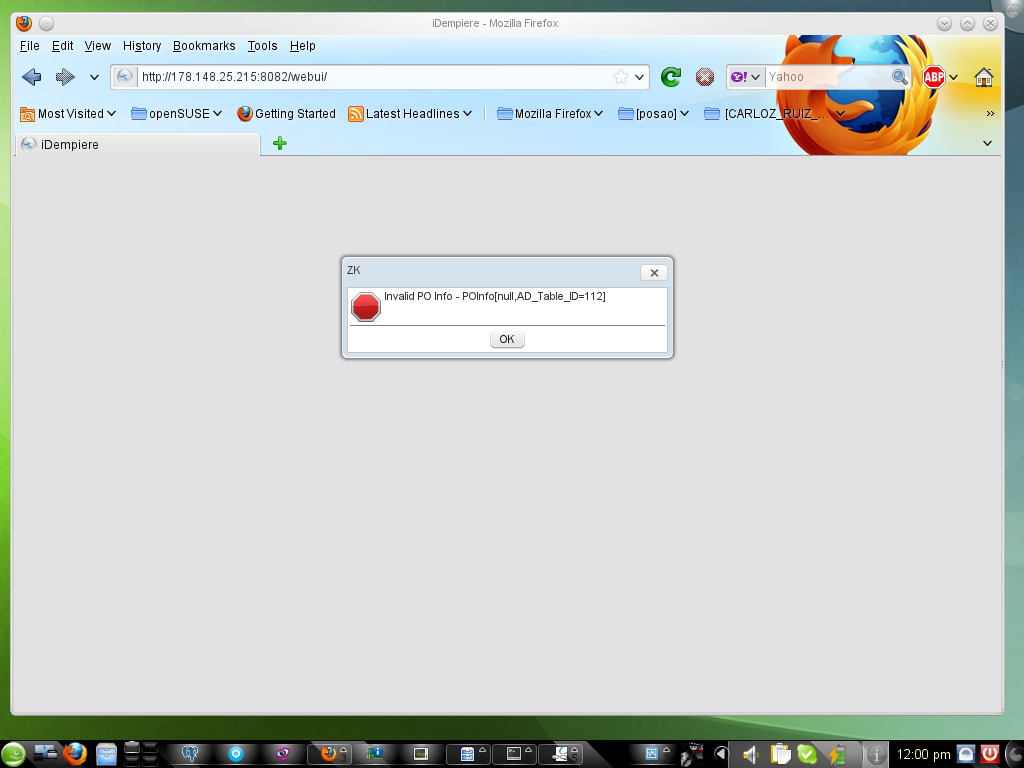
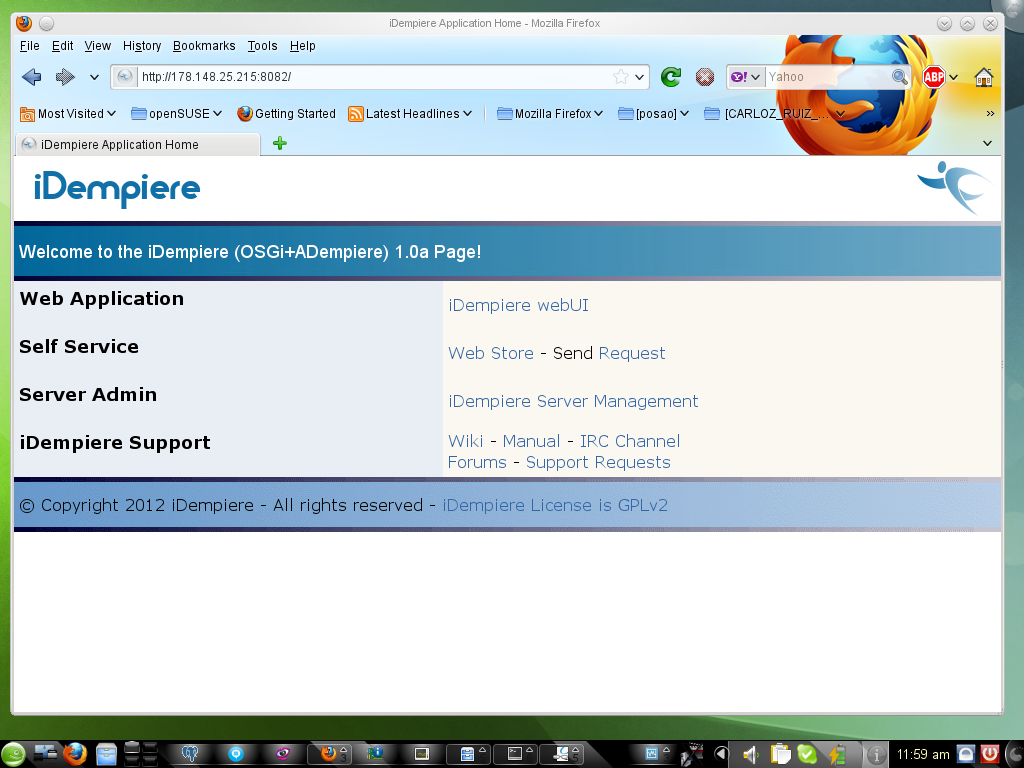
I was download https://sourceforge.net/projects/idempiere/files
and install it as:
1) first database
postgres@linux-akp4:~/bin> ./createuser idempiere
Shall the new role be a superuser? (y/n) y
postgres@linux-akp4:~/bin> ./createdb -U idempiere idempiere
postgres@linux-akp4:~/bin> ./psql -h localhost -d idempiere -u idempiere </home/nadrog/idempiere-server/data/seed/Adempiere_pg.dmp
./psql.bin: invalid option -- 'u'
Try "psql.bin --help" for more information.
postgres@linux-akp4:~/bin> ./psql -h localhost -d idempiere -U idempiere </home/nadrog/idempiere-server/data/seed/Adempiere_pg.dmp
SET
SET
SET
SET
SET
SET
CREATE SCHEMA
ALTER SCHEMA
.........................
and then server :
nadrog@linux-akp4:~> cd idempiere-server
nadrog@linux-akp4:~/idempiere-server> bash setup-alt.sh
... Setup idempiere Server
Started service locator: org.adempiere.base.equinox.EquinoxServiceLocator@f01a1e
*** 2013-04-26 11:52:16.727 idempiere Log (CLogConsole) ***
11:52:16.727 Setup.<init>: iDempiere(r) Release 1.0a_2012-10-31 -Smart Suite ERP, CRM and SCM- (c) 1999-2012 iDempiere(r); Implementation: iDempiere - Supported by iDempiere community
11:52:17.097 ConfigurationData.load: Defaults
11:53:30.644 Config.test: OK: JavaHome=/home/nadrog/jdk1.6.0_24 [11]
11:53:30.648 Config.test: OK: Version=1.6.0_24 [11]
11:53:30.649 ConfigurationData.testAdempiere: OK: AdempiereHome = /home/nadrog/idempiere-server [11]
11:53:30.729 KeyStoreMgt.<init>: /home/nadrog/idempiere-server/keystore/myKeystore [11]
11:53:30.771 KeyStoreMgt.createCertificate: [11]
11:53:30.894 Env.getImageIcon2: GIF/PNG Not found: Ok16 [11]
11:53:30.895 Env.getImageIcon2: GIF/PNG Not found: Ok24 [11]
11:53:30.902 Env.getImageIcon2: GIF/PNG Not found: Cancel16 [11]
11:53:30.904 Env.getImageIcon2: GIF/PNG Not found: Cancel24 [11]
11:53:37.626 KeyStoreMgt.keytool: keytool -genkey -keyalg rsa -alias idempiere -dname "CN=linux-akp4.site, OU=nadrog, O=AdempiereUser, L=MyTown, C=US" -keypass myPassword -validity 999 -keystore /home/nadrog/idempiere-server/keystore/myKeystore -storepass myPassword [11]
11:53:38.398 KeyStoreMgt.keytool: keytool -selfcert -alias idempiere -dname "CN=linux-akp4.site, OU=nadrog, O=AdempiereUser, L=MyTown, C=US" -keypass myPassword -validity 999 -keystore /home/nadrog/idempiere-server/keystore/myKeystore -storepass myPassword [11]
11:53:38.445 ConfigurationData.testAdempiere: OK: KeyStore = /home/nadrog/idempiere-server/keystore/myKeystore [11]
11:53:38.448 Config.test: OK: AppsServer = linux-akp4/127.0.0.2 [11]
testPort[http,linux-akp4, 8082, /]
testServerPort: 8082
11:53:38.702 Config.test: OK: Web Port = 8082 [11]
testPort[https,linux-akp4, 8441, /]
testServerPort: 8441
11:53:39.538 Config.test: OK: SSL Port = 8441 [11]
11:53:39.542 ConfigPostgreSQL.test: OK: Database Server = /127.0.0.1 [11]
testPort[127.0.0.1, 5432]
11:53:39.544 ConfigPostgreSQL.test: OK: Database Port = 5432 [11]
11:53:39.758 ConfigPostgreSQL.test: OK: System Connection = jdbc:postgresql://localhost.localdomain:5432/template1 [11]
11:53:39.766 ConfigPostgreSQL.test: OK: Database User = idempiere [11]
testPort[127.0.0.2, 25]
11:53:39.812-----------> ConfigurationData.testPort: Open Socket linux-akp4/127.0.0.2:25 - Connection refused [11]
11:53:39.812 ConfigurationData.testMailServer: SMTP Server NOT available [11]
testPort[127.0.0.2, 110]
11:53:39.813-----------> ConfigurationData.testPort: Open Socket linux-akp4/127.0.0.2:110 - Connection refused [11]
11:53:39.813 ConfigurationData.testMailServer: POP3 Server NOT available [11]
testPort[127.0.0.2, 143]
11:53:39.813-----------> ConfigurationData.testPort: Open Socket linux-akp4/127.0.0.2:143 - Connection refused [11]
11:53:39.814 ConfigurationData.testMailServer: IMAP4 Server NOT available [11]
11:53:39.815-----------> ConfigurationData.testMailServer: No active Mail Server [11]
11:53:39.815-----------> ConfigurationData.testMail: Not verified EMail = info@linux-akp4 [11]
11:53:48.209 Config.test: OK: JavaHome=/home/nadrog/jdk1.6.0_24 [12]
11:53:48.211 Config.test: OK: Version=1.6.0_24 [12]
11:53:48.213 ConfigurationData.testAdempiere: OK: AdempiereHome = /home/nadrog/idempiere-server [12]
11:53:48.214 KeyStoreMgt.<init>: /home/nadrog/idempiere-server/keystore/myKeystore [12]
11:53:48.222 ConfigurationData.testAdempiere: OK: KeyStore = /home/nadrog/idempiere-server/keystore/myKeystore [12]
11:53:48.230 Config.test: OK: AppsServer = linux-akp4/127.0.0.2 [12]
testPort[http,linux-akp4, 8082, /]
testServerPort: 8082
11:53:48.238 Config.test: OK: Web Port = 8082 [12]
testPort[https,linux-akp4, 8441, /]
testServerPort: 8441
11:53:48.247 Config.test: OK: SSL Port = 8441 [12]
11:53:48.261 ConfigPostgreSQL.test: OK: Database Server = /127.0.0.1 [12]
testPort[127.0.0.1, 5432]
11:53:48.274 ConfigPostgreSQL.test: OK: Database Port = 5432 [12]
11:53:48.323 ConfigPostgreSQL.test: OK: System Connection = jdbc:postgresql://localhost.localdomain:5432/template1 [12]
11:53:48.375 ConfigPostgreSQL.test: OK: Database User = idempiere [12]
testPort[127.0.0.2, 25]
11:53:48.378-----------> ConfigurationData.testPort: Open Socket linux-akp4/127.0.0.2:25 - Connection refused [12]
11:53:48.380 ConfigurationData.testMailServer: SMTP Server NOT available [12]
testPort[127.0.0.2, 110]
11:53:48.385-----------> ConfigurationData.testPort: Open Socket linux-akp4/127.0.0.2:110 - Connection refused [12]
11:53:48.385 ConfigurationData.testMailServer: POP3 Server NOT available [12]
testPort[127.0.0.2, 143]
11:53:48.400-----------> ConfigurationData.testPort: Open Socket linux-akp4/127.0.0.2:143 - Connection refused [12]
11:53:48.401 ConfigurationData.testMailServer: IMAP4 Server NOT available [12]
11:53:48.405-----------> ConfigurationData.testMailServer: No active Mail Server [12]
11:53:48.415-----------> ConfigurationData.testMail: Not verified EMail = info@linux-akp4 [12]
11:53:48.453-----------> Ini.loadProperties: /home/nadrog/idempiere-server/idempiere.properties not found [13]
11:53:48.462 Ini.loadProperties: /home/nadrog/idempiere-server/idempiere.properties #28 [13]
11:53:48.470 ConfigurationData.save: /home/nadrog/idempiere-server/idempiereEnv.properties [13]
file=/home/nadrog/idempiere-server/org.adempiere.install/build.xml exists=false
*** 2013-04-26 11:53:49.604 idempiere Log (CLogConsole) ***
... Setup Tomcat
Buildfile: build.xml
setupInit:
[echo] iDempiere Server Setup ===================
[echo] IDEMPIERE_HOME = ${env.IDEMPIERE_HOME}
[echo] Environment = idempiereEnv.properties
[echo] Java VM = ${ADEMPIERE_JAVA_TYPE}
[echo] Database = PostgreSQL
[echo] Windows=${isWindows}
[copy] Copying 1 file to /home/nadrog/idempiere-server/plugins/org.adempiere.tomcat.config_1.0.0/META-INF/tomcat
setupWin:
setupNonWin:
[copy] Copying 1 file to /home/nadrog/idempiere-server/utils
[copy] Copying 1 file to /home/nadrog/idempiere-server/utils
[copy] Copying 1 file to /home/nadrog/idempiere-server/utils
setup:
BUILD SUCCESSFUL
BUILD SUCCESSFUL
Total time: 1 second
... Make .sh executable
...
For problems, check log file in base directory
nadrog@linux-akp4:~/idempiere-server> ls
about_files console-setup.sh idempiere idempiere-server.sh plugins utils
about.html data idempiere.2013-04-26_0.log keystore setup work
artifacts.xml director idempiere.2013-04-26_1.log launcher setup-alt.sh workspace
build.xml director.sh idempiereEnv.properties libcairo-swt.so setup.ini
configuration extensions-priorty.properties idempiere.ini log setup.sh
console-setup-alt.sh features idempiere.properties p2 update.sh
nadrog@linux-akp4:~/idempiere-server> bash idempiere-server.sh
===================================
Starting iDempiere Server
===================================
Listening on port 0.0.0.0/0.0.0.0:12612 ...
SLF4J: Class path contains multiple SLF4J bindings.
SLF4J: Found binding in [bundleresource://28.fwk16382424:1/org/slf4j/impl/StaticLoggerBinder.class]
SLF4J: Found binding in [bundleresource://28.fwk16382424:2/org/slf4j/impl/StaticLoggerBinder.class]
SLF4J: See http://www.slf4j.org/codes.html#multiple_bindings for an explanation.
Apr 26, 2013 11:54:52 AM org.slf4j.impl.JCLLoggerAdapter info
INFO: Configuring Tomcat from fragment entry 'bundleentry://55.fwk16382424/META-INF/tomcat/server.xml'
Apr 26, 2013 11:54:53 AM org.apache.catalina.startup.SetAllPropertiesRule begin
WARNING: [SetAllPropertiesRule]{Server/Service/Connector} Setting property 'maxSpareThreads' to '75' did not find a matching property.
Apr 26, 2013 11:54:53 AM org.apache.catalina.startup.SetAllPropertiesRule begin
WARNING: [SetAllPropertiesRule]{Server/Service/Connector} Setting property 'maxSpareThreads' to '75' did not find a matching property.
Apr 26, 2013 11:54:53 AM org.apache.tomcat.util.digester.SetPropertiesRule begin
WARNING: [SetPropertiesRule]{Server/Service/Engine/Host} Setting property 'xmlValidation' to 'false' did not find a matching property.
Apr 26, 2013 11:54:53 AM org.apache.tomcat.util.digester.SetPropertiesRule begin
WARNING: [SetPropertiesRule]{Server/Service/Engine/Host} Setting property 'xmlNamespaceAware' to 'false' did not find a matching property.
i have this on attachment error:
Any idea?
regards,
Gordan
http://erpinfosystems.blogspot.com/

Carlos Antonio Ruiz Gomez
Apr 26, 2013, 10:37:49 AM4/26/13
to idem...@googlegroups.com
Hi Gordan, thanks for the feedback.
If you're using postgres 8.4 or 9.0 you need to import the file
/home/nadrog/idempiere-server/data/seed/Adempiere_pg84.dmp
Sorry for the inconvenient, just noticed that installers are not running
properly with these versions and require manual import of DB.
Regards,
Carlos Ruiz
If you're using postgres 8.4 or 9.0 you need to import the file
/home/nadrog/idempiere-server/data/seed/Adempiere_pg84.dmp
Sorry for the inconvenient, just noticed that installers are not running
properly with these versions and require manual import of DB.
Regards,
Carlos Ruiz
nadrog
Apr 26, 2013, 1:38:58 PM4/26/13
to idem...@googlegroups.com
thanx for reply, I was unzip Adempeire_pg.jar from data/seed/ folder and take Adempiere_pg.dmp for import
and I was notice that is dmp from older version.
But where I can found Adempiere_pg84.dmp, where is located?
regards
Gordan
and I was notice that is dmp from older version.
But where I can found Adempiere_pg84.dmp, where is located?
regards
Gordan
Carlos Antonio Ruiz Gomez
Apr 26, 2013, 2:01:11 PM4/26/13
to idem...@googlegroups.com
Gordan, there is a
data/seed/Adempiere_pg84.jar containing the 8.4 dump
Regards,
Carlos Ruiz
Regards,
Carlos Ruiz
Reply all
Reply to author
Forward
0 new messages