
Package ‘hydromad’ is not available (for R version 3.1.0)
215 views
Skip to first unread message

Carlos Navarro
Jul 10, 2014, 9:23:37 PM7/10/14
to hydroma...@googlegroups.com
Following the instructions to install the hydroid package from the website I've written this in my RStudio
> install.packages("hydromad", repos="http://hydromad.catchment.org")
But this is what I've got:
Warning in install.packages :
cannot open: HTTP status was '404 Not Found'
Warning in install.packages :
cannot open: HTTP status was '404 Not Found'
Warning in install.packages :
unable to access index for repository http://hydromad.catchment.org/bin/macosx/mavericks/contrib/3.1
package ‘hydromad’ is available as a source package but not as a binary
Warning in install.packages :
package ‘hydromad’ is not available (for R version 3.1.0)
I'm using OS X 10.9.4 and and R version 3.1.0
How can I install the package?
Thank you.

Dasapta Erwin Irawan
Jul 12, 2014, 2:40:13 PM7/12/14
to hydroma...@googlegroups.com
Hi Carlos,


I just notice your post today. I have this problem also with one of my friends MBA running Mavericks 10.9.2.
I posted it on my blog http://erwin.up.to. Search for "Mavericks".
My steps were:
1. Download the tar.gz format of Hydromad package
2. You have to download the Xcode 5 from Appstore. You have to register first as developer, as it was made for developer. It should be properly installed in you Mac. But you don't have to run it.
3. Run the "terminal' window. The icon should be in your "Utility" program group. The one in the middle.

If your run it the a window like this will open
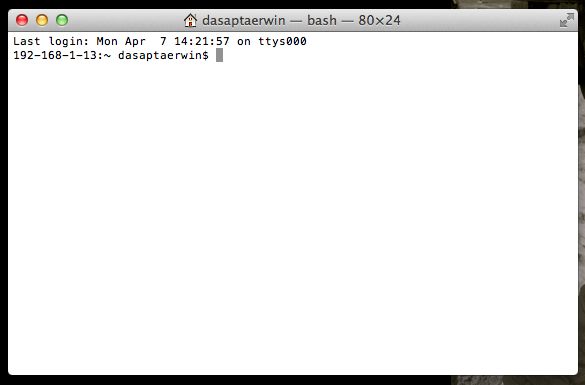
4. Then on the terminal prompt type the following code (press "return" after each line):
$ cd /usr/bin
$ sudo ln -fs clang llvm-gcc-4.2
$ sudo ln -fs clang++ llvm-g++-4.2
5. After that, you should close everything then restart your MBA.
6. Then you can try again the process to install.package in R from tar.gz file. Use the menu to do this if you're not familiar with the command line.
Hope it helps.
Reply all
Reply to author
Forward
0 new messages