
GoPro Fusion image stitching
319 views
Skip to first unread message

Michael Karmazin
May 19, 2019, 8:51:09 AM5/19/19
to hugin and other free panoramic software
Hi all,
I tried hard, but the result is still heavily distorted... Is there any hint for stitching together two GoPro Fusion images?
At least, what value should I select as the Lens Type?
Thanks!

T. Modes
May 19, 2019, 12:44:38 PM5/19/19
to hugin and other free panoramic software
Hi,
Am Sonntag, 19. Mai 2019 14:51:09 UTC+2 schrieb Michael Karmazin:
I tried hard, but the result is still heavily distorted... Is there any hint for stitching together two GoPro Fusion images?At least, what value should I select as the Lens Type?
Can you provide a link to sample image set so we could try for ourself?
I've seen only 360 deg equirectangular images or videos in the reviews so far.
Michael Karmazin
May 19, 2019, 7:36:19 PM5/19/19
to hugin and other free panoramic software
Hi T.Modes, thanks for the quick reply!
The samples are attached. These are the files written to the SD cards of the camera.
Thanks!
Michael.

Terry Duell
May 19, 2019, 7:59:14 PM5/19/19
to hugi...@googlegroups.com
Hello Michael,
On Mon, 20 May 2019 09:36:19 +1000, Michael Karmazin
<m.kar...@gmail.com> wrote:
> Hi T.Modes, thanks for the quick reply!
>
> The samples are attached. These are the files written to the SD cards of
> the camera.
When providing files for a mailing list it is always best to use a link to
your files, rather than attach the files to a post.
Not all members need to receive the files.
Cheers,
--
Regards,
Terry Duell
On Mon, 20 May 2019 09:36:19 +1000, Michael Karmazin
<m.kar...@gmail.com> wrote:
> Hi T.Modes, thanks for the quick reply!
>
> The samples are attached. These are the files written to the SD cards of
> the camera.
your files, rather than attach the files to a post.
Not all members need to receive the files.
Cheers,
--
Regards,
Terry Duell
Michael Karmazin
May 19, 2019, 8:21:27 PM5/19/19
to hugin and other free panoramic software
Ouch. Sorry Terry & all, I didn't realise it works this way. Will do next time.
I presume it's too late to re-upload the already attached files somewhere, but let me know pls if it's still needed.
Sorry!
Michael.
Terry Duell
May 19, 2019, 8:51:27 PM5/19/19
to hugi...@googlegroups.com
Hello Michael,
On Mon, 20 May 2019 10:21:26 +1000, Michael Karmazin
<m.kar...@gmail.com> wrote:
> Ouch. Sorry Terry & all, I didn't realise it works this way. Will do next
> time.
>
> I presume it's too late to re-upload the already attached files
> somewhere,
> but let me know pls if it's still needed.
Not point in uploading them somewhere now, they're already on the mailing
list for anyone to grab.
Not to worry, but it's courtesy and good etiquette to provide large files
via a link.
On Mon, 20 May 2019 10:21:26 +1000, Michael Karmazin
<m.kar...@gmail.com> wrote:
> Ouch. Sorry Terry & all, I didn't realise it works this way. Will do next
> time.
>
> I presume it's too late to re-upload the already attached files
> somewhere,
> but let me know pls if it's still needed.
list for anyone to grab.
Not to worry, but it's courtesy and good etiquette to provide large files
via a link.


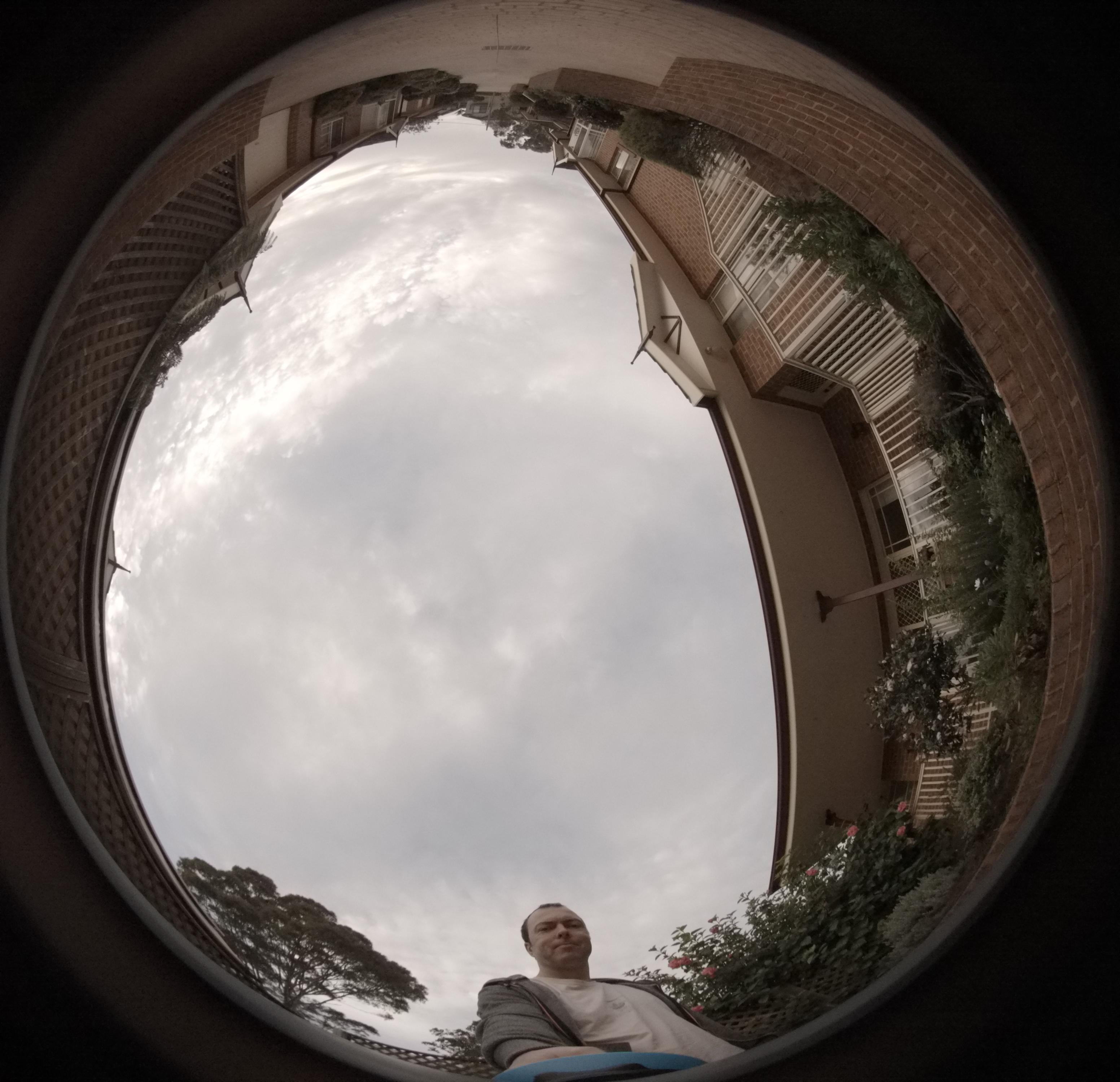


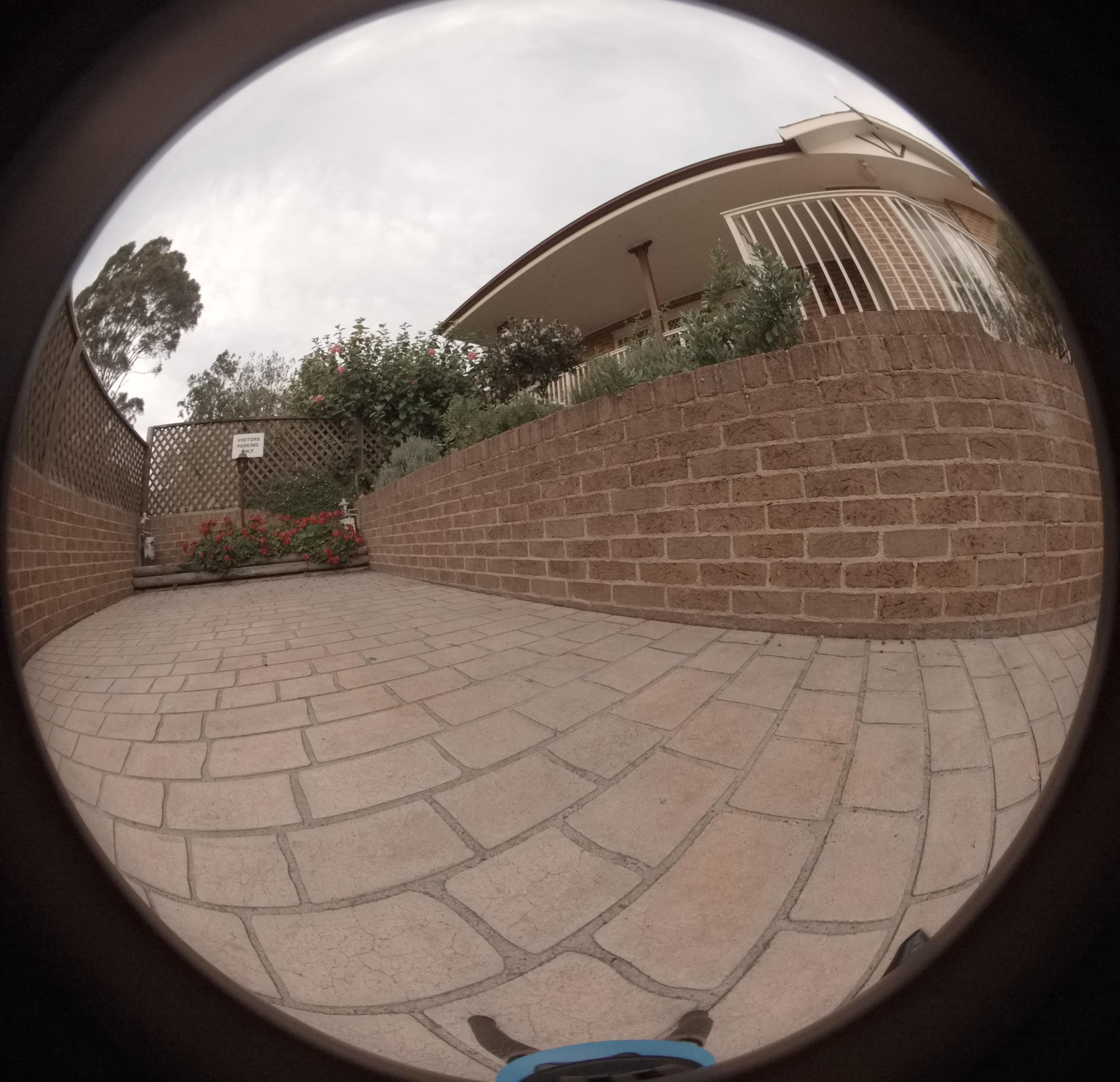

zarl
May 20, 2019, 6:47:48 AM5/20/19
to hugin and other free panoramic software
That looks like a "circular fisheye". Use that as the lens type. If you need to provide an estimate for the focal length start with 8 (mm). The assistant / optimiser can change that later for you.
Next, switch to Masks tab (available when you select advanced user interface) and in this tab move from "masks" to the "crop" area where you can fine tune the image circle (try to deselect "always center crop" and then move the circle. You can also alter the circle's diameter.
Your nadir shot: it looks like most of the photos where shot using a panoramic tripod head and the nadir shot was done handheld. In the list of images right click on that image and choose "new lens" from the context menu. I recommend masking walls etc. so that only a broader circle of the pavement remains.
Now try your assistant...
cheers,
Carl
Michael Karmazin
May 20, 2019, 8:37:20 AM5/20/19
to hugin and other free panoramic software
Many thanks, Carl.
The "crop" thing was apparently the bit that I was missing. After I applied it, I managed to get the result I wanted pretty quickly.
Seems that I still I need to find a bit better focal length and the focal length multiplier, but overall the problem looks fixed for me.
Thanks!
Michael.
T. Modes
May 20, 2019, 3:11:01 PM5/20/19
to hugin and other free panoramic software
Hi Michael,
Am Montag, 20. Mai 2019 14:37:20 UTC+2 schrieb Michael Karmazin:
Seems that I still I need to find a bit better focal length and the focal length multiplier, but overall the problem looks fixed for me.
That's good to hear. Concerning focal length multiplier: The main parameter for Hugin is the HFOV (horizontal field of view). For convenience the GUI calculates it from the focal length and focal length multiplier. So there a several combinations which results in the same fov. So I would recommend to remember only the HFOV or the focal length with a fix multiplier of 1.
Thomas
Reply all
Reply to author
Forward
0 new messages