100 Q&A's on HowNet -- 006. extract all the words with the specified feature(s) from HowNet?

150 views
Skip to first unread message

xish...@gmail.com

unread,
Jun 17, 2014, 11:52:02 AM6/17/14
to

6. If I search with some semantic feature(s), can I extract all the words with the specified feature(s) from HowNet? If I can, how should I do?

 
Yes, you can. Look at HowNet Browser and you will find the following dialogue boxes which function with the search: KeyWord, Language, and search Mode at the Browser’s bottom line, the selection result may be shown as follows: exact, first, fuzzy, etc.

Let’s take the English word “patient” for example.
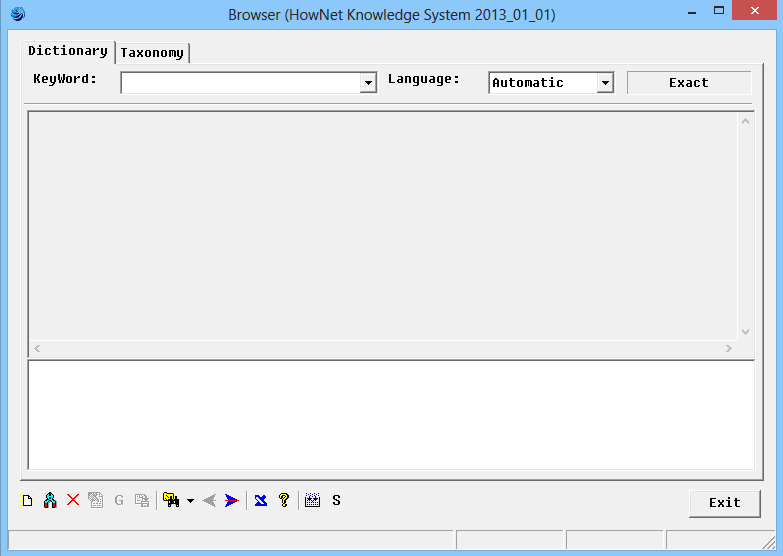


     HowNet Browser Interface

1. input the word “patient” into KeyWord input box and choose “Exact” for search mode.

 
         KeyWord:  patient     Language:  Automatic     Search Mode: Exact


      Then let’s choose the first sense:
              DEF={human|人:domain={medical|医},{SufferFrom|罹患:experiencer={~}},{doctor|医治:patient={~}}}


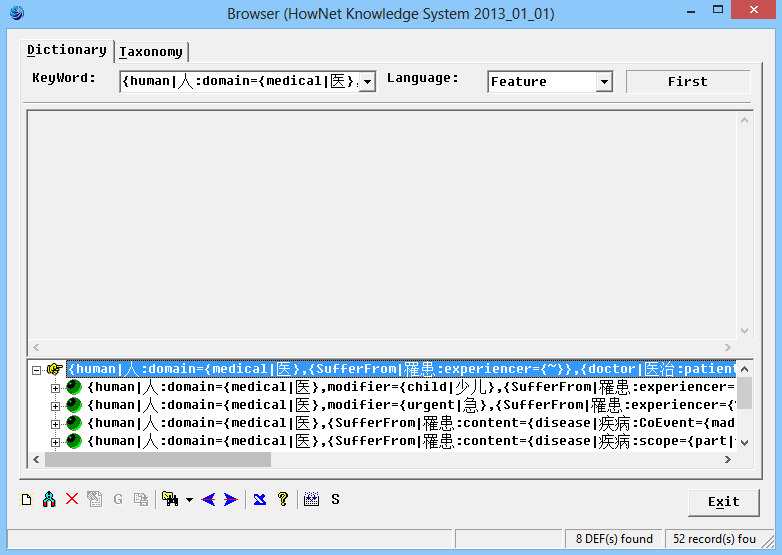
 2. When you choose the whole DEF as an semantic feature and input in, and suppose select “first” for search mode

        KeyWord:  “the whole DEF”     Language:  feature     Search Mode:  first
        the Whole DEF is "{human|人:domain={medical|医},{SufferFrom|罹患:experiencer={~}},{doctor|医治:patient={~}}}"
        then the Browser will also show the statistical result at the right-hand corner: 8 DEF(s) found and 52 record(s) found.


3. We also can take {SufferFrom|罹患:experiencer={~}} as an input in the KeyWord.

       KeyWord:  “{SufferFrom|罹患:experiencer={~}}”  Language:  feature    Search Mode: fuzzy
       then the Browser will also show the statistical result at the right-hand corner: 23 DEF(s) found and 80 record(s) found.
       When we want to extract and export all the records of the search results, we place the cursor at the result box and right-click, we will then see a menu, choose “Export Search Result(full)” , “Export Search Result(Chinese words)” or “Export Search Result(English Words)”.


Some of the 80 records of the search results are exported and shown below:
 

NO.=140765

W_C=失语症患者

G_C=noun [shi1 yu3 zheng4 huan4 zhe3]

S_C=MinusEntity|负面实体

E_C=

W_E=aphasic

G_E=noun [2 aphasicnoun-0static    ]

S_E=MinusEntity|负面实体

E_E=

DEF={human|:{SufferFrom|罹患:content={disease|疾病:scope={speak|}},experiencer={~}}}

RMK=
 
NO.=120276

W_C=陪床

G_C=verb [pei2 chuang2]

S_C=

E_C=

W_E=stay in a hospital ward to look after a patient

G_E=verb [51stayverb-0vi      ]

S_E=

E_E=

DEF={stay|停留:location={room|房间:domain={medical|},{doctor|医治:location={~}}},purpose={TakeCare|照料:patient={human|:domain={medical|},{SufferFrom|罹患:experiencer={~}},{doctor|医治:patient={~}}}}}

RMK=
 
NO.=201564

W_C=主诉

G_C=noun [zhu3 su4]

S_C=

E_C=

W_E=chief complaint

G_E=noun [52complaintnoun-0      ]

S_E=

E_E=

DEF={text|语文:RelateTo={human|:domain={medical|},{SufferFrom|罹患:experiencer={~}},{doctor|医治:patient={~}}},{ExpressDissatisfaction|示不满:instrument={~}}}

RMK=
 
NO.=181525

W_C=医嘱

G_C=noun [yi1 zhu3]

S_C=

E_C=

W_E=doctor's advice

G_E=noun [52advicenoun-0      ]

S_E=

E_E=

DEF={text|语文:domain={medical|},{propose|提出:agent={human|:{doctor|医治:agent={~}}},content={~},target={human|:{SufferFrom|罹患:experiencer={~}}}}}

RMK=
 

NO.=151072

W_C=探病

G_C=verb [tan4 bing4]

S_C=

E_C=

W_E=visit a patient

G_E=noun [51visitverb-0vi      ]

S_E=

E_E=

DEF={visit|看望:content={human|:domain={medical|},{SufferFrom|罹患:experiencer={~}},{doctor|医治:patient={~}}}}

RMK=
 
Reply all
Reply to author
Forward
0 new messages