
H2 and jts-1.113.jar issues
545 views
Skip to first unread message

ray.b...@gmail.com
Feb 22, 2016, 12:40:53 AM2/22/16
to H2 Database
I've been trying to use the newer spatial functions in H2 by exploiting the JTS library. In my application, I'm utilizing H2 in embedded mode within an Eclipse project. While in Eclipse, I have access to spatial functionality without problems. When I try to view the database in the H2 web page, I have issues. My program is adding GEOMETRY objects to a table just fine, and I can pull them out of H2 just fine while in Eclipse.
I think what is happening is that H2 cannot find the JTS library on the classpath. I'm getting the following exception when I try to open up an H2 database in the browser with GEOMETRY types in it:
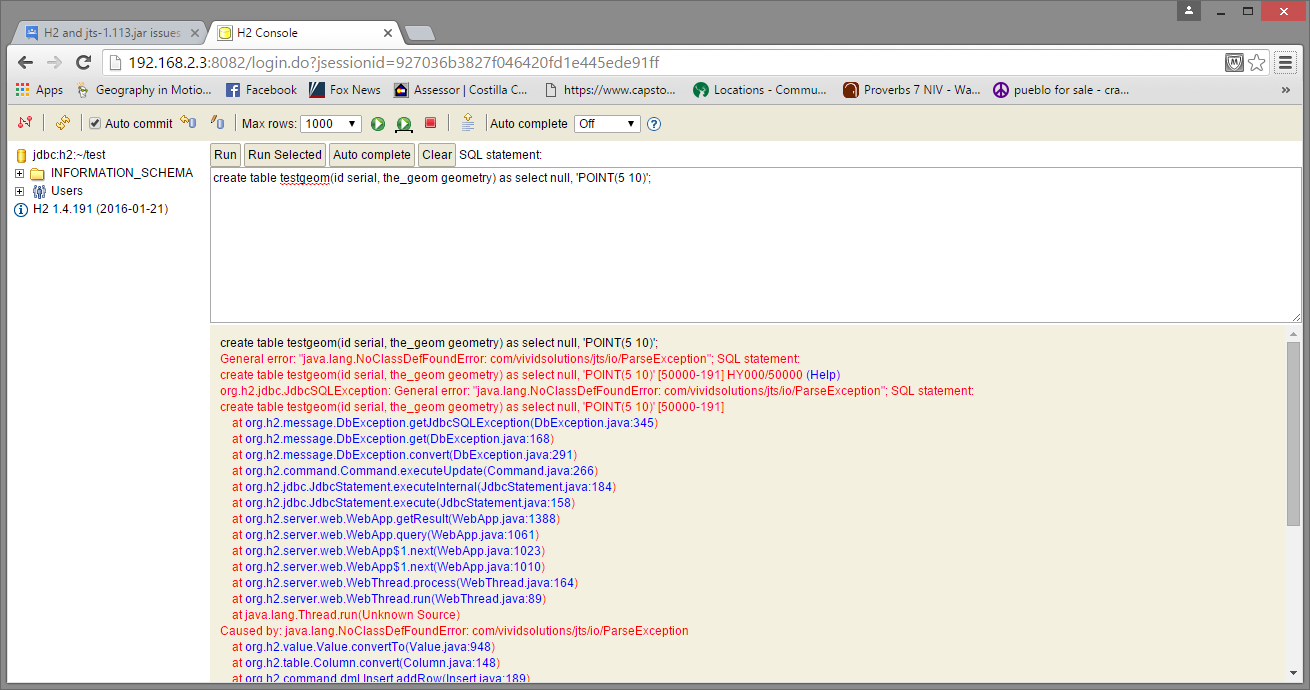
org.h2.jdbc.JdbcSQLException: General error: "java.lang.NoClassDefFoundError: com/vividsolutions/jts/io/ParseException" [50000-191]
If I try to open a database without GEOMETRY types, the H2 web page runs without problems and I can see the tables.
I've followed the instructions for dropping jts-1.13.jar in the bin directory. Since I'm on Windows, I also added jts-1.13.jar to the classpath in the h2.bat file. Here's what the batch file looks like:
@java -cp "h2-1.4.191.jar;jts-1.13.jar;%H2DRIVERS%;%CLASSPATH%" org.h2.tools.Console %*
@if errorlevel 1 pause
I've also tried running an older version of H2 (h2-1.3.176.jar), but I always get the same results.
Any ideas?

Nicolas Fortin (OrbisGIS)
Feb 22, 2016, 3:17:58 AM2/22/16
to H2 Database
Hi,
The JTS version is now 1.14.0 . You can download it on official repository:
http://search.maven.org/remotecontent?filepath=com/vividsolutions/jts-io/1.14.0/jts-io-1.14.0.jar
http://search.maven.org/remotecontent?filepath=com/vividsolutions/jts-core/1.14.0/jts-core-1.14.0.jar
We have to update the website in consequence.
Thanks for your feedback
Best regards,
Nicolas Fortin
Software developer
Laboratoire d’Acoustique Environnementale (LAE) Ifsttar Nantes
The JTS version is now 1.14.0 . You can download it on official repository:
http://search.maven.org/remotecontent?filepath=com/vividsolutions/jts-io/1.14.0/jts-io-1.14.0.jar
http://search.maven.org/remotecontent?filepath=com/vividsolutions/jts-core/1.14.0/jts-core-1.14.0.jar
We have to update the website in consequence.
Thanks for your feedback
Best regards,
Nicolas Fortin
Software developer
Laboratoire d’Acoustique Environnementale (LAE) Ifsttar Nantes
Nicolas Fortin (OrbisGIS)
Feb 22, 2016, 3:28:16 AM2/22/16
to H2 Database
Hi,
I was talking about the master version of H2.
For the version 1.4.191, copy the specified jar file http://search.maven.org/remotecontent?filepath=com/vividsolutions/jts/1.13/jts-1.13.jar into the bin directory then edit h2.bat and just add the new jar:
I was talking about the master version of H2.
For the version 1.4.191, copy the specified jar file http://search.maven.org/remotecontent?filepath=com/vividsolutions/jts/1.13/jts-1.13.jar into the bin directory then edit h2.bat and just add the new jar:
@java -cp "h2-1.4.191.jar;jts-1.13.jar;%H2DRIVERS%;%CLASSPATH%" org.h2.tools.Console %*
@if errorlevel 1 pause
I checked under windows 7, the following query is working:
create table testgeom(id serial, the_geom geometry) as select null, 'POINT(5 10)';
Regards,
create table testgeom(id serial, the_geom geometry) as select null, 'POINT(5 10)';
Regards,
Nicolas Fortin
Software developer
Laboratoire d’Acoustique Environnementale (LAE) Ifsttar Nantes
Le lundi 22 février 2016 06:40:53 UTC+1, ray.b...@gmail.com a écrit :
ray.b...@gmail.com
Feb 22, 2016, 8:32:47 AM2/22/16
to H2 Database
Nicolas-
I copied the contents of your batch file into mine, saved and ran it. Then I removed the database that I was working with (it had Geometry types in it), and ran your batch file. The H2 console opened and I ran your query. I got the exact same result as before.
Here's the contents of my batch file:
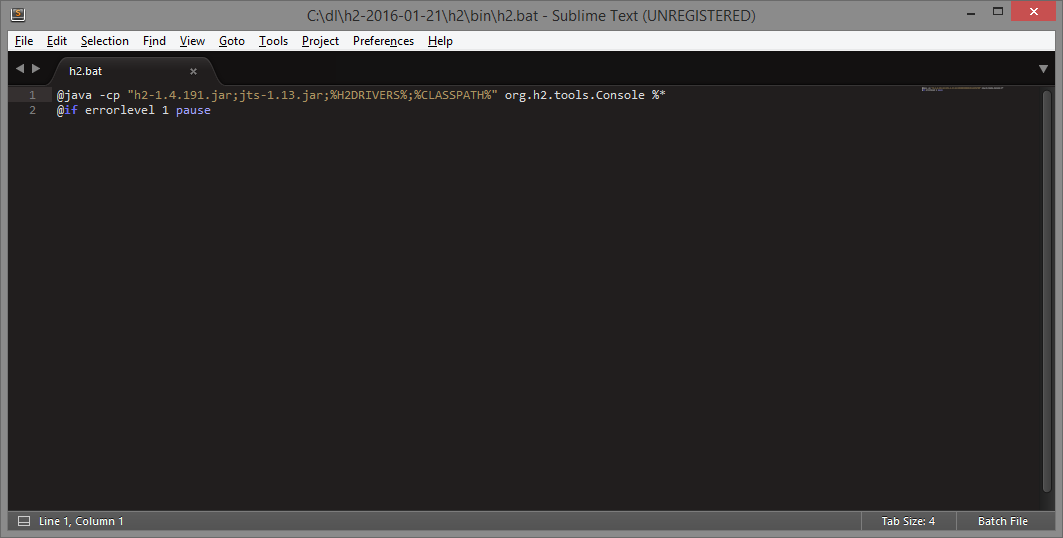
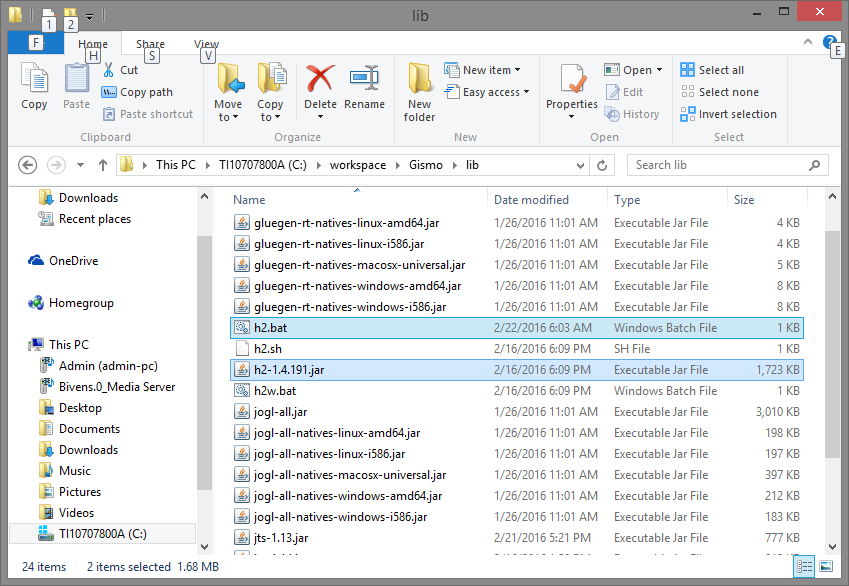
And here's the directory structure that H2 and JTS live in:
Finally, here's the H2 Console with the results of the query you provided:
I should note that I'm running Windows 8, although I can't imagine that would make a difference.
Thanks.
Nicolas Fortin (OrbisGIS)
Feb 22, 2016, 8:41:30 AM2/22/16
to H2 Database
Please note that H2 is running in the background. You have to stop H2 before running it again (Options/Stop menu in browser or Right click/Exit on H2 task bar near the clock)
Best regards,
Best regards,
ray.b...@gmail.com
Feb 22, 2016, 8:43:49 AM2/22/16
to H2 Database
I just noticed that when running your SQL: create table testgeom(id serial, the_geom geometry) as select null, 'POINT(5 10)';
the table DOES get created (it doesn't show up until I log out and back in to the console). But there is no geometry in it.

It seems as though H2 can create a field using the GEOMETRY type, but it cannot recognize the actual JTS geometry in the field (in my case).
Thanks.
ray.b...@gmail.com
Feb 22, 2016, 8:47:55 AM2/22/16
to H2 Database
Thanks. I've made sure that there are no other processes running H2 since I'm using it as an embedded database.
Nicolas Fortin (OrbisGIS)
Feb 22, 2016, 9:04:10 AM2/22/16
to H2 Database
Even if you use embedded database the program is running in the background. Before running the .bat make sure that http://localhost:8082 is unavailable.
Nicolas Fortin
Software developer
Laboratoire d’Acoustique Environnementale (LAE) Ifsttar Nantes
ray.b...@gmail.com
Feb 22, 2016, 9:22:06 AM2/22/16
to H2 Database
Hmmm. Not sure I understand, and thanks for being patient with me.
If I can bring up the console and use it for everything except geometry types, I should be fine right?
ray.b...@gmail.com
Feb 22, 2016, 9:34:58 AM2/22/16
to H2 Database
Okay, I restarted and it appears to be working fine now. Thanks for your help!
I didn't realize that even in embedded mode, H2 was still running in the background.
Thanks again!
Reply all
Reply to author
Forward
0 new messages