

Amila

Craig N.
Hello,
To repeat an animation 3 times is pretty easy. You will need to be in Advanced Mode for animation.
This Google Web Designer Support page has a pretty good section on the Advanced Mode for animation:
"Create animations in Advanced mode"
https://support.google.com/webdesigner/answer/3228643?hl=en
1. Go to the "Changing the timing of an animation" section.
2. Go to the last point at the bottom that says "To repeat an animation:"
3. Here's a screenshot example of the "loop" button options in the Advanced Mode timeline:
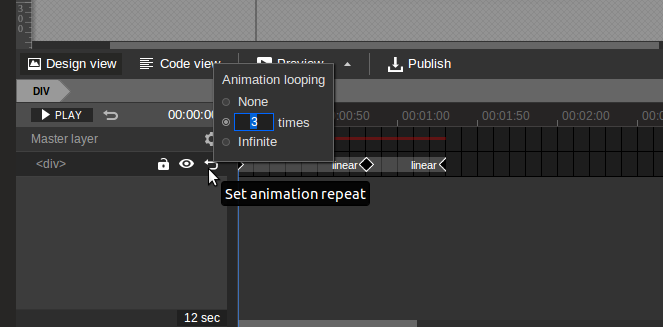
Hope this helps!
- CN
Amila
Craig N.
Hi Amila,
You are very welcome! You will have to set the endpoints for your animation manually on the timeline. You can do this in one of the following ways:
1. Selecting multiple keyframes and then pressing “F6”
Step 1: Hold down the “Ctrl” or “Cmd” key on your keyboard
Step 2: Left Click on each keyframe you want as your endpoint. You will see it highlighted to the left
Step 3: Press “F6” and your keyframes will appear
Example:
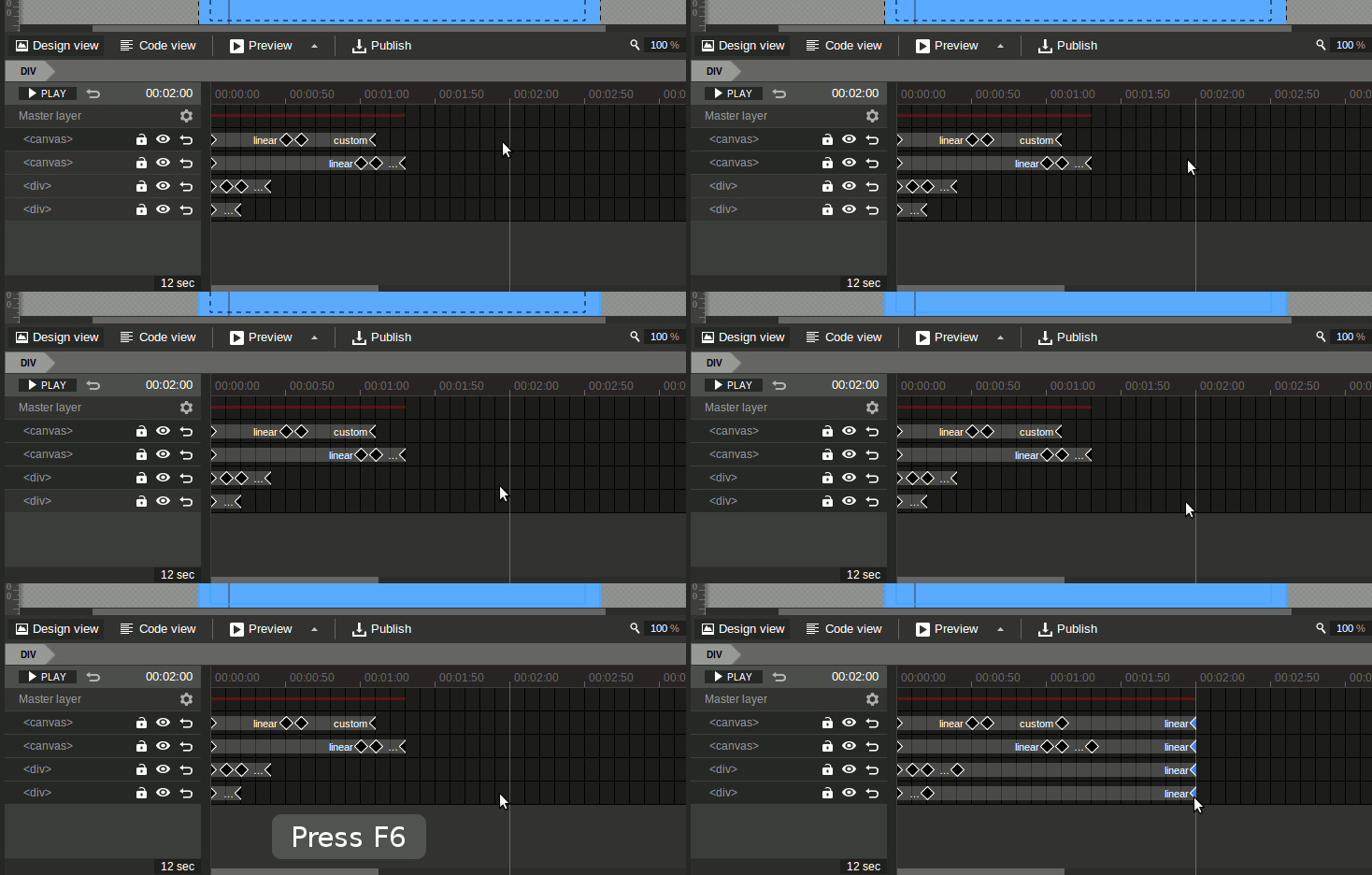
Tip: Drag Multiple Keyframes
You can also drag multiple keyframes once you have selected them:

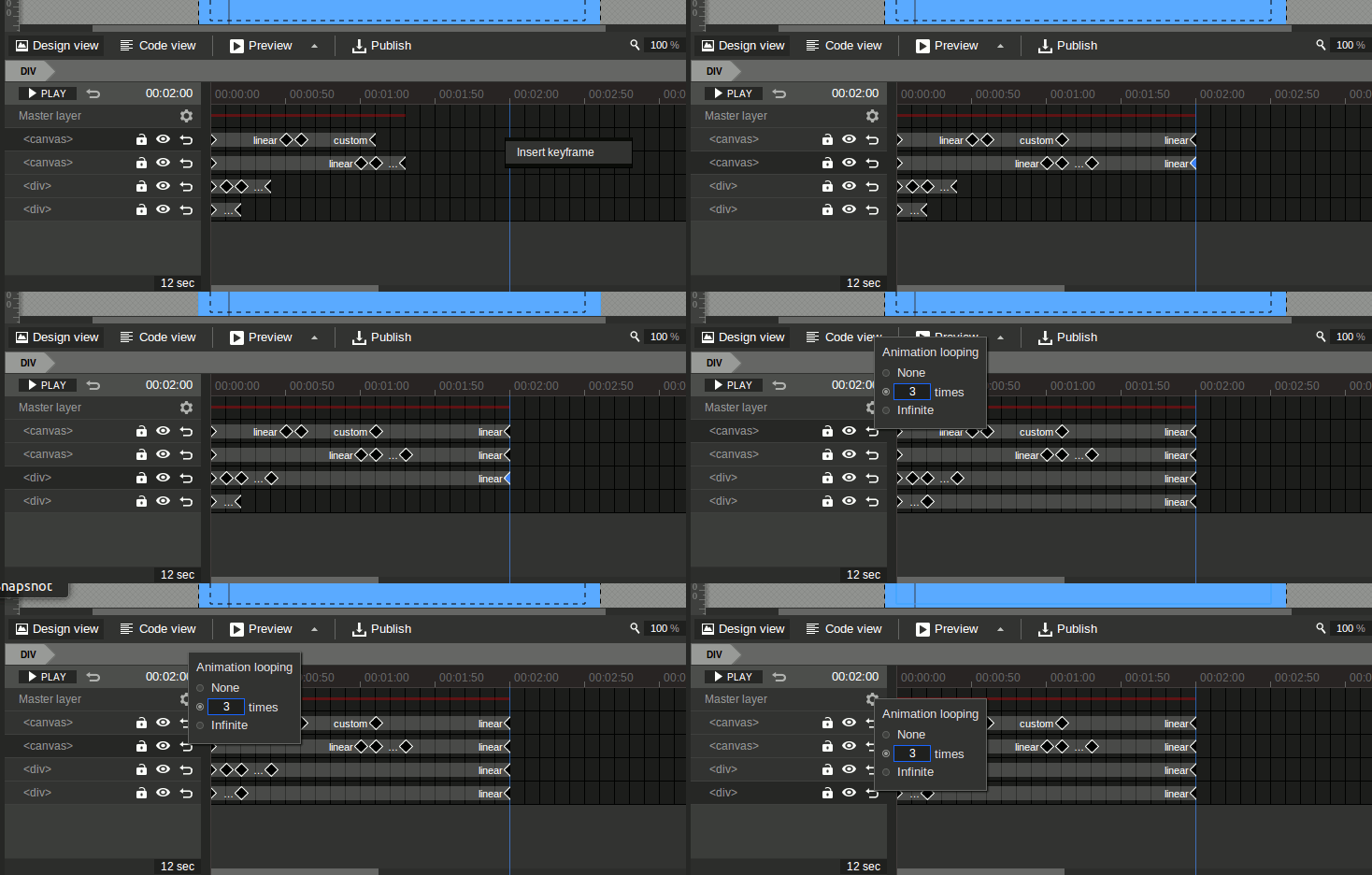
2. Selecting Each Keyframe Separately
Step 1: Left Click on the endpoint keyframes for each layer
Step 2: Right Click and select Insert Keyframe from the pop-up menu
Step 3: Set the number of times the animation loops with the Set Animation Repeat arrow button
- CN

nkrm...@gmail.com
https://groups.google.com/forum/#!topic/gwdbeta/WFi3b12fKLU
"
In your file, switch to Timeline Advanced mode, add a timeline label called start at frame 1. At the last keyframe of your animation, add a timeline event, select gotoAndPlay under Timeline for Action, select your page ID for receiver, and start for label.
Preview, at this point, your ad should loop forever.
Switch to code view, find the JavaScript function gwd.auto_Page1Event_1 = function(event)
you can add the var counter outside of the function, and edit the function to set it to gotoAndPlay only if counter is less than 1, like this:
var counter = 0;
gwd.auto_Page1Event_1 = function(event) {
// GWD Predefined Function
if (counter < 1) {
gwd.actions.timeline.gotoAndPlay('page1', 'start');
counter++;
}
};
"

swiftb...@gmail.com
https://www.youtube.com/watch?v=-PsAhMUexBw