
[GPS Software Hub] Download BaseNav: Free GPS Navigation Software for Mobile ...

Somnath Bhowmick
With this software, you can:
Navigate
You can navigate on your mobile device with your own scanned offline maps. The big difference with other (similar) software is the fact that you can use your own maps. Scan your own (nautical) maps and calibrate them!
The BaseNav GPS navigation software has the following options:
- Use your own maps
- Zoom in and out
- Toggle full screen
- Current speed
- Average speed
- Course
- Rose and arrow
- Tracking on device
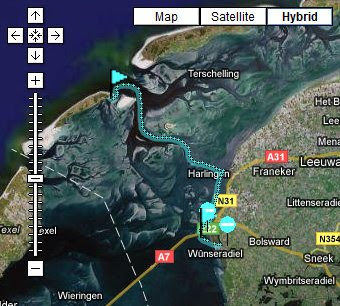
- Google Maps tracking
Track and Trace
Anchor Watcher
When you are on a boat and you are anchoring, sleeping can sometimes be a bit orrying. The boat might drift away while you're asleep, the BaseNav AnchorWatcher will prevent that. It easily indicate a safety range. If the software notices that you have moved more than the indicated safety range, the program will give an alert.
Download and Install
First you need to download and install the BaseNav GPS software. You can download the software to your PC or directly to your mobile device:
Download to PC
You can download the application (BaseNav.jar) to your PC and install it on your device using the device installation software.
Download BaseNav to PC
Download directly to your mobile device
Use the browser of your mobile device and surf to:
www.basenav.com/mobi/(don't forget the last "/")
To use Track and Trace if you need to create an account, click here Create account
For BaseNav user guide Click Here
Note: The navigation software is written in java (J2ME). Your mobile device must support J2ME (with JSR 179). A built in GPS or an external (Bluetooth) GPS receiver is necessary.
Source: basenav.com
--
Posted By Somnath Bhowmick to GPS Software Hub at 8/16/2008 09:20:00 AM