
Gosu:: Building 2D Games with Ruby
156 views
Skip to first unread message

William Rutkowski
Jan 7, 2019, 4:37:53 PM1/7/19
to gosu-lang
Hello All and I am in search of an answer or direction if that is possible. Yes I am a lost newbie and this may not be the forum I should be using, but...
The tutorial I am following is using information provided by Julian Raschke; Gosu Developer. So I was hoping that would help me to identify the proper channel or someone one here could be so kind to provide, any possible insight(s).
The tutorial offers a link to
Discuss but navigating it leads to a dead end.This is what the books site provides instead of any resource's or discussions, basically a waiver??
I get the example to run and have debugged my mistakes along the way. To make each addition run without error. This last one cause`s the program to close without any error?? So I really have no knowledge on how to go about figuring out how to correct it. I have invested a few day learning from scratch and I very much want to complete it. On my own, but I am at a point I need someone with more experience`s advice. I am reaching out to share with anyone what is happening and what should be the result. Being no error is thrown and I am working off the command line, I am guesting it is Gosu and not Ruby.
I am learning and with very little experience to draw from ...stuck. If you could help me with a solution great, or possibly suggest a alternative forum or resource.... please share. I thank any and all for their time and any input. The provided code runs without error, if you mouse click out of the range of the moving Ruby, the screen does flash red. Indicating a miss, when the Ruby is in the range of contact. The mouse click causes the screen to flash green indicating a hit but the program immediately closes. The next step is adding a counter for the score but I cannot proceed, Thank you All very much...
#WhackARuby/WhackARuby/whack_a_ruby.rb
require 'gosu'

class WhackARuby < Gosu::Window
    def initialize
        super 800, 600
        self.caption = 'Whack the Ruby!'
        @image = Gosu::Image.new('ruby.png')
        @x = 200
        @y = 200
        @width = 50
        @height = 43
        @velocity_x = 5
        @velocity_y = 5
        @visible = 0
        @hammer_image = Gosu::Image.new('hammer.png')
        @hit = 0
    end

    def update
        @x += @velocity_x
        @y += @velocity_y
        @velocity_x *= -1 if @x + @width / 2 > 1000 || @x - @width /2 < 0
        @velocity_y *= -1 if @y + @height /2 > 800 || @y - @height / 2 < 0
        @visible -= 1
        @visible = 30 if @visible < -10 && rand < 0.175
        # changing rand float value controls blink rate
        #adding each 0 increases duration of blink rate
        #0.0175 a lot longer duration of zero visiblity
    end
    def button_down(id)
        if (id == Gosu::MsLeft)
            if Gosu.distance(mouse_x, mouse_y, @x, @y) < 50 && @visible >= 0
            @hit = 1
            else
            @hit = -1
            end
        end
    end

    def draw
        if @visible > 0
        @image.draw(@x - @width / 2, @y - @height /2, 1)
    end
        @hammer_image.draw(mouse_x - 40, mouse_y - 10,1)
        if @hit == 0
            c = Gosu::Color::NONE
        elsif @hit == 1
            c = Gosu::Color::Green
        elsif @hit == -1
            c =Gosu::Color::RED
        end
        draw_quad(0, 0, c, 800, 0, c, 800, 600, c, 0, 600, c)
        @hit = 0
    end
end

WhackARuby.new.show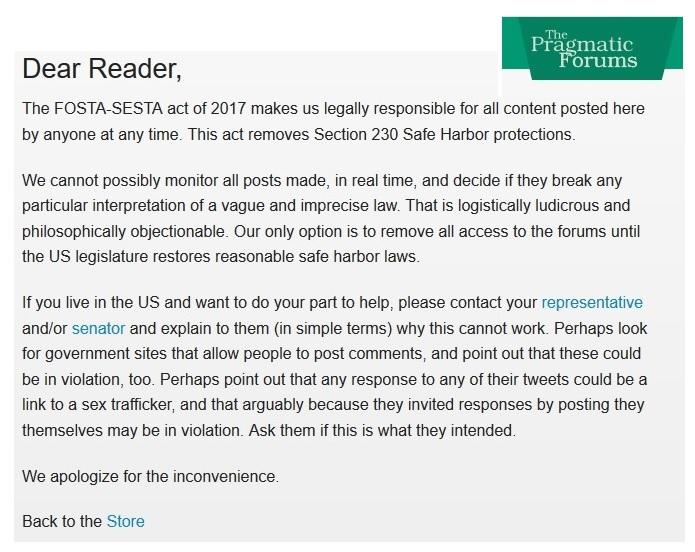

Justin Sampson
Jan 7, 2019, 8:14:21 PM1/7/19
to gosu...@googlegroups.com
Hi William,
This is the mailing list for the Gosu programming language (https://gosu-lang.github.io/), which is unrelated to the Gosu game library for Ruby.
Cheers,
Justin
This is the mailing list for the Gosu programming language (https://gosu-lang.github.io/), which is unrelated to the Gosu game library for Ruby.
Cheers,
Justin
Reply all
Reply to author
Forward
0 new messages