
CellTable custom footer
1,653 views
Skip to first unread message

Mark Wengranowski
Aug 9, 2011, 4:05:12 PM8/9/11
to Google Web Toolkit
Hi Everyone,
I'm trying to add a footer to my CellTable and am having a hard time
finding information on creating a footer that would update dynamically
based on the cells in that column.
i.e. I want the last row in my cell table to have a total footer.
Adding static text is easy as you just pass an extra argument to the
constructor:
cellTable.addColumn(qty, "Qty",Integer.toString(totalQty));
Thats not what want though.
If i don't set totalQty to a value before adding the column to the
CellTable then it shows up as 0. If i try using the funtion
CellTable.redrawFooters() it does not update the footer with the
updated variable value for totalQty.
I see in the documentation that footers are supposed to update
automatically when set up as a type Header.
I can' t find any source examples so if anyone could point me in the
right direction or post an example that would be great.
Thanks,
-Mark
I'm trying to add a footer to my CellTable and am having a hard time
finding information on creating a footer that would update dynamically
based on the cells in that column.
i.e. I want the last row in my cell table to have a total footer.
Adding static text is easy as you just pass an extra argument to the
constructor:
cellTable.addColumn(qty, "Qty",Integer.toString(totalQty));
Thats not what want though.
If i don't set totalQty to a value before adding the column to the
CellTable then it shows up as 0. If i try using the funtion
CellTable.redrawFooters() it does not update the footer with the
updated variable value for totalQty.
I see in the documentation that footers are supposed to update
automatically when set up as a type Header.
I can' t find any source examples so if anyone could point me in the
right direction or post an example that would be great.
Thanks,
-Mark
Mark Wengranowski
Aug 15, 2011, 12:10:10 PM8/15/11
to Google Web Toolkit
Anyone?

John LaBanca
Aug 15, 2011, 2:19:39 PM8/15/11
to google-we...@googlegroups.com
If you pass a Header instance as the footer, it will be updated every time you push new row data. You can also refresh footers manually using CellTable#redrawFooters().
There is also a pending change that allows you to fully customize headers and footers:
Anyone?
--
You received this message because you are subscribed to the Google Groups "Google Web Toolkit" group.
To post to this group, send email to google-we...@googlegroups.com.
To unsubscribe from this group, send email to google-web-tool...@googlegroups.com.
For more options, visit this group at http://groups.google.com/group/google-web-toolkit?hl=en.
Mark Wengranowski
Aug 15, 2011, 2:30:09 PM8/15/11
to Google Web Toolkit
Thanks John!
Do you have an example of how i would total all of the cells in a
particular column and set the footer (Header instance)?
On Aug 15, 11:19 am, John LaBanca <jlaba...@google.com> wrote:
> If you pass a Header instance as the footer, it will be updated every time
> you push new row data. You can also refresh footers manually using
> CellTable#redrawFooters().
>
> There is also a pending change that allows you to fully customize headers
> and footers:http://gwt-code-reviews.appspot.com/1499808/
> John LaBanca | GWT Software Engineer | jlaba...@google.com
>
> On Mon, Aug 15, 2011 at 12:10 PM, Mark Wengranowski <m...@greatlittlebox.com
> >http://groups.google.com/group/google-web-toolkit?hl=en.- Hide quoted text -
>
> - Show quoted text -
Do you have an example of how i would total all of the cells in a
particular column and set the footer (Header instance)?
On Aug 15, 11:19 am, John LaBanca <jlaba...@google.com> wrote:
> If you pass a Header instance as the footer, it will be updated every time
> you push new row data. You can also refresh footers manually using
> CellTable#redrawFooters().
>
> There is also a pending change that allows you to fully customize headers
> and footers:http://gwt-code-reviews.appspot.com/1499808/
>
> On Mon, Aug 15, 2011 at 12:10 PM, Mark Wengranowski <m...@greatlittlebox.com
>
> - Show quoted text -
John LaBanca
Aug 15, 2011, 2:39:42 PM8/15/11
to google-we...@googlegroups.com
There is an example in the DataGrid example of Showcase:
Within the footer getValue() mathod, you can get all of the row data and extract values and do some math.
Mark Wengranowski
Aug 16, 2011, 11:01:56 AM8/16/11
to Google Web Toolkit
Awsome! That was exactly what i was looking for.
Cheers,
-Mark
On Aug 15, 11:39 am, John LaBanca <jlaba...@google.com> wrote:
> There is an example in the DataGrid example of Showcase:http://code.google.com/p/google-web-toolkit/source/browse/trunk/sampl...
> > > >http://groups.google.com/group/google-web-toolkit?hl=en.-Hide quoted
Cheers,
-Mark
On Aug 15, 11:39 am, John LaBanca <jlaba...@google.com> wrote:
> There is an example in the DataGrid example of Showcase:http://code.google.com/p/google-web-toolkit/source/browse/trunk/sampl...
>
> Within the footer getValue() mathod, you can get all of the row data and
> extract values and do some math.
> Within the footer getValue() mathod, you can get all of the row data and
> extract values and do some math.
> On Mon, Aug 15, 2011 at 2:30 PM, Mark Wengranowski
> <m...@greatlittlebox.com>wrote:

Uemit
Aug 22, 2011, 5:31:01 AM8/22/11
to google-we...@googlegroups.com
Hi John
I do have a question regarding redrawing the entire DataGrid/CellTable when new data is pushed in.
I tried to implement a SearchTextBoxes in the ColumnHeader for filtering the data which is displayed in the CellTable.
As soon as I type a character into the SearchTextBox in one of the column headers I filter the ListDataProvider and the CellTable is refreshed.
However the refresh/redraw of the celltable causes the SearchTextBox input to lose its focus and currently in GWT 2.3 there is no way to specify that the SearchTextBox gets the focus back which leads to painful user experience (the user has to click into the SearchTextBox again to type in the next character).
I have posted this question in Stackoverflow (http://stackoverflow.com/questions/6422896/celltable-with-custom-header-containing-searchbox-and-focus-problem) but got no responses.
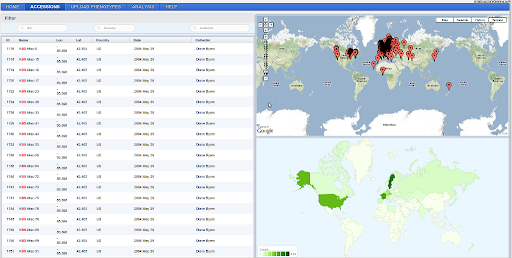
I solved this problem by creating another table above my CellTable, putting the Searchboxes there and trying to align them to my CellTable headers. But that doesn't seem to be a really good way to do it (check screenshot).
Can this problem be solved with the new CellWidget API in 2.4 ?
Reply all
Reply to author
Forward
0 new messages