
Is there a way to destroy a chart ? or redraw it in a clean way ?
6,996 views
Skip to first unread message

Yaniv Kalfa
Jun 26, 2014, 9:03:53 PM6/26/14
to google-visua...@googlegroups.com
I am using google chart for live data stream - i pull data and draw/redraw it as a google chart. my problem is each time that a chart is drawn it also adds 2 tooltip div to the DOM just before < /body>.
I use the following to create basic chart:
[code]
google.setOnLoadCallback(darw);
var cleanData = new google.visualization.DataTable();
cleanData.addColumn("bla bla", "oneBla");// not important for the question
cleanData.addRow("blaa", "bla");// not important for the question

function darw(){
    var chart = new google.visualization.LineChart(document.getElementById('chart_div'));
    chart.draw(cleanData, {});
}
[/code]
The code that is being added to the DOM looks like:
[code]
<div style="position: absolute; display: none;">
    <div style="background: none repeat scroll 0% 0% infobackground; padding: 1px; border: 1px solid infotext; font-size: 12px; margin: 12px; font-family: Arial;">soome data</div>
</div>
[/code]
My question is. is there a way to "destroy" a chart or something alike to get rid of that extra DOM because after like 1 minute of that shenanigan i have like 300-400 hidden extra nodes.

Andrew Gallant
Jun 26, 2014, 9:54:17 PM6/26/14
to google-visua...@googlegroups.com
You can call the chart's #clearChart method to remove it and all associated elements from the DOM. A better solution, though, might be to reuse the same chart object instead of creating new ones on every draw.

Daniel LaLiberte
Jul 11, 2014, 9:50:02 AM7/11/14
to google-visua...@googlegroups.com
Yaniv,
The growing extra hidden nodes would appear to be a bug, so thank for speaking up about it. The details of your chart and data could make a difference here, so if you wouldn't mind, it would help if you could point to a live page that demonstrates the problem.
It might be that calling clearChart() will not help with this problem. If so, the only workaround I can think of would be to remove the extraneous divs yourself.
--
You received this message because you are subscribed to the Google Groups "Google Visualization API" group.
To unsubscribe from this group and stop receiving emails from it, send an email to google-visualizati...@googlegroups.com.
To post to this group, send email to google-visua...@googlegroups.com.
Visit this group at http://groups.google.com/group/google-visualization-api.
For more options, visit https://groups.google.com/d/optout.
daniel.laliberte@GMail.com 9 Juniper Ridge Road, Acton MA

Martynas Shnaresys
Mar 14, 2018, 8:11:57 AM3/14/18
to Google Visualization API

Sometimes page refresh helps and sometimes number of nodes propagates even faster.
Content of those tooltips have no apparent relation to input data.
LineChart, classic version, animation true, chart redraw can add up to 10 hidden nodes.
To unsubscribe from this group and stop receiving emails from it, send an email to google-visualization-api+unsub...@googlegroups.com.
To post to this group, send email to google-visua...@googlegroups.com.
Visit this group at http://groups.google.com/group/google-visualization-api.
For more options, visit https://groups.google.com/d/optout.
Martynas Shnaresys
Mar 15, 2018, 7:49:33 AM3/15/18
to Google Visualization API
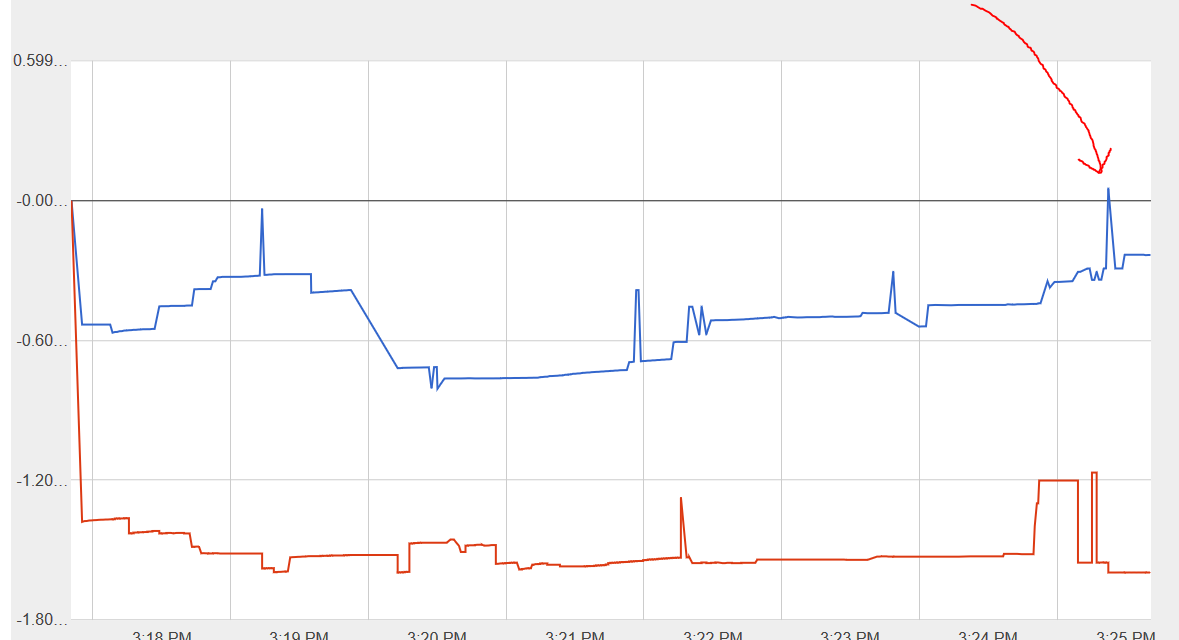

viewWindowMode: 'explicit',
viewWindow: {
max: value,
min: value,
}

kristakis
Apr 17, 2019, 2:23:51 AM4/17/19
to Google Visualization API
I had this problem and found it to be related to tool tips shown on legend items that were too long. eg I had a label of 'blah blah blah' and it would only show 'blah bla...' the soome data in your example was 'blah blah blah' for me and mousing over the legend entry showed that div.
I adjusted my chart width a little so the items stopped wrapping and the problem went away.
HTH
Reply all
Reply to author
Forward
0 new messages