
Google Slides – Object Animations – Bulleted Text | Fade in/out Using Styling

Jim -
After searching Google Groups and the App Script documentation, I was unable to find a way to extend Google Slides – Object Animations using an extension or Add-on to control text fading in/out. I did find the App Script documentation on Editing & Styling, but the examples didn’t cover my requirements.
I’m new to App Script, but do have some JavaScript experience. This sort of animation could be handled by setting the level and timing of text line opacity on mouse-click (element.style.opacity).
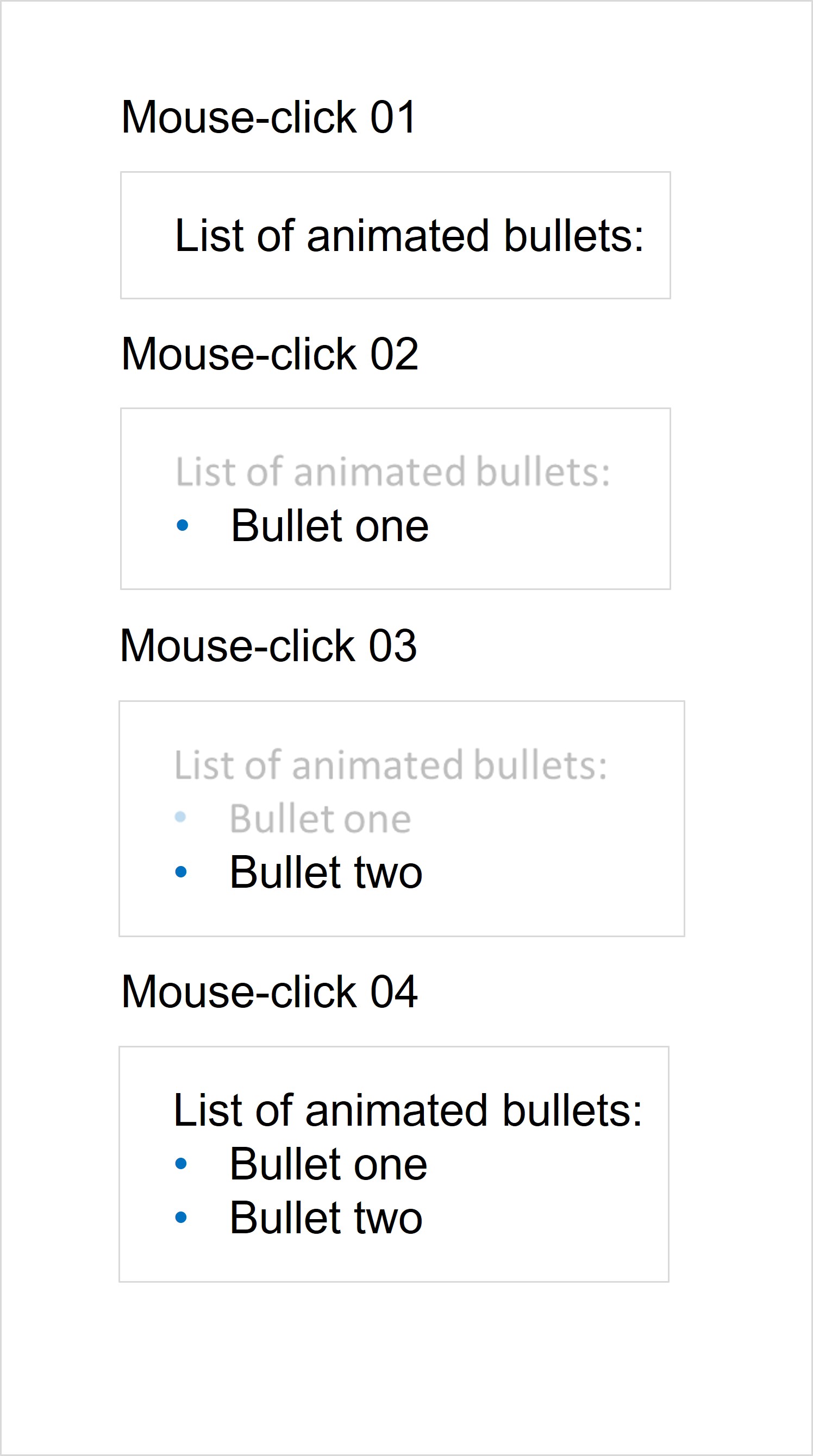
Specific requirements for Object Animation: 1. Fade in (0-100% opacity) first line of text in bulleted list on mouse-click, 2. Fade in second line of text on subsequent mouse-click and fade out (100% to 25% opacity) the prior line of text and 3. After the final line of text is displayed, the subsequent mouse-click would restore the opacity (25%-100% opacity) to all lines of text. This would preferably be a Standalone solution to avoid unnecessary authorizations.
Thx in advance. Graphic of animated sequence is below.
Example
Bullet Text Fade In/Out on Mouse Click

Clark Lind
Jim -
Clark Lind
If not, then we can try to find a solution.
--
You received this message because you are subscribed to a topic in the Google Groups "Google Apps Script Community" group.
To unsubscribe from this topic, visit https://groups.google.com/d/topic/google-apps-script-community/ErxfVNp-ak4/unsubscribe.
To unsubscribe from this group and all its topics, send an email to google-apps-script-c...@googlegroups.com.
To view this discussion on the web visit https://groups.google.com/d/msgid/google-apps-script-community/743fa0cf-8a09-4b9a-8876-76e8d29b851en%40googlegroups.com.