
Apps Script - Find Inline Images between 2 Headings/Bookmarks in Google Doc

Elijah
Hello Everyone,
I'm creating a script that will copy data from the sample input doc to the sample output doc:
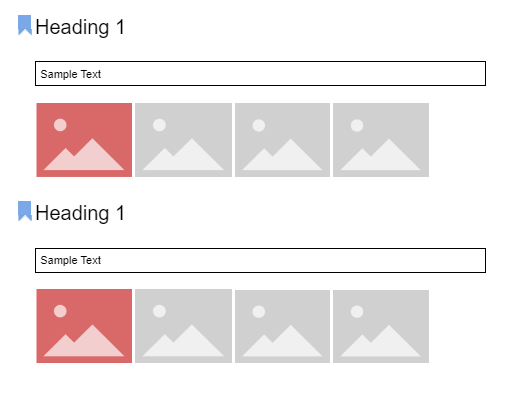
My sample input doc is a brochure of products, with each product having
- A Heading (which is bookmarked)
- A table cell with some data
- Multiple inline image
My sample output doc is a summarised version of the sample input doc. It will output a table cell for each product containing:
The text of the heading
The first image of the product (In the sample input doc, the image is highlighted in red)
Bookmark link of the heading in the sample input doc

I will add the link to the sample input doc and sample output doc for reference.
I can successfully copy the text of the heading and the bookmark link. However I am struggling to find the images that are under a Heading. In production, the images in the first doc are copied from the internet and pasted into the doc. I believe I can get the blob of the inline image but I just don't know how to identify which images belong to a heading?
I would truly appreciate it if anyone could point me in the right direction in isolating the images that are under a particular heading😊

Andrew Roberts
--
You received this message because you are subscribed to the Google Groups "Google Apps Script Community" group.
To unsubscribe from this group and stop receiving emails from it, send an email to google-apps-script-c...@googlegroups.com.
To view this discussion on the web visit https://groups.google.com/d/msgid/google-apps-script-community/ecf37c87-bfef-4c11-80a1-73fe9a1cde14n%40googlegroups.com.