
The following classes could not be instantiated: - com.google.android.gms.ads.AdView
359 views
Skip to first unread message

Km Enterprises
Sep 9, 2014, 3:33:50 PM9/9/14
to google-adm...@googlegroups.com
Please help me to resolve this error,
i made a banner from xml,everything is okay as it is here https://developers.google.com/mobile-ads-sdk/docs/admob/android/quick-start
but when i make a banner in xml it gives me headache bcoz i have been fighting with this error for 5 days..
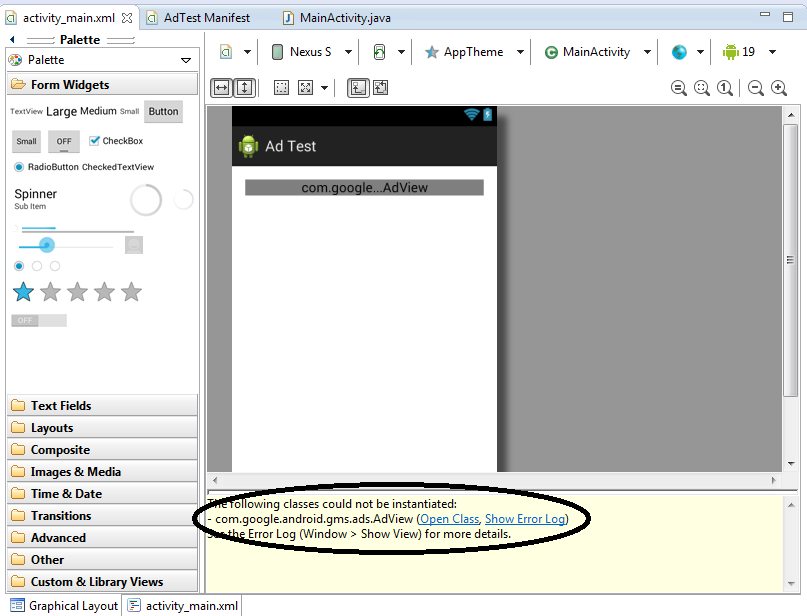
there is no error in main.java and manifest but the problem is in this

Gail Smith
Sep 9, 2014, 4:06:51 PM9/9/14
to google-adm...@googlegroups.com
I have this same problem with any code (samples or my own) that uses the custom view AdView in an XML layout file. I had to down-grade my version of Google Play Services from 5 to 4, the previous version Google Play Services. I use Gradle as by build script environment so it was a matter of changing:
com.google.android.gms:play-services:5.+tocom.google.android.gms:play-services:4.+Once I did that, the error went away. This is only a temporary solution, but it lets me finish editing my XML layouts. I still plan to change back to using the latest version 5 and then test on real devices which don't show this error.
Reply all
Reply to author
Forward
0 new messages