
Stuck setting up Ganeti
990 views
Skip to first unread message

Eff Ggl
May 12, 2014, 10:47:21 PM5/12/14
to gan...@googlegroups.com
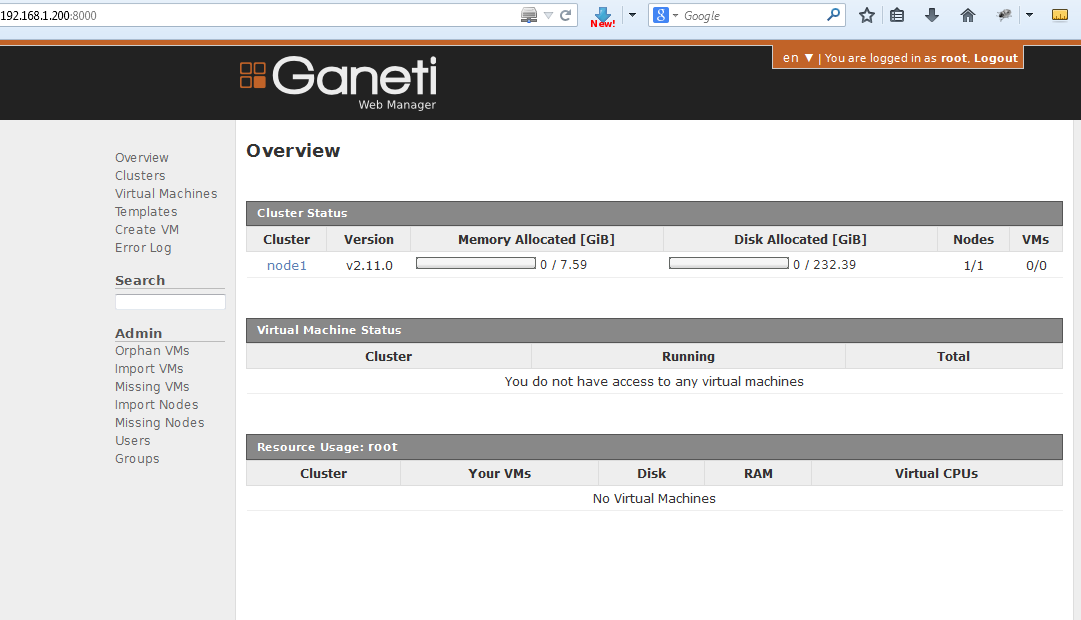

Can anyone PLEASE help me out or point me in the right direction and why i am getting the errors?
[root@node1 ~]# gnt-cluster init --vg-name vg_node1 --master-netdev eth0 --enabled-hypervisors kvm --nic-parameters link=br0 cluster1
[root@node1 ~]# gnt-cluster verify
Submitted jobs 55, 56
Waiting for job 55 ...
Mon May 12 22:46:20 2014 * Verifying cluster config
Mon May 12 22:46:20 2014 * Verifying cluster certificate files
Mon May 12 22:46:20 2014 * Verifying hypervisor parameters
Mon May 12 22:46:20 2014 * Verifying all nodes belong to an existing group
Waiting for job 56 ...
Mon May 12 22:46:20 2014 * Verifying group 'default'
Mon May 12 22:46:20 2014 * Gathering data (1 nodes)
Mon May 12 22:46:21 2014 * Gathering disk information (1 nodes)
Mon May 12 22:46:21 2014 * Verifying configuration file consistency
Mon May 12 22:46:21 2014 * Verifying node status
Mon May 12 22:46:21 2014 - ERROR: node node1.system.com: ssh communication with node 'node1.system.com': ssh problem: Permission denied (publickey,gssapi-keyex,gssapi-with-mic,password).\'r\n
Mon May 12 22:46:21 2014 - ERROR: node node1.system.com: the master node cannot reach the master IP (not configured?)
Mon May 12 22:46:21 2014 * Verifying instance status
Mon May 12 22:46:21 2014 * Verifying orphan volumes
Mon May 12 22:46:21 2014 - WARNING: node node1.system.com: volume vg_node1/lv_swap is unknown
Mon May 12 22:46:21 2014 - WARNING: node node1.system.com: volume vg_node1/lv_root is unknown
Mon May 12 22:46:21 2014 * Verifying N+1 Memory redundancy
Mon May 12 22:46:21 2014 * Other Notes
Mon May 12 22:46:21 2014 * Hooks Results
[root@node1 ~]# gnt-node list
Node DTotal DFree MTotal MNode MFree Pinst Sinst
node1.system.com 232.4G 0M 7.6G 889M 7.2G 0 0
Eff Ggl
May 12, 2014, 10:50:14 PM5/12/14
to gan...@googlegroups.com
[root@node1 ~]# pvdisplay
--- Physical volume ---
PV Name /dev/sda2
VG Name vg_node1
PV Size 232.40 GiB / not usable 2.00 MiB
Allocatable yes (but full)
PE Size 4.00 MiB
Total PE 59493
Free PE 0
Allocated PE 59493
PV UUID VZZZtt-qiY3-cM6W-pBqX-2G6Q-ENec-rzS4gt
[root@node1 ~]# vgdisplay
--- Volume group ---
VG Name vg_node1
System ID
Format lvm2
Metadata Areas 1
Metadata Sequence No 3
VG Access read/write
VG Status resizable
MAX LV 0
Cur LV 2
Open LV 2
Max PV 0
Cur PV 1
Act PV 1
VG Size 232.39 GiB
PE Size 4.00 MiB
Total PE 59493
Alloc PE / Size 59493 / 232.39 GiB
Free PE / Size 0 / 0
VG UUID kGkWRa-e4f8-V4oV-RSaL-b4S9-Q93T-F4SlZG
[root@node1 ~]# lvdisplay
--- Logical volume ---
LV Path /dev/vg_node1/lv_root
LV Name lv_root
VG Name vg_node1
LV UUID VLCJT4-KO9Z-YJoR-bZIu-z8l1-FqkC-rtvanf
LV Write Access read/write
LV Creation host, time node1.system.com, 2014-05-09 22:25:53 -0400
LV Status available
# open 1
LV Size 231.42 GiB
Current LE 59243
Segments 1
Allocation inherit
Read ahead sectors auto
- currently set to 256
Block device 253:0
--- Logical volume ---
LV Path /dev/vg_node1/lv_swap
LV Name lv_swap
VG Name vg_node1
LV UUID Gdyuvc-PYnb-EIIu-hd9E-fxYr-COpm-eJfsdi
LV Write Access read/write
LV Creation host, time node1.system.com, 2014-05-09 22:26:36 -0400
LV Status available
# open 1
LV Size 1000.00 MiB
Current LE 250
Segments 1
Allocation inherit
Read ahead sectors auto
- currently set to 256
Block device 253:1
--- Physical volume ---
PV Name /dev/sda2
VG Name vg_node1
PV Size 232.40 GiB / not usable 2.00 MiB
Allocatable yes (but full)
PE Size 4.00 MiB
Total PE 59493
Free PE 0
Allocated PE 59493
PV UUID VZZZtt-qiY3-cM6W-pBqX-2G6Q-ENec-rzS4gt
[root@node1 ~]# vgdisplay
--- Volume group ---
VG Name vg_node1
System ID
Format lvm2
Metadata Areas 1
Metadata Sequence No 3
VG Access read/write
VG Status resizable
MAX LV 0
Cur LV 2
Open LV 2
Max PV 0
Cur PV 1
Act PV 1
VG Size 232.39 GiB
PE Size 4.00 MiB
Total PE 59493
Alloc PE / Size 59493 / 232.39 GiB
Free PE / Size 0 / 0
VG UUID kGkWRa-e4f8-V4oV-RSaL-b4S9-Q93T-F4SlZG
[root@node1 ~]# lvdisplay
--- Logical volume ---
LV Path /dev/vg_node1/lv_root
LV Name lv_root
VG Name vg_node1
LV UUID VLCJT4-KO9Z-YJoR-bZIu-z8l1-FqkC-rtvanf
LV Write Access read/write
LV Creation host, time node1.system.com, 2014-05-09 22:25:53 -0400
LV Status available
# open 1
LV Size 231.42 GiB
Current LE 59243
Segments 1
Allocation inherit
Read ahead sectors auto
- currently set to 256
Block device 253:0
--- Logical volume ---
LV Path /dev/vg_node1/lv_swap
LV Name lv_swap
VG Name vg_node1
LV UUID Gdyuvc-PYnb-EIIu-hd9E-fxYr-COpm-eJfsdi
LV Write Access read/write
LV Creation host, time node1.system.com, 2014-05-09 22:26:36 -0400
LV Status available
# open 1
LV Size 1000.00 MiB
Current LE 250
Segments 1
Allocation inherit
Read ahead sectors auto
- currently set to 256
Block device 253:1

Klaus Aehlig
May 13, 2014, 5:00:06 AM5/13/14
to gan...@googlegroups.com
Hi,
> Can anyone PLEASE help me out or point me in the right direction and why i
> am getting the errors?
> ERROR: node node1.system.com: ssh communication with node 'node1.system.com': ssh problem: Permission denied
the authorized keys accordingly, but assumes that otherwise the sshd
configuration is suitable to allow for this; in particular, ssh access
for root must be allowed.
As it says, the master IP is not reachable. Keep in mind that
the cluster name is not just a name, but needs to resolve to
an IP address routed to the cluster. Whatever node currently is
the master will assign itself the IP address. I'm not sure how
you shortened your quoted command, but "cluster1" does not look
like a fully qualified DNS name.
Ganeti assumes that the volume group assigned to it is completely
managed by Ganeti itself; however the volume group you assigned it
already contains two volumes.
--
Klaus Aehlig
Google Germany GmbH, Dienerstr. 12, 80331 Muenchen
Registergericht und -nummer: Hamburg, HRB 86891
Sitz der Gesellschaft: Hamburg
Geschaeftsfuehrer: Graham Law, Christine Elizabeth Flores

Damien Churchill
May 13, 2014, 6:57:30 AM5/13/14
to gan...@googlegroups.com
On 13 May 2014 10:00, 'Klaus Aehlig' via ganeti <gan...@googlegroups.com> wrote:
>
> > WARNING: node node1.system.com: volume vg_node1/lv_swap is unknown
> > WARNING: node node1.system.com: volume vg_node1/lv_root is unknown
>
> Ganeti assumes that the volume group assigned to it is completely
> managed by Ganeti itself; however the volume group you assigned it
> already contains two volumes.
It is possible to make Ganeti aware of these volumes though using
>
> > WARNING: node node1.system.com: volume vg_node1/lv_swap is unknown
> > WARNING: node node1.system.com: volume vg_node1/lv_root is unknown
>
> Ganeti assumes that the volume group assigned to it is completely
> managed by Ganeti itself; however the volume group you assigned it
> already contains two volumes.
`gnt-cluster modify --reserved-lvs`
Klaus Aehlig
May 13, 2014, 7:06:47 AM5/13/14
to gan...@googlegroups.com
Thanks,
Klaus
Eff Ggl
May 13, 2014, 6:03:17 PM5/13/14
to gan...@googlegroups.com
I see what you mean concerning the volume already has 2 lv_root and lv_swap. So how do i fix this?
Also concerning the ssh...do i just allow root ssh in the sshd.conf file and that is it?
Thanks alot Klaus
Also concerning the ssh...do i just allow root ssh in the sshd.conf file and that is it?
Thanks alot Klaus
Grant Tailor
May 13, 2014, 6:12:26 PM5/13/14
to gan...@googlegroups.com
Here is what i have
[root@node1 ~]# pwd
/root
[root@node1 ~]# ls -lha
total 7.1M
dr-xr-x---. 8 root root 4.0K May 12 19:20 .
dr-xr-xr-x. 23 root root 4.0K May 10 11:37 ..
-rw-------. 1 root root 1.1K May 9 22:32 anaconda-ks.cfg
-rw-------. 1 root root 18K May 13 08:57 .bash_history
-rw-r--r--. 1 root root 18 May 20 2009 .bash_logout
-rw-r--r--. 1 root root 176 May 20 2009 .bash_profile
-rw-r--r--. 1 root root 176 Sep 22 2004 .bashrc
-rw-r--r--. 1 root root 100 Sep 22 2004 .cshrc
drwxr-xr-x. 12 root root 4.0K May 10 21:15 ganeti-2.11.0
-rw-r--r--. 1 root root 3.9M Apr 25 06:40 ganeti-2.11.0.tar.gz
drwxr-xr-x. 15 root root 4.0K May 12 19:21 ganeti_webmgr
-rw-r--r--. 1 root root 1.1M May 10 11:18 ganeti-webmgr-0.10.2.tar.gz
-rw-r--r--. 1 root root 454K May 11 00:26 ganeti-webmgr-0.9.2.tar.gz
-rw-r--r--. 1 root root 1.5M May 4 18:56 get-pip.py
-rw-r--r--. 1 root root 9.0K May 9 22:32 install.log
-rw-r--r--. 1 root root 3.1K May 9 22:32 install.log.syslog
-rw-------. 1 root root 168 May 12 19:20 .mysql_history
drwxr-xr-x. 2 root root 4.0K May 10 11:22 .pip
drwxr-----. 3 root root 4.0K May 10 10:40 .pki
drwxr-xr-x. 3 root root 4.0K May 11 02:05 .python-eggs
drwxr-xr-x. 2 root root 4.0K May 10 23:29 .ssh
-rw-r--r--. 1 root root 129 Dec 3 2004 .tcshrc
[root@node1 ~]# ls -lha ~/.ssh
total 20K
drwxr-xr-x. 2 root root 4.0K May 10 23:29 .
dr-xr-x---. 8 root root 4.0K May 12 19:20 ..
-rw-r--r--. 1 root root 611 May 10 23:29 authorized_keys
-rw-------. 1 root root 668 May 10 23:29 id_dsa
-rw-r--r--. 1 root root 611 May 10 23:29 id_dsa.pub
[root@node1 ~]# cat ~/.ssh/authorized_keys
ssh-dss AAAAB3NzaC1kc3MAAACBAIsnDxO410rYLmZuCHUalSskZSDWEkRVr3fFw+EyVey9uzxT41ojkcxNZ2or74n4HiCh5IkxzRzwB6ejhGEdolK8P7rOBY/oN5E1sT/JCumcsmdZXEZiBsw+te89x1Kl0naPpPaLB6BTqXCMqKpWQWo/7o3vf+X9TsSM0ySHWsrHAAAAFQDTjFftlzDdtfQ7MUgBeFr3JfmNLwAAAIAMk4MXSnnN2bHiY5sl7UJAYTZEbFJs6ChqEmXOyM771RWetFFlm3R3EtsYiFdHylIUQFICP2UG84H2QAY3NSBfh0mRdvdbfafR9Ds+9lCv4NvjVXfk3pVgpAiCsM8f/HkefVmRJl46ozzSuzOTVqiPMc3XMsjo9TBpRAe5YpkDGwAAAIAeR5l0/fAG3iFHsuWVliwn7uoRjOfeZvvVfv5Xen5UWXaolpuqhL4uvCEyNMyG35+ex0qTDXbL8mCHHKbUEwccZUvIsJHUMeEdWMxnmFl1GI5+tDVStSwIVGwJ31ZLQSkhcEG/r1OsIgnv0Bt8Lr4KyFSi+FI11Qt8P8W42Q1qlA== ro...@node1.system.com
[root@node1 ~]# cat ~/.ssh/id_dsa.pub
ssh-dss AAAAB3NzaC1kc3MAAACBAIsnDxO410rYLmZuCHUalSskZSDWEkRVr3fFw+EyVey9uzxT41ojkcxNZ2or74n4HiCh5IkxzRzwB6ejhGEdolK8P7rOBY/oN5E1sT/JCumcsmdZXEZiBsw+te89x1Kl0naPpPaLB6BTqXCMqKpWQWo/7o3vf+X9TsSM0ySHWsrHAAAAFQDTjFftlzDdtfQ7MUgBeFr3JfmNLwAAAIAMk4MXSnnN2bHiY5sl7UJAYTZEbFJs6ChqEmXOyM771RWetFFlm3R3EtsYiFdHylIUQFICP2UG84H2QAY3NSBfh0mRdvdbfafR9Ds+9lCv4NvjVXfk3pVgpAiCsM8f/HkefVmRJl46ozzSuzOTVqiPMc3XMsjo9TBpRAe5YpkDGwAAAIAeR5l0/fAG3iFHsuWVliwn7uoRjOfeZvvVfv5Xen5UWXaolpuqhL4uvCEyNMyG35+ex0qTDXbL8mCHHKbUEwccZUvIsJHUMeEdWMxnmFl1GI5+tDVStSwIVGwJ31ZLQSkhcEG/r1OsIgnv0Bt8Lr4KyFSi+FI11Qt8P8W42Q1qlA== ro...@node1.system.com
[root@node1 ~]# cat /etc/hosts
127.0.0.1 localhost localhost.localdomain localhost4 localhost4.localdomain4
::1 localhost localhost.localdomain localhost6 localhost6.localdomain6
192.168.1.200 node1.system.com node1
So what changes do i make
Also my node is node1.system.com and the cluster name is cluster1 so do make the cluster name cluster1.system.com as well? I thought cluster name is just a name to identify the cluster? didn't know it has to be fqdn as well. The thing is i have just 1 node so that node will have node fqdn and cluster fqdn?
[root@node1 ~]# pwd
/root
[root@node1 ~]# ls -lha
total 7.1M
dr-xr-x---. 8 root root 4.0K May 12 19:20 .
dr-xr-xr-x. 23 root root 4.0K May 10 11:37 ..
-rw-------. 1 root root 1.1K May 9 22:32 anaconda-ks.cfg
-rw-------. 1 root root 18K May 13 08:57 .bash_history
-rw-r--r--. 1 root root 18 May 20 2009 .bash_logout
-rw-r--r--. 1 root root 176 May 20 2009 .bash_profile
-rw-r--r--. 1 root root 176 Sep 22 2004 .bashrc
-rw-r--r--. 1 root root 100 Sep 22 2004 .cshrc
drwxr-xr-x. 12 root root 4.0K May 10 21:15 ganeti-2.11.0
-rw-r--r--. 1 root root 3.9M Apr 25 06:40 ganeti-2.11.0.tar.gz
drwxr-xr-x. 15 root root 4.0K May 12 19:21 ganeti_webmgr
-rw-r--r--. 1 root root 1.1M May 10 11:18 ganeti-webmgr-0.10.2.tar.gz
-rw-r--r--. 1 root root 454K May 11 00:26 ganeti-webmgr-0.9.2.tar.gz
-rw-r--r--. 1 root root 1.5M May 4 18:56 get-pip.py
-rw-r--r--. 1 root root 9.0K May 9 22:32 install.log
-rw-r--r--. 1 root root 3.1K May 9 22:32 install.log.syslog
-rw-------. 1 root root 168 May 12 19:20 .mysql_history
drwxr-xr-x. 2 root root 4.0K May 10 11:22 .pip
drwxr-----. 3 root root 4.0K May 10 10:40 .pki
drwxr-xr-x. 3 root root 4.0K May 11 02:05 .python-eggs
drwxr-xr-x. 2 root root 4.0K May 10 23:29 .ssh
-rw-r--r--. 1 root root 129 Dec 3 2004 .tcshrc
[root@node1 ~]# ls -lha ~/.ssh
total 20K
drwxr-xr-x. 2 root root 4.0K May 10 23:29 .
dr-xr-x---. 8 root root 4.0K May 12 19:20 ..
-rw-r--r--. 1 root root 611 May 10 23:29 authorized_keys
-rw-------. 1 root root 668 May 10 23:29 id_dsa
-rw-r--r--. 1 root root 611 May 10 23:29 id_dsa.pub
[root@node1 ~]# cat ~/.ssh/authorized_keys
ssh-dss AAAAB3NzaC1kc3MAAACBAIsnDxO410rYLmZuCHUalSskZSDWEkRVr3fFw+EyVey9uzxT41ojkcxNZ2or74n4HiCh5IkxzRzwB6ejhGEdolK8P7rOBY/oN5E1sT/JCumcsmdZXEZiBsw+te89x1Kl0naPpPaLB6BTqXCMqKpWQWo/7o3vf+X9TsSM0ySHWsrHAAAAFQDTjFftlzDdtfQ7MUgBeFr3JfmNLwAAAIAMk4MXSnnN2bHiY5sl7UJAYTZEbFJs6ChqEmXOyM771RWetFFlm3R3EtsYiFdHylIUQFICP2UG84H2QAY3NSBfh0mRdvdbfafR9Ds+9lCv4NvjVXfk3pVgpAiCsM8f/HkefVmRJl46ozzSuzOTVqiPMc3XMsjo9TBpRAe5YpkDGwAAAIAeR5l0/fAG3iFHsuWVliwn7uoRjOfeZvvVfv5Xen5UWXaolpuqhL4uvCEyNMyG35+ex0qTDXbL8mCHHKbUEwccZUvIsJHUMeEdWMxnmFl1GI5+tDVStSwIVGwJ31ZLQSkhcEG/r1OsIgnv0Bt8Lr4KyFSi+FI11Qt8P8W42Q1qlA== ro...@node1.system.com
[root@node1 ~]# cat ~/.ssh/id_dsa.pub
ssh-dss AAAAB3NzaC1kc3MAAACBAIsnDxO410rYLmZuCHUalSskZSDWEkRVr3fFw+EyVey9uzxT41ojkcxNZ2or74n4HiCh5IkxzRzwB6ejhGEdolK8P7rOBY/oN5E1sT/JCumcsmdZXEZiBsw+te89x1Kl0naPpPaLB6BTqXCMqKpWQWo/7o3vf+X9TsSM0ySHWsrHAAAAFQDTjFftlzDdtfQ7MUgBeFr3JfmNLwAAAIAMk4MXSnnN2bHiY5sl7UJAYTZEbFJs6ChqEmXOyM771RWetFFlm3R3EtsYiFdHylIUQFICP2UG84H2QAY3NSBfh0mRdvdbfafR9Ds+9lCv4NvjVXfk3pVgpAiCsM8f/HkefVmRJl46ozzSuzOTVqiPMc3XMsjo9TBpRAe5YpkDGwAAAIAeR5l0/fAG3iFHsuWVliwn7uoRjOfeZvvVfv5Xen5UWXaolpuqhL4uvCEyNMyG35+ex0qTDXbL8mCHHKbUEwccZUvIsJHUMeEdWMxnmFl1GI5+tDVStSwIVGwJ31ZLQSkhcEG/r1OsIgnv0Bt8Lr4KyFSi+FI11Qt8P8W42Q1qlA== ro...@node1.system.com
[root@node1 ~]# cat /etc/hosts
127.0.0.1 localhost localhost.localdomain localhost4 localhost4.localdomain4
::1 localhost localhost.localdomain localhost6 localhost6.localdomain6
192.168.1.200 node1.system.com node1
So what changes do i make
Also my node is node1.system.com and the cluster name is cluster1 so do make the cluster name cluster1.system.com as well? I thought cluster name is just a name to identify the cluster? didn't know it has to be fqdn as well. The thing is i have just 1 node so that node will have node fqdn and cluster fqdn?
Klaus Aehlig
May 14, 2014, 7:07:46 AM5/14/14
to gan...@googlegroups.com
> I see what you mean concerning the volume already has 2 lv_root and
> lv_swap. So how do i fix this?
Quoting the mail I'm replying to
> lv_swap. So how do i fix this?
> > On Tue, May 13, 2014 at 11:57:30AM +0100, Damien Churchill wrote:
> > > It is possible to make Ganeti aware of these volumes though using
> > > `gnt-cluster modify --reserved-lvs`
> Also concerning the ssh...do i just allow root ssh in the sshd.conf file
> and that is it?
Yes, just PermitRootLogin
> and that is it?
Grant Tailor
May 14, 2014, 9:13:45 AM5/14/14
to gan...@googlegroups.com
So just add the line
PermitRootLogin
in the sshd_config file?
Also i have shown all my codes/commands
What exactly do i type for the complete command to
gnt-cluster modify --reserved-lvs
PermitRootLogin
in the sshd_config file?
Also i have shown all my codes/commands
What exactly do i type for the complete command to
gnt-cluster modify --reserved-lvs

Jun Futagawa
May 14, 2014, 11:56:10 AM5/14/14
to gan...@googlegroups.com
Hi,
> [root@node1 ~]# gnt-cluster init --vg-name vg_node1 --master-netdev eth0 --enabled-hypervisors kvm --nic-parameters link=br0 cluster1
...
> Mon May 12 22:46:21 2014 - ERROR: node node1.system.com: the master node cannot reach the master IP (not configured?)
...
The CLUSTERNAME is a hostname, which must be resolvable (e.g. it must exist in DNS or in /etc/hosts).
e.g. /etc/hosts
192.168.1.199 cluster1
192.168.1.200 node1.system.com node1
After starting your Ganeti master node (e.g. /etc/init.d/ganeti start),
please check IP addresses for eth0, br0, eth0:0.
# ifconfig
e.g.
eth0 Link encap:Ethernet HWaddr xx:xx:xx:xx:xx:xx
UP BROADCAST RUNNING MULTICAST MTU:1500 Metric:1
...
eth0:0 Link encap:Ethernet HWaddr xx:xx:xx:xx:xx:xx
inet addr:192.168.1.199 Bcast:0.0.0.0 Mask:255.255.255.255
...
br0 Link encap:Ethernet HWaddr xx:xx:xx:xx:xx:xx
inet addr:192.168.1.200 Bcast:192.168.1.255 Mask:255.255.255.0
> Mon May 12 22:46:21 2014 - ERROR: node node1.system.com: ssh communication with node 'node1.system.com': ssh problem: Permission denied (publickey,gssapi-keyex,gssapi-with-mic,password).\'r\n
Check your configuration in /etc/ssh/sshd_config file.
PermitRootLogin yes
and also, if you use AllowGroups or AllowUsers.
AllowGroups root ...other groups...
AllowUsers root ...other users...
>> WARNING: node node1.system.com: volume vg_node1/lv_swap is unknown
>> WARNING: node node1.system.com: volume vg_node1/lv_root is unknown
...
It is possible to ignore them though using
gnt-cluster modify --reserved-lvs vg_node1/lv_root,vg_node1/lv_swap
But, other problem exists.
VG(--vg-name vg_node1) is full, so you can't create a new instance with drbd and plain disk.
Regards,
Jun Futagawa
> [root@node1 ~]# gnt-cluster init --vg-name vg_node1 --master-netdev eth0 --enabled-hypervisors kvm --nic-parameters link=br0 cluster1
> Mon May 12 22:46:21 2014 - ERROR: node node1.system.com: the master node cannot reach the master IP (not configured?)
...
> [root@node1 ~]# cat /etc/hosts
> 127.0.0.1 localhost localhost.localdomain localhost4 localhost4.localdomain4
> ::1 localhost localhost.localdomain localhost6 localhost6.localdomain6
> 192.168.1.200 node1.system.com node1
The entry for cluster1(CLUSTERNAME) is not found.
> 127.0.0.1 localhost localhost.localdomain localhost4 localhost4.localdomain4
> ::1 localhost localhost.localdomain localhost6 localhost6.localdomain6
> 192.168.1.200 node1.system.com node1
The CLUSTERNAME is a hostname, which must be resolvable (e.g. it must exist in DNS or in /etc/hosts).
e.g. /etc/hosts
192.168.1.199 cluster1
192.168.1.200 node1.system.com node1
After starting your Ganeti master node (e.g. /etc/init.d/ganeti start),
please check IP addresses for eth0, br0, eth0:0.
# ifconfig
e.g.
eth0 Link encap:Ethernet HWaddr xx:xx:xx:xx:xx:xx
UP BROADCAST RUNNING MULTICAST MTU:1500 Metric:1
...
eth0:0 Link encap:Ethernet HWaddr xx:xx:xx:xx:xx:xx
inet addr:192.168.1.199 Bcast:0.0.0.0 Mask:255.255.255.255
...
br0 Link encap:Ethernet HWaddr xx:xx:xx:xx:xx:xx
inet addr:192.168.1.200 Bcast:192.168.1.255 Mask:255.255.255.0
> Mon May 12 22:46:21 2014 - ERROR: node node1.system.com: ssh communication with node 'node1.system.com': ssh problem: Permission denied (publickey,gssapi-keyex,gssapi-with-mic,password).\'r\n
Check your configuration in /etc/ssh/sshd_config file.
PermitRootLogin yes
and also, if you use AllowGroups or AllowUsers.
AllowGroups root ...other groups...
AllowUsers root ...other users...
>> WARNING: node node1.system.com: volume vg_node1/lv_swap is unknown
>> WARNING: node node1.system.com: volume vg_node1/lv_root is unknown
> I see what you mean concerning the volume already has 2 lv_root and lv_swap. So how do i fix this?
There are WARNING messages. Ganeti works fine if you ignore them.
It is possible to ignore them though using
gnt-cluster modify --reserved-lvs vg_node1/lv_root,vg_node1/lv_swap
But, other problem exists.
VG(--vg-name vg_node1) is full, so you can't create a new instance with drbd and plain disk.
Regards,
Jun Futagawa
Grant Tailor
May 14, 2014, 12:03:51 PM5/14/14
to gan...@googlegroups.com
Thanks alot Jun
The thing is i thing i didn't install Ganeti properly and now that i am actually to get things to work properly by doing a fresh install(doing the volume group well and other things well)
Here is my current encounter https://groups.google.com/forum/#!topic/ganeti/6A7WghpGWeI
The thing is i thing i didn't install Ganeti properly and now that i am actually to get things to work properly by doing a fresh install(doing the volume group well and other things well)
Here is my current encounter https://groups.google.com/forum/#!topic/ganeti/6A7WghpGWeI
Grant Tailor
May 14, 2014, 2:41:32 PM5/14/14
to gan...@googlegroups.com
Quick question on this part
The entry for cluster1(CLUSTERNAME) is not found.
The CLUSTERNAME is a hostname, which must be resolvable (e.g. it must exist in DNS or in /etc/hosts).
e.g. /etc/hosts
192.168.1.199 cluster1
192.168.1.200 node1.system.com node1
After starting your Ganeti master node (e.g. /etc/init.d/ganeti start),
please check IP addresses for eth0, br0, eth0:0.
# ifconfig
e.g.
eth0 Link encap:Ethernet HWaddr xx:xx:xx:xx:xx:xx
UP BROADCAST RUNNING MULTICAST MTU:1500 Metric:1
...
eth0:0 Link encap:Ethernet HWaddr xx:xx:xx:xx:xx:xx
inet addr:192.168.1.199 Bcast:0.0.0.0 Mask:255.255.255.255
...
br0 Link encap:Ethernet HWaddr xx:xx:xx:xx:xx:xx
inet addr:192.168.1.200 Bcast:192.168.1.255 Mask:255.255.255.0
Where does the static ip of 192.168.1.199 happen? Do i have to reserve this ip address or how does this work actually? Also does the entry on ifconfig show up automatically and pick this up from /etc/hosts?
Lastly the cluster name is different from the node name correct? And the cluster name has to be FQDN as well?
Thanks a lot; really appreciate the help.
Lastly the cluster name is different from the node name correct? And the cluster name has to be FQDN as well?
Thanks a lot; really appreciate the help.

candlerb
May 14, 2014, 3:55:10 PM5/14/14
to gan...@googlegroups.com
On Wednesday, 14 May 2014 19:41:32 UTC+1, Grant Tailor wrote:
Quick question on this part
...
Where does the static ip of 192.168.1.199 happen?
1. the nodes in the cluster have an election to vote one as the "master".
2. the master node creates an alias on the --master-netdev interface with the cluster IP address on it
So this happens automatically. And if you log into another node and type
gnt-cluster master-failover
then it will promote that node to the master, and will automatically move the alias over to that node.
Lastly the cluster name is different from the node name correct? And the cluster name has to be FQDN as well?
Yes indeed. So a cluster with 4 nodes has 5 IP addresses, one for each node and one for the cluster management address.
It's the cluster management address where you'd send RAPI calls, for example (so the client doesn't have to know which node is master at any given moment in time)
Grant Tailor
May 14, 2014, 6:14:29 PM5/14/14
to gan...@googlegroups.com
How does that ip address of 192.168.1.199 for the cluster get reserved? That is my main question. Will this be static ip? Is there a message sent to DHCP to reserve it?
Grant Tailor
May 14, 2014, 10:09:31 PM5/14/14
to gan...@googlegroups.com
I used your rpm package and here is what i get
Can't one install Ganeti without going through many errors? It's really a battle no matter which route
[root@node2 ~]# gnt-cluster init --vg-name vg_ganeti2 --master-netdev eth0 --nic-parameters link=br0 --hypervisor-parameters kvm:kernel_path= cluster2.247clusters.com
Failure: prerequisites not met for this operation:
error type: wrong_input, error details:
Error: requiring /bin/true as drbd helper but /sbin/drbdadm is the current helper
[root@node2 ~]# gnt-cluster init --vg-name vg_ganeti2 --master-netdev eth0 --enabled-hypervisors kvm --nic-parameters link=br0 cluster2.247clusters.com
Failure: prerequisites not met for this operation:
error type: wrong_input, error details:
Error: requiring /bin/true as drbd helper but /sbin/drbdadm is the current helper
[root@node2 ~]# cd /sys/module/drbd/parameters
[root@node2 parameters]# echo /bin/true >> usermode_helper
[root@node2 parameters]# cd ..
[root@node2 drbd]# cd ..
[root@node2 module]# cd
[root@node2 ~]# gnt-cluster init --vg-name vg_ganeti2 --master-netdev eth0 --enabled-hypervisors kvm --nic-parameters link=br0 cluster2.247clusters.com
Failure: command execution error:
Path /root/.ssh is not a directory
Basically i don't know why i need to create the .ssh directory myself...and then i start getting sshd permission error later. Why can't all installation do everything needed to ensure smooth installation?
Can't one install Ganeti without going through many errors? It's really a battle no matter which route
[root@node2 ~]# gnt-cluster init --vg-name vg_ganeti2 --master-netdev eth0 --nic-parameters link=br0 --hypervisor-parameters kvm:kernel_path= cluster2.247clusters.com
Failure: prerequisites not met for this operation:
error type: wrong_input, error details:
Error: requiring /bin/true as drbd helper but /sbin/drbdadm is the current helper
[root@node2 ~]# gnt-cluster init --vg-name vg_ganeti2 --master-netdev eth0 --enabled-hypervisors kvm --nic-parameters link=br0 cluster2.247clusters.com
Failure: prerequisites not met for this operation:
error type: wrong_input, error details:
Error: requiring /bin/true as drbd helper but /sbin/drbdadm is the current helper
[root@node2 ~]# cd /sys/module/drbd/parameters
[root@node2 parameters]# echo /bin/true >> usermode_helper
[root@node2 parameters]# cd ..
[root@node2 drbd]# cd ..
[root@node2 module]# cd
[root@node2 ~]# gnt-cluster init --vg-name vg_ganeti2 --master-netdev eth0 --enabled-hypervisors kvm --nic-parameters link=br0 cluster2.247clusters.com
Failure: command execution error:
Path /root/.ssh is not a directory
Basically i don't know why i need to create the .ssh directory myself...and then i start getting sshd permission error later. Why can't all installation do everything needed to ensure smooth installation?
Grant Tailor
May 14, 2014, 10:13:13 PM5/14/14
to gan...@googlegroups.com
[root@node2 ~]# gnt-cluster init --vg-name vg_ganeti2 --master-netdev eth0 --nic-parameters link=br0 --hypervisor-parameters kvm:kernel_path= cluster2.247clusters.com
Failure: prerequisites not met for this operation:
error type: wrong_input, error details:
Error: requiring /bin/true as drbd helper but /sbin/drbdadm is the current helper
[root@node2 ~]# gnt-cluster init --vg-name vg_ganeti2 --master-netdev eth0 --enabled-hypervisors kvm --nic-parameters link=br0 cluster2.247clusters.com
Failure: prerequisites not met for this operation:
error type: wrong_input, error details:
Error: requiring /bin/true as drbd helper but /sbin/drbdadm is the current helper
[root@node2 ~]# cd /sys/module/drbd/parameters
[root@node2 parameters]# echo /bin/true >> usermode_helper
Failure: prerequisites not met for this operation:
error type: wrong_input, error details:
Error: requiring /bin/true as drbd helper but /sbin/drbdadm is the current helper
[root@node2 ~]# gnt-cluster init --vg-name vg_ganeti2 --master-netdev eth0 --enabled-hypervisors kvm --nic-parameters link=br0 cluster2.247clusters.com
Failure: prerequisites not met for this operation:
error type: wrong_input, error details:
Error: requiring /bin/true as drbd helper but /sbin/drbdadm is the current helper
[root@node2 ~]# cd /sys/module/drbd/parameters
[root@node2 parameters]# echo /bin/true >> usermode_helper
[root@node2 module]# cd
[root@node2 ~]# gnt-cluster init --vg-name vg_ganeti2 --master-netdev eth0 --enabled-hypervisors kvm --nic-parameters link=br0 cluster2.247clusters.com
Failure: command execution error:
Path /root/.ssh is not a directory
[root@node2 ~]# gnt-cluster init --vg-name vg_ganeti2 --master-netdev eth0 --enabled-hypervisors kvm --nic-parameters link=br0 cluster2.247clusters.com
Failure: command execution error:
Path /root/.ssh is not a directory
[root@node2 ~]# mkdir -p /root/.ssh
[root@node2 ~]# gnt-cluster init --vg-name vg_ganeti2 --master-netdev eth0 --enabled-hypervisors kvm --nic-parameters link=br0 cluster2.247clusters.com
[root@node2 ~]# gnt-cluster verify
Submitted jobs 3, 4
Waiting for job 3 ...
Wed May 14 22:11:40 2014 * Verifying cluster config
Wed May 14 22:11:40 2014 * Verifying cluster certificate files
Wed May 14 22:11:41 2014 * Verifying hypervisor parameters
Wed May 14 22:11:41 2014 * Verifying all nodes belong to an existing group
Waiting for job 4 ...
Wed May 14 22:11:41 2014 * Verifying group 'default'
Wed May 14 22:11:41 2014 * Gathering data (1 nodes)
Wed May 14 22:11:41 2014 * Gathering disk information (1 nodes)
Wed May 14 22:11:41 2014 * Verifying configuration file consistency
Wed May 14 22:11:41 2014 * Verifying node status
Wed May 14 22:11:41 2014 - ERROR: node node2.247clusters.com: hypervisor kvm parameter verify failure (source cluster): Parameter 'kernel_path' fails validation: not found or not a file (current value: '/boot/vmlinuz-3-kvmU')
Wed May 14 22:11:41 2014 - ERROR: node node2.247clusters.com: ssh communication with node 'node2.247clusters.com': ssh problem: Permission denied (publickey,gssapi-keyex,gssapi-with-mic,password).\'r\n
Wed May 14 22:11:42 2014 * Verifying instance status
Wed May 14 22:11:42 2014 * Verifying orphan volumes
Wed May 14 22:11:42 2014 * Verifying N+1 Memory redundancy
Wed May 14 22:11:42 2014 * Other Notes
Wed May 14 22:11:42 2014 * Hooks Results
[root@node2 ~]# cat /etc/hosts
[root@node2 ~]# gnt-cluster init --vg-name vg_ganeti2 --master-netdev eth0 --enabled-hypervisors kvm --nic-parameters link=br0 cluster2.247clusters.com
[root@node2 ~]# gnt-cluster verify
Submitted jobs 3, 4
Waiting for job 3 ...
Wed May 14 22:11:40 2014 * Verifying cluster config
Wed May 14 22:11:40 2014 * Verifying cluster certificate files
Wed May 14 22:11:41 2014 * Verifying hypervisor parameters
Wed May 14 22:11:41 2014 * Verifying all nodes belong to an existing group
Waiting for job 4 ...
Wed May 14 22:11:41 2014 * Verifying group 'default'
Wed May 14 22:11:41 2014 * Gathering data (1 nodes)
Wed May 14 22:11:41 2014 * Gathering disk information (1 nodes)
Wed May 14 22:11:41 2014 * Verifying configuration file consistency
Wed May 14 22:11:41 2014 * Verifying node status
Wed May 14 22:11:41 2014 - ERROR: node node2.247clusters.com: hypervisor kvm parameter verify failure (source cluster): Parameter 'kernel_path' fails validation: not found or not a file (current value: '/boot/vmlinuz-3-kvmU')
Wed May 14 22:11:41 2014 - ERROR: node node2.247clusters.com: ssh communication with node 'node2.247clusters.com': ssh problem: Permission denied (publickey,gssapi-keyex,gssapi-with-mic,password).\'r\n
Wed May 14 22:11:42 2014 * Verifying instance status
Wed May 14 22:11:42 2014 * Verifying orphan volumes
Wed May 14 22:11:42 2014 * Verifying N+1 Memory redundancy
Wed May 14 22:11:42 2014 * Other Notes
Wed May 14 22:11:42 2014 * Hooks Results
[root@node2 ~]# cat /etc/hosts
127.0.0.1 localhost localhost.localdomain localhost4 localhost4.localdomain4
::1 localhost localhost.localdomain localhost6 localhost6.localdomain6
192.168.1.201 node2.247clusters.com node2
192.168.1.202 cluster2 cluster2.247clusters.com
[root@node2 ~]# ls -lha .ssh
total 20K
drwxr-xr-x. 2 root root 4.0K May 14 22:11 .
dr-xr-x---. 7 root root 4.0K May 14 22:11 ..
-rw-r--r--. 1 root root 616 May 14 22:11 authorized_keys
-rw-------. 1 root root 668 May 14 22:11 id_dsa
-rw-r--r--. 1 root root 616 May 14 22:11 id_dsa.pub
[root@node2 ~]# cat /etc/ssh/sshd_config
# $OpenBSD: sshd_config,v 1.80 2008/07/02 02:24:18 djm Exp $
# This is the sshd server system-wide configuration file. See
# sshd_config(5) for more information.
# This sshd was compiled with PATH=/usr/local/bin:/bin:/usr/bin
# The strategy used for options in the default sshd_config shipped with
# OpenSSH is to specify options with their default value where
# possible, but leave them commented. Uncommented options change a
# default value.
#Port 22
#AddressFamily any
#ListenAddress 0.0.0.0
#ListenAddress ::
# Disable legacy (protocol version 1) support in the server for new
# installations. In future the default will change to require explicit
# activation of protocol 1
Protocol 2
# HostKey for protocol version 1
#HostKey /etc/ssh/ssh_host_key
# HostKeys for protocol version 2
#HostKey /etc/ssh/ssh_host_rsa_key
#HostKey /etc/ssh/ssh_host_dsa_key
# Lifetime and size of ephemeral version 1 server key
#KeyRegenerationInterval 1h
#ServerKeyBits 1024
# Logging
# obsoletes QuietMode and FascistLogging
#SyslogFacility AUTH
SyslogFacility AUTHPRIV
#LogLevel INFO
# Authentication:
#LoginGraceTime 2m
#PermitRootLogin yes
#StrictModes yes
#MaxAuthTries 6
#MaxSessions 10
#RSAAuthentication yes
#PubkeyAuthentication yes
#AuthorizedKeysFile .ssh/authorized_keys
#AuthorizedKeysCommand none
#AuthorizedKeysCommandRunAs nobody
# For this to work you will also need host keys in /etc/ssh/ssh_known_hosts
#RhostsRSAAuthentication no
# similar for protocol version 2
#HostbasedAuthentication no
# Change to yes if you don't trust ~/.ssh/known_hosts for
# RhostsRSAAuthentication and HostbasedAuthentication
#IgnoreUserKnownHosts no
# Don't read the user's ~/.rhosts and ~/.shosts files
#IgnoreRhosts yes
# To disable tunneled clear text passwords, change to no here!
#PasswordAuthentication yes
#PermitEmptyPasswords no
PasswordAuthentication yes
# Change to no to disable s/key passwords
#ChallengeResponseAuthentication yes
ChallengeResponseAuthentication no
# Kerberos options
#KerberosAuthentication no
#KerberosOrLocalPasswd yes
#KerberosTicketCleanup yes
#KerberosGetAFSToken no
#KerberosUseKuserok yes
# GSSAPI options
#GSSAPIAuthentication no
GSSAPIAuthentication yes
#GSSAPICleanupCredentials yes
GSSAPICleanupCredentials yes
#GSSAPIStrictAcceptorCheck yes
#GSSAPIKeyExchange no
# Set this to 'yes' to enable PAM authentication, account processing,
# and session processing. If this is enabled, PAM authentication will
# be allowed through the ChallengeResponseAuthentication and
# PasswordAuthentication. Depending on your PAM configuration,
# PAM authentication via ChallengeResponseAuthentication may bypass
# the setting of "PermitRootLogin without-password".
# If you just want the PAM account and session checks to run without
# PAM authentication, then enable this but set PasswordAuthentication
# and ChallengeResponseAuthentication to 'no'.
#UsePAM no
UsePAM yes
# Accept locale-related environment variables
AcceptEnv LANG LC_CTYPE LC_NUMERIC LC_TIME LC_COLLATE LC_MONETARY LC_MESSAGES
AcceptEnv LC_PAPER LC_NAME LC_ADDRESS LC_TELEPHONE LC_MEASUREMENT
AcceptEnv LC_IDENTIFICATION LC_ALL LANGUAGE
AcceptEnv XMODIFIERS
#AllowAgentForwarding yes
#AllowTcpForwarding yes
#GatewayPorts no
#X11Forwarding no
X11Forwarding yes
#X11DisplayOffset 10
#X11UseLocalhost yes
#PrintMotd yes
#PrintLastLog yes
#TCPKeepAlive yes
#UseLogin no
#UsePrivilegeSeparation yes
#PermitUserEnvironment no
#Compression delayed
#ClientAliveInterval 0
#ClientAliveCountMax 3
#ShowPatchLevel no
#UseDNS yes
#PidFile /var/run/sshd.pid
#MaxStartups 10:30:100
#PermitTunnel no
#ChrootDirectory none
# no default banner path
#Banner none
# override default of no subsystems
Subsystem sftp /usr/libexec/openssh/sftp-server
# Example of overriding settings on a per-user basis
#Match User anoncvs
# X11Forwarding no
# AllowTcpForwarding no
# ForceCommand cvs server
192.168.1.202 cluster2 cluster2.247clusters.com
[root@node2 ~]# ls -lha .ssh
total 20K
drwxr-xr-x. 2 root root 4.0K May 14 22:11 .
dr-xr-x---. 7 root root 4.0K May 14 22:11 ..
-rw-r--r--. 1 root root 616 May 14 22:11 authorized_keys
-rw-------. 1 root root 668 May 14 22:11 id_dsa
-rw-r--r--. 1 root root 616 May 14 22:11 id_dsa.pub
[root@node2 ~]# cat /etc/ssh/sshd_config
# $OpenBSD: sshd_config,v 1.80 2008/07/02 02:24:18 djm Exp $
# This is the sshd server system-wide configuration file. See
# sshd_config(5) for more information.
# This sshd was compiled with PATH=/usr/local/bin:/bin:/usr/bin
# The strategy used for options in the default sshd_config shipped with
# OpenSSH is to specify options with their default value where
# possible, but leave them commented. Uncommented options change a
# default value.
#Port 22
#AddressFamily any
#ListenAddress 0.0.0.0
#ListenAddress ::
# Disable legacy (protocol version 1) support in the server for new
# installations. In future the default will change to require explicit
# activation of protocol 1
Protocol 2
# HostKey for protocol version 1
#HostKey /etc/ssh/ssh_host_key
# HostKeys for protocol version 2
#HostKey /etc/ssh/ssh_host_rsa_key
#HostKey /etc/ssh/ssh_host_dsa_key
# Lifetime and size of ephemeral version 1 server key
#KeyRegenerationInterval 1h
#ServerKeyBits 1024
# Logging
# obsoletes QuietMode and FascistLogging
#SyslogFacility AUTH
SyslogFacility AUTHPRIV
#LogLevel INFO
# Authentication:
#LoginGraceTime 2m
#PermitRootLogin yes
#StrictModes yes
#MaxAuthTries 6
#MaxSessions 10
#RSAAuthentication yes
#PubkeyAuthentication yes
#AuthorizedKeysFile .ssh/authorized_keys
#AuthorizedKeysCommand none
#AuthorizedKeysCommandRunAs nobody
# For this to work you will also need host keys in /etc/ssh/ssh_known_hosts
#RhostsRSAAuthentication no
# similar for protocol version 2
#HostbasedAuthentication no
# Change to yes if you don't trust ~/.ssh/known_hosts for
# RhostsRSAAuthentication and HostbasedAuthentication
#IgnoreUserKnownHosts no
# Don't read the user's ~/.rhosts and ~/.shosts files
#IgnoreRhosts yes
# To disable tunneled clear text passwords, change to no here!
#PasswordAuthentication yes
#PermitEmptyPasswords no
PasswordAuthentication yes
# Change to no to disable s/key passwords
#ChallengeResponseAuthentication yes
ChallengeResponseAuthentication no
# Kerberos options
#KerberosAuthentication no
#KerberosOrLocalPasswd yes
#KerberosTicketCleanup yes
#KerberosGetAFSToken no
#KerberosUseKuserok yes
# GSSAPI options
#GSSAPIAuthentication no
GSSAPIAuthentication yes
#GSSAPICleanupCredentials yes
GSSAPICleanupCredentials yes
#GSSAPIStrictAcceptorCheck yes
#GSSAPIKeyExchange no
# Set this to 'yes' to enable PAM authentication, account processing,
# and session processing. If this is enabled, PAM authentication will
# be allowed through the ChallengeResponseAuthentication and
# PasswordAuthentication. Depending on your PAM configuration,
# PAM authentication via ChallengeResponseAuthentication may bypass
# the setting of "PermitRootLogin without-password".
# If you just want the PAM account and session checks to run without
# PAM authentication, then enable this but set PasswordAuthentication
# and ChallengeResponseAuthentication to 'no'.
#UsePAM no
UsePAM yes
# Accept locale-related environment variables
AcceptEnv LANG LC_CTYPE LC_NUMERIC LC_TIME LC_COLLATE LC_MONETARY LC_MESSAGES
AcceptEnv LC_PAPER LC_NAME LC_ADDRESS LC_TELEPHONE LC_MEASUREMENT
AcceptEnv LC_IDENTIFICATION LC_ALL LANGUAGE
AcceptEnv XMODIFIERS
#AllowAgentForwarding yes
#AllowTcpForwarding yes
#GatewayPorts no
#X11Forwarding no
X11Forwarding yes
#X11DisplayOffset 10
#X11UseLocalhost yes
#PrintMotd yes
#PrintLastLog yes
#TCPKeepAlive yes
#UseLogin no
#UsePrivilegeSeparation yes
#PermitUserEnvironment no
#Compression delayed
#ClientAliveInterval 0
#ClientAliveCountMax 3
#ShowPatchLevel no
#UseDNS yes
#PidFile /var/run/sshd.pid
#MaxStartups 10:30:100
#PermitTunnel no
#ChrootDirectory none
# no default banner path
#Banner none
# override default of no subsystems
Subsystem sftp /usr/libexec/openssh/sftp-server
# Example of overriding settings on a per-user basis
#Match User anoncvs
# X11Forwarding no
# AllowTcpForwarding no
# ForceCommand cvs server
Grant Tailor
May 14, 2014, 10:15:18 PM5/14/14
to gan...@googlegroups.com
UPDATE:
[root@node2 ~]# gnt-cluster verify
Submitted jobs 6, 7
Waiting for job 6 ...
Wed May 14 22:15:23 2014 * Verifying cluster config
Wed May 14 22:15:23 2014 * Verifying cluster certificate files
Wed May 14 22:15:23 2014 * Verifying hypervisor parameters
Wed May 14 22:15:23 2014 * Verifying all nodes belong to an existing group
Waiting for job 7 ...
Wed May 14 22:15:23 2014 * Verifying group 'default'
Wed May 14 22:15:24 2014 * Gathering data (1 nodes)
Wed May 14 22:15:24 2014 * Gathering disk information (1 nodes)
Wed May 14 22:15:24 2014 * Verifying configuration file consistency
Wed May 14 22:15:24 2014 * Verifying node status
Wed May 14 22:15:24 2014 - ERROR: node node2.247clusters.com: hypervisor kvm parameter verify failure (source cluster): Parameter 'kernel_path' fails validation: not found or not a file (current value: '/boot/vmlinuz-3-kvmU')
Wed May 14 22:15:24 2014 - ERROR: node node2.247clusters.com: ssh communication with node 'node2.247clusters.com': ssh problem: Permission denied (publickey,gssapi-keyex,gssapi-with-mic,password).\'r\n
Wed May 14 22:15:24 2014 * Verifying instance status
Wed May 14 22:15:24 2014 * Verifying orphan volumes
Wed May 14 22:15:24 2014 * Verifying N+1 Memory redundancy
Wed May 14 22:15:24 2014 * Other Notes
Wed May 14 22:15:24 2014 * Hooks Results
[root@node2 ~]# gnt-cluster modify --hypervisor-parameters kvm:kernel_path=
[root@node2 ~]# gnt-cluster verify
Submitted jobs 10, 11
Waiting for job 10 ...
Wed May 14 22:15:49 2014 * Verifying cluster config
Wed May 14 22:15:49 2014 * Verifying cluster certificate files
Wed May 14 22:15:49 2014 * Verifying hypervisor parameters
Wed May 14 22:15:49 2014 * Verifying all nodes belong to an existing group
Waiting for job 11 ...
Wed May 14 22:15:49 2014 * Verifying group 'default'
Wed May 14 22:15:49 2014 * Gathering data (1 nodes)
Wed May 14 22:15:50 2014 * Gathering disk information (1 nodes)
Wed May 14 22:15:50 2014 * Verifying configuration file consistency
Wed May 14 22:15:50 2014 * Verifying node status
Wed May 14 22:15:50 2014 - ERROR: node node2.247clusters.com: ssh communication with node 'node2.247clusters.com': ssh problem: Permission denied (publickey,gssapi-keyex,gssapi-with-mic,password).\'r\n
Wed May 14 22:15:50 2014 * Verifying instance status
Wed May 14 22:15:50 2014 * Verifying orphan volumes
Wed May 14 22:15:50 2014 * Verifying N+1 Memory redundancy
Wed May 14 22:15:50 2014 * Other Notes
Wed May 14 22:15:50 2014 * Hooks Results
[root@node2 ~]# gnt-cluster verify
Submitted jobs 6, 7
Waiting for job 6 ...
Wed May 14 22:15:23 2014 * Verifying cluster config
Wed May 14 22:15:23 2014 * Verifying cluster certificate files
Wed May 14 22:15:23 2014 * Verifying hypervisor parameters
Wed May 14 22:15:23 2014 * Verifying all nodes belong to an existing group
Waiting for job 7 ...
Wed May 14 22:15:23 2014 * Verifying group 'default'
Wed May 14 22:15:24 2014 * Gathering data (1 nodes)
Wed May 14 22:15:24 2014 * Gathering disk information (1 nodes)
Wed May 14 22:15:24 2014 * Verifying configuration file consistency
Wed May 14 22:15:24 2014 * Verifying node status
Wed May 14 22:15:24 2014 - ERROR: node node2.247clusters.com: hypervisor kvm parameter verify failure (source cluster): Parameter 'kernel_path' fails validation: not found or not a file (current value: '/boot/vmlinuz-3-kvmU')
Wed May 14 22:15:24 2014 - ERROR: node node2.247clusters.com: ssh communication with node 'node2.247clusters.com': ssh problem: Permission denied (publickey,gssapi-keyex,gssapi-with-mic,password).\'r\n
Wed May 14 22:15:24 2014 * Verifying instance status
Wed May 14 22:15:24 2014 * Verifying orphan volumes
Wed May 14 22:15:24 2014 * Verifying N+1 Memory redundancy
Wed May 14 22:15:24 2014 * Other Notes
Wed May 14 22:15:24 2014 * Hooks Results
[root@node2 ~]# gnt-cluster modify --hypervisor-parameters kvm:kernel_path=
[root@node2 ~]# gnt-cluster verify
Submitted jobs 10, 11
Waiting for job 10 ...
Wed May 14 22:15:49 2014 * Verifying cluster config
Wed May 14 22:15:49 2014 * Verifying cluster certificate files
Wed May 14 22:15:49 2014 * Verifying hypervisor parameters
Wed May 14 22:15:49 2014 * Verifying all nodes belong to an existing group
Waiting for job 11 ...
Wed May 14 22:15:49 2014 * Verifying group 'default'
Wed May 14 22:15:49 2014 * Gathering data (1 nodes)
Wed May 14 22:15:50 2014 * Gathering disk information (1 nodes)
Wed May 14 22:15:50 2014 * Verifying configuration file consistency
Wed May 14 22:15:50 2014 * Verifying node status
Wed May 14 22:15:50 2014 - ERROR: node node2.247clusters.com: ssh communication with node 'node2.247clusters.com': ssh problem: Permission denied (publickey,gssapi-keyex,gssapi-with-mic,password).\'r\n
Wed May 14 22:15:50 2014 * Verifying instance status
Wed May 14 22:15:50 2014 * Verifying orphan volumes
Wed May 14 22:15:50 2014 * Verifying N+1 Memory redundancy
Wed May 14 22:15:50 2014 * Other Notes
Wed May 14 22:15:50 2014 * Hooks Results
Grant Tailor
May 14, 2014, 10:18:32 PM5/14/14
to gan...@googlegroups.com
UPDATE 2:
Added/Or uncommented
PermitRootLogin yes
restarted sshd
service sshd restart
and still
Added/Or uncommented
PermitRootLogin yes
restarted sshd
service sshd restart
and still
[root@node2 ~]# gnt-cluster verify
Submitted jobs 16, 17
Waiting for job 16 ...
Wed May 14 22:19:43 2014 * Verifying cluster config
Wed May 14 22:19:43 2014 * Verifying cluster certificate files
Wed May 14 22:19:43 2014 * Verifying hypervisor parameters
Wed May 14 22:19:43 2014 * Verifying all nodes belong to an existing group
Waiting for job 17 ...
Wed May 14 22:19:43 2014 * Verifying group 'default'
Wed May 14 22:19:43 2014 * Gathering data (1 nodes)
Wed May 14 22:19:44 2014 * Gathering disk information (1 nodes)
Wed May 14 22:19:44 2014 * Verifying configuration file consistency
Wed May 14 22:19:44 2014 * Verifying node status
Wed May 14 22:19:44 2014 - ERROR: node node2.247clusters.com: ssh communication with node 'node2.247clusters.com': ssh problem: Permission denied (publickey,gssapi-keyex,gssapi-with-mic,password).\'r\n
Wed May 14 22:19:44 2014 * Verifying instance status
Wed May 14 22:19:44 2014 * Verifying orphan volumes
Wed May 14 22:19:44 2014 * Verifying N+1 Memory redundancy
Wed May 14 22:19:44 2014 * Other Notes
Wed May 14 22:19:44 2014 * Hooks Results
Waiting for job 16 ...
Wed May 14 22:19:43 2014 * Verifying cluster config
Wed May 14 22:19:43 2014 * Verifying cluster certificate files
Wed May 14 22:19:43 2014 * Verifying hypervisor parameters
Wed May 14 22:19:43 2014 * Verifying all nodes belong to an existing group
Waiting for job 17 ...
Wed May 14 22:19:43 2014 * Verifying group 'default'
Wed May 14 22:19:43 2014 * Gathering data (1 nodes)
Wed May 14 22:19:44 2014 * Gathering disk information (1 nodes)
Wed May 14 22:19:44 2014 * Verifying configuration file consistency
Wed May 14 22:19:44 2014 * Verifying node status
Wed May 14 22:19:44 2014 - ERROR: node node2.247clusters.com: ssh communication with node 'node2.247clusters.com': ssh problem: Permission denied (publickey,gssapi-keyex,gssapi-with-mic,password).\'r\n
Wed May 14 22:19:44 2014 * Verifying instance status
Wed May 14 22:19:44 2014 * Verifying orphan volumes
Wed May 14 22:19:44 2014 * Verifying N+1 Memory redundancy
Wed May 14 22:19:44 2014 * Other Notes
Wed May 14 22:19:44 2014 * Hooks Results
candlerb
May 15, 2014, 5:14:54 AM5/15/14
to gan...@googlegroups.com
On Tuesday, 13 May 2014 23:12:26 UTC+1, Grant Tailor wrote:
Also my node is node1.system.com and the cluster name is cluster1 so do make the cluster name cluster1.system.com as well?
Yes. It needs to be a FQDN and it should resolve to the chosen cluster management address (in /etc/hosts if you're not using DNS)
Klaus Aehlig
May 15, 2014, 5:36:28 AM5/15/14
to gan...@googlegroups.com
> How does that ip address of 192.168.1.199 for the cluster get reserved?
192.168/16 is reserved in RFC 1918 as Private Address Space. So, as long
as you make sure they do not leak into the internet, you can statically
assign them in you local network as you wish.
Ganeti itself does not manage static assignment of cluster and node IPs,
as having at least one node is a prerequisite for Ganeti to even start.
So the IP assigment for the nodes is the task of the system administrator.
But as RFC 1918 reserves 3 netblocks for private address space, there should
be enough address space available.
Regards,
Klaus
Klaus Aehlig
May 15, 2014, 5:38:55 AM5/15/14
to gan...@googlegroups.com
> Added/Or uncommented
Just to not miss the obvious: I assume you do allow key-based authentication...
Just to not miss the obvious: I assume you do allow key-based authentication...
Grant Tailor
May 15, 2014, 7:28:30 PM5/15/14
to gan...@googlegroups.com
Will be nice if you can specifically tell me what to add/remove
Thanks
[root@node2 ~]# nano /etc/ssh/sshd_config
GNU nano 2.0.9 File: /etc/ssh/sshd_config
Thanks
[root@node2 ~]# nano /etc/ssh/sshd_config
GNU nano 2.0.9 File: /etc/ssh/sshd_config
# activation of protocol 1
Protocol 2
# HostKey for protocol version 1
#HostKey /etc/ssh/ssh_host_key
# HostKeys for protocol version 2
#HostKey /etc/ssh/ssh_host_rsa_key
#HostKey /etc/ssh/ssh_host_dsa_key
# Lifetime and size of ephemeral version 1 server key
#KeyRegenerationInterval 1h
#ServerKeyBits 1024
# Logging
# obsoletes QuietMode and FascistLogging
#SyslogFacility AUTH
SyslogFacility AUTHPRIV
#LogLevel INFO
# Authentication:
#LoginGraceTime 2m
Grant Tailor
May 15, 2014, 7:32:19 PM5/15/14
to gan...@googlegroups.com
I am stuck again using your repo
Like i said when i did yum install ganeti with your repo..it said /root/.ssh is not a directory so i manually created it and now i am stuck.
[root@node2 ~]# gnt-cluster verify
Submitted jobs 22, 23
Waiting for job 22 ...
Thu May 15 19:31:39 2014 * Verifying cluster config
Thu May 15 19:31:39 2014 * Verifying cluster certificate files
Thu May 15 19:31:39 2014 * Verifying hypervisor parameters
Thu May 15 19:31:39 2014 * Verifying all nodes belong to an existing group
Waiting for job 23 ...
Thu May 15 19:31:39 2014 * Verifying group 'default'
Thu May 15 19:31:39 2014 * Gathering data (1 nodes)
Thu May 15 19:31:40 2014 * Gathering disk information (1 nodes)
Thu May 15 19:31:40 2014 * Verifying configuration file consistency
Thu May 15 19:31:40 2014 * Verifying node status
Thu May 15 19:31:40 2014 - ERROR: node node2.247clusters.com: ssh communicatio n with node 'node2.247clusters.com': ssh problem: Permission denied (publickey,g ssapi-keyex,gssapi-with-mic,password).\'r\n
Thu May 15 19:31:40 2014 * Verifying instance status
Thu May 15 19:31:40 2014 * Verifying orphan volumes
Thu May 15 19:31:40 2014 * Verifying N+1 Memory redundancy
Thu May 15 19:31:40 2014 * Other Notes
Thu May 15 19:31:40 2014 * Hooks Results
[root@node2 ~]# service ganeti status
ganeti-noded (pid 30421) is running...
ganeti-masterd (pid 30470) is running...
ganeti-rapi (pid 30533) is running...
ganeti-luxid (pid 30549) is running...
ganeti-confd (pid 30565) is running...
Like i said when i did yum install ganeti with your repo..it said /root/.ssh is not a directory so i manually created it and now i am stuck.
[root@node2 ~]# gnt-cluster verify
Submitted jobs 22, 23
Waiting for job 22 ...
Thu May 15 19:31:39 2014 * Verifying cluster config
Thu May 15 19:31:39 2014 * Verifying cluster certificate files
Thu May 15 19:31:39 2014 * Verifying hypervisor parameters
Thu May 15 19:31:39 2014 * Verifying all nodes belong to an existing group
Waiting for job 23 ...
Thu May 15 19:31:39 2014 * Verifying group 'default'
Thu May 15 19:31:39 2014 * Gathering data (1 nodes)
Thu May 15 19:31:40 2014 * Gathering disk information (1 nodes)
Thu May 15 19:31:40 2014 * Verifying configuration file consistency
Thu May 15 19:31:40 2014 * Verifying node status
Thu May 15 19:31:40 2014 - ERROR: node node2.247clusters.com: ssh communicatio n with node 'node2.247clusters.com': ssh problem: Permission denied (publickey,g ssapi-keyex,gssapi-with-mic,password).\'r\n
Thu May 15 19:31:40 2014 * Verifying instance status
Thu May 15 19:31:40 2014 * Verifying orphan volumes
Thu May 15 19:31:40 2014 * Verifying N+1 Memory redundancy
Thu May 15 19:31:40 2014 * Other Notes
Thu May 15 19:31:40 2014 * Hooks Results
[root@node2 ~]# service ganeti status
ganeti-noded (pid 30421) is running...
ganeti-masterd (pid 30470) is running...
ganeti-rapi (pid 30533) is running...
ganeti-luxid (pid 30549) is running...
ganeti-confd (pid 30565) is running...
Jun Futagawa
May 16, 2014, 3:33:04 AM5/16/14
to gan...@googlegroups.com
On 2014/05/16 8:32, Grant Tailor wrote:
> I am stuck again using your repo
> Like i said when i did yum install ganeti with your repo..it said /root/.ssh is not a directory so i manually created it and now i am stuck.
Your /etc/ssh/sshd_config file is no problem.
> I am stuck again using your repo
> Like i said when i did yum install ganeti with your repo..it said /root/.ssh is not a directory so i manually created it and now i am stuck.
Please fully disabling SELinux on all nodes if you have the following error in /var/log/messages.
kernel: type=1400 audit(1400223979.844:14): avc: denied { read } for pid=2114 comm="sshd" name="authorized_keys" dev=dm-0 ino=790729 scontext=system_u:system_r:sshd_t:s0-s0:c0.c1023 tcontext=unconfined_u:object_r:admin_home_t:s0 tclass=file
Edit /etc/selinux/config
SELINUX=disabled
And reboot your all nodes.
I haven't confirmed that Ganeti can work with SELinux.
Regards,
Jun Futagawa

Martin Beauchamp
May 16, 2014, 10:08:21 AM5/16/14
to gan...@googlegroups.com
I have Ganeti 2.9.2 working with CentOS 6.x with SELinux on. I believe that extra security is worth the extra effort.
As a troubleshooting step, turning off SELinux is the most efficient first step to take. If SELinux turns out to be contributing to the problem, you can follow these troubleshooting steps [1] to locate and fix the issue.
[1] http://wiki.centos.org/HowTos/SELinux#head-02c04b0b030dd3c3d58bb7acbbcff033505dd3af
Grant Tailor
May 16, 2014, 7:48:21 PM5/16/14
to gan...@googlegroups.com
NOTE: This is for the new install i am having problems with https://groups.google.com/forum/#!topic/ganeti/6A7WghpGWeI
#####
After i disabled selinux
here is another place i am stuck
Is Ganeti really production ready? With all these hoops...it really sucks
[root@node2 ~]# gnt-node list
Cannot communicate with the config daemon.
Is the process running and listening for connections?
[root@node2 ~]# gnt-group list
Cannot communicate with the config daemon.
Is the process running and listening for connections?
[root@node2 ~]# pkill ganeti-confd
[root@node2 ~]# service ganeti start
Starting ganeti-noded: [ OK ]
Starting ganeti-masterd: [ OK ]
Starting ganeti-rapi: [ OK ]
Starting ganeti-luxid: Not master, exiting.
[ OK ]
Starting ganeti-confd: [ OK ]
#####
After i disabled selinux
here is another place i am stuck
Is Ganeti really production ready? With all these hoops...it really sucks
[root@node2 ~]# gnt-node list
Cannot communicate with the config daemon.
Is the process running and listening for connections?
[root@node2 ~]# gnt-group list
Cannot communicate with the config daemon.
Is the process running and listening for connections?
[root@node2 ~]# pkill ganeti-confd
[root@node2 ~]# service ganeti start
Starting ganeti-noded: [ OK ]
Starting ganeti-masterd: [ OK ]
Starting ganeti-rapi: [ OK ]
Starting ganeti-luxid: Not master, exiting.
[ OK ]
Starting ganeti-confd: [ OK ]
[root@node2 ~]# gnt-cluster verify
Cannot communicate with the config daemon.
Is the process running and listening for connections?
Is the process running and listening for connections?
Martin Beauchamp
May 16, 2014, 8:18:12 PM5/16/14
to gan...@googlegroups.com
Hi Grant,
Its clear from some of the problems you've had that you didn't read the installation documentation carefully enough. This is not Ganeti's fault.
I would suggest that if you still want to try Ganeti but you're tired of wrestling with it, take a break. When you're done with your break, wipe your nodes clean with a fresh OS install, read and make sure you understand the installation instructions, and start again. If you do a good job following the instructions, you will not have such a hard time.
We are all happy to help you, but the mailing list is not a substitute for reading and following the written instructions. Jun's instructions are probably most appropriate for your disto:
Also, everyone on the list is getting your emails regardless of which thread you're posting to. So instead of creating several threads, please stick with one thread per issue.
Best,
Martín
From: "Grant Tailor" <thereal...@gmail.com>
To: gan...@googlegroups.com
Sent: Friday, May 16, 2014 7:48:21 PM
Subject: Re: Stuck setting up Ganeti
Grant Tailor
May 17, 2014, 9:34:01 PM5/17/14
to gan...@googlegroups.com
I read the installation documentation but sorry i did not understand the way you do. We comprehend different things differently. Just like telling someone who got a D in an exam he didn't read for the exam. I mean common. I have looked at the documentation a million times..most things there i get lost because from strat all they mostly talk about is Debian and then things never add up or its not a step by step guide and that is my problem. It is hard for m e following guides that are NOT step by step.
So again sorry i couldn't understand the documentation more than i already do. Also the link you sent me i have gone through it as well and i have posted all my issues. And still no resolution yet
So again sorry i couldn't understand the documentation more than i already do. Also the link you sent me i have gone through it as well and i have posted all my issues. And still no resolution yet
Klaus Aehlig
May 19, 2014, 6:39:01 AM5/19/14
to gan...@googlegroups.com
> *[root@node2 ~]# gnt-node listCannot communicate with the config daemon.Is
> the process running and listening for connections?[root@node2 ~]# gnt-group
> listCannot communicate with the config daemon.Is the process running and
> listening for connections?[root@node2 ~]# pkill ganeti-confd[root@node2 ~]#
> service ganeti startStarting
> ganeti-noded: [ OK ]Starting
> ganeti-masterd: [ OK ]Starting
> ganeti-rapi: [ OK ]Starting
> ganeti-luxid: Not master,
> exiting. [ OK
> ]Starting ganeti-confd: [ OK
> ][root@node2 ~]# gnt-cluster verifyCannot communicate with the config
> daemon.Is the process running and listening for connections?*
> service ganeti startStarting
> ganeti-noded: [ OK ]Starting
> ganeti-masterd: [ OK ]Starting
> ganeti-rapi: [ OK ]Starting
> ganeti-luxid: Not master,
> exiting. [ OK
> ]Starting ganeti-confd: [ OK
> ][root@node2 ~]# gnt-cluster verifyCannot communicate with the config
What do you expect to hapenn running 'gnt-cluster verify' on a
non-master node? BTW, that's also one of the advantages of the
cluster IP, that it gives you an easy way to log in to the administrative
node of the cluster.
Grant Tailor
May 19, 2014, 10:19:08 PM5/19/14
to gan...@googlegroups.com
I don't even know what to do..i have posted all my commands...showed all my errors but no one here can tell me specifically what to do to fix anything. I have like 4-5 threads/topics and yet i am yet to install Ganeti.
You guys see commands and errors but instead choose to tell me things unrelated to the questions i am asking to help me out. What else you need apart from commands and errors? I mean how helpful can you guys be?
You guys see commands and errors but instead choose to tell me things unrelated to the questions i am asking to help me out. What else you need apart from commands and errors? I mean how helpful can you guys be?
Klaus Aehlig
May 20, 2014, 4:03:10 AM5/20/14
to gan...@googlegroups.com
> I don't even know what to do..i have posted all my commands...showed all my
> errors but no one here can tell me specifically what to do to fix anything.
Just read the email you're replying to: if you want to run gnt-cluster verify,
> errors but no one here can tell me specifically what to do to fix anything.
do so on the master node.

Helga Velroyen
May 20, 2014, 4:07:03 AM5/20/14
to gan...@googlegroups.com
Hi!
Is node2 your master node? (When you just setup Ganeti, was it the node where you called "gnt-cluster init ..."?) If not, you should log into the master node and run the commands there.
About the SSH error:
Can you log from node2 to itself via ssh manually using "ssh node2.247clusters.com"? If it asks for a password, your nodes don't seem to be setup with key-based ssh authentication. If that is not the case, Ganeti could not add it's own keys and that's why it is failing right now.
Cheers,
Helga
--
--
Helga Velroyen | Software Engineer | hel...@google.com |
Google Germany GmbH
Dienerstr. 12
80331 München
Registergericht und -nummer: Hamburg, HRB 86891
Sitz der Gesellschaft: Hamburg
Geschäftsführer: Graham Law, Christine Elizabeth Flores
Grant Tailor
May 20, 2014, 6:47:12 PM5/20/14
to gan...@googlegroups.com
I only have one node since i am trying Ganeti for first time..i haven't even got passed just one node yet..so the same node is the master and yes i am still stuck

Immortal
Aug 18, 2016, 5:41:19 AM8/18/16
to ganeti
Hi
. I am facing the same issue. How did you manage to solve.
ERROR: node node1: ssh communication with node 'node2': ssh problem: Permission denied (publickey,password).\'r\n
while running the command
#gnt-cluster verify
Please advice
Regard
s
On Tuesday, May 13, 2014 at 8:47:21 AM UTC+6, Grant Tailor wrote:
. I am facing the same issue. How did you manage to solve.
ERROR: node node1: ssh communication with node 'node2': ssh problem: Permission denied (publickey,password).\'r\n
while running the command
#gnt-cluster verify
Please advice
Regard
s
On Tuesday, May 13, 2014 at 8:47:21 AM UTC+6, Grant Tailor wrote:
Here is where i am at setting up Ganeti
Can anyone PLEASE help me out or point me in the right direction and why i am getting the errors?
[root@node1 ~]# gnt-cluster init --vg-name vg_node1 --master-netdev eth0 --enabled-hypervisors kvm --nic-parameters link=br0 cluster1
[root@node1 ~]# gnt-cluster verify
Submitted jobs 55, 56
Waiting for job 55 ...
Mon May 12 22:46:20 2014 * Verifying cluster config
Mon May 12 22:46:20 2014 * Verifying cluster certificate files
Mon May 12 22:46:20 2014 * Verifying hypervisor parameters
Mon May 12 22:46:20 2014 * Verifying all nodes belong to an existing group
Waiting for job 56 ...
Mon May 12 22:46:20 2014 * Verifying group 'default'
Mon May 12 22:46:20 2014 * Gathering data (1 nodes)
Mon May 12 22:46:21 2014 * Gathering disk information (1 nodes)
Mon May 12 22:46:21 2014 * Verifying configuration file consistency
Mon May 12 22:46:21 2014 * Verifying node status
Mon May 12 22:46:21 2014 - ERROR: node node1.system.com: ssh communication with node 'node1.system.com': ssh problem: Permission denied (publickey,gssapi-keyex,gssapi-with-mic,password).\'r\n
Mon May 12 22:46:21 2014 - ERROR: node node1.system.com: the master node cannot reach the master IP (not configured?)
Mon May 12 22:46:21 2014 * Verifying instance status
Mon May 12 22:46:21 2014 * Verifying orphan volumes
Mon May 12 22:46:21 2014 - WARNING: node node1.system.com: volume vg_node1/lv_swap is unknown
Mon May 12 22:46:21 2014 - WARNING: node node1.system.com: volume vg_node1/lv_root is unknown
Mon May 12 22:46:21 2014 * Verifying N+1 Memory redundancy
Mon May 12 22:46:21 2014 * Other Notes
Mon May 12 22:46:21 2014 * Hooks Results
[root@node1 ~]# gnt-node list
Node DTotal DFree MTotal MNode MFree Pinst Sinst
node1.system.com 232.4G 0M 7.6G 889M 7.2G 0 0

Nima Chogyal
May 19, 2020, 12:32:12 AM5/19/20
to ganeti
hi Klaus,
The solution you have provided for the ssh communication worked for me but is there a way to replace root with other users for the ssh between the nodes?
Regards,
Nima
On Tuesday, May 13, 2014 at 3:00:06 PM UTC+6, Klaus Aehlig wrote:
On Tuesday, May 13, 2014 at 3:00:06 PM UTC+6, Klaus Aehlig wrote:
Hi,
> Can anyone PLEASE help me out or point me in the right direction and why i
> am getting the errors?
Well, the error messages give you a hint on what went wrong...
> ERROR: node node1.system.com: ssh communication with node 'node1.system.com': ssh problem: Permission denied
Ganeti wants to set up ssh-connection between all nodes. It does change
the authorized keys accordingly, but assumes that otherwise the sshd
configuration is suitable to allow for this; in particular, ssh access
for root must be allowed.
> ERROR: node node1.system.com: the master node cannot reach the master IP (not configured?)
As it says, the master IP is not reachable. Keep in mind that
the cluster name is not just a name, but needs to resolve to
an IP address routed to the cluster. Whatever node currently is
the master will assign itself the IP address. I'm not sure how
you shortened your quoted command, but "cluster1" does not look
like a fully qualified DNS name.
> WARNING: node node1.system.com: volume vg_node1/lv_swap is unknown
> WARNING: node node1.system.com: volume vg_node1/lv_root is unknown
Ganeti assumes that the volume group assigned to it is completely
managed by Ganeti itself; however the volume group you assigned it
already contains two volumes.
--
Klaus Aehlig
Google Germany GmbH, Dienerstr. 12, 80331 Muenchen
Registergericht und -nummer: Hamburg, HRB 86891
Sitz der Gesellschaft: Hamburg
Geschaeftsfuehrer: Graham Law, Christine Elizabeth Flores
Reply all
Reply to author
Forward
0 new messages