
Continuous Stream From Lepton Into MATLAB via Arduino Due
2,182 views
Skip to first unread message

Mahdi Hussein
Jan 21, 2016, 12:26:22 AM1/21/16
to Flir Lepton
First of all I would like to point out that that the Arduino code for Lepton on Github is wrong. To read a frame you must do the following:
- Lower Lepton CS
- Read 164 bytes into buffer - I found that reading using array indexing was too slow and instead a pointer had to be used
- Raise CS
The Github Arduino code seems to lower CS, read 2 Bytes and then raise CS. I don't think you can get past reading only the first two bytes of the first packet doing this. Everything else will then be garbage because the entire packet was not read out.
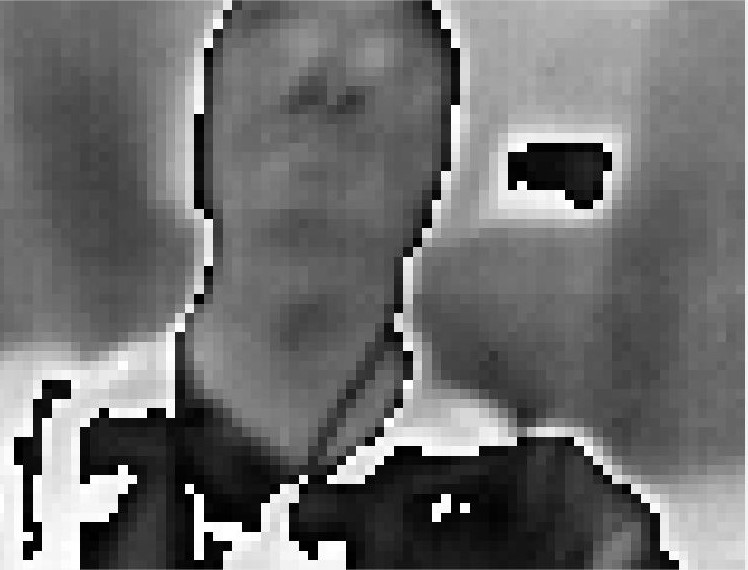
Using an Arduino Due I can read an entire frame from a Lepton into a buffer and then serially transmit this into Matlab. Below are some images I captured of my hand and face (no colour mapping yet). Serial transmission into Matlab (even at 115200 baud) takes a little while.

However, I am having two weird issues.
- Firstly, my Arduino code pulls one frame from Lepton and then randomly stops running. The SPI code being executed is in a while(1) statement which just seems to loop only one single time... The only way for me to get a new capture is to reset the Arduino and the code will execute once. Does anyone have any idea why the code is not constantly looping inside the while(1) statement?
- Occasionally the Lepton stops getting new frames and will only transmit the same frame which seems to be in its memory. The only way to fix this is to physically take the lepton out of the socket and pop in back it while everything is powered - similar to the red square issue with the Raspberry Pi Video. Anyone have any idea what's going on here?
My Arduino Due code is below (and attached). For clarity I have left out the code which serially sends the frame to Matlab. You can look at the frame values using the Arduino serial monitor.
Any help is greatly appreciated!
#include <SPI.h>
#include <stdio.h>
#include <string.h>
#define PACKET_SIZE (164)
#define PACKETS_PER_FRAME 60
byte frame_buffer[PACKET_SIZE * PACKETS_PER_FRAME] = {0};
byte *p;
int ledPin=13;
void setup()
{
Serial.begin(115200);
pinMode(2, OUTPUT); //I2C
pinMode(3, OUTPUT); //I2C
digitalWrite(2, HIGH);
digitalWrite(3, HIGH);
Serial.println("setup complete");
}
void loop()
{
p = frame_buffer;
openSPI();
while(1)
{
int resets = 0;
for(int j=0; j<PACKETS_PER_FRAME; j++)
{
//read 164 byte packet directly into frame buffer
for(int k=0; k<(PACKET_SIZE-1); k++)
{
// must dereference pointer...
*(p+j*PACKET_SIZE+k) = SPI.transfer(10, 0x00, SPI_CONTINUE); // use SPI_CONTINUE to keep CS low for entire 164 byte packet
// cannot store into buffer using array indexing - cannot pull complete frame fast enough without losing sync
// i.e. frame_buffer[j*PACKET_SIZE+k] = SPI.transfer(10, 0x00, SPI_CONTINUE);
}
*(p+j*PACKET_SIZE+PACKET_SIZE) = SPI.transfer(10, 0x00); // raise CS after last byte read
int packetID = *(p+j*PACKET_SIZE+1);
if(packetID != j) //if discard packet reset j, make j=-1 so 0 on next loop
{
if(packetID != 255)
{
Serial.print("Packet lost at ");
Serial.println(packetID);
}
j=-1;
resets += 1;
delayMicroseconds(1000);
//750 resets is an arbitrary limit, since there should never be 750 "null" packets between two valid transmissions at the current poll rate
//Polling faster may exceed this count, and the down period between frames may then be flagged as a loss of sync
if(resets == 750)
{
Serial.print("Sync lost at packet ");
Serial.println(packetID);
closeSPI();
delay(750);
openSPI();
}
}
}
Serial.println("Frame pulled");
//Serial.print("Resets = ");
//Serial.println(resets);
printFrame(); //print frame to serial monitor
}
closeSPI();
}
void openSPI(void)
{
SPI.begin(10);
SPI.setClockDivider(10,8); //Due 84MHz / 8 ~= 10MHz SPI clk
SPI.setBitOrder(MSBFIRST);
SPI.setDataMode(SPI_MODE3);
}
void closeSPI(void)
{
SPI.end(10);
}
void printFrame(void)
{
// frame consists of 60 packets, each 164 bytes long
for(int row=0; row<PACKETS_PER_FRAME; row++)
{
for(int col=0; col<(PACKET_SIZE); col++)
{
Serial.print(*(p+row*PACKET_SIZE+col));
Serial.print(" ");
}
Serial.println("");
}
}

don felipe
Jan 21, 2016, 3:44:41 PM1/21/16
to Flir Lepton
Yes, the arduino code is wrong/poor. There are numerous issues I have found with it. Mostly my issue is that it was written for an arduino that couldn't even buffer a frame. Which only makes me think no one tested it. As this was my first attempt at using embedded code it has been a bit frustrating. I've been using the Due to transfer frames and do some I2C commanding(the I2C command scheme isn't implemented properly in the github code).
The "red square" issue I believe is just the camera getting out of sync and then the program just throwing up a red square. If you look on page 34 and 35 of the FLIR data brief(could there have been a more poorly written data sheet?) for the camera it will describe how to maintain/fall out of/re-establish sync on the camera. I believe this is your central issue with your frame grabbing code. It specifies a 185ms wait period between disable/enable of the CS pin. I've been running my SPI at a faster clock than you because I found it easily will fall out of sync otherwise. You are also re-initializing SPI in every loop which I think can be done in the setup and may be causing an issue.
Serial transmission is slow. If too much is written between frames, the camera can get out of sync. I was able to transmit a whole frame reliably in HEX or DEC though. I have been using that but working on implementing USB transmission to speed up the transmission.
The "red square" issue I believe is just the camera getting out of sync and then the program just throwing up a red square. If you look on page 34 and 35 of the FLIR data brief(could there have been a more poorly written data sheet?) for the camera it will describe how to maintain/fall out of/re-establish sync on the camera. I believe this is your central issue with your frame grabbing code. It specifies a 185ms wait period between disable/enable of the CS pin. I've been running my SPI at a faster clock than you because I found it easily will fall out of sync otherwise. You are also re-initializing SPI in every loop which I think can be done in the setup and may be causing an issue.
Serial transmission is slow. If too much is written between frames, the camera can get out of sync. I was able to transmit a whole frame reliably in HEX or DEC though. I have been using that but working on implementing USB transmission to speed up the transmission.
Mahdi Hussein
Jan 21, 2016, 8:18:30 PM1/21/16
to Flir Lepton
Thanks for the reply!
Regarding my first issue of the while(1) loop only running once...
I moved the openSPI() into setup but this wasn't the issue. I found that adding a command inside the while(1) loop just before the first for loop is encountered causes it to loop continuously as it should - really weird... In debugging I added a statement t = millis(); and somehow this has fixed the issue of the loop running only once. I have never encountered anything like this before. I don't understand why the loop isn't continuous without this statement. Updated code below.
Regarding the 'red square like' issue...
I don't believe the red square issue is related to the camera losing sync. I can lose sync and re-establish. In my code I have an excessive delay of 750ms to re-establish sync - though I don't seem to be losing sync very often.
I believe the red square issue (or in my case lack of new frames) is associated with some weird undocumented state the Lepton can get into. It's not really clear what causes the Lepton to get into this state and if it can even be dealt with in software (hence the pulling the lepton out of socket and re-inserting). I think in the Lepton data sheet they should add more detail about this... Every time I have to pull the Lepton out of the socket I get paranoid of esd damage.
I'm basically considering this 'red square like issue' unsolvable at the moment until more information is published about the Lepton...
Anyway, my code is working to a basic extent now. I can pull new frames into Matlab. Although because of slow serial transmission (and inefficient Matlab code) I can only get a new frame roughly every 3 seconds. Working on improving this.
I would be interested in looking at your code if you wouldn't mind sharing?
Thanks!
#include <SPI.h>
#include <stdio.h>
#include <string.h>
#define PACKET_SIZE (164)
#define PACKETS_PER_FRAME 60
byte frame_buffer[PACKET_SIZE * PACKETS_PER_FRAME] = {0};
byte *p;
int ledPin=13;
double t = 0;
double s = 0;
void setup()
{
Serial.begin(115200);
pinMode(2, OUTPUT); //I2C
pinMode(3, OUTPUT); //I2C
digitalWrite(2, HIGH);
digitalWrite(3, HIGH);
openSPI();
Serial.println("setup complete");
}
void loop()
{
p = frame_buffer;
int packetID = 0;
int j=0;
while(true)
{
int resets = 0;
t = millis(); // debugging statement. Without this statement the while(true) loop only exectues once... WHY???
for(j=0 ; j<PACKETS_PER_FRAME; j++)
{
//read 164 byte packet directly into frame buffer
for(int k=0; k<(PACKET_SIZE-1); k++)
{
*(p+j*PACKET_SIZE+k) = SPI.transfer(10, 0x00, SPI_CONTINUE); // use SPI_CONTINUE to keep CS low for entire 164 byte packet
}
*(p+j*PACKET_SIZE+PACKET_SIZE) = SPI.transfer(10, 0x00); // raise CS after last byte read
packetID = *(p+j*PACKET_SIZE+1);
if(packetID != j) //if discard packet reset j, make j=-1 so 0 on next loop
{
j=-1;
resets += 1;
delayMicroseconds(1000);
//750 resets is an arbitrary limit, since there should never be 750 "null" packets between two valid transmissions at the current poll rate
//Polling faster may exceed this count, and the down period between frames may then be flagged as a loss of sync
if(resets == 750)
{
Serial.print("Sync lost at packet ");
Serial.println(packetID);
closeSPI();
delay(750);
openSPI();
}
}
}
//s = millis() - t;
//Serial.println(s);
//Serial.println("Frame pulled");
don felipe
Jan 28, 2016, 1:37:29 PM1/28/16
to Flir Lepton
This is the heart of what I have. I have implemented it printing to an LCD and sending in different formats but this transmits ASCII through USB. Using ASCII doubles the amount of bytes needed to be sent so that could be sped up. Three seconds is quite long between frames. I am grabbing a frame every ~320 ms at the moment. It displays about the same response as what I get transferring directly to an LCD
I haven't encountered the non-response mode using this code.
void setup()
{
int start_char=0;
SerialUSB.begin(115200);
while(!SerialUSB);
SPISettings settings(20000000, MSBFIRST, SPI_MODE3);
SPI.begin(10);
SPI.beginTransaction(settings);
SPI.setClockDivider(10,2);
SerialUSB.println("Enter 1 to Start");
SerialUSB.println("setup complete");
while(start_char != 49){
start_char=SerialUSB.read();
if(start_char >0) SerialUSB.println(start_char,DEC);
delay(100);
}
}
int read_lepton_frame(void)
{
int i;
int j=0;
while(j < 0x3B) {
for (i = 0; i < (VOSPI_FRAME_SIZE/2 ); i++)
{
lepton_frame_packet[2 * i]= SPI.transfer(10, 0x00,SPI_CONTINUE);
if(i < (VOSPI_FRAME_SIZE/2 -1)) {
lepton_frame_packet[2* i +1] = SPI.transfer(10, 0x00,SPI_CONTINUE);
} else{
lepton_frame_packet[2* i +1] = SPI.transfer(10, 0x00);
}
j = lepton_frame_packet[1];
if((lepton_frame_packet[0]&0xf) != 0x0f){
if(i > 1){
image[i-2][j] = ((lepton_frame_packet[2 * (i-2) + 4] << 8) + lepton_frame_packet[2 * (i-2) + 5]);
}
}
}
}
if (j == 0x3B) {
print_image();
}
return j;
}
void print_image(void)
{
for (int j = 0; j < image_y; j++)
{
for (int i = 0; i < image_x; i++)
{
SerialUSB.print(image[i][j], HEX);
}
}
SerialUSB.println("eoln");
frame_num++;
}
void loop()
{
int i;
while(1){
if(SerialUSB){
i=read_lepton_frame();
}
else{
delay(50);
}
}
}
I haven't encountered the non-response mode using this code.
void setup()
{
int start_char=0;
SerialUSB.begin(115200);
while(!SerialUSB);
SPISettings settings(20000000, MSBFIRST, SPI_MODE3);
SPI.begin(10);
SPI.beginTransaction(settings);
SPI.setClockDivider(10,2);
SerialUSB.println("Enter 1 to Start");
SerialUSB.println("setup complete");
while(start_char != 49){
start_char=SerialUSB.read();
if(start_char >0) SerialUSB.println(start_char,DEC);
delay(100);
}
}
int read_lepton_frame(void)
{
int i;
int j=0;
while(j < 0x3B) {
for (i = 0; i < (VOSPI_FRAME_SIZE/2 ); i++)
{
lepton_frame_packet[2 * i]= SPI.transfer(10, 0x00,SPI_CONTINUE);
if(i < (VOSPI_FRAME_SIZE/2 -1)) {
lepton_frame_packet[2* i +1] = SPI.transfer(10, 0x00,SPI_CONTINUE);
} else{
lepton_frame_packet[2* i +1] = SPI.transfer(10, 0x00);
}
j = lepton_frame_packet[1];
if((lepton_frame_packet[0]&0xf) != 0x0f){
if(i > 1){
image[i-2][j] = ((lepton_frame_packet[2 * (i-2) + 4] << 8) + lepton_frame_packet[2 * (i-2) + 5]);
}
}
}
}
if (j == 0x3B) {
print_image();
}
return j;
}
void print_image(void)
{
for (int j = 0; j < image_y; j++)
{
for (int i = 0; i < image_x; i++)
{
SerialUSB.print(image[i][j], HEX);
}
}
SerialUSB.println("eoln");
frame_num++;
}
void loop()
{
int i;
while(1){
if(SerialUSB){
i=read_lepton_frame();
}
else{
delay(50);
}
}
}
Mahdi Hussein
Feb 2, 2016, 6:40:53 PM2/2/16
to Flir Lepton
Sorry for my late reply!
I have modified my code since last post but essentially our code is doing the same thing - although I think yours is more readable!
I am indeed grabbing frames at 27Hz on the Arduino due (every 37ms). This is the only rate at which you can grab frames. The lepton cannot support any faster and any slower and you will lose sync.
I am surprised you are grabbing a frame a 320ms - how are you maintaining sync?
My problem is slow transfer from the Arduino to Matlab via serial. Reading in serial data is pretty straight forward, just involves using the function fscanf() to read from a serial object associated with a COM port. Max baud rate I could get working is 250000 and even at this is still takes Matlab about 1s to read a complete frame in from the Serial buffer - obviously some inefficient stuff going on under the hood (typical Matlab).
I am interested in you using native USB. I am sure you are connecting to the SAM3X native USB port and not the programming port?? Also, in the line of code below, is in not redundant to specify the baud rate? Does USB not have one specific speed?
SerialUSB.begin(115200);
I have never really programmed anything to send data over native USB before - I must do some more reading. I don't think it's simple though to read data into Matlab over USB, at this point in time I'm not sure what this would involve - maybe some specific USB driver? At the moment I'm quite ignorant on USB.
don felipe
Feb 3, 2016, 3:31:16 PM2/3/16
to Flir Lepton
USB was not difficult to get working. I have not used USB communication with anything before but I believe Windows treats it as a COM port so the software implementation is not difficult. the SerialUSB.begin() command needs some value in there to comile, it just ignores what it is.
About the frame grabbing. It isn't really possible to grab frames at 27Hz in my current setup with only a single frame buffering system. Essentially I am grabbing a frame after every serial transfer. The sync is only maintained during the frame transfer because writing to the serial port takes too long. You are de-selecting the Lepton after you judge that you have grabbed a frame. by the time you write that to the serial port, and activate chip select it is likely to have just stopped transmitting anyway(lost sync). Basically to speed it up needs a frame buffer, minimize the bits written on the serial, and in you case, a faster interface. It is very possible I'm wrong on some of these things.

Vincent Din
Feb 4, 2016, 6:59:41 PM2/4/16
to Flir Lepton
Hi don felipe,
I am attempting to do this with an Arduino mega and can share your frustration at the sample code not working. Any ideas on how to implement this with the mega?
Looks like I do not have access to the extended SPI library that the Due has...
Let me know, thanks.
Best,
Vincent
Mahdi Hussein
Feb 5, 2016, 12:27:49 AM2/5/16
to Flir Lepton
Hi Vincent,
Arduino Mega does not have enough memory to be able to store a complete frame from the Lepton. It has about 8kB of memory and you need about 10kB to store a complete frame. You have to use a model with more memory (like Arduino Due)

Kurt Kiefer
Feb 5, 2016, 5:21:03 PM2/5/16
to Flir Lepton
Mahdi, I think you were on the other thread where someone was trying to use Matlab to grab frames via SPI. On the PureThermal 1 we implemented the USB video class (UVC) to send the lepton data to the host as if it were a webcam. This works very well and one big advantage is OS X, Windows, and Linux all support UVC natively, so programs and libraries like Matlab or OpenCV can hook into the OS's native video capture capabilities to acquire data, and you can just use their built-in camera capture functions without having to write your own.
Mahdi Hussein
Feb 7, 2016, 10:28:56 PM2/7/16
to Flir Lepton
Hi Kurt,
Thanks for the reply. I do indeed have a PureThermal 1 (awesome little board). Was pretty straight forward to integrate it with Matlab.
However, I need to work with the raw 16-bit unsigned int pixel data. The firmware on the stm32 converts the Lepton monochromatic frames into RGB frames and also continuously scales the colour palette over the current range.
I'm in the processing of trying to understand the PureThermal 1 firmware on github and at some point hope to be able to modify the code to only send the uint16 data over USB video class.
Thanks
Message has been deleted
Message has been deleted
Kurt Kiefer
Feb 7, 2016, 11:15:04 PM2/7/16
to Flir Lepton
Ack, sorry for the deleted posts, I was trying to edit my last message to point you to the right line.
You should be able to uncomment the #define Y16 line here to grab raw data:
Let me know if this works. It has been a little while since I've tried to build with this option enabled.
Then you'll also need to configure matlab to acquire the Y16 data format.
Kurt Kiefer
Feb 7, 2016, 11:17:42 PM2/7/16
to Flir Lepton
Oh and you also probably want to comment-out the ENABLE_LEPTON_AGC line just above it to disable the range scaling.
Mahdi Hussein
Mar 3, 2016, 11:03:10 PM3/3/16
to Flir Lepton
Hi Kurt,
Thanks for the help! I have never worked with Arm processors before and am finding this a great learning experience.
I changed both lines in the config header file (image below) and had no problem building the dfu file and uploading to the PureThermal1 board (on windows).
Strangely it still seems to be sending across YUV auto scaled pixel values (in vlc and matlab)... I am positive my config.h file has been saved with the changes.
Any idea why this is happening?
Thanks

Mahdi Hussein
Mar 3, 2016, 11:35:30 PM3/3/16
to Flir Lepton
Not sure if this is important info but before I built the project with the altered project_config file I made sure I could upload the regular build. I then deleted the build files (bin, hex etc) before building the new code with the changed config header file...
Looking through the code I can't see ENABLE_AGC being defined anywhere else or Y16 being undefined...
Kurt Kiefer
Mar 3, 2016, 11:40:57 PM3/3/16
to Flir Lepton
First, make sure you are using the development branch. I tested this recently on that branch and it does work.
The settings in project config should be:
// #define ENABLE_LEPTON_AGC
#define Y16
Mahdi Hussein
Mar 4, 2016, 12:39:41 AM3/4/16
to Flir Lepton
Yep its working now, I was using the master branch before...
Thanks a lot!

zhengzhong sun
Mar 8, 2016, 6:00:42 PM3/8/16
to Flir Lepton
Dear Mahdi
I tried to use your code in my arduino due. However I received 'Sync lost at package 255'
I am not sure why it happens like this. I am also not sure my connection and the option of the board
In the IDE software, which option should I choose for 'programmer'?
Should I connect a jumper to the 3-5V pin in the lepton board?
Thanks a lot!
Mahdi Hussein
Mar 10, 2016, 9:51:14 PM3/10/16
to Flir Lepton
Hi zhengzhong,
I have attached some working code I just tested for the Arduino Due.
If you want to look at the frame data from the Lepton in the Arduino IDE serial monitor use the 'Arduino_Due_Read_Lepton' file. I have added comments at the top of the file that give information about wiring. Un-tick 'autoscroll' if you want to closely look at the values for a single frame. You could copy/paste this data into Excel or do whatever you want.
If you (or anyone else) want to transfer the data into Matlab use the file 'ArduinoDue_ReadLepton_SendToMatlab', and run the Matlab file Read_Lepton_From_Due. This should work but the update rate is a little slow (image below), also Matlab can lose sync and stop running... Instead of fixing this I just ended up using the PureThermal1 board as discussed with Kurt above.
My set-up looks like this (refer to .ino file for wiring info)

And here is an image transferred into MATLAB

Plug the micro usb into the programming port and select Arduino Due (programming port) in the IDE.
No do not connect a jumper on the lepton board.
Hope this helps

sa...@pureengineering.com
Mar 10, 2016, 9:55:23 PM3/10/16
to Flir Lepton
Don't put a jumper on the 3-5 header. That would short the power to GND. That header is for external power if needed.
The lost sync typically happens when not reading data fast enough from the lepton. I would use a faster microcontroller for reading out lepton data.
cn...@uncc.edu
Mar 11, 2016, 8:28:36 PM3/11/16
to Flir Lepton
Hello all,
I am brand spanking new to ARM based programming. I am going to do some more research with the codes here as references to help better understand the transmission of the image from the camera but I have a very basic question to start off with. Mahdi, I see in your picture the wiring of the Arduino DUE (which I'm working with) and the FLIR, and was just wondering where your SDA and SCL lines are being connected to. It appears that the DUE has two sets of these lines but it doesn't appear that your FLIR is connecting to either of these.
Also, I was wondering if there was some sort of app/software created that displays the image without having MATLAB or any other software process the image. The reason I am asking this is because I'm assuming that the serial monitor will not process the data into an image.
Again, I am in the very beginning stages of learning ARM based programming and somewhat new to SPI and I2C protocol so any help is greatly appreciated.
Thanks in advance
Mahdi Hussein
Mar 23, 2016, 6:32:10 PM3/23/16
to Flir Lepton
If you just want to view thermal video you can purchase a Raspberry Pi and follow this guide... https://groupgets.com/blog/posts/8-installation-guide-for-pure-breakout-board-on-raspberry-pi-2
If you want an even easier option you can buy a PureThermal1 board, plug it into a USB port and click play in VLC media player. You can buy a board here... http://www.pureengineering.com/projects/purethermal1
Both options are pretty straight forward and have a lot of info/tutorials.
SDA and SCL lines are used to change parameters on the Lepton, they are not needed to simply stream the video. I did not use them so I just connected them to 3.3V. You should really just go with one of the option above and stay away from an Arduino Due.
Kurt Kiefer
Mar 23, 2016, 7:09:44 PM3/23/16
to Flir Lepton
I just want to add that a better link for PureThermal 1 is the actual GroupGets page, and it has links to group buys for the part as well (they don't stay in stock very long, and you save a few bucks too):
Reply all
Reply to author
Forward
0 new messages