
App not authorized to use Firebase Authentication but working fine with test phone

Azeem Haider
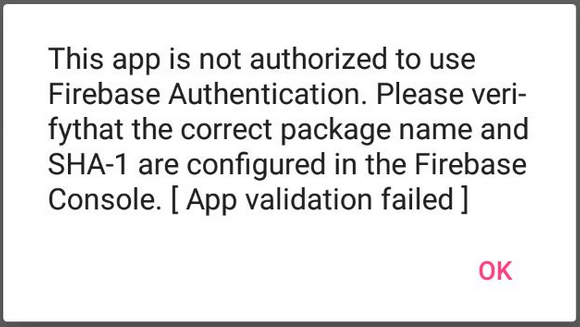
I tried almost all the methods but no one is working for me.
I create sha-1 using this.
keytool -list -v -keystore "key store path" -alias "key alias"
output is something like 96:A2:-------------------- I add this into firebase and generate new google_services.json file and place it into android project and upload apk to play store but when I try to run app it show me same error(app not authorized).
After this I try to create SHA-1 from android studio. using
Gradle -> appName -> android -> signingReport
It show something like B0:F7:----------------------------- I add it into firebase console and generate google_servics.json file after uploading apk is not working.
After this I try
tools -> firebase -> auth -> connect -> sync
This one is also not working.
And after this I try to add both SHA-1 in firebase console still not working.
Can you please let me know what can be problem ?

Kiana McNellis
--
You received this message because you are subscribed to the Google Groups "Firebase Google Group" group.
To unsubscribe from this group and stop receiving emails from it, send an email to firebase-tal...@googlegroups.com.
To post to this group, send email to fireba...@googlegroups.com.
To view this discussion on the web visit https://groups.google.com/d/msgid/firebase-talk/93a7737a-30cb-46a4-b3d3-95764bc22f3c%40googlegroups.com.
For more options, visit https://groups.google.com/d/optout.