
MS Excel Macros 12 - End Process( Task Manager Command) Using VBA
1,253 views
Skip to first unread message

ashish
Jun 30, 2012, 4:21:02 PM6/30/12
to excelvb...@googlegroups.com
If you want to terminate or kill any process using VBA Excel.
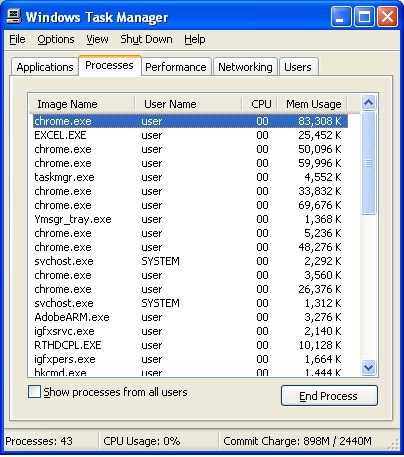
The first thing you need to know is the process name you can find out by opening Task Manager . For example use "chrome.exe" to close chrome , etc
Sub sample_1()
' process u want to terminate
Call TerminateProcess("googletalk.exe")
End Sub
Private Sub TerminateProcess(ByVal app_exe As String)
Dim Process As Object
For Each Process In GetObject("winmgmts:").ExecQuery("Select Name from Win32_Process Where Name = '" & app_exe & "'")
Process.Terminate
Next Process
End Sub
Reply all
Reply to author
Forward
0 new messages