
replace fuser mfc 8890

Harry CSR
Fuser Removal for the Brother MFC 8480, 8890 and DCP 8085
Alright after fighting with PDF images I finally was able to put some illustrations in this. Im not putting all them in but it should be enough to get you started and walk you through it. Click on the pictures for blown up views.
Back Cover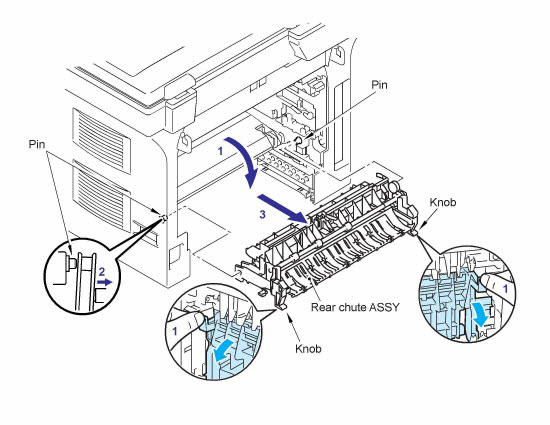
1. Open Back Cover.
2. Remove the arm of the back cover from the pin.
3. Remove the pins of the outer chute assembly from the back cover.
4. Remove the back cover.
Rear Chute Assembly
1. Hold the knobs on the rear chute assembly and pull down this to your side.
2. Remove the arms of the rear chute assembly from the pins.
3. Remove the rear chute assembly.
Fuser Unit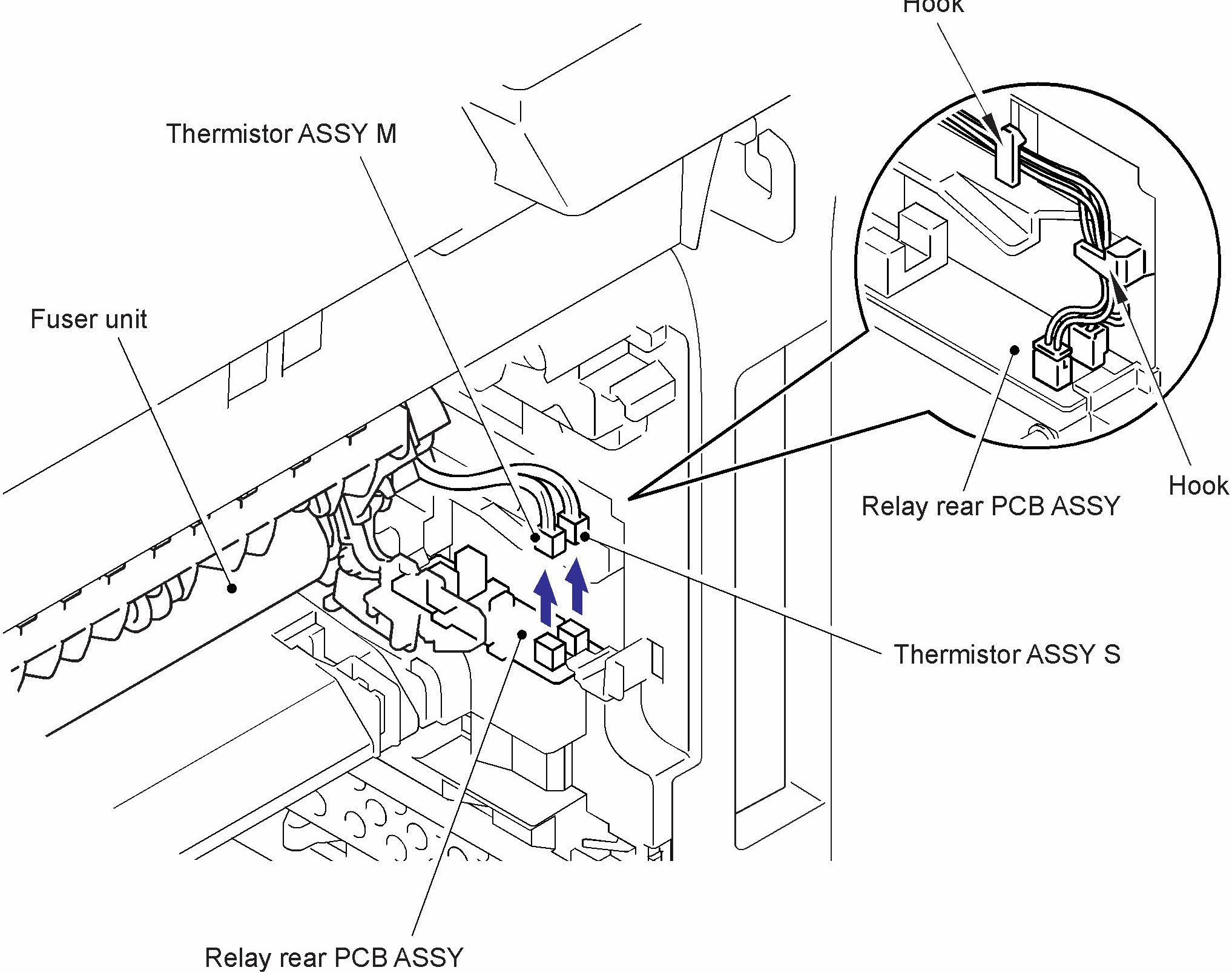
1. On the left side is 1 screw on the top left corner. Remove the screw and remove the black plastic cover. Should just pull out and right.
2. Disconnect the connector of the heater terminal while pressing the hook of the connector of the fuser.
3. Pull the right fuser unit harness cover (black plastic piece keeping the thermistor cables secure on the right side of the machine) left while pressing the hook and pull out the fuser unit harness cover towards the back.
4. Disconnect the connectors of the Thermistor assembly M and Thermistor assembly S from the Relay rear PCB assembly, and remove the harnesses of these thermistors.
5. Remove the 1 screw and then remove the Fuser Unit, Brother LU7939001 Fuser Assembly 8080DN 8480DN 8890DW

Reassemble Instructions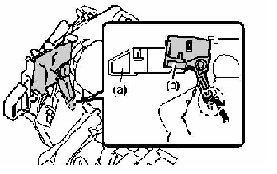
Assembling Note: To prevent the deformation of the pressure roller, the fusing unit spare part is shipped with its pressure roller at low nip pressure. Before installing the fusing unit, turn back the levers to the normal position.
1. Put the fuser unit on a flat, horizontal surface. Pull up each of the black tabs on the right side and left side.
2. Make sure that the black lever is in the position.
Reset Procedure for the replace fuser message in the Brother MFC 8480, 8890 and DCP 8085
Here is the part probably everybody is waiting for because who cares about actually changing out the fusing unit. Like I said above in this article, the replace fuser message is displayed when the page count has reached 100,000 prints. Most people figuire out a way to clear the replace fuser message to be confronted with two more messages. Replace Laser Unit and Replace PF Kit. Again, Brother recommends replacing the laser unit and the cassette feed tires after 100,000 copies. I agree with the PF kit but disagree with the laser unit. Laser units tend to last well past 100,00 prints. Usually when the laser unit starts to wear it will get noisy. Kinda sounds like a motor or a fan going out or the machine will get louder when the machine starts to print. Anyway to reset the replace fuser message and others you just need to press the 3 and 9 buttons at the same time. After you press the buttons together the display will show the life counters. Now you just need to scroll down to the part you want to reset and follow the instructions.


Conclusion about the Replace Fuser Message
I put the fuser replacement procedure in this article for two reasons. One to show you how to do it and the other to make it easier for techs and end users to make the right decision and replace the fusing assembly when the replace fuser message is displayed. Hopefully the instructions above and my advice has helped you work through the replace fuser message on the Brother MFC 8480, 8890, and DCP 8085 multifunction machines and has allowed you to reset the replace fuser message and get your machine working properly again.
Brother LU7939001 Fuser Assembly 8080DN 8480DN 8890DW
