
Cubify Design - Rotate a part to make a plane parallel to an axis
136 views
Skip to first unread message

Peter Gregory
Oct 29, 2014, 6:25:42 PM10/29/14
to cubex-3d...@googlegroups.com
I have a part in Cubify Design with a sloping plane.
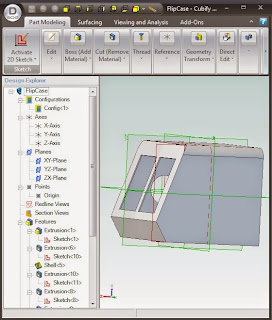
I'm looking for a way to rotate the part so the sloping plane is parallel to an axis for easy printing.
Assemblies let you bring in multiple parts and rotate them.
I create an assembly and bring in the part.
I use the triad tool to rotate it so my sloping face is parallel to an axis
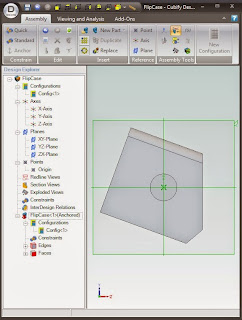
I export the assembly to STL, import it into KISSlicer, and it exported the STL in the original part orientation!
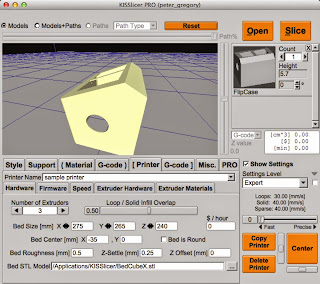
Other than rebuild the part with the slope oriented on a plane, is there a way to export the STL so it will orient properly?
I want the windows to print on the bed.
Peter Gregory
Oct 30, 2014, 2:21:56 PM10/30/14
to cubex-3d...@googlegroups.com
Here's one solution: Use the circular pattern.
Offset a plane some distance from your part parallel to the plan you want to rotate.
Create an axis for the rotation from the intersection of the new plane and another plane.
Use the circular pattern to create 2 copies of the part - one in the original position, one at 180 deg - rotation angle 20 deg.
(Note: Shell does not copy! You have to hollow out the rotated part afterwards)
Create a rectangle to cut out the original part - leaving the rotated part.
Reply all
Reply to author
Forward
0 new messages