
Table Difference check column shortcut?
23 views
Skip to first unread message

Nicholas Stockton
May 15, 2015, 3:40:33 PM5/15/15
to coz...@googlegroups.com
Hello,
I've begun to use the Table Difference object and I may be re-writing many packages. My question is whether or not there is a shortcut to change the check column value for every row in the image below:
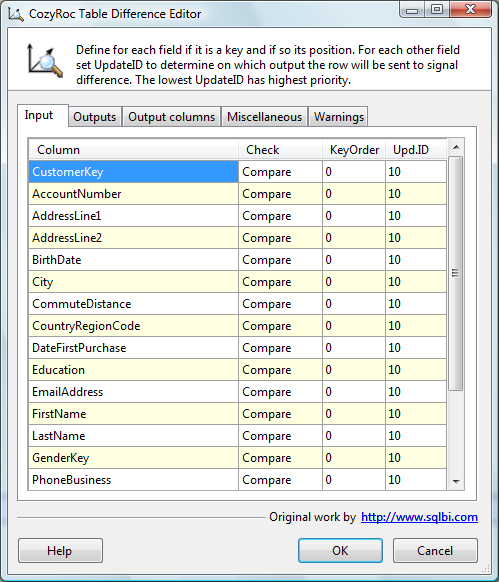
In the table I'm using there are 300+ rows where I need to say "Use Old" instead of compare. I can select multiple rows but I can't seem to get them to change like that, and changing them one at a time is very tedious especially since I'm doing this multiple times.
Regards,
Nicholas.

Ivan Peev
May 15, 2015, 8:54:56 PM5/15/15
to coz...@googlegroups.com
Hi Nicholas,
Thank you for your feedback! I agree the current UI is not very useful for multiple rows update.
I can suggest a workaround. Setup the Table Difference component with the initial metadata and then save the package. Open the package XML file in a text editor. The state you want to modify is stored in a custom property named CheckOptions. Use find-and-replace to set the option you need.
Nicholas Stockton
May 17, 2015, 1:16:45 PM5/17/15
to coz...@googlegroups.com
Thank you Ivan, I'll do that.
Regards,
Nicholas.
Reply all
Reply to author
Forward
0 new messages