
How to make Cesium imagery labels crisp like in other maps?

Jacob
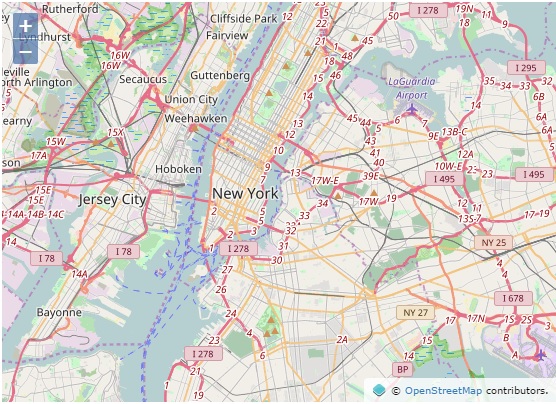
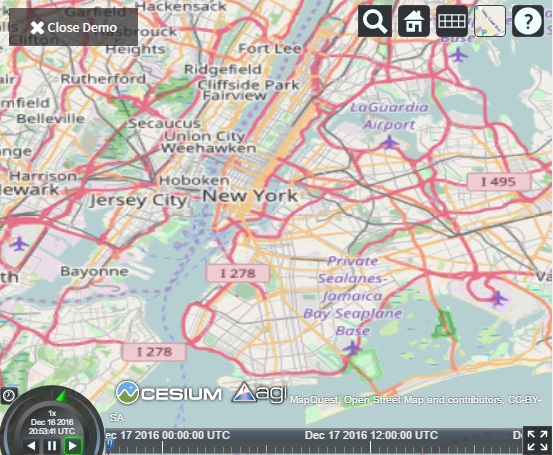
In Cesium, the labels and lines are blurry, and the labels are also distorted looking. I love the 3D capabilities in Cesium, but I'd also like a nice 2D map. How can I make the imagery in the 2D mode nice and crisp?
Thanks,
Jacob

cfic...@geoplex.com.au
Jacob, continuous zoom plus the fact Cesium projects 2D is the issue. OSM, Bing, ESRI etc don't project the basemaps.
The only way you can make the basemaps match is by working out what height the camera needs to be set at so the resolution matches those resolutions the basemaps have been cached at.
Here is an example of the resolutions you will need to match up:
Levels of Detail: 24
Level ID: 0 [ Start Tile, End Tile ]
Resolution: 156543.03392800014
Scale: 5.91657527591555E8
Level ID: 1 [ Start Tile, End Tile ]
Resolution: 78271.51696399994
Scale: 2.95828763795777E8
Level ID: 2 [ Start Tile, End Tile ]
Resolution: 39135.75848200009
Scale: 1.47914381897889E8
Level ID: 3 [ Start Tile, End Tile ]
Resolution: 19567.87924099992
Scale: 7.3957190948944E7
You will need
Camera.getPixelSize(boundingSphere, drawingBufferWidth, drawingBufferHeight)
and
viewer.scene.drawingBufferWidth, viewer.scene.drawingBufferHeight
and
Camera.getMagnitude()
to work out the work out the requiredHeights. Just remember that as soon as the maps size is changed the heights will have to be recalculated.
This will make the basemaps clearer, but they will never be exactly the same as OSM or Bing
