
วิธีทำ Notebook ที่ใช้ Windows 7 เป็น WIFI Hotspot
392 views
Skip to first unread message

VORAWUTH CHOMPUBUTR (CDGS-CSD-PC)
Feb 3, 2013, 11:04:59 PM2/3/13
to cd...@googlegroups.com
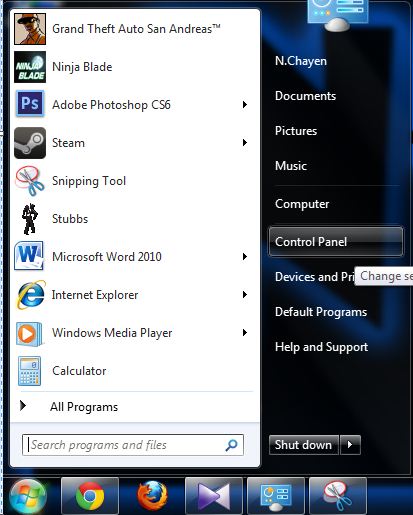
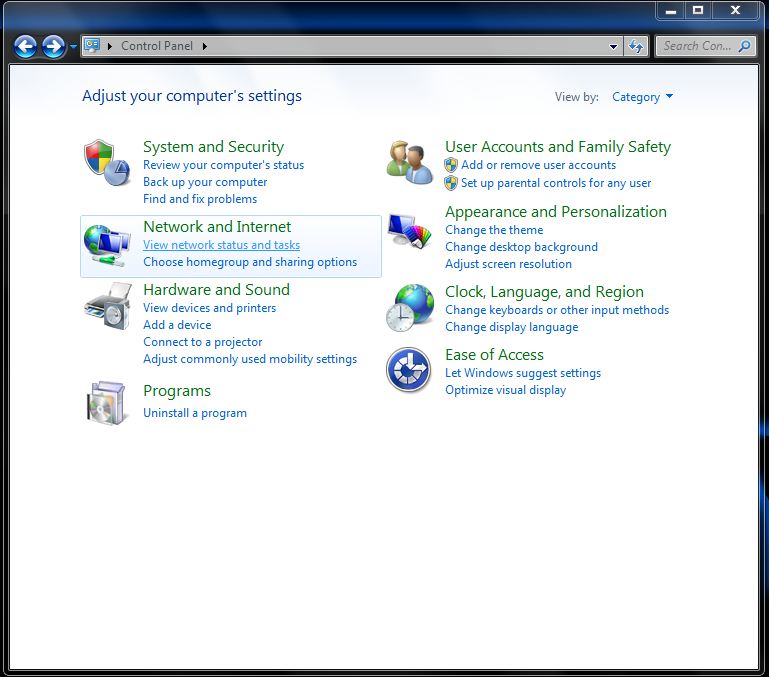
1. เข้า Control Panel
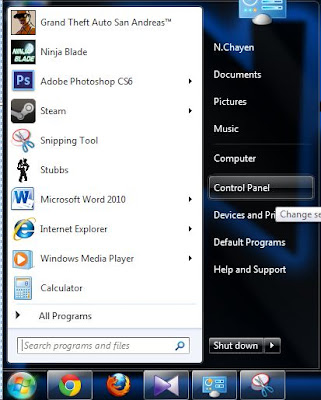
2. เข้าไปที่ View network status tasks
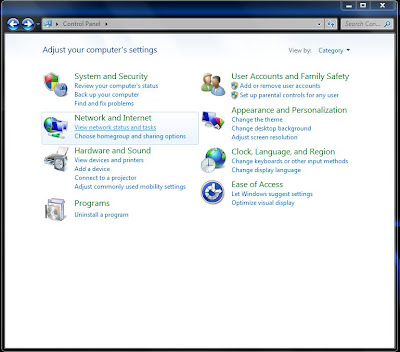
2. เข้าไปที่ View network status tasks
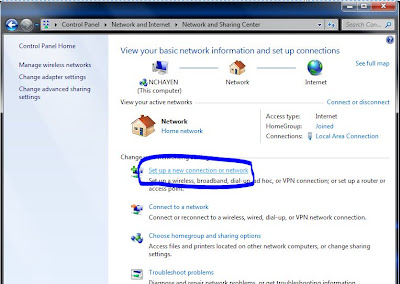
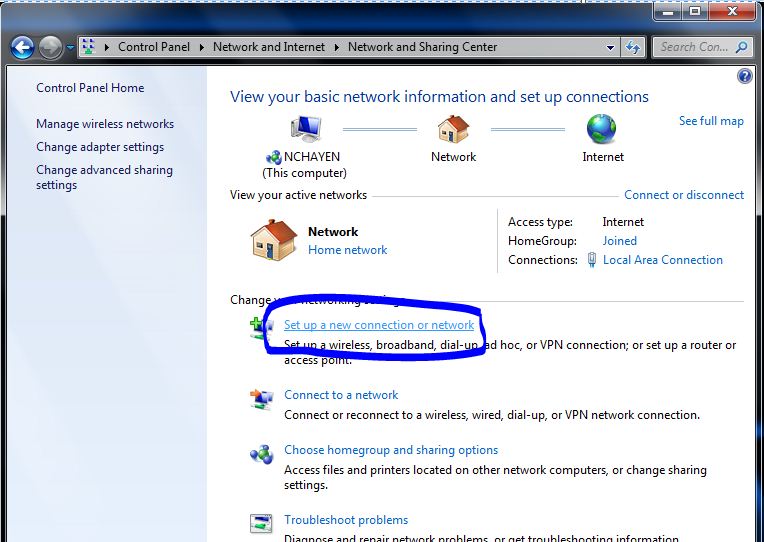
3. เลือก Set up a new connection or network
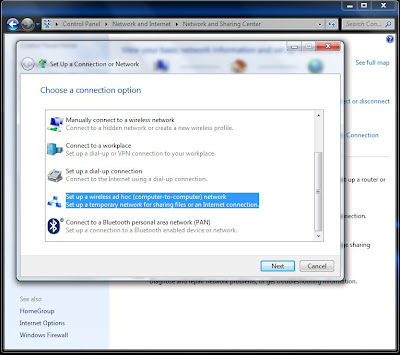
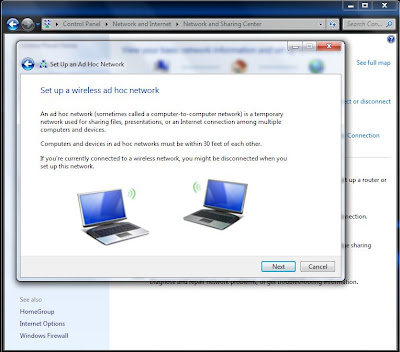
4. เลือกที่ Set up a wireless ad hoc (computer-to-computer) network

5. อ่านเลยครับ ถ้าอ่านออกแล้วแปลไม่ได้ก็ Next ต่อไปครับ

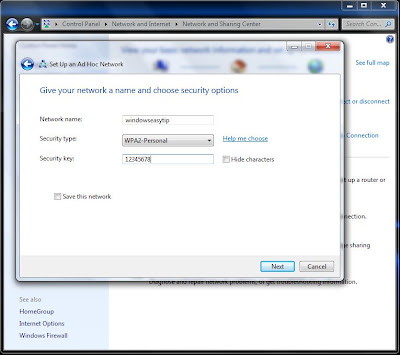
6. ใส ชื่อ Wifi แล้วก็ตามด้วยรหัสครับ WPA รหัส 5 หลัก WPA2 รหัส 8 หลัก หรือจะไม่ใส่รหัสผ่านก็ได้นะครับ
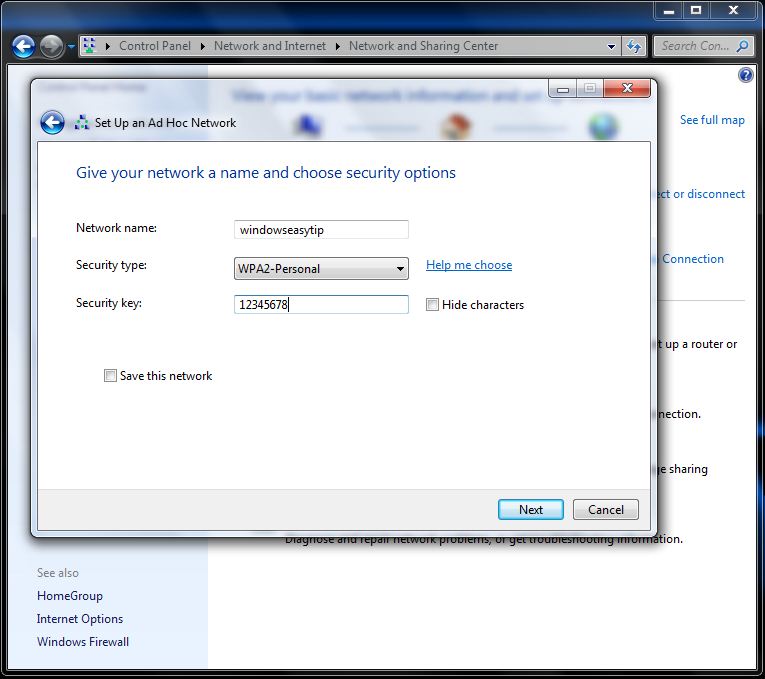
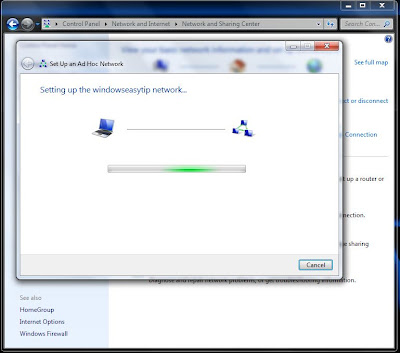
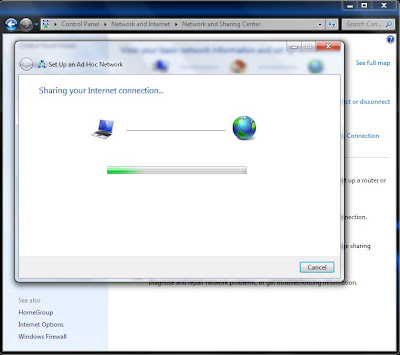
7. รอครับ

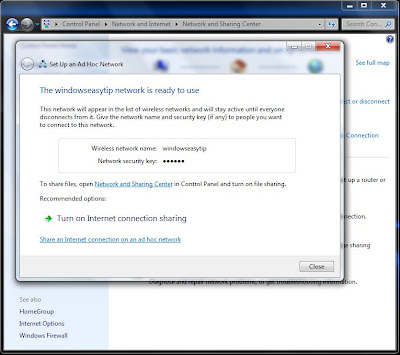
8. กด Turn on Internet connection sharing เพื่อเปิดใช้งานเลยครับ

9. รอ....................

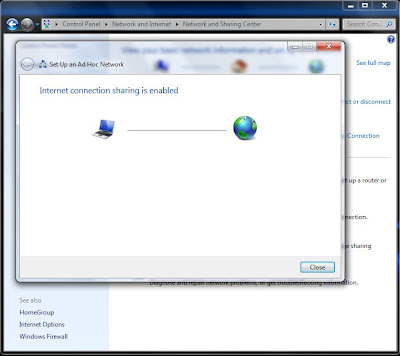
10. เรียบร้อยแล้วครับ
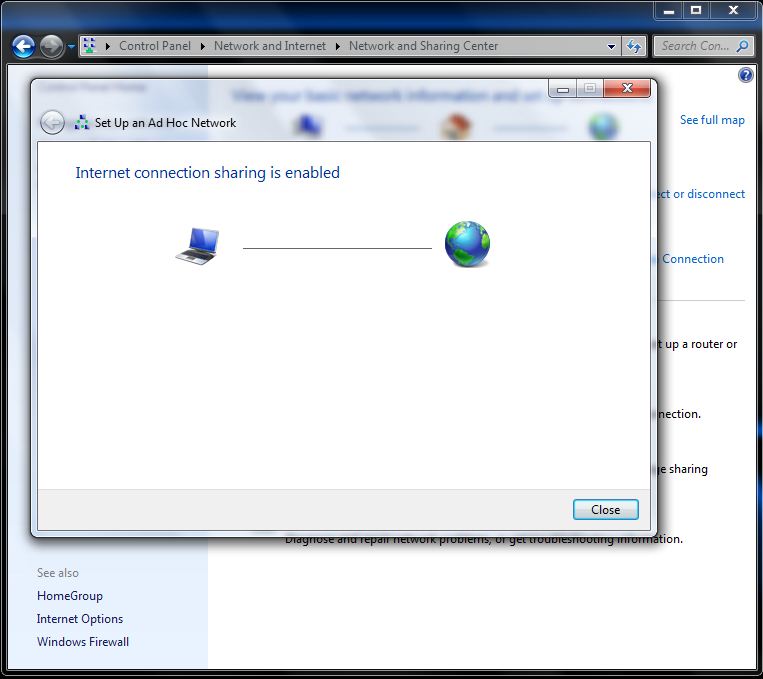
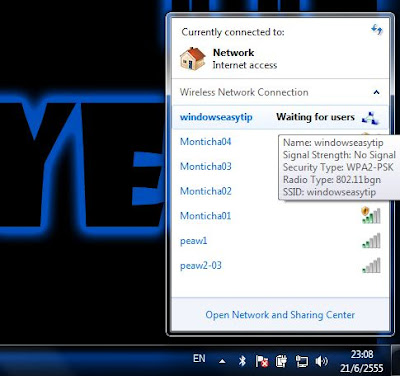
ทีนี้ก็รอเพื่อน ๆ มาแชร์เน็ตเราไปได้เลย

…………………………………………
Mr.Vorawuth Chompubutr

CDG House 202 Nanglinchi Rd.,
Chongnonsee, Yannawa,
Bangkok, 10120, Thailand.
Tel. +66(0) 2678-0200 ext. 1542
Fax. +66(0) 2678-0989
Mobile +66(0)8 6397-8819
E-mail : voraw...@cdg.co.th
w w w . c d g . c o . t h
Reply all
Reply to author
Forward
0 new messages