
How to disable Instrumentation Prompt ( Developer Tool Access is trying to ... )
1,199 views
Skip to first unread message

Ben Li
Jan 6, 2014, 9:34:05 PM1/6/14
to calaba...@googlegroups.com
Hi,
I have setup iOS auto smoke using Calabash from Jenkins.
Everything works nicely, except one thing which is annoying - the Prompt for password with message " Developer Tool Access in trying to take control of another process. Type your password to allow this."
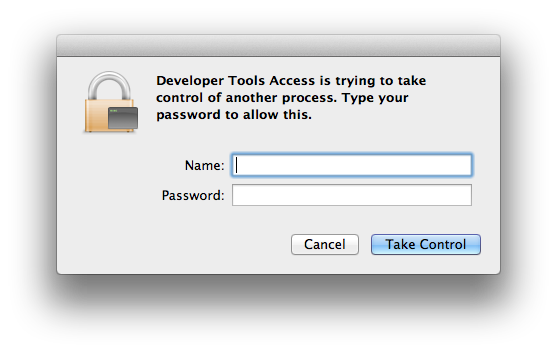
I am using ios simulator, and have tried the following and have no luck:
- Enable developer mode by: sudo /usr/sbin/DevToolsSecurity --enable
- Unlock Keychain: security unlock-keychain -p [password] "${HOME}/Library/Keychains/login.keychain"
So far I have to enter the password manually, and it will be good for around 24 hours. This is annoying because I have to enter the password from time to time, and it also means the autosmoke is not reliable as it can fail due to the prompt.
Does anyone has a solution for this?
Thanks,
Ben

Krukow
Jan 9, 2014, 1:17:18 PM1/9/14
to calaba...@googlegroups.com
Ben Li
Jan 9, 2014, 4:17:24 PM1/9/14
to calaba...@googlegroups.com
Thanks Krukow for replying.
Not sure if that works, but I found a solution my self earlier for OSX Mavericks:
- runs this command to check the system privilege settings:
- security authorizationdb read system.privilege.taskport
- by default it is set to allow-root for my MAC
- over write the setting to “allow”:
- security authorizationdb write system.privilege.taskport allow
Cheers,
Ben
Ben
Reply all
Reply to author
Forward
0 new messages