
How can i generate custom blocks in angular 4 application using blockly
379 views
Skip to first unread message

Khushbu Yeole
Mar 14, 2018, 5:54:47 AM3/14/18
to Blockly
Hi,
I have integrated blockly in angular 4 application with default blocks in that.
Now i want to add custom blocks in workspace.
How i can do that ?
Help me..

Erik Pasternak
Mar 15, 2018, 4:00:18 PM3/15/18
to Blockly
Hi Khushbu,
Check out the developer docs on creating and adding custom blocks and then let us know if you run into specific issues.
Cheers,
Erik
Khushbu Yeole
Mar 16, 2018, 6:40:28 AM3/16/18
to Blockly
Hi Erik,
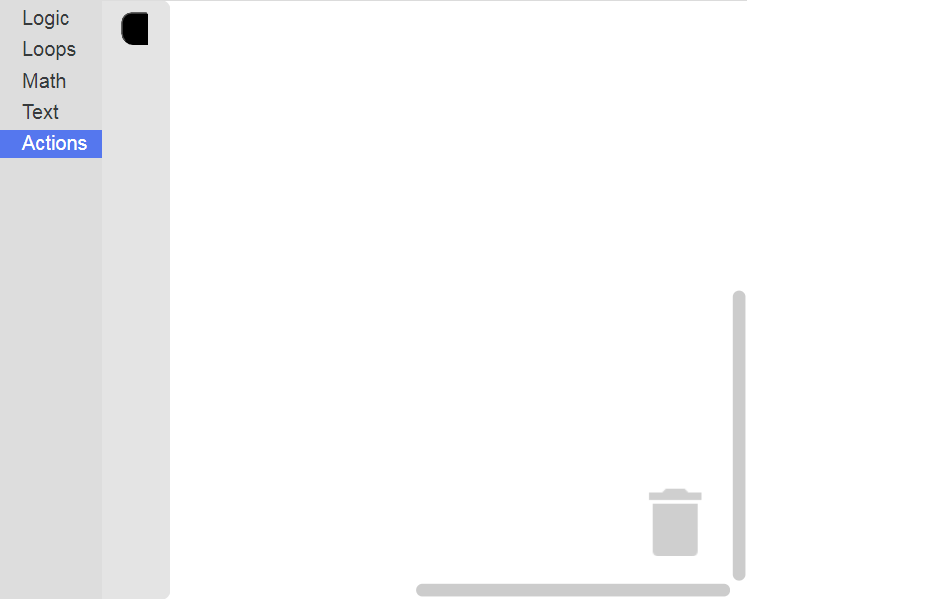
I went throght creating custom blocks and i created my custom block and i can't see my custom block in toolbox PFA.
I have below code in js file:
Blockly.Blocks['set_led'] = {
    init: function() {
        this.appendDummyInput()
            .appendField("set led")
            .appendField(new Blockly.FieldDropdown([["true","true"], ["false","false"]]), "SET_LED");
        this.setPreviousStatement(true, null);
        this.setNextStatement(true, null);
        this.setColour(230);
        this.setTooltip("");
        this.setHelpUrl("");
    }
};
Blockly.JavaScript['set_led'] = function(block) {
    var dropdown_set_led = block.getFieldValue('SET_LED');
    console.log(dropdown_set_led);
    // TODO: Assemble JavaScript into code variable.
    var code = '...;\n';
    return code;
};
also added file path in script tag in html.
Please help me, i am doing right?
or anything i have to wrote more for that.
Erik Pasternak
Mar 16, 2018, 12:12:29 PM3/16/18
to Blockly
Hi Khushbu,
You still need to add the block to your toolbox.
We should probably add a section to the custom blocks overview reminding people they need to add the block to their toolbox after creating it.
Cheers,
Erik
Khushbu Yeole
Mar 19, 2018, 2:41:47 AM3/19/18
to Blockly
HI Erik,
I have added block in my toolbox
<category name="Actions">
    <block type="set_led">
        <field name="SET_LED">true</field>
    </block>
</category>
anything i am missing other than this.Khushbu Yeole
Mar 20, 2018, 2:12:41 AM3/20/18
to Blockly
Issue is resolved its my mistake in code. Got it.
Thanks Erik for your help.
Rachel Fenichel
Mar 20, 2018, 2:27:28 PM3/20/18
to Blockly
How did you fix it? Other people may run into the same problem and be helped by seeing your fix.
Khushbu Yeole
Mar 21, 2018, 6:11:00 AM3/21/18
to Blockly
I have given my BlockDefination.js file path in angular-cli.json and it works.
Its actually an angular mistake i did.
Thanks.
Reply all
Reply to author
Forward
0 new messages