
Blockly warnings in dev tools when code-splitting with React and React Router
226 views
Skip to first unread message

Johnny Oshika
Dec 30, 2021, 3:54:21 PM12/30/21
to Blockly
My React app bundle size is getting large, so I decided to code-split using React.lazy, dynamic import, and React Router. The technique is described here: https://reactjs.org/docs/code-splitting.html#route-based-code-splitting
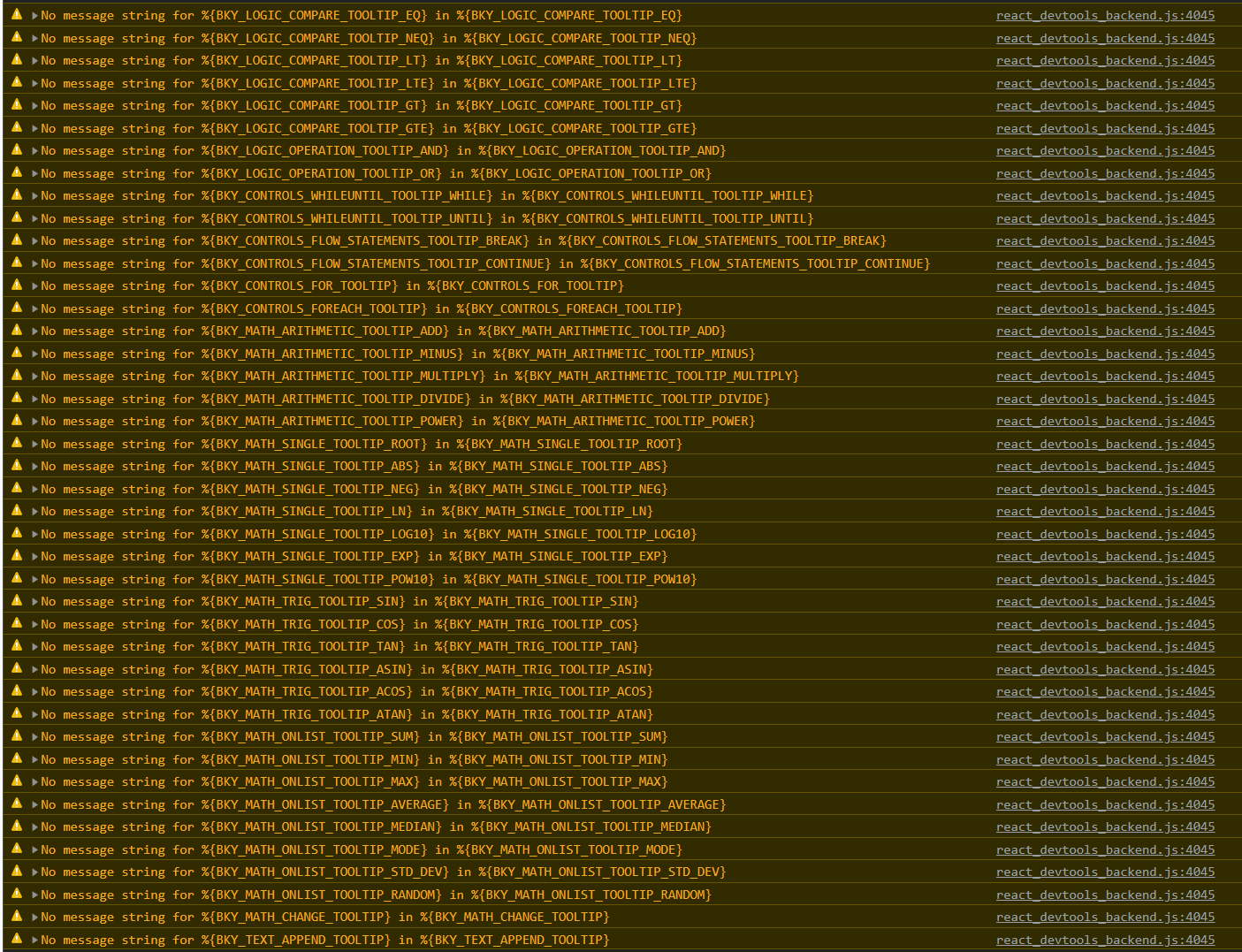
This reduced my initial bundle size quite a bit, as I'm now lazy loading Blockly only when needed. The downside is I'm now getting a whole bunch of warnings in dev tools that looks like this whenever my app loads:
Here are a few warning messages in case they're not legible in the screenshot:
No message string for %{BKY_LOGIC_COMPARE_TOOLTIP_EQ} in %{BKY_LOGIC_COMPARE_TOOLTIP_EQ}
No message string for %{BKY_LOGIC_COMPARE_TOOLTIP_NEQ} in %{BKY_LOGIC_COMPARE_TOOLTIP_NEQ}
No message string for %{BKY_LOGIC_COMPARE_TOOLTIP_LT} in %{BKY_LOGIC_COMPARE_TOOLTIP_LT}
Should I be concerned about these warnings? If not, is there any way to suppress them?
Thanks!
Johnny Oshika
Dec 30, 2021, 4:04:13 PM12/30/21
to Blockly
I should have mentioned that I'm using Bockly version 6.20210701.0 and it seems to work fine despite all the warnings.

Rebecca Nealon
Jan 4, 2022, 12:39:19 AM1/4/22
to Blockly
Hi,
I'm sorry I don't have a solution to this post but I believe I am having the same problem so watching.
Cheers
Johnny Oshika
Jan 4, 2022, 8:26:02 PM1/4/22
to Blockly
Thanks Rebecca. What version of Blockly are you using and did this problem start to appear only after you code-split your React app?
Despite the ugly warnings in dev tool console, I haven't experienced any problems with this. Having said that, I have yet to deploy the code-split changes to production in fear that a problem may pop up.
Despite the ugly warnings in dev tool console, I haven't experienced any problems with this. Having said that, I have yet to deploy the code-split changes to production in fear that a problem may pop up.
Johnny Oshika
Jan 21, 2022, 1:23:56 PM1/21/22
to Blockly
Anyone else having this issue? Anyone know how to suppress these warnings?

Mark Friedman
Jan 21, 2022, 1:47:23 PM1/21/22
to blo...@googlegroups.com
My theory is that the lazy loading is causing this. If you look at the comment for buildTooltipForDropdown (which is triggering those warnings via its call to parsing.checkMessageReferences), you'll see that it assuming that everything is loaded once the page is loaded. Presumably, once you are actually running Blockly all the necessary messages code has been lazily loaded, so everything works fine.
-Mark
--
You received this message because you are subscribed to the Google Groups "Blockly" group.
To unsubscribe from this group and stop receiving emails from it, send an email to blockly+u...@googlegroups.com.
To view this discussion on the web visit https://groups.google.com/d/msgid/blockly/15fed7a1-48ee-47e1-8014-e6d5274cc641n%40googlegroups.com.
Johnny Oshika
Jan 23, 2022, 8:11:11 PM1/23/22
to Blockly
That makes sense, and thanks for your response, Mark. I'm also pretty certain it's the lazy loading that's causing the warnings, as they only started showing up once I enabled lazy loading. I hope there are no issues with this. It would be great to get confirmation though.

Abby Schmiedt
Jan 24, 2022, 12:06:44 PM1/24/22
to Blockly
Hello,
I don't believe this should cause an issue (just some very annoying console spam). Here is a current issue we have open about this. Feel free to thumbs up or comment if you have more information. Sorry I don't have a fix for you at the moment!
Cheers,
Abby
Johnny Oshika
Jan 25, 2022, 11:41:57 AM1/25/22
to Blockly
Thanks Abby for that clarification. I've also subscribed to the relevant issue on GitHub.
Reply all
Reply to author
Forward
0 new messages