
Permission denied when BlenderCam tries to save NGC
134 views
Skip to first unread message

dacb
May 18, 2014, 6:34:18 PM5/18/14
to blender-...@googlegroups.com
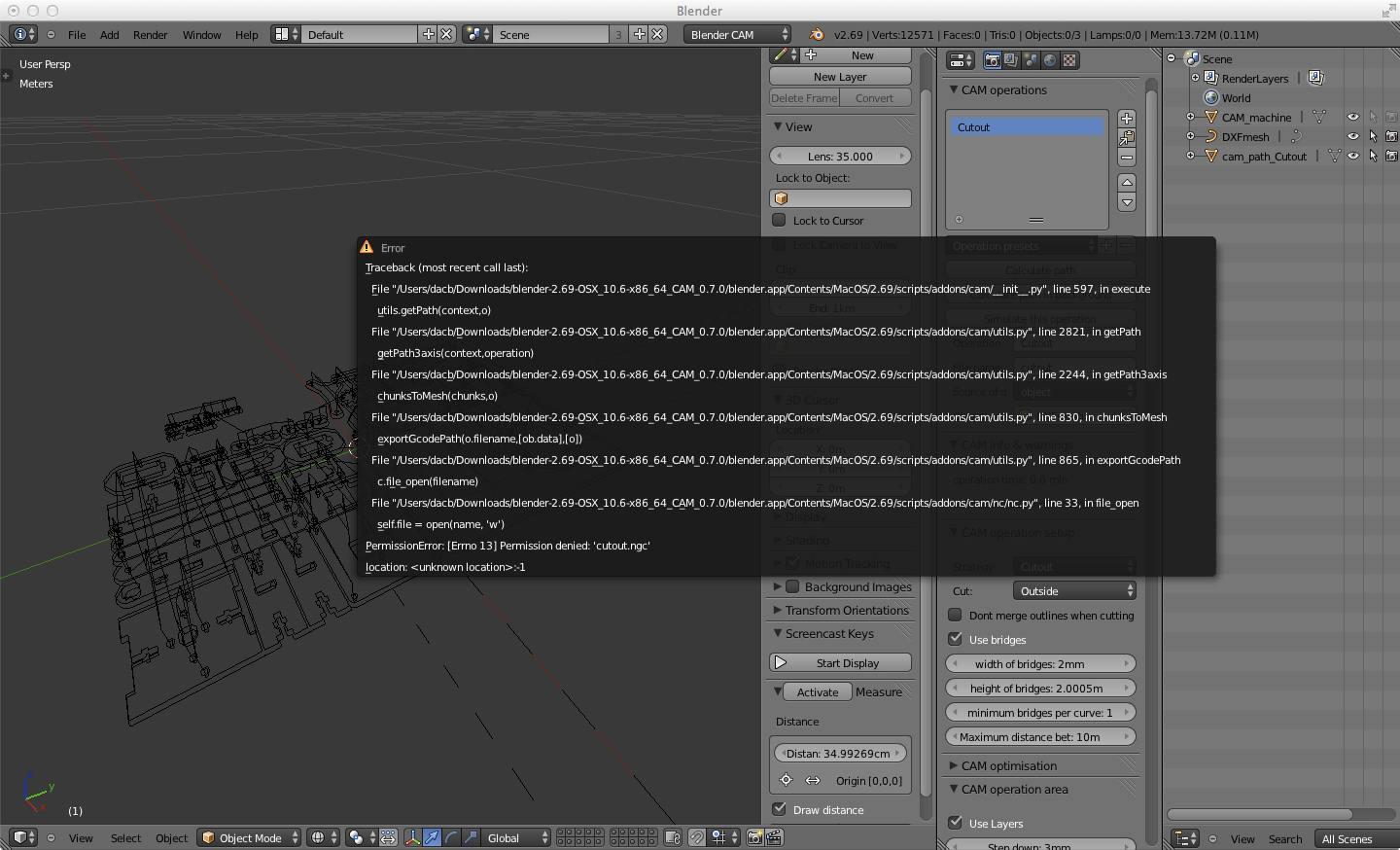
Hi! I'm trying to generate G-code for cutout of the attached DXF using blender-2.69-OSX_10.6-x86_64_CAM_0.7.0. I convert the mesh to a curve and calculate the tool path. When the calculation is complete, I get the error window showing the python traceback (see attached JPG screenshot) giving me a permission denied on the open in write mode for the NGC output file. I run the app in Terminal from ~/tmp where the DXF that I input is stored. The app itself is still sitting in ~/Downloads. So the app, the current working directory and the source DXF are all in my home directory with acceptable permissions. Not sure what path blender is prefixing. I'm guessing root. When I try to use a full path in the output box it just silently strips the directory separator characters.
Any work around or further checks are warmly welcomed.

blenderCAM developer
May 19, 2014, 7:16:17 AM5/19/14
to blender-...@googlegroups.com
Hello, the question is - did you save your file before export?
Blender CAM actually tries to save to the same place where is your .blend file. - if saving to a location with ok permissions doesn't work, then it's a mystery for me too.
dacb
May 19, 2014, 4:52:55 PM5/19/14
to blender-...@googlegroups.com
You nailed it. I wasn't saving the DXF into a native .blend file before doing the CAM generation. Repeated the workflow but saved out the .blend first and it worked like a charm.
Can't wait to run the G-code. Thanks!
Can't wait to run the G-code. Thanks!
Reply all
Reply to author
Forward
0 new messages