
embedding HTML5 in iframe in chrome - webcam share doesn't work
1,491 views
Skip to first unread message

neeraj
Jun 6, 2019, 10:01:29 PM6/6/19
to BigBlueButton-dev
I'm using the HTML5 client and embedding it into my web application. Everything works fine in Firefox, but in Chrome, the webcam won't share. I'm on a Mac.
Any thoughts on why this might be happening?
Thanks!

Chad Pilkey
Jun 7, 2019, 12:19:04 PM6/7/19
to BigBlueButton-dev
Does your iframe have these properties?
allowfullscreen allow="camera *; microphone *; fullscreen *;"
neeraj
Jun 7, 2019, 10:04:09 PM6/7/19
to BigBlueButton-dev
Hey Chad,
Is the allowfullscreen have anything to do with microphone and camera?
I added in `"geolocation *; microphone *; camera *" and now the audio will connect. But the camera still doesn't work.
Any thoughts?
Chad Pilkey
Jun 10, 2019, 11:35:02 AM6/10/19
to BigBlueButton-dev
There are some fullscreen buttons in the client and that's what the two fullscreen properties are for. You shouldn't need geolocation unless you've added that to the client.
When you say that the camera doesn't work what do you mean by that? Do you get prompted to share your camera? Does no camera show up to select? Also what version of BBB are you running?

Anton Georgiev
Jun 11, 2019, 10:07:22 AM6/11/19
to BigBlueButton-dev
Hey Neeraj,
I have been able to share webcam in iframe in Chrome. There are a few key items to check for:
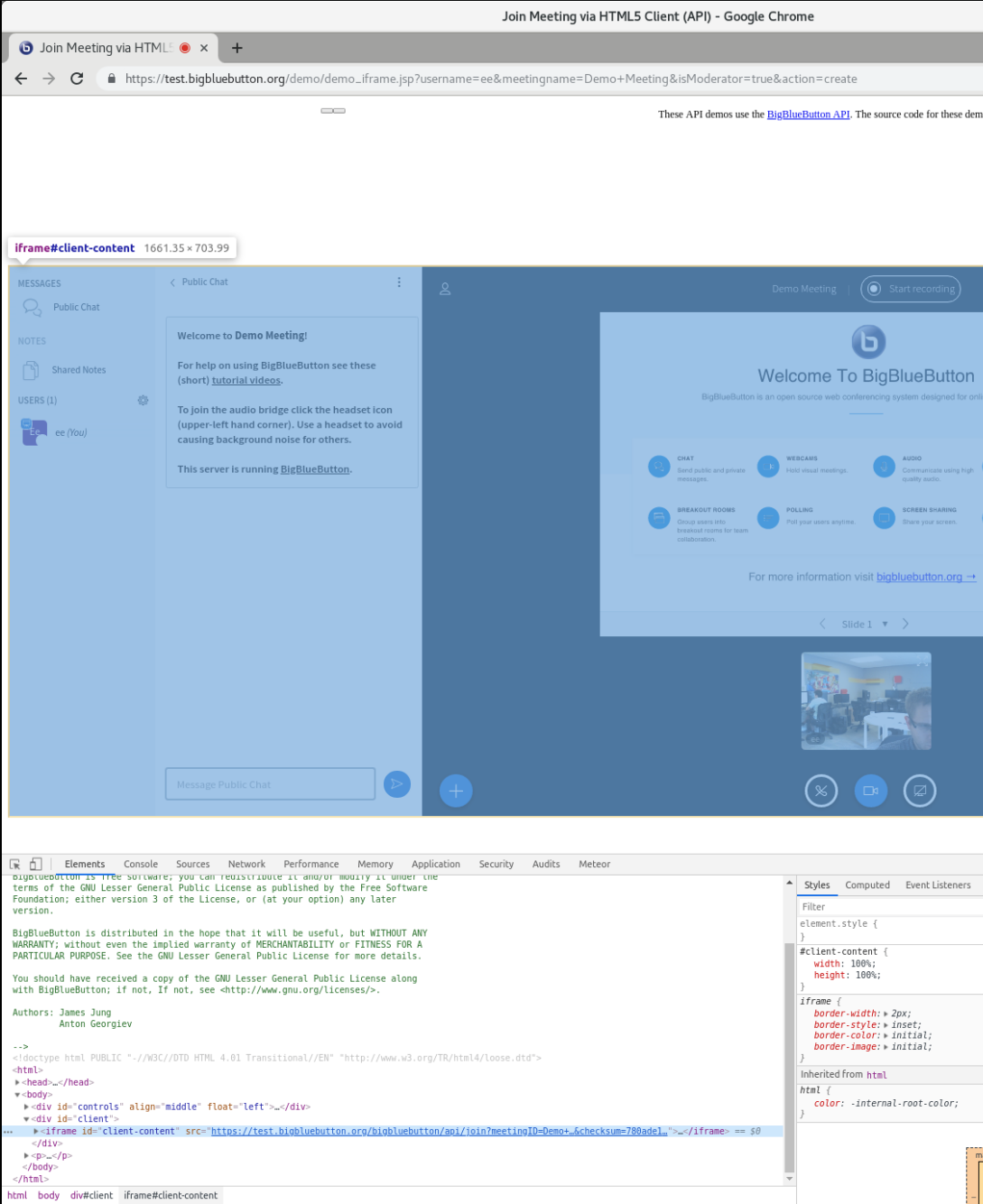
First, there is a demo for this available at https://test.bigbluebutton.org/demo/demo_iframe.jsp
I attach a screenshot of the webcam working.
* make sure the page where the iframe is embedded is served as httpS
* there are subtleties depending on whether the domain of the wrapper page is the same as the iframe one
* check the code of the demo_iframe.jsp page, in particular these lines https://github.com/bigbluebutton/bigbluebutton/blob/master/bbb-api-demo/src/main/webapp/demo_iframe.jsp#L191-L195
// // in case your iframe is on a different domain MYDOMAIN.com


// clientContent.setAttribute('src','https://MYDOMAIN.com/demo/demoHTML5.jsp');


// to enable microphone or camera use allow your iframe domain explicitly

// clientContent.setAttribute('allow','microphone https://MYDOMAIN.com; camera https://MYDOMAIN.com');
Anton
neeraj
Jun 12, 2019, 10:23:36 PM6/12/19
to BigBlueButton-dev
Hey Anton,
Thanks so much for this. We're hosting on blindsidenetworks. Things still don't seem to be working. I've tried a variety of combinations of "camera <blindesidenetwork-domain>; microphone <blindsidenetwork-domain>;" but not working.
For reference, I'm on Chrome 74 on a mac. What browser did you use?
Thanks!
Chad Pilkey
Jun 12, 2019, 11:32:00 PM6/12/19
to BigBlueButton-dev
Neeraj,
Here's an example using test.bigbluebutton.org and test-install, https://test.bigbluebutton.org/iframe-test-install.html. The source for the page is very simple and as minimal as it could be.
It can be somewhat tricky to start the meeting in that example, but you have to start it and then probably force refresh the tab if the iframe won't join the meeting. It's working for me with Chrome and Firefox.
neeraj
Jun 28, 2019, 12:10:47 AM6/28/19
to BigBlueButton-dev
Hey Chad,
I tried the link in Safari and got a 401 unauthorized error. Any thoughts on why this is happening?
Chad Pilkey
Jun 28, 2019, 12:52:04 AM6/28/19
to BigBlueButton-dev
Ah. Safari has a special exception. Apple decided to not allow iframes to set cookies in a header and tomcat needs that to be able to do its sessions. Without sessions the sessionToken won't work for the user and they won't get in. There's a property in bigbluebutton.properties that can be flipped to allow login to work without requiring a JSESSIONID. https://github.com/bigbluebutton/bigbluebutton/blob/master/bigbluebutton-web/grails-app/conf/bigbluebutton.properties#L218. The downside is that users are able to copy the client URL with the sessionToken and load it in any browser. It's the only way to get it to work though for Safari though.
If you control the outer application that is embedding the iframe then you might be able to get around the cookie issue by making a dummy call to the BBB server to get the cookie set. Unfortunately that won't work with the BN servers.
Reply all
Reply to author
Forward
0 new messages