Adding Background Images to Folders in Windows

ad...@badricreatives.in
|
||||
|
Adding Background Images to Folders in Windows |
||||
|
|
||||
|
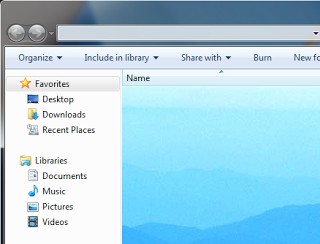
Suppose you have a music folder that contains all songs by your favorite singer. Would it not be great if instead of the plain white background, you could add the singer's image as the background of this folder? It is relatively easy to add background images to folders using a simple desktop.ini trick just as easily as you can change your Desktop's background. Desktop.ini is a system file that is used to customize the appearance and behavior of folders in Windows. We can use this ability of desktop.ini files to add backgrounds to folders just by adding a few lines of code. Steps for adding backgrounds to Folders 1. Open Notepad. 2. Copy and paste the following code:-
|
||||
|
|
||||
|
|
||||
|
||||
|
|
||||