Issue
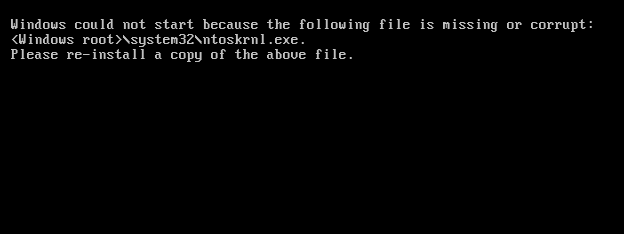
NTOSKRNL.EXE is missing or corrupt.
Related errors
Below is a listing of the full error message that may be related to this error. Windows NT could not start because the below file is missing or corrupt : C:\Winnt\System32\Ntoskrnl.exe
Causes
1.Keyboard issue
2.Miscellaneous corruption
3.Corrupt boot.ini file.
4.Missing boot.ini file.
5.Missing or corrupt ntoskrnl.exe file.
6.Windows NT installed on a partition bigger then 7.8GB
7.Corrupted hard drive or severely corrupted Windows.
Solutions
1. Keyboard issue:
This issue has also been known to be caused by a short in the ground wire in the keyboard cable. Make sure this is not the cause of your error by replacing the keyboard with a different keyboard or just disconnecting the keyboard from the computer.
2. Miscellaneous corruption
Before trying any of the below recommendations it's recommend that you load the last known good configuration.
3. Corrupt boot.ini file
This issue is often caused when the boot.ini is missing or improperly configured. This issue often arises after a user has recently added or removed an operating system on the computer or added or removed hard drives in the computer. Make sure the line pointing to the operating system and its drive and partition is properly configured in the [boot loader] and [operating systems] section.
4. Missing boot.ini file
Microsoft Windows XP users: If the boot.ini is severely corrupted or missing a user running Microsoft Windows XP can rebuild the boot.ini to resolve this issue.
Continue Reading..... |