
Issue with Autopack installation with Blender v2.76 in Windows
164 views
Skip to first unread message

Andrew Drott
Feb 29, 2016, 11:02:31 PM2/29/16
to autoPACK
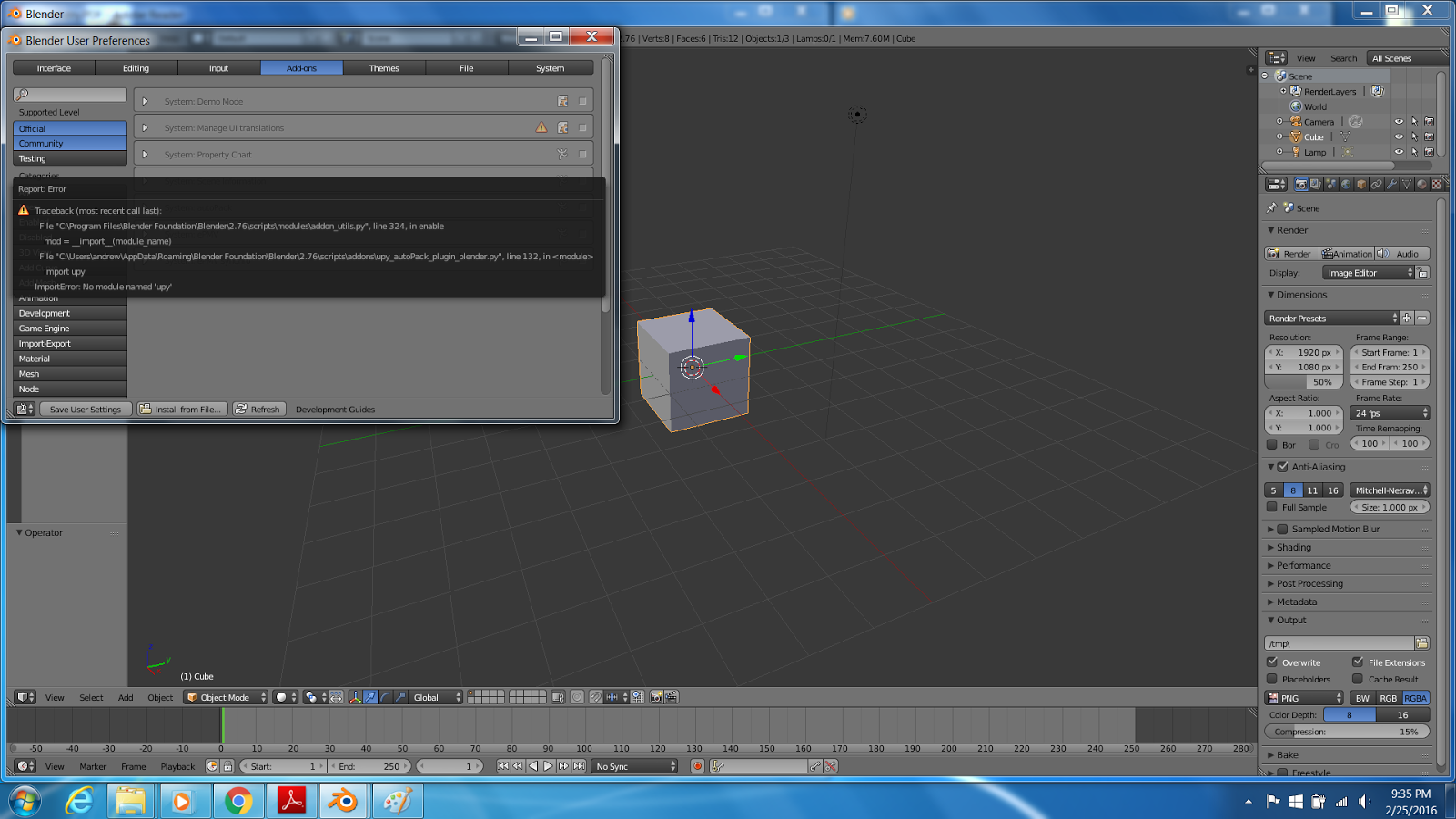
I am stuck on the Autopack installation in Blender. I am able to install the .zip file from the system preferences but when I go to activate Autopack i get the message " ImortError: No module named 'upy'".

ludovic autin
Feb 29, 2016, 11:05:05 PM2/29/16
to autoPACK
it means python can't find all the modules that come with the plugin (upy included).
where did you placed the MGLToolsPCkgs folder ?

Cas de Mooij
Nov 7, 2016, 12:33:17 PM11/7/16
to autoPACK
I got the exact same problem, was this ever solved?
ludovic autin
Jan 19, 2017, 2:25:53 PM1/19/17
to autoPACK
Sorry all, there was an issue with some DLL. I fixed the release and it should now work with blender 2.78a 64bits on windows.
Windows 64bits Blender 2.78 (python 3.5) upy-Blender2.78-win-64.zip
Ludo

Jacob Durrant
Sep 22, 2017, 2:41:06 PM9/22/17
to autoPACK
Hi Ludo. I'm having this same problem, but in Mac OSX.
My blender executable is at /Applications/blender-2.79-macOS-10.6/blender.app/Contents/MacOS/
I copied the MGLToolsPckgs to that same directory. I also installed upy_addons.zip.
Just to be one the safe side, I also copied MGLToolsPckgs to my blender plugins directory: /Users/{USERNAME}/Library/Application Support/Blender/2.79/scripts/addons/
That didn't fix the error. Thanks.
Jacob Durrant
Sep 22, 2017, 2:43:40 PM9/22/17
to autoPACK
Just in case it helps, here's the exact error:
Traceback (most recent call last):
File "/Applications/blender-2.79-macOS-10.6/blender.app/Contents/Resources/2.79/scripts/modules/addon_utils.py", line 331, in enable
mod = __import__(module_name)
File "/Users/{USERNAME}/Library/Application Support/Blender/2.79/scripts/addons/epmv_blender_plugin.py", line 94, in <module>
import upy
ImportError: No module named 'upy'
Jacob Durrant
Sep 22, 2017, 2:51:15 PM9/22/17
to autoPACK
I was able to activate the plugin when I downloaded the upy plugin separately from http://upy.scripps.edu/download/upy-standalone and moved the directory to my Blender plugins directory: "/Users/{USERNAME}/Library/Application Support/Blender/2.79/scripts/addons/"
However, now when I click on the ePMV button, I get this error:
Traceback (most recent call last):
File "/Users/jdurrant/Library/Application Support/Blender/2.79/scripts/addons/epmv_blender_plugin.py", line 102, in execute
from ePMV import epmvGui
ImportError: No module named 'ePMV'
I have activated the ePMV plugin, and it gives no errors when I activate it...
ludovic autin
Sep 22, 2017, 3:20:50 PM9/22/17
to autoPACK
Hi Jacob,
could you try with Blender 2.78c instead first. I havn't tried yet 2.79 on Mac....
follow the step describe here at the top of the page.
I will try to check the compatibility with 2.79 asap.
Ludo
Reply all
Reply to author
Forward
0 new messages