
Angular 2 Router issue, seeing errors in Developer tools console in platform-browser.umd.js

vijender reddy
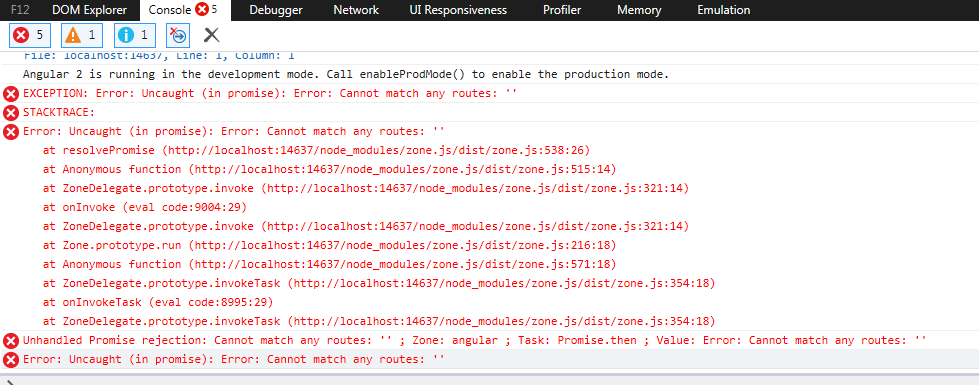
I tried to build Sample application in Angular 2 and I am able to create routing and it just works fine but I see errors in developer tools console window. Here is the plunker I created :
http://plnkr.co/edit/jJeQsLBOVrCz8QkxNAEc?p=preview
Also, even if I ignore those errors since it is working. I am having issues when I reload the the browser url it give me 404 issue, I build app in Visual studio 2015 Asp.net 4.5.2. I cannot demonstrate the reload issue using plunker as it will reload whole code.
In Visual studio: http://localhost:14637/ loads the initial page :
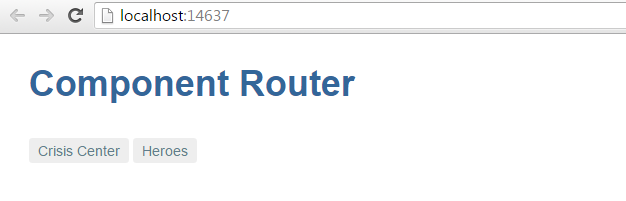
after I click on the route in my demo crisis center it is redirecting to crisis center page, but the moment I click on browser reload I am losing my whole routing and I get 404 issue, note: by that time i clicked on crisis-center route so angular should know it route already and when I reload the page i think it should pick the url route ?
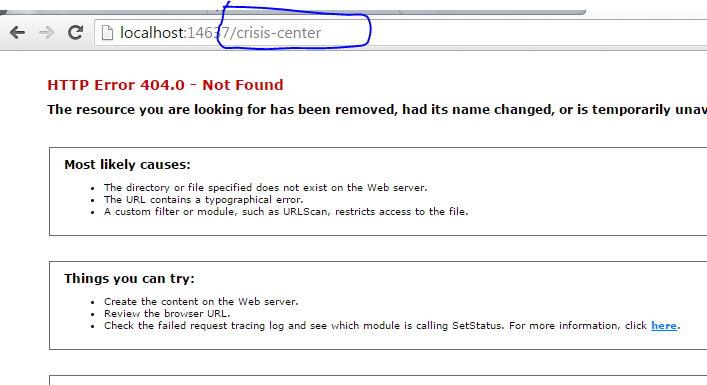
It somehow not picking up the routing. Any help is appreciated.
I tried to put empty routing, and it did fix the issue in plunker but when i try the same code in Visual studio 2015 project i still get the same error

Sander Elias
vijender reddy
Sander Elias
vijender reddy

HisDivineShadow
routes.MapRoute(
    name: "Default",
    url: "{*url}",
    defaults: new { controller = "Home", action = "Index", id = UrlParameter.Optional }