Enhancements to Canvas Gauges ...

787 views
Skip to first unread message

webtrekker

unread,
Dec 22, 2019, 9:42:25 AM12/22/19
to DroidScript
Hi guys. Pretty new here nad loving Droidscript.

I was intrigued by the canvas gauges in the demo files and, after a little experimenting, though some visual improvements could be made.

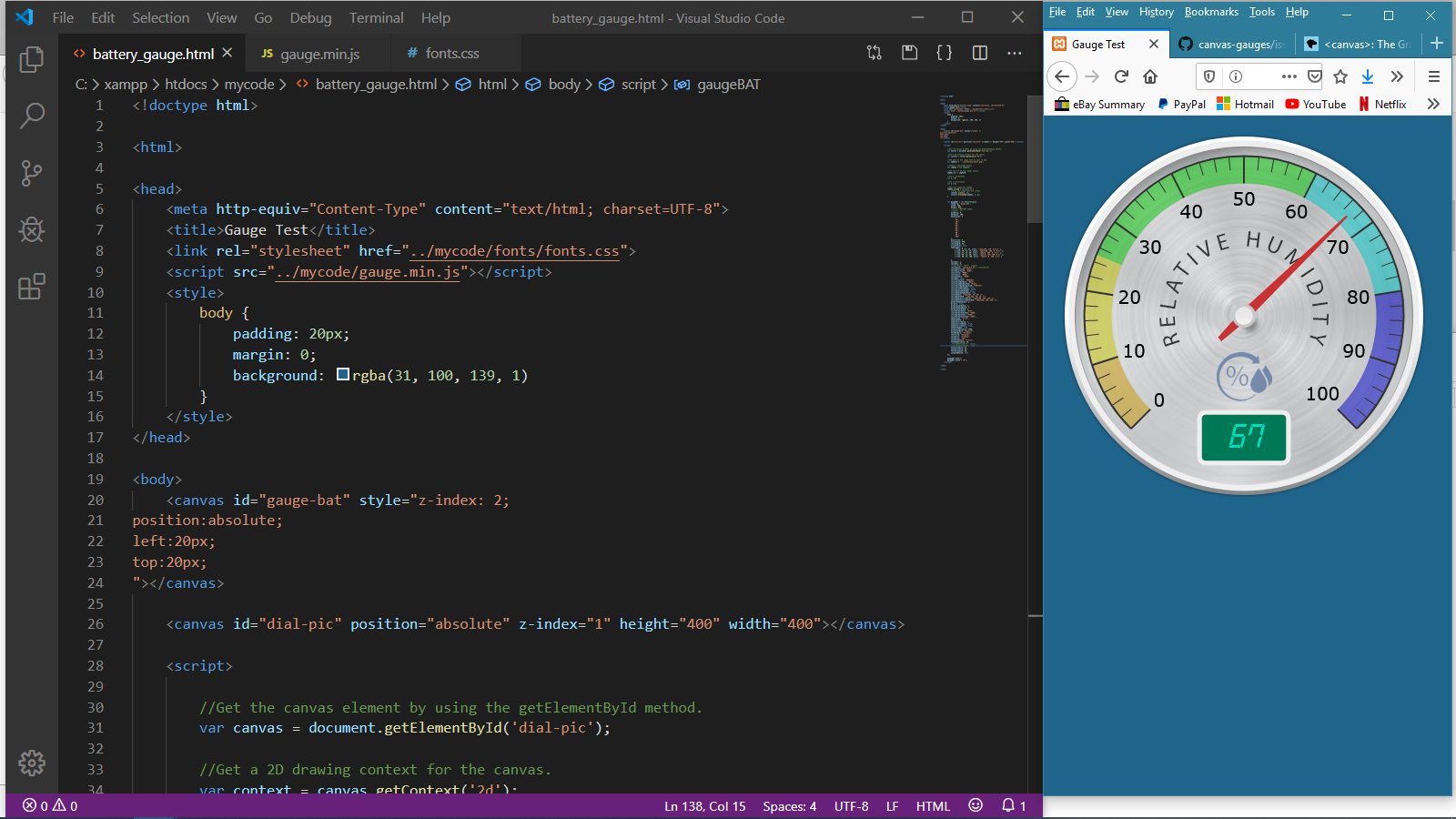
I've been testing the canvas gauges API via Visual Code Studio and my browser connected to 'localhost' using XAMPP. After a **LOT** of reading up and fiddling I finally found a way to give the gauges a nicer background, with the ability to display textures, shadows, better text and graphics such as icons etc.

Here's a quick view of a gauge being developed ...


As you can see, I have added a brushed metal plate to the gauge. I've also added curved text and a humidity% symbol in blue. A drop shadow was also added to the centre spindle, and an inner shadow to the wall of the gauge. All of this was done in Photoshop and saved as a transparent PNG.


The secret to adding this PNG image as a gauge background is to make the existing gauge background transparent and adding another <canvas> object below it (with a lower z-index value), so that the lower layer shows through. Actually many layers could be built up in this way if you wanted to add other effects, such as a reflective glass overlay to the gauge.


I haven't tried any of this in Droidscript yet, but I suppose I could always use a webview to display the gauge as-is and either add the files to my phone or link to a url on my own server.

I hope this has been of interest to some of you. If not, thanks for reading anyway!


Dave

unread,
Dec 22, 2019, 12:52:26 PM12/22/19
to DroidScript
Looks nice... could be a useful technique. Thanks :)

webtrekker

unread,
Dec 22, 2019, 9:08:18 PM12/22/19
to DroidScript
Thanks Dave.

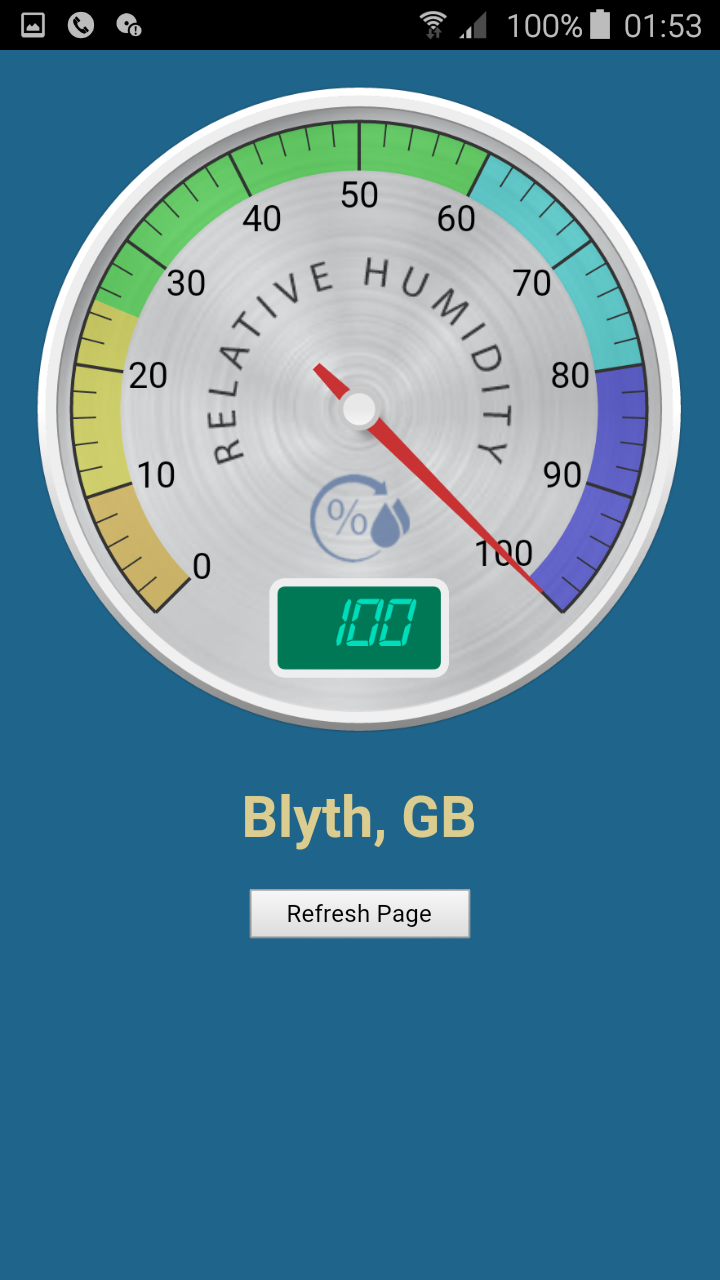
I fiddled about a bit more and managed to retrieve the current humidity value for my home town using the API from OpenWeatherMap. I also added a button to reload the page (and the gauge data) when pressed. I then connected to the page on my server using a DroidScript remote webview and built an APK.

It works great!


Although not built in as an option, I have tried it with many places around the world and it pulls in the humidity value from the JSON data for each one and displays the value on the gauge. I don't know whether I'll carry on and produce a full-blown weather station, but I have other ideas for these gauges that I've been wanting to explore for a while now.

One of the trickiest problems I had, not being an expert at JavaScript, was to program the events to fire in the right order, as things were being mucked up by the Asynchronous Ajax call.  The gauge was drawing before I'd received the humidity value from the API. All working now though, now that I've got my head around it!


webtrekker

unread,
Jan 3, 2020, 7:44:32 AM1/3/20
to DroidScript
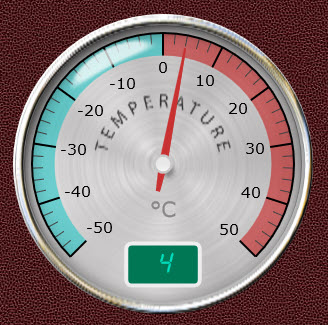
Another small update to this. I have managed to layer 3 canvases on top of one another, so I now have -

1. A base PNG image of the brushed aluminium dial.
2. The canvas gauge itself, drawn over the base image.
3. A top layer PNG image with a nicer bezel and transparency with a highlight to represent glass.


Obviously, as many layers as required may be stacked on one another using this method. I may even try stacking 2 canvas gauge layers with different needle lengths and widths to represent a clock face. Another idea would be a max/min temperature gauge with 2 different coloured needles in the same gauge.


Stacking was achieved by using 'z-index' values on the canvas elements.


webtrekker
unread,
Jan 4, 2020, 5:55:25 AM1/4/20
to DroidScript


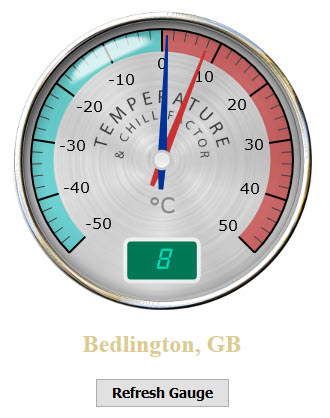
A composite gauge (Temperature & Chill Factor) with 2 needles.

This uses 4 canvas elements; a base image, the temperature gauge, the chill gauge with nothing but the blue needle and spindle being displayed, and a top image of the glass lens and metallic bezel.

SSG

unread,
Apr 4, 2025, 11:13:49 AMApr 4
to DroidScript
Very nice and usefull this solution but I could not implement here...
My ideia is 2 power meters/needles in just one canvas gauge
Could you share the code for it?
Tks
Reply all
Reply to author
Forward
0 new messages