
Debian Kit

Ravi
Many will be familiar with the Desktop Linux installer apps on Google Play that are available for ARM-based Android devices, giving them access to the desktop apps ecosystem as well as Android's touch screen apps.
This ability, I feel, would be really useful on Android-x86 - as a lot (most?) of installs are on desktop and laptop hardware. Indeed, quite a few people are already running a dual boot between Desktop Linux and Android.
After a while searching, I've found Debian Kit, and it supports Android-x86. Using the guide, I am able to do a full Ubuntu install (and run some console apps), but am unable to connect to the X server. I've asked the author of the project for some advice but am yet to recieve a reply.
Could someone else give it a go and see if they can get the X server to run?
Thanks
Ravi
I'll post a VirtualBox image if there's any interest
Ravi
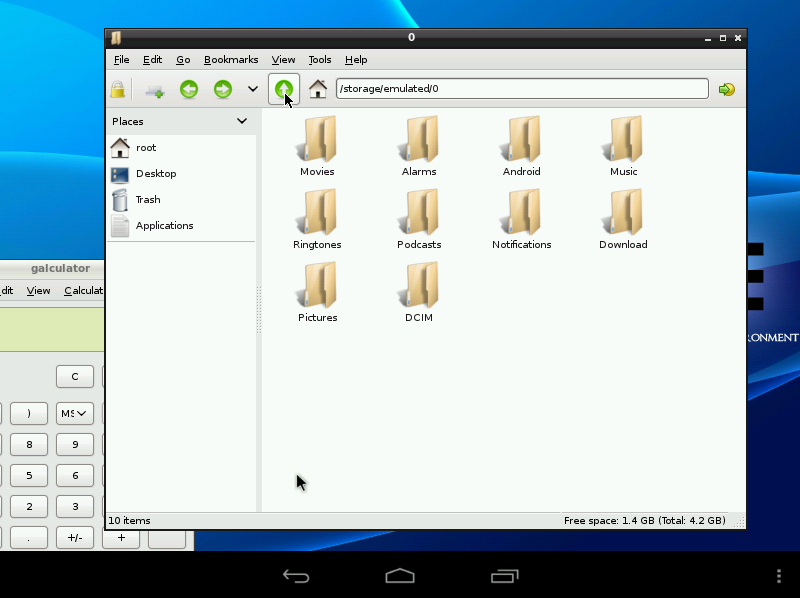


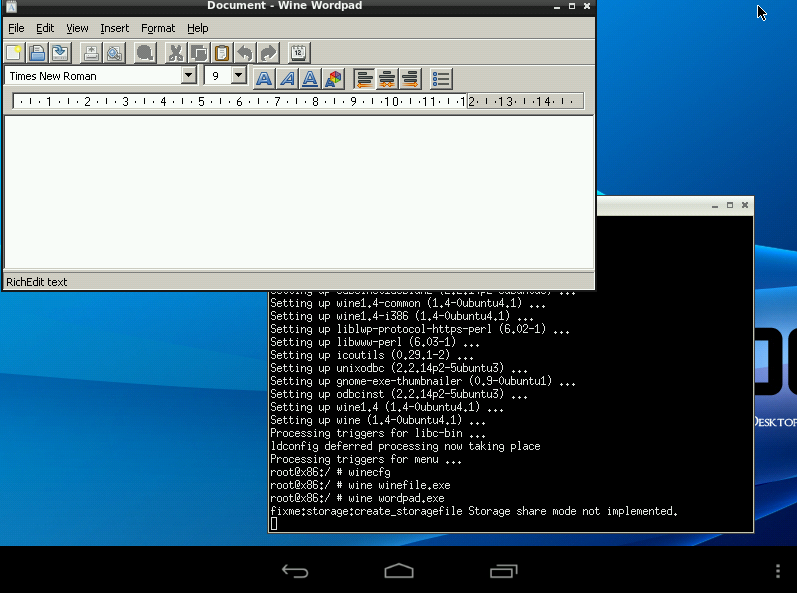

Chih-Wei Huang
to do it?
--
You received this message because you are subscribed to the Google Groups "Android-x86" group.
To unsubscribe from this group and stop receiving emails from it, send an email to android-x86...@googlegroups.com.
To post to this group, send email to andro...@googlegroups.com.
Visit this group at http://groups.google.com/group/android-x86.
For more options, visit https://groups.google.com/groups/opt_out.
--
Chih-Wei
Android-x86 project
http://www.android-x86.org
Ravi
- Download debian-kit-1-5.shar from http://sven-ola.dyndns.org/repo/
- Go to the Terminal Emulator, and type su to gain superuser access.
- cd to the directory where the file was downloaded to
- Type sh debian-kit-1-5.shar in, and confirm install with y
- Choose the type of install (2p for a full 2GB install image)
- It will start downloading files. In the mean time, install a VNC client. (e.g. Android VNC viewer or Wyse PocketCloud)
- It will ask you if you want to remove installation files. Type ovpn to remove them all
- Start the Linux system by typing in /data/local/deb/deb
- Type in sudo apt-get update and sudo apt-get upgrade and then sudo apt-get install andromize-lxde
- Set a password for root by typing in passwd root
- Create a user account by typing in adduser [username]
- Give sudo rights to the account by typing in adduser [username] sudo
- Clean up the install by typing in apt-get autoremove and apt-get clean
- Type in /data/local/deb/deb x to start the X Server
- Switch to the non-root account you made by typing in su [username]
- Type in tightvncserver to switch on VNC. Take a note of the desktop number it mentions as we need this for the next step.
- Open up your chosen VNC client. Add a new connection. Leave the IP address blank if possible or otherwise type in 127.0.0.1
- Set the port to 590_ where _ is the desktop number mentioned in the terminal (e.g. Desktop 1 = port 5901)
- Set colour to 24 bit.
- Connect and you should be in!

Greg McGee
Greg McGee
Ravi
Greg McGee
AFAIK using a fully open-sourced androvm xserver or similar is part of the long term Evil Plan for Android-x86, the goal being acceleration and a universal xserver and to build on the existing X11 hardware infrastructure., which is actually very solid, esp for machines over a year old.
It's actually not hard at all to install Debian like this, but anything short of having an accelerated xserver is probably going to be too slow for some apps.
Getting it to just automatically start will be job 1.
My goal was to have an x86-64 build with matching Linux userspace so the whole setup was self hosting. The fact that it also allows full memory usage is a bonus.(8gb in my case)
Unfortunately Kitkat is still in very heavy dev and not ready for users, and JB will no longer even sync properly, I need to figure out how to sync my tree to a good state.
--
You received this message because you are subscribed to a topic in the Google Groups "Android-x86" group.
To unsubscribe from this topic, visit https://groups.google.com/d/topic/android-x86/00MC0LBTpm0/unsubscribe.
To unsubscribe from this group and all its topics, send an email to android-x86...@googlegroups.com.