
Weather-based campaign manger sciript - Invalid API key
62 views
Skip to first unread message

HH
Jun 5, 2020, 4:51:47 AM6/5/20
to Google Ads Scripts Forum
Hi,
I've added the script, ordered the API key 3 days ago and added the spreadsheet correctly. Everything else seems to work fine but for some reason I get the following message:
Request failed for http://api.openweathermap.org returned code 401. Truncated server response: {"cod":401, "message": "Invalid API key.
Please see http://openweathermap.org/faq#error401 for more info."} (use muteHttpExceptions option to examine full response) (file Code.gs, line 392)
My first question is: Do I need to add anything else that just the API key (e.g.do I need to add some url before the key?)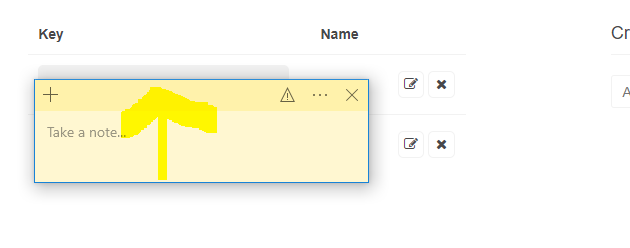
My second question is that do I need to do something else with the API key than create it and wait for a few ours for it to be activated?
Thanks in advance!
/HH
Google Ads Scripts Forum Advisor
Jun 5, 2020, 6:04:57 AM6/5/20
to adwords-scripts+apn2wqf1ihsxfqs5...@googlegroups.com, adwords-scripts+apn2wqf1ihsxfqs5...@googlegroups.co, adwords...@googlegroups.com
Hi,
Thank you for reaching out to the Google Ads Scripts team.
For your first question, there would no longer be a need to add anything else. You just need to ensure that the API key is set on line 44.
As for your second question, you will only need to do the first step in the link in order to generate the API key. Also, you would indeed need to wait for a few hours as mentioned in the link, for the API key to be activated.
Should the issue persist, you may send your customer ID and the name of your Script so our team can further investigate. You may send your reply using the Reply privately to author option.
Best regards,
Peter
Google Ads Scripts Team
ref:_00D1U1174p._5004Q20WPii:ref
Thank you for reaching out to the Google Ads Scripts team.
For your first question, there would no longer be a need to add anything else. You just need to ensure that the API key is set on line 44.
As for your second question, you will only need to do the first step in the link in order to generate the API key. Also, you would indeed need to wait for a few hours as mentioned in the link, for the API key to be activated.
Should the issue persist, you may send your customer ID and the name of your Script so our team can further investigate. You may send your reply using the Reply privately to author option.
Best regards,
Peter
Google Ads Scripts Team
ref:_00D1U1174p._5004Q20WPii:ref
Reply all
Reply to author
Forward
0 new messages