
Asus X205T WiFi not working on 4.4.2-rc3 build
114 views
Skip to first unread message


Saipudin Haris
Sep 5, 2015, 3:26:26 PM9/5/15
to Android-x86
what is your wifi device??? specs list the following as possible:
see also:
https://wiki.debian.org/InstallingDebianOn/Asus/X205TA
you can do on terminal:
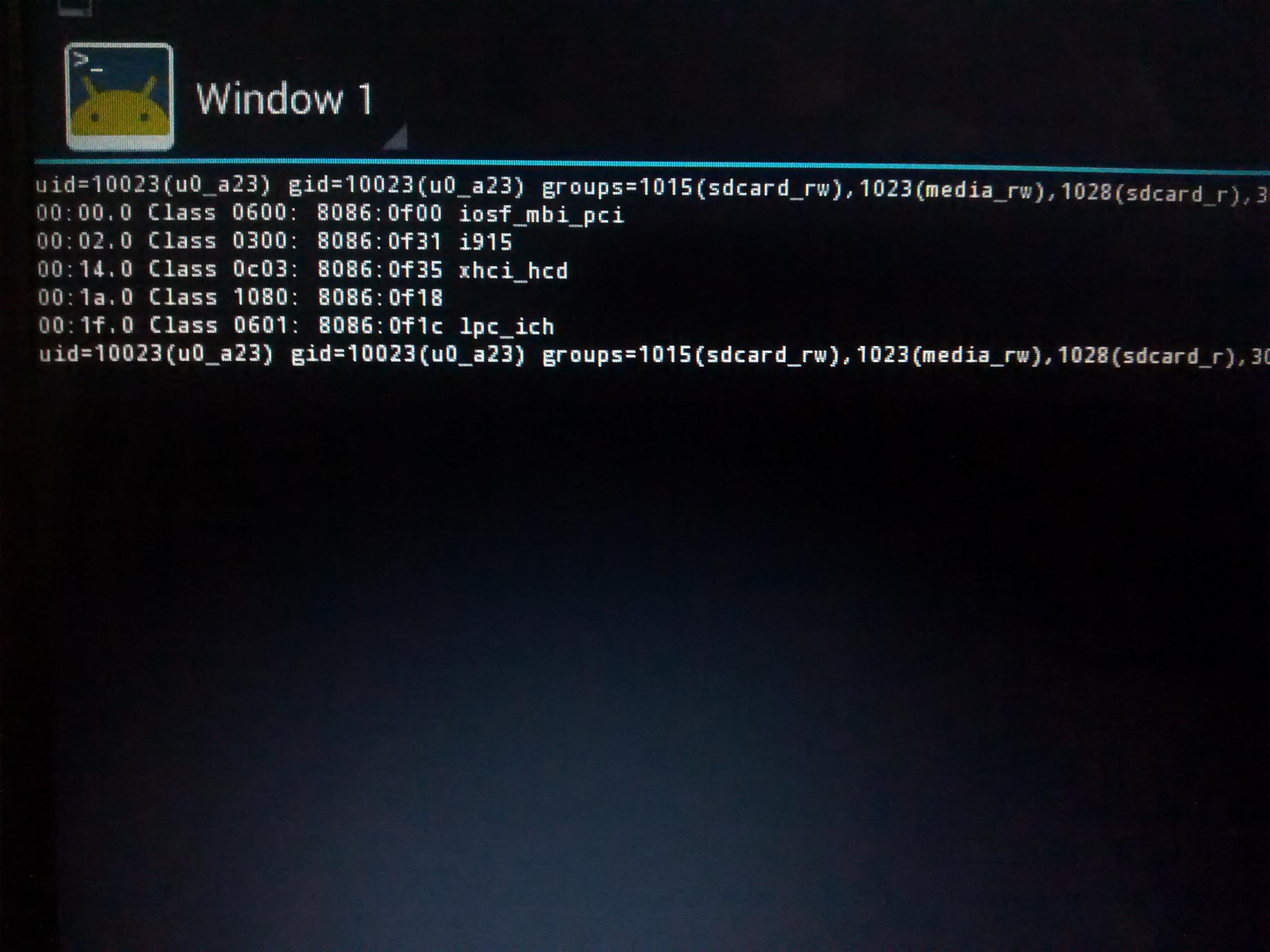
lspci -k to list the devices...then post back and someone may have an idea...good luck
see also:
https://wiki.debian.org/InstallingDebianOn/Asus/X205TA


rbg
Sep 5, 2015, 3:49:42 PM9/5/15
to Android-x86
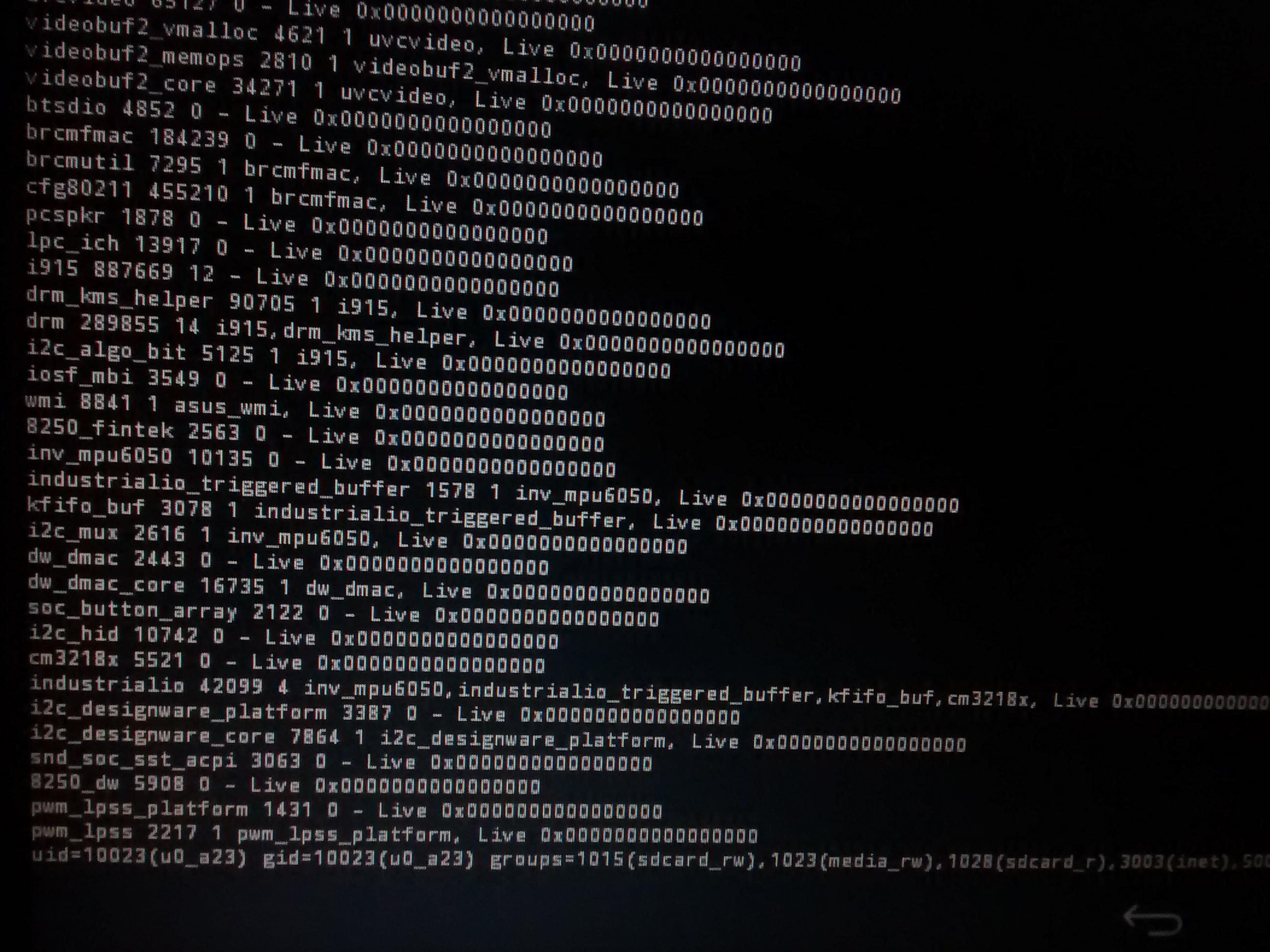
posting images have limited value....
suggest you provide the following:
the output of logcat / dmesg / lsmod / lspci -k
then someone may be able to help...
Saipudin Haris
Sep 5, 2015, 4:01:48 PM9/5/15
to Android-x86
From your screenshot, I can see that your WIFI card is not detected.
Intel(R) Atom(TM)/Celeron(R)/Pentium(R) Processor SoC Transaction Router - 0F00
PCI\VEN_8086&DEV_0F00
Intel(R) HD Graphics
PCI\VEN_8086&DEV_0F31
Intel(R) USB 3.0 eXtensible Host Controller
PCI\VEN_8086&DEV_0F35
Trusted Execution Engine Interface - 0F18
PCI\VEN_8086&DEV_0F18
Intel(R) Atom(TM)/Celeron(R)/Pentium(R) Processor Platform Control Unit - LPC: Bridge to Intel Legacy Block - 0F1C
PCI\VEN_8086&DEV_0F1C
PS:
As rbg said, you should provide more log info such as dmesg, logcat, and lsmod output.
you could run on terminal:
# dmesg > /storage/sdcard0/dmesg.txt
# logcat -v time -d > /storage/sdcard0/logcat.txt
# lsmod > /storage/sdcard0/lsmod.txt
then attach all the output txt files here. then someone may be able to help...
Intel(R) Atom(TM)/Celeron(R)/Pentium(R) Processor SoC Transaction Router - 0F00
PCI\VEN_8086&DEV_0F00
Intel(R) HD Graphics
PCI\VEN_8086&DEV_0F31
Intel(R) USB 3.0 eXtensible Host Controller
PCI\VEN_8086&DEV_0F35
Trusted Execution Engine Interface - 0F18
PCI\VEN_8086&DEV_0F18
Intel(R) Atom(TM)/Celeron(R)/Pentium(R) Processor Platform Control Unit - LPC: Bridge to Intel Legacy Block - 0F1C
PCI\VEN_8086&DEV_0F1C
PS:
As rbg said, you should provide more log info such as dmesg, logcat, and lsmod output.
you could run on terminal:
# dmesg > /storage/sdcard0/dmesg.txt
# logcat -v time -d > /storage/sdcard0/logcat.txt
# lsmod > /storage/sdcard0/lsmod.txt
then attach all the output txt files here. then someone may be able to help...
Reply all
Reply to author
Forward
0 new messages