
Vivaldi Browser - Shameless Publicity
547 views
Skip to first unread message

Duarte Farrajota Ramos
Mar 6, 2017, 8:45:22 PM3/6/17
to tiddl...@googlegroups.com
Hey guys have you heard about the Vivaldi browser?
By searching here I only found a handful of fleeting mentions in the forum, mostly amidst troubleshooting posts, so I thought i'd make a more formal introduction.
Please forgive the shameless publicity (I am not affiliated with them in anyway, just a happy user); but being a Web Browser specifically targeted for power users I though it might please some of the folks here, since it seems to stand for some of the same principles TiddlyWiki does (like flexibility, privacy, configurability).
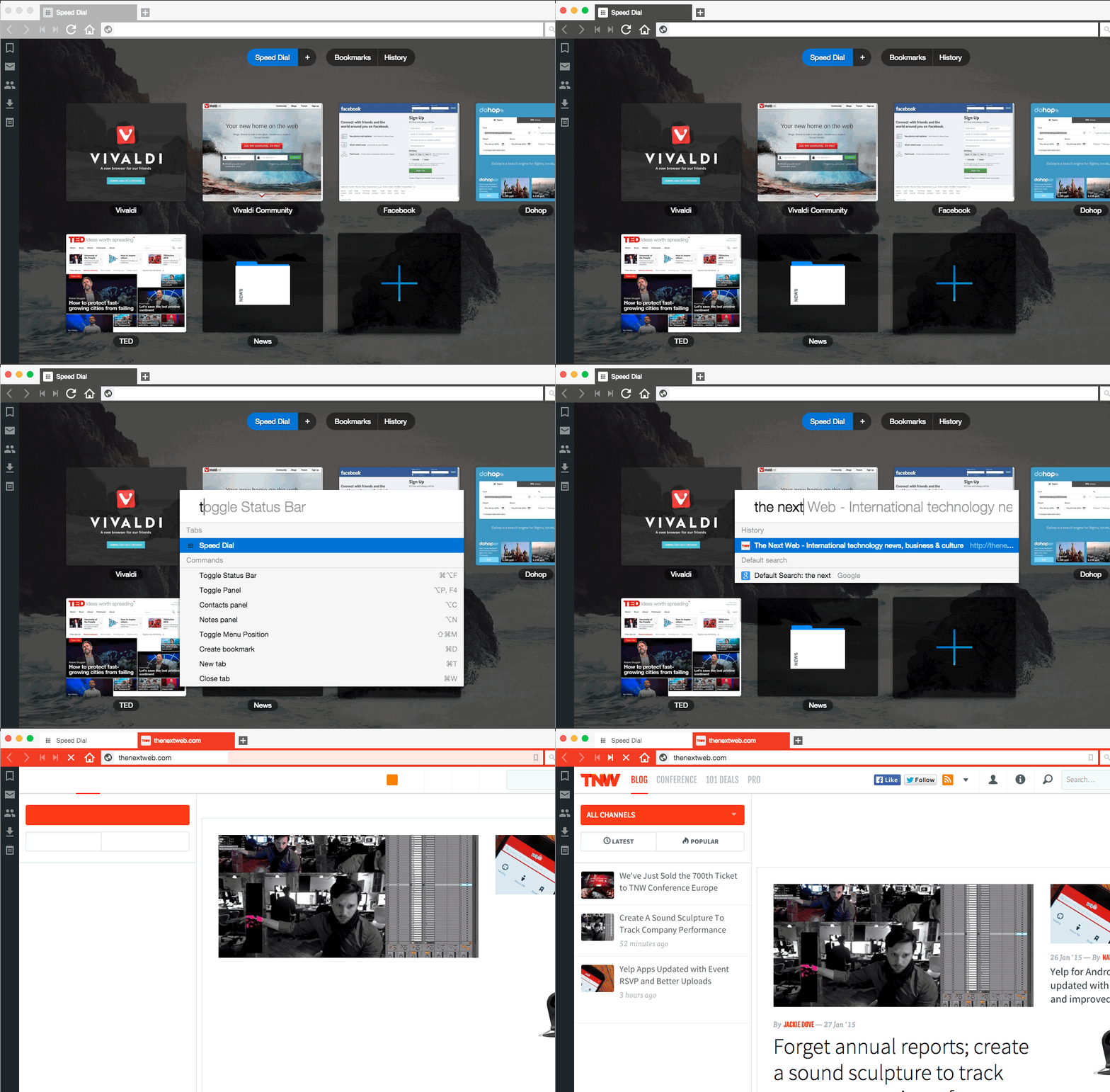
It was created as a followup to the late "classic" Opera Browser 12, by a team of some of the same developers. It is still in its infancy, occasional bugs, some rough edges here and there, but overall a great browser.
It is a Blink rendering engine based browser, using the Chromium base, it supports lost of the official Chrome extensions, and adds a layer of new features on top of that, with a beautifully designed UI to go along with it.
Some of the features that standout to me the most are:
- Tileable tabs, side-by-side or vertically
- Sidebar with tools and custom web-panels
- Builtin mouse-gestures
- Bookmark aliases or nicknames
- Tab stacking
- Customizable keyboard shortcuts
- Builtin screenshot tool
- And a lot more
I'm particularly fond of tileable tabs, which allows me to easily compare between to pages, and the web panels where I like to keep an always open, easily accessible personal Notes TiddlyWiki file. Very convenient as a note taking tool.
A new fantastic History page is coming in the development snapshots too. Bookmark/data sync, builtin email client and newsfeed reader are also coming in the future, and after that a mobile browser too.
Why am I posting this here? Well seeing it is a free browser and money is made primarily from user searches I though I'd try and gather a few more users for them. More users means more money, more money means more developers which leads to a better browser which I happen to love.
In a land where the late trend is for minimal featureless striped down browsers, where more and more people flock to mobile devices, I though that this Vivaldi stood out in a positive way and might please the "power users" and more technically savvy people here since some of its features pair well with TiddlyWiki.
If you find this inappropriate feel free to close/block/ignore the thread, no harm intended :)

David Szego
Mar 7, 2017, 12:51:00 PM3/7/17
to TiddlyWiki
Can you save TW files with the "Save" button?

Dragon Cotterill
Mar 7, 2017, 1:01:22 PM3/7/17
to TiddlyWiki
On Tuesday, 7 March 2017 17:51:00 UTC, David Szego wrote:
Can you save TW files with the "Save" button?
Sadly, no.

Mark S.
Mar 7, 2017, 6:26:10 PM3/7/17
to TiddlyWiki
Not at all? Not even with the default saving mechanism, which saves as a download in the background? That would be pretty much a non-starter for just about everyone, I would think.
Thanks,
Mark
Thanks,
Mark
Duarte Farrajota Ramos
Mar 7, 2017, 7:09:14 PM3/7/17
to TiddlyWiki
The regular default saving mechanism by download works fine like in every other browser of course. Press save and download to a chosen location, or a default one automatically with incremental numbers.
I would love to see some sort cooperation between the two projects though, to maybe support some form of native saving. That would be heaven on earth.

HC Haase
Mar 8, 2017, 2:53:04 AM3/8/17
to TiddlyWiki
I am too a user of vivaldi and like it because of its many customization options and the fast left hand menu bar.
Regarding saving TW there is a bug - at least for me. if you fill the default saving location, in the settings menu, the save as to xx location dont work. It will always save to default location. However if you delete the path to the defaule save location, it works fine.
Regarding saving TW there is a bug - at least for me. if you fill the default saving location, in the settings menu, the save as to xx location dont work. It will always save to default location. However if you delete the path to the defaule save location, it works fine.
> I would love to see some sort cooperation between the two projects though, to maybe support some form of native saving. That would be heaven on earth.
agree!
Duarte Farrajota Ramos
Mar 8, 2017, 8:22:00 AM3/8/17
to TiddlyWiki
Never noticed that bug, I do have a default path but set up, but set to always prompt for location. I'll do some testing.
I think some sort of download location filtering and wildcard automation is in the wishlist, if that ever gets implemented and works well with Tiddlywiki it may very well work as an automatic saver

@TiddlyTweeter
Mar 8, 2017, 9:08:48 AM3/8/17
to tiddl...@googlegroups.com
Vivaldi, as far as I understand it, can use many/most Chrome extensions? I believe there are some that ease saving.
But the underlying issue is the confluence on security concerns on saving and the paucity of the "Web Extensions" route at the moment for doing even the simplest saving. Its utterly absurd that auto-save in TW has got so bleeding complicated. Its not TW's fault that the saving systems in browsers went so paranoid.
But I'm sure this is inhibiting TiddlyWiki's uptake.
No one will ever convince me that having to go through hoops of save(1), open save(1), save(2) etc. is in any way a viable working method.
On that Vivaldi is just the same as everything browser, other than Firefox (with the TiddlyFox, but even getting that to work is increasingly difficult & its unclear what happens with it after FF 57).
Best wishes
Josiah
But the underlying issue is the confluence on security concerns on saving and the paucity of the "Web Extensions" route at the moment for doing even the simplest saving. Its utterly absurd that auto-save in TW has got so bleeding complicated. Its not TW's fault that the saving systems in browsers went so paranoid.
But I'm sure this is inhibiting TiddlyWiki's uptake.
No one will ever convince me that having to go through hoops of save(1), open save(1), save(2) etc. is in any way a viable working method.
On that Vivaldi is just the same as everything browser, other than Firefox (with the TiddlyFox, but even getting that to work is increasingly difficult & its unclear what happens with it after FF 57).
Best wishes
Josiah
@TiddlyTweeter
Mar 8, 2017, 9:43:17 AM3/8/17
to TiddlyWiki
Chrome has these file SAVING EXTENSIONS that may be relevant, if they work in Vivaldi:
Downloads Overwrite Existing Files: https://chrome.google.com/webstore/detail/downloads-overwrite-exist/fkomnceojfhfkgjgcijfahmgeljomcfk
Downloads Router: https://chrome.google.com/webstore/detail/downloads-router/fgkboeogiiklpklnjgdiaghaiehcknjo
What is really needed is a combination of the both in one. It would be a close second to auto-save such as we have in Firefox via TiddlyFox.
BTW, it was Riz who first alerted me to the Chrome extensions. There may be more I don't know of.
Best wishes
Josiah
Downloads Overwrite Existing Files: https://chrome.google.com/webstore/detail/downloads-overwrite-exist/fkomnceojfhfkgjgcijfahmgeljomcfk
Downloads Router: https://chrome.google.com/webstore/detail/downloads-router/fgkboeogiiklpklnjgdiaghaiehcknjo
What is really needed is a combination of the both in one. It would be a close second to auto-save such as we have in Firefox via TiddlyFox.
BTW, it was Riz who first alerted me to the Chrome extensions. There may be more I don't know of.
Best wishes
Josiah
Duarte Farrajota Ramos
Mar 8, 2017, 12:38:53 PM3/8/17
to TiddlyWiki
Those chrome extensions are great indeed. I am imagining it is something along the lines of Download Router Vivaldi will one day have built in.
Unfortunately those extensions don't work with Vivaldi, at least from my testing I could not get Downloads Router to work. Although it is mostly chromium based it probably introduces enough changes in the downloads area that breaks those.
Lets hope to see some improvements in that area in the future.
For now I just use it as I did in Firefox, I don't have a default save location and just manually browse to the required directory and overwrite the file.
@TiddlyTweeter
Mar 8, 2017, 1:14:02 PM3/8/17
to TiddlyWiki
The added value of FIREFOX for TiddlyWiki is really only the brilliant TiddlyFox EXTENSION. It works really well.
But the problem is its getting harder and harder to run it as Firefox changes.
Right now I'm using Firefox Developer Edition simply because it lets me over-ride the strict signing rules to get Jeremy's perfectly innocent, excellent, TW auto-save add-on, TiddlyFox, working.
I think Mozilla are shooting themselves in the foot. Their lifeblood was extensions. And the future for TW auto-saving via browsers currently looks fragile.
Best wishes
Josiah
But the problem is its getting harder and harder to run it as Firefox changes.
Right now I'm using Firefox Developer Edition simply because it lets me over-ride the strict signing rules to get Jeremy's perfectly innocent, excellent, TW auto-save add-on, TiddlyFox, working.
I think Mozilla are shooting themselves in the foot. Their lifeblood was extensions. And the future for TW auto-saving via browsers currently looks fragile.
Best wishes
Josiah

Ákos Szederjei
Mar 9, 2017, 9:46:40 AM3/9/17
to tiddl...@googlegroups.com
On Mittwoch, 8. März 2017 19:14:02 CET @TiddlyT weeter wrote:
> I think Mozilla are shooting themselves in the foot. Their lifeblood was
> extensions. And the future for TW auto-saving via browsers currently looks
> fragile.
I think this a real issue here. I understand that it is a difficult one, but
> I think Mozilla are shooting themselves in the foot. Their lifeblood was
> extensions. And the future for TW auto-saving via browsers currently looks
> fragile.
using TW without addon is a huge inconvenience. One one should either keep
TWDesktop going on all important platforms or resolve the plug-in issue if
possible (which seems not to be the case).
I am using TW on Linux quite often and for some Reason TWDesktop is not
working for me, and I cen tell you that it is much less fun to work with. It
is a big deal from usability standpoint. Having the saving dialog pop up, if
it can pop up at all, is a pain.
For this reason I worry about TW's future as Mozilla is switching to Web
Extensions.
My two eurocents...
Ákos
Duarte Farrajota Ramos
Mar 9, 2017, 11:43:36 AM3/9/17
to TiddlyWiki, ak...@szederjei.eu
Maybe we can make a post over at Vivaldi forums see if they are somehow open to integrating some sort of saving mechanism or make their hypothetical downloads automation options play nice with TiddlyWiki.
I know this things are always a long stretch, developers are more than busy dealing with regular development and fixing bugs, but if enough people bother posting and to showing interest maybe we can gather enough critical mass.

G.J.Robert
Mar 9, 2017, 4:01:48 PM3/9/17
to TiddlyWiki
I have switched to Vivaldi first, and than I found Pale Moon, which forked from Firefox and will keep XUL/XPCOM addon framework which will keep TiddlyFox alive. Also Pale Moon is much faster, energy/RAM-efficient than Firefox 28+.
@TiddlyTweeter於 2017年3月9日星期四 UTC+8上午2時14分02秒寫道:
@TiddlyTweeter於 2017年3月9日星期四 UTC+8上午2時14分02秒寫道:
Ákos Szederjei
Mar 9, 2017, 8:53:26 PM3/9/17
to tiddl...@googlegroups.com
I am not sure in the case of Vivaldi, but as I see, in case of FF and Chrome
it is design decision. Accessing the file system "directly" is simple not
desired, as it can be easily abused. Google just one to make sure no one
creates an addon which can be mess things up.
I do not approve this approach, but no one asked me... ;)
The real question for us is where to take TW, after the TW addon is not
functional anymore. While the Palemoon browser is an option for the tech savvy
people, for the rest it is not really an option to install an additional
browser.
Ákos
it is design decision. Accessing the file system "directly" is simple not
desired, as it can be easily abused. Google just one to make sure no one
creates an addon which can be mess things up.
I do not approve this approach, but no one asked me... ;)
The real question for us is where to take TW, after the TW addon is not
functional anymore. While the Palemoon browser is an option for the tech savvy
people, for the rest it is not really an option to install an additional
browser.
Ákos
@TiddlyTweeter
Mar 10, 2017, 6:48:05 AM3/10/17
to TiddlyWiki, ak...@szederjei.eu
Ciao Ákos
and all
The "Minority Report" options like Pale Moon are great for the savvy to carry on. I doubt that's more than a very few.
Right now just getting TiddlyFox to install is cumbersome in Firefox. The version 2 is excellent but you have to jump through hoops to get it up, even if you know of it.
Simple download file saving is becoming very difficult.
In a recent thread Jeremy Ruston referred to three sets of users:
The Others may be using TW via on-line services in the future as the baseline option?
The point is that simple browser saving downloads to file is getting uber difficult.
The way ahead may be to go another route entirely.
One example is Danielo's very interesting solution that allows auto-saving into the local browser storage system AND with the option to also store in online databases.
Best wishes
Josiah
The "Minority Report" options like Pale Moon are great for the savvy to carry on. I doubt that's more than a very few.
Right now just getting TiddlyFox to install is cumbersome in Firefox. The version 2 is excellent but you have to jump through hoops to get it up, even if you know of it.
Simple download file saving is becoming very difficult.
In a recent thread Jeremy Ruston referred to three sets of users:
- DIY techies
- DIY stumblers (my words, I am one of them)
- The Others.
- DIY stumblers (my words, I am one of them)
- The Others.
The Others may be using TW via on-line services in the future as the baseline option?
The point is that simple browser saving downloads to file is getting uber difficult.
The way ahead may be to go another route entirely.
One example is Danielo's very interesting solution that allows auto-saving into the local browser storage system AND with the option to also store in online databases.
Best wishes
Josiah
@TiddlyTweeter
Mar 10, 2017, 7:16:04 AM3/10/17
to TiddlyWiki
I suspect there are even users here who don't know of TiddlyFox v2 ... Its excellent ... Here is the thread that contains the links (and the caveats on how to install it you'll need too) ...
https://groups.google.com/forum/#!topic/tiddlywikidev/VqvGlnrfLjE
https://groups.google.com/forum/#!topic/tiddlywikidev/VqvGlnrfLjE
Ákos Szederjei
Mar 10, 2017, 10:57:19 AM3/10/17
to tiddl...@googlegroups.com
Thanks you for the link, but under Firefox 52.0 (32-bit) it does not install,
it says "addon appears to be corrupt".
Ákos
it says "addon appears to be corrupt".
Ákos
Ákos Szederjei
Mar 10, 2017, 10:59:58 AM3/10/17
to tiddl...@googlegroups.com
Sorry, for the double post, but the the old 1.x still works after update.
Ákos
Ákos
@TiddlyTweeter
Mar 10, 2017, 11:58:13 AM3/10/17
to TiddlyWiki, ak...@szederjei.eu
darn nabbit. you added complications to the complication! :-)
Ákos Szederjei
Mar 11, 2017, 8:59:37 AM3/11/17
to tiddl...@googlegroups.com
My luck! :)
I think a good solution to the problem would be, as I do not see a how to
resolve the "save file" debacle in the near future, is to have a place like the
old TiddlySpace, where the work is saved on the server side. Perfect, no, it
requires internet connection, but it would work on all platforms, but it beats
the current save file situation.
Ok, I had too much time to think of the problem... :)
Ákos
I think a good solution to the problem would be, as I do not see a how to
resolve the "save file" debacle in the near future, is to have a place like the
old TiddlySpace, where the work is saved on the server side. Perfect, no, it
requires internet connection, but it would work on all platforms, but it beats
the current save file situation.
Ok, I had too much time to think of the problem... :)
Ákos
Mark S.
Mar 11, 2017, 12:52:10 PM3/11/17
to TiddlyWiki
People always think a new browser is faster, because they haven't loaded it's cache and memory yet like the old.
I used Pale Moon for awhile, but I found I got many more Red Screen Of Embarrassment messages. It seemed to give them even for things it didn't like in CSS settings, as if something in its memory was out of synch with the rest of the file.
Mark
I used Pale Moon for awhile, but I found I got many more Red Screen Of Embarrassment messages. It seemed to give them even for things it didn't like in CSS settings, as if something in its memory was out of synch with the rest of the file.
Mark

BJ
Mar 11, 2017, 3:07:11 PM3/11/17
to TiddlyWiki
at this point ff and chrome have implemented the new version of javascript, while pale moon is stuck in the past and will eventually stop working with new webpages. There is a long term support for ff (I have not tried it) which last for 12months and will be based on version 52
https://developer.mozilla.org/en-US/Firefox/Firefox_ESR
https://developer.mozilla.org/en-US/Firefox/Firefox_ESR

Andrew Ashling
Mar 12, 2017, 3:17:32 PM3/12/17
to TiddlyWiki
I use PaleMoon for a cluster of TW Classics. Never had a problem, but then again that's the only thing I use PaleMoon for. FF takes care of my surfing.
I'm on Linux and I always keep at least the two most recent (working) deb-files of PaleMoon just in case.
On Linux Mint it is very simple to make a keyboard shortcut to open a specific TWC with PaleMoon. Simple, efficient and fast.
I'm on Linux and I always keep at least the two most recent (working) deb-files of PaleMoon just in case.
On Linux Mint it is very simple to make a keyboard shortcut to open a specific TWC with PaleMoon. Simple, efficient and fast.
Reply all
Reply to author
Forward
0 new messages