v3.2 Release Candidate 4X - Download links and Use this post for feedback.

1,247 views
Skip to first unread message

G Coco

unread,
Aug 1, 2015, 9:50:58 PM8/1/15
to golden-cheetah-users
Hi,

There are builds available for download at:


or


GoldenCheetah_3.2.0-RC4X_QT4_32bit_Win.exe - For Windows XP users/QT4
GoldenCheetah_3.2.0-RC4X_QT5_32bit_Win.exe - For Windows Vista/7/8/10 - 32bit OS/QT5
GoldenCheetah_3.2.0-RC4X_QT5_64bit_Win.exe - For Windows Vista/7/8/10 - 64bit OS/QT5
GoldenCheetah_3.2.0-RC4X_QT4_32bit.dmg     - For Mac OSX 10.6+ users 32bit OS/QT4
GoldenCheetah_3.2.0-RC4X_QT5_64bit.dmg     - For Mac OSX 10.7+ users 64bit OS/QT5

Please use this post for feedback.

Tony

unread,
Aug 1, 2015, 11:33:28 PM8/1/15
to golden-cheetah-users
Woo Hoo. The Activities sidebar is now behaving itself i.e is formatted according to preferences | data fields.

1 problem still remains - ride filtering not working. Rides labelled "Trainerroad" using a checkbox in Activities| details are not detected using a filter constructed using the"Trainerroad" field in the column chooser (the standard method, Trainerroad=1 or even Trainerroad>0)

Keep up the good work.

Serban Mestecaneanu

unread,
Aug 2, 2015, 1:36:09 AM8/2/15
to golden-cheetah-users
I don't get it!

I have an iMac 24" and 27" both 64bits machines with MAC OS 10.8 and 10.10 respectively and since RC2 I could not run properly the 64bits versions of GC.

The only way is to run the 32bits.

On 64bits version the Activities bar is missing completely and the icons on the top left side are mixed. See the attached. And the Trends, Diary etc buttons are not responsive.

Anyone else with similar problem? Am I doing something wrong?

Thanks,
Serban
Screen Shot 2015-08-02 at 08.33.51.jpg

Mark Liversedge

unread,
Aug 2, 2015, 4:22:52 AM8/2/15
to golden-cheetah-users
On Sunday, 2 August 2015 04:33:28 UTC+1, Tony wrote:
Woo Hoo. The Activities sidebar is now behaving itself i.e is formatted according to preferences | data fields.

1 problem still remains - ride filtering not working. Rides labelled "Trainerroad" using a checkbox in Activities| details are not detected using a filter constructed using the"Trainerroad" field in the column chooser (the standard method, Trainerroad=1 or even Trainerroad>0)

Keep up the good work.

I suspect that since you reinstalled after your crash your metadata config doesn't have a field called Trainerroad.

Mark 

Mark Liversedge

unread,
Aug 2, 2015, 4:23:26 AM8/2/15
to golden-cheetah-users
On Sunday, 2 August 2015 06:36:09 UTC+1, Serban Mestecaneanu wrote:
both 64bits machines with MAC OS 10.8 and 10.10 respectively and since RC2 I could not run properly the 64bits versions of GC.

Which is the screenshot from ?

Mark 

Tony

unread,
Aug 2, 2015, 4:31:29 AM8/2/15
to golden-cheetah-users
Oh yes it does. :) I have set it up again and all of the relevant checkboxes became populated where appropriate. The metadata was clearly still there in the imported json files.
So, the checkbox is there and the field is there in Column chooser but the filter cannot be built in such a way that it works.

cheers

Mark Liversedge

unread,
Aug 2, 2015, 4:43:01 AM8/2/15
to golden-cheetah-users
On Sunday, 2 August 2015 09:31:29 UTC+1, Tony wrote:
Oh yes it does. :) I have set it up again and all of the relevant checkboxes became populated where appropriate. The metadata was clearly still there in the imported json files.
So, the checkbox is there and the field is there in Column chooser but the filter cannot be built in such a way that it works.

Make sure its a filter and not a search.  

Tony

unread,
Aug 2, 2015, 5:20:58 AM8/2/15
to golden-cheetah-users
Have just rebuilt installation for 2nd time today. I have redone metadata from scratch rather than using potentially corrupted xml files from the previous crashed installation.
I've redone filters by hand instead of the method described in the help vid i.e using column chooser and now everything works as it should....

I'm getting quite good at re-installing GC from scratch but I may tire of it eventually. Restoring the GC install folder from a previously working install should get me out of trouble but it doesn't. What files does GC use apart from the app and the install folder. (Mac)

Mark Liversedge

unread,
Aug 2, 2015, 5:25:21 AM8/2/15
to golden-cheetah-users
On Sunday, 2 August 2015 10:20:58 UTC+1, Tony wrote:
Have just rebuilt installation for 2nd time today. I have redone metadata from scratch rather than using potentially corrupted xml files from the previous crashed installation.
I've redone filters by hand instead of the method described in the help vid i.e using column chooser and now everything works as it should....

I'm getting quite good at re-installing GC from scratch but I may tire of it eventually. Restoring the GC install folder from a previously working install should get me out of trouble but it doesn't. What files does GC use apart from the app and the install folder. (Mac)

I suspect your named search was not set up as a filter, but a search.

Mark 

Tony

unread,
Aug 2, 2015, 5:37:22 AM8/2/15
to golden-cheetah-users
Anything is possible. Any thoughts on the restore question?

Mark Liversedge

unread,
Aug 2, 2015, 5:46:17 AM8/2/15
to golden-cheetah-users
On Sunday, 2 August 2015 10:37:22 UTC+1, Tony wrote:
Anything is possible. Any thoughts on the restore question?

Start a new thread, this one is about RC4.

Mark Liversedge

unread,
Aug 2, 2015, 6:26:26 AM8/2/15
to golden-cheetah-users
On Sunday, 2 August 2015 06:36:09 UTC+1, Serban Mestecaneanu wrote:
I have an iMac 24" and 27" both 64bits machines with MAC OS 10.8 and 10.10 respectively and since RC2 I could not run properly the 64bits versions of GC.

Here is the 64bit version running on 10.10.4


And here is the 32bit version running on 10.10.4


I cannot test on earlier versions as I only have Yosemite.

Mark 

Serban Mestecaneanu

unread,
Aug 2, 2015, 6:59:20 AM8/2/15
to golden-cheetah-users
Mark, the screenshot is from MAC 10.8.5 on an iMac 24" with Intel Core Duo.

Serban

Mark Liversedge

unread,
Aug 2, 2015, 7:12:43 AM8/2/15
to golden-cheetah-users
On Sunday, 2 August 2015 11:59:20 UTC+1, Serban Mestecaneanu wrote:
Mark, the screenshot is from MAC 10.8.5 on an iMac 24" with Intel Core Duo.

I guess legacy support in QT is struggling.
Its not a coding error, so not much I can do.

When you say you cannot run 64bit on 10.10, what happens?

FWIW, the 32/64 bit versions compute CRCs differently, so if you switch between one and another it will rebuild all the metrics and caches each time you jump ship...

Mark 

Serban Mestecaneanu

unread,
Aug 2, 2015, 7:32:43 AM8/2/15
to golden-cheetah-users
When I try to run 64bits it opens but after 1sec the tabs under Activities dissapear and the app is sluggish, the map does not show and so forth…

What can I do?

Mark Liversedge

unread,
Aug 2, 2015, 7:33:31 AM8/2/15
to golden-cheetah-users
On Sunday, 2 August 2015 12:32:43 UTC+1, Serban Mestecaneanu wrote:
When I try to run 64bits it opens but after 1sec the tabs under Activities dissapear and the app is sluggish, the map does not show and so forth…

What can I do?

Wait for the metric refresh to complete ?

Mark 

Serban Mestecaneanu

unread,
Aug 2, 2015, 8:01:30 AM8/2/15
to golden-cheetah-users
I do not get that far, the panel freezes. Here is a crash report attached, maybe it tells you what is the problem.

Serban
111.txt

Mark Liversedge

unread,
Aug 2, 2015, 8:10:31 AM8/2/15
to golden-cheetah-users
On Sunday, 2 August 2015 13:01:30 UTC+1, Serban Mestecaneanu wrote:
I do not get that far, the panel freezes. Here is a crash report attached, maybe it tells you what is the problem.

Can you send the OS X crash report?

Mark 

Serban Mestecaneanu

unread,
Aug 2, 2015, 8:20:44 AM8/2/15
to golden-cheetah-users
You mean other than the one I attached previously?

Mark Liversedge

unread,
Aug 2, 2015, 8:29:34 AM8/2/15
to golden-cheetah-users

Serban Mestecaneanu

unread,
Aug 2, 2015, 9:12:44 AM8/2/15
to golden-cheetah-users
Mark, I found three logs from today - see attached

thanks,
Serban
GoldenCheetah_2015-08-02-083821_iMacintosh-4.crash
GoldenCheetah_2015-08-02-144834_iMacintosh-4.crash
GoldenCheetah_2015-08-02-150020_iMacintosh-4.crash

Mark Liversedge

unread,
Aug 2, 2015, 10:05:15 AM8/2/15
to golden-cheetah-users
Can you create a new athlete and import a handful of rides to see if it works for that please.

I think there is something in one of your rides that is causing a crash.

Mark

Mark Liversedge

unread,
Aug 2, 2015, 10:10:42 AM8/2/15
to golden-cheetah-users
On Sunday, 2 August 2015 13:01:30 UTC+1, Serban Mestecaneanu wrote:
I do not get that far, the panel freezes. Here is a crash report attached, maybe it tells you what is the problem.

It would also be really useful if you could record a video of that happening ?
Very interested to see what happens - but you probably want to keep it private - so I am liversedge gmail com.

Mark


lukas.sc...@sunrise.ch

unread,
Aug 2, 2015, 11:32:20 AM8/2/15
to golden-cheetah-users
Dear All,

first of all thank you very much for this fantastic software. I enjoy using it every day and it's just excellent.

I have downloaded GoldenCheetah_3.2.0-RC4X_QT5_64bit.dmg running on Mac OS X V. 10.10.4.

When I do enter a workout code I do have some minor inconsistent formatting on the left side in the activities box showing some 0 below the date of the activity. Just cosmetics. Please see attached screen shot. I did mark the are with a red box.

Let me know in case you need more information.

Lukas


Untitled.png

Mark Liversedge

unread,
Aug 2, 2015, 11:37:00 AM8/2/15
to golden-cheetah-users
On Sunday, 2 August 2015 16:32:20 UTC+1, Lukas  wrote:

When I do enter a workout code I do have some minor inconsistent formatting on the left side in the activities box showing some 0 below the date of the activity. Just cosmetics. Please see attached screen shot. I did mark the are with a red box.

Which fields have 'Diary' checked in Preferences > Data Fields ?
Are there any numeric fields ?

Mark 

lukas.sc...@sunrise.ch

unread,
Aug 2, 2015, 3:52:02 PM8/2/15
to golden-cheetah-users
Only TSS is checked. If I uncheck it, the the formatting is OK. This is solving for me the formatting inconsistency.

Thanks,

Lukas

Mark Liversedge

unread,
Aug 2, 2015, 4:01:41 PM8/2/15
to golden-cheetah-users
On Sunday, 2 August 2015 20:52:02 UTC+1, Lukas  wrote:
Only TSS is checked. If I uncheck it, the the formatting is OK. This is solving for me the formatting inconsistency.

There is no reason you should not be able to include numeric values, I think we should probably format more nicely when its not text, maybe put the metadata name before the number; e.g. with TSS and Notes both checked: "TSS: 100. This was a hard ride ..." 

I can look at this in v4.0

Mark

lukas.sc...@sunrise.ch

unread,
Aug 2, 2015, 4:06:21 PM8/2/15
to golden-cheetah-users
Mark, that would be excellent. Thanks again for all the great work! 

Lukas

c c

unread,
Aug 3, 2015, 2:34:08 AM8/3/15
to golden-cheetah-users

Weigh
it will be more easy import the weigh with a .csv file...
usually i import from withings once a month, in this 3.2 now it works well, but it is extremely annoying the recalculation of all cpx database. it will be useful a short recalculation of only the new import  weigh.
Message has been deleted

Jean Div

unread,
Aug 3, 2015, 4:27:44 AM8/3/15
to golden-cheetah-users
Hi Guys

2 quick things - 

Rendering glitches in Mac

The display manager on my mac is still a little glitchy. There are 3 common issues that pop up still in RC4X..

1. New Athlete tab renders oddly - either too black, or as below..


2. If I open the window to the Mac Fullscreen view, and then go to preferences and close, the closed preference pane remains in the windows list as an unclosable blank pane. If I change preferences 2 or 3 times, these start to stack up. It is also difficult to get GC to go out of the full view once selected. 


3. The toolbar often fails to render, despite it being selected in the 'View--> Show Toolbar' setting. I can recreate the error by making GC go to fullscreen, then come back. The only way that I have found to get it back is to untick the 'Show Toolbar' setting, and then re-select it.


Swim Data
Looking at a Garmin open water swim file for a triathlon in GC, I see that there is no Swim Cadence (Arm/stroke turnover). Is this an issue like the no L/R balance power files coming from TP, or am I missing something?

I hope this is helpful..?

Ta,
Jean


Mark Liversedge

unread,
Aug 3, 2015, 4:27:54 AM8/3/15
to golden-cheetah-users
It calculates the data using the last known weight, so if, for example, you import a new weight from July 1st all rides from July 1st are affected.
I would import Withings data more often.

Mark 

Ale Martinez

unread,
Aug 3, 2015, 8:29:17 AM8/3/15
to golden-cheetah-users
If stroke-rate is present in the file imported to GC it should appear as cadence, otherwise it is an error.
Can you verify this? or just post the file and I give it a look

JohnK

unread,
Aug 3, 2015, 8:46:08 AM8/3/15
to golden-cheetah-users
Couple of things I noticed in the latest development build, Mac OS X 10.7+ 64bit OS/QT5 running on Yosemite 10.10.4.

1. When saving information in the Activities -> Details screen using the command-s key, the Device Type is reset to 01.01.2000 on the Activities -> Summary screen.  This change is saved in the Activity json file.
{
"RIDE":{
"STARTTIME":"2015\/07\/29 15:32:11 UTC ",
"RECINTSECS":1,
"DEVICETYPE":"01.01.2000 ",
"IDENTIFIER":" ",
"TAGS":{
"90 sec Peak Power":"0 ",
"Aerobic TISS":"0 ",
"Anaerobic TISS":"0 ",
"Athlete":"jwk ",
"Average Cadence":"0 ",
"Average Heart Rate":"0 ",
"Average Power":"0 ",
"Average Speed":"0 ",
"BikeScore™":"0 ",
"CP":"00:00:00.000 ",
"Calendar Text":"Recovery\nBike\n\n ",
"Change History":"Changes on Mon Aug 3 07:15:13 2015:\n ",
"Daniels EqP":"0 ",
"Daniels Points":"0 ",
"Data":"TDSPHCNAGL-EV-- ",
"Device":"Garmin Edge 510 ",
"Device Info":" ",

2. Activity -> Summary screen, the Date-Time header uses 24hr format. I would be nice to recover 12hr AM/PM format

3. Activity -> Ride screen, temperature is displayed in C while temperature on Summary screen is displayed as F for imperial setting.

4. Activity -> Ride screen, Interval Navigator does not line up with the intervals in the plot. The Interval Navigator does not take into account either the left or right y-axis titles and tic mark labels. 

5. Activity -> Ride screen, Vector pedaling dynamics of Power Phase and Peak Power Phase, plot left and right pedal together with Start on one graph centered at 0 deg and End on another graph centered on 180.  Also, use dots and without line connecting points since if Power Phase starts before 0, the graph becomes difficult to visualize information.  This may be feature request. Also, fix the Pedal Center Offset center at 0.  When rescaling y-axis 0 shifts down to the x-axis. 

6. Activity -> Aerolab. When x-axis set to Distance, lap markers are incorrect. When x-axis is set to Time, lap markers are correct.

great job on this new version, I look forward to the release.

John

On Saturday, August 1, 2015 at 9:50:58 PM UTC-4, G Coco wrote:
Hi,

There are builds available for download at:


or


GoldenCheetah_3.2.0-RC4X_QT4_32bit_Win.exe - For Windows XP users/QT4
GoldenCheetah_3.2.0-RC4X_QT5_32bit_Win.exe - For Windows Vista/7/8/10 - 32bit OS/QT5
GoldenCheetah_3.2.0-RC4X_QT5_64bit_Win.exe - For Windows Vista/7/8/10 - 64bit OS/QT5
GoldenCheetah_3.2.0-RC4X_QT4_32bit.dmg     - For Mac OSX 10.6+ users 32bit OS/QT4
GoldenCheetah_3.2.0-RC4X_QT5_64bit.dmg     - For Mac OSX 10.7+ users 64bit OS/QT5

Please use this post for feedback.

Jean Div

unread,
Aug 3, 2015, 1:04:16 PM8/3/15
to golden-cheetah-users
Hi Ale

Looking at the file now, there is a lot of data missing - it looks sketchy in GC - no cadence option (assuming its not in the data), and missing speed.


Although in Garmin Connect, it picks up the strokes perfectly..

I have tried to export both the .tcx for the swim portion of this file (its multisport), as well as the whole original File (.fit). Both attached.

Let me know what you see..

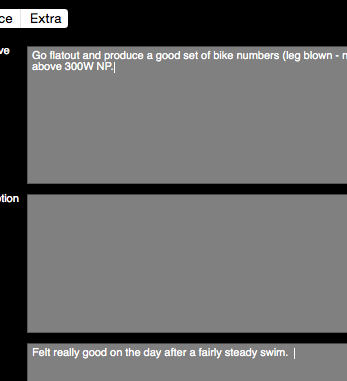
Also small issue on the activities --> Details tab - I often get 2 blinking cursors, although only one will write any text (the box that has been clicked on). It can just get confusing for where I am typing. Took a little while to get the blink timing right to get this screenshot :-)


Ta,
Jean
852205486.fit
activity_852205486.tcx

Manuel Oberti

unread,
Aug 3, 2015, 1:11:09 PM8/3/15
to golden-cheetah-users


Il giorno domenica 2 agosto 2015 03:50:58 UTC+2, G Coco ha scritto:
Hi,

There are builds available for download at:


or


GoldenCheetah_3.2.0-RC4X_QT4_32bit_Win.exe - For Windows XP users/QT4
GoldenCheetah_3.2.0-RC4X_QT5_32bit_Win.exe - For Windows Vista/7/8/10 - 32bit OS/QT5
GoldenCheetah_3.2.0-RC4X_QT5_64bit_Win.exe - For Windows Vista/7/8/10 - 64bit OS/QT5
GoldenCheetah_3.2.0-RC4X_QT4_32bit.dmg     - For Mac OSX 10.6+ users 32bit OS/QT4
GoldenCheetah_3.2.0-RC4X_QT5_64bit.dmg     - For Mac OSX 10.7+ users 64bit OS/QT5

Please use this post for feedback.


Year summary don't work , all the dates are 0
If i set group by week or day everything  works correctly

thanks

Nigel Van de Velde

unread,
Aug 3, 2015, 1:42:48 PM8/3/15
to golden-cheetah-users
Hi,

I have been playing around with the latest rc for a while (using WINE on Linux Ubuntu 14.04). 

I am really impressed with the power estimation tool for older rides without a powermeter, really useful for analyzing long climbs in the past. Would the estimation be any better if I increase my weight with the weight of my bike for that ride, or are you already taking this extra weight into account? In comparison to current power values (with powermeter), the estimation seems a little low.

The interval discovery will be really useful as well. I noticed that you can detect climbs automatically as well. As I live in the northern part of Flanders, most climbs I do only have 50 to 100m of elevation gain. It seems that most climbs I am doing are not detected automatically. Is it possible to somehow set a minimum elevation gain? If not this might be a useful addition for the definitive release.

Kind regards,

Nigel

Ale Martinez

unread,
Aug 3, 2015, 1:44:24 PM8/3/15
to golden-cheetah-users
El lunes, 3 de agosto de 2015, 14:11:09 (UTC-3), Manuel Oberti escribió:
Year summary don't work , all the dates are 0
If i set group by week or day everything  works correctly

Does the selected date range spans more than a year? In that case, can you post an example?

Ale Martinez

unread,
Aug 3, 2015, 2:20:47 PM8/3/15
to golden-cheetah-users
El lunes, 3 de agosto de 2015, 14:04:16 (UTC-3), Jean Div escribió:
Hi Ale

Looking at the file now, there is a lot of data missing - it looks sketchy in GC - no cadence option (assuming its not in the data), and missing speed.

Yes, the tcx file don't have cadence and speed and distance data is sampled around a minute (the green spikes) except for a burst of continuous high speed data in the first minute, this first minute would require manual correction (using Edit chart), the rest can be interpolated using Fix Gaps with stop=120


Although in Garmin Connect, it picks up the strokes perfectly..

I have tried to export both the .tcx for the swim portion of this file (its multisport), as well as the whole original File (.fit). Both attached.

Let me know what you see..
The fit file includes cadence, it can be directly imported in GC and then splitted using "Split Activity" to separate the swim portion, again the first minute (or so) has too-high-for-swimming speed and should be manually fixed in edit chart, the rest has a sample per minute (aprox) and can be interpolated using Fix Gaps with stop=120.


Also small issue on the activities --> Details tab - I often get 2 blinking cursors, although only one will write any text (the box that has been clicked on). It can just get confusing for where I am typing. Took a little while to get the blink timing right to get this screenshot :-)


Yep, this also happens in my installation and it is weird, I don't know if there is a solution for this... 

Ale Martinez

unread,
Aug 3, 2015, 3:16:32 PM8/3/15
to golden-cheetah-users
El lunes, 3 de agosto de 2015, 14:42:48 (UTC-3), Nigel Van de Velde escribió:
I am really impressed with the power estimation tool for older rides without a powermeter, really useful for analyzing long climbs in the past. Would the estimation be any better if I increase my weight with the weight of my bike for that ride, or are you already taking this extra weight into account? In comparison to current power values (with powermeter), the estimation seems a little low.

A fixed amount (9.5kg) is added to athlete's weight to conform total mass, if you want this be a parameter to the fix tool please raise a feature request, in the meantime you could achieve a similar effect temporarily adjusting athlete's weight before to run the tool so that when the 9.5kg are added it matches the measured total mass.

Mark Liversedge

unread,
Aug 3, 2015, 3:52:56 PM8/3/15
to golden-cheetah-users
On Monday, 3 August 2015 13:46:08 UTC+1, JohnK wrote:
Couple of things I noticed in the latest development build, Mac OS X 10.7+ 64bit OS/QT5 running on Yosemite 10.10.4.

1. When saving information in the Activities -> Details screen using the command-s key, the Device Type is reset to 01.01.2000 on the Activities -> Summary screen.  This change is saved in the Activity json file.
{
"RIDE":{
"STARTTIME":"2015\/07\/29 15:32:11 UTC ",
"RECINTSECS":1,
"DEVICETYPE":"01.01.2000 ",

I cannot recreate this. I have updated fields in the metadata, pressed Cmd-S and Device type is unchanged.
What steps are needed to recreate this ?
 
2. Activity -> Summary screen, the Date-Time header uses 24hr format. I would be nice to recover 12hr AM/PM format

We changed to 24hr in 3.1, I guess we /could/ make it configurable.
 

3. Activity -> Ride screen, temperature is displayed in C while temperature on Summary screen is displayed as F for imperial setting.

The ride plot shows temperature converted, which screen do you mean ?


4. Activity -> Ride screen, Interval Navigator does not line up with the intervals in the plot. The Interval Navigator does not take into account either the left or right y-axis titles and tic mark labels. 

It's not possible, at least not easily. The full plot suffers from the same.
 

5. Activity -> Ride screen, Vector pedaling dynamics of Power Phase and Peak Power Phase, plot left and right pedal together with Start on one graph centered at 0 deg and End on another graph centered on 180.  Also, use dots and without line connecting points since if Power Phase starts before 0, the graph becomes difficult to visualize information.  This may be feature request. Also, fix the Pedal Center Offset center at 0.  When rescaling y-axis 0 shifts down to the x-axis. 

Need to explore this a bit more, don't fully understand, but then I don't have vectors !
Maybe rasie a FR ?

 
6. Activity -> Aerolab. When x-axis set to Distance, lap markers are incorrect. When x-axis is set to Time, lap markers are correct.


OOPS. Thats been there for AGES !
 
great job on this new version, I look forward to the release.

Thanks
Mark 

Tony DaGiau

unread,
Aug 3, 2015, 11:06:00 PM8/3/15
to golden-cheetah-users
CP History seems funky.

Current CP (Ext) value changes by date range selected:
a) 2015 Season (Dec 1, 2014 - today): current CP is 290, April's is 274.3
b) Last 6 Months: current CP is 309.4, April's is 292
c) This Year: current is 309.4, April is 280.8

I'm using the seeded library chart: Date Range is Current selection thru today, Group By Days, Use sidebar chart settings.

I don't recall this behavior in RC3. At least today's CP (Ext) shouldn't change with different beginning dates, right?

Many thanks!

P.S. Confirmed that the bug with Note field entry getting cleared bug is fixed.  Also dig the enhancement where clicking on a library chart in left sidebar, automatically takes you to Library tab--a nice little tweak.

Mark Liversedge

unread,
Aug 4, 2015, 4:29:20 AM8/4/15
to golden-cheetah-users
On Tuesday, 4 August 2015 04:06:00 UTC+1, Tony DaGiau wrote:
CP History seems funky.

Current CP (Ext) value changes by date range selected:
a) 2015 Season (Dec 1, 2014 - today): current CP is 290, April's is 274.3
b) Last 6 Months: current CP is 309.4, April's is 292
c) This Year: current is 309.4, April is 280.8

It reflects your workouts !
What do you think your CP is ?

Mark 

Brad

unread,
Aug 4, 2015, 7:55:34 AM8/4/15
to golden-cheetah-users
Any idea on when V3.2 will be finished beta testing?

Mark Liversedge

unread,
Aug 4, 2015, 8:04:25 AM8/4/15
to golden-cheetah-users
On Tuesday, 4 August 2015 12:55:34 UTC+1, Brad wrote:
Any idea on when V3.2 will be finished beta testing?

When we do not have any major crashes reported during a release candidate.

Mark 

JohnK

unread,
Aug 4, 2015, 10:11:34 AM8/4/15
to golden-cheetah-users


On Monday, August 3, 2015 at 3:52:56 PM UTC-4, Mark Liversedge wrote:
On Monday, 3 August 2015 13:46:08 UTC+1, JohnK wrote:
Couple of things I noticed in the latest development build, Mac OS X 10.7+ 64bit OS/QT5 running on Yosemite 10.10.4.

1. When saving information in the Activities -> Details screen using the command-s key, the Device Type is reset to 01.01.2000 on the Activities -> Summary screen.  This change is saved in the Activity json file.
{
"RIDE":{
"STARTTIME":"2015\/07\/29 15:32:11 UTC ",
"RECINTSECS":1,
"DEVICETYPE":"01.01.2000 ",

I cannot recreate this. I have updated fields in the metadata, pressed Cmd-S and Device type is unchanged.
What steps are needed to recreate this ?
 
Steps for recreating:
1. After opening GC the  Activities -> Summary screen header for the chosen activity looks like
 

2. Change to Activities -> Details screen and edit text field Route, save changes with cmd-s, move back to Activities -> Details screen and the header now appears as


3. Close and restart GC, the Activities -> Details screen recovers to original as the DeviceType field in the json file for the activity has not been modified.


Alternatively,
1. Open GC and delete activity.
2. Import activity from fit file exported from Garmin Connect as original
3.. Activities -> Detail screen appears as
 
4. Change to Activities -> Details screen and enter data for Workout Code, Weight, and Route
5. save with cmd-s
6. Change to Activities -> Summary screen and activity header changes to


 7. close and reopen GC, Device Type remains 01.01.2000 as DeviceType field in json field contains this value. Need to edit json file to recover.

 
2. Activity -> Summary screen, the Date-Time header uses 24hr format. I would be nice to recover 12hr AM/PM format

We changed to 24hr in 3.1, I guess we /could/ make it configurable.

Thanks, either way is fine. I missed that the change was made. 
 

3. Activity -> Ride screen, temperature is displayed in C while temperature on Summary screen is displayed as F for imperial setting.

The ride plot shows temperature converted, which screen do you mean ?

The Ride screen. Below are sections of my Details and Ride screens for the same activity showing the difference in temperature units.


4. Activity -> Ride screen, Interval Navigator does not line up with the intervals in the plot. The Interval Navigator does not take into account either the left or right y-axis titles and tic mark labels. 

It's not possible, at least not easily. The full plot suffers from the same.

Thanks for the explanation, I find the Interval Navigator to be a useful tool. 
 

5. Activity -> Ride screen, Vector pedaling dynamics of Power Phase and Peak Power Phase, plot left and right pedal together with Start on one graph centered at 0 deg and End on another graph centered on 180.  Also, use dots and without line connecting points since if Power Phase starts before 0, the graph becomes difficult to visualize information.  This may be feature request. Also, fix the Pedal Center Offset center at 0.  When rescaling y-axis 0 shifts down to the x-axis. 

Need to explore this a bit more, don't fully understand, but then I don't have vectors !
Maybe rasie a FR ?

will do. I will send you a fit file with the Garmin pedaling dynamics, if needed. 

 
6. Activity -> Aerolab. When x-axis set to Distance, lap markers are incorrect. When x-axis is set to Time, lap markers are correct.


OOPS. Thats been there for AGES !

Thanks.  

Tony DaGiau

unread,
Aug 4, 2015, 10:34:02 AM8/4/15
to golden-cheetah-users
Well, I'm not sure what the issue was, but CP History is now working as it should--regardless of which date range I select, today's CP (ext) shows the same value (301.5w)

GC started up with a crash message (I don't recall it crashing yesterday) and then the metrics recalculated, so maybe it was just something out of sync when I went from RC3 to RC4.

If the problem occurs again I'll update with screenshots.

Thanks, Mark 

Mark Liversedge

unread,
Aug 5, 2015, 5:51:21 AM8/5/15
to golden-cheetah-users
On Sunday, 2 August 2015 14:12:44 UTC+1, Serban Mestecaneanu wrote:
Mark, I found three logs from today - see attached

For info, Serban's issues were both caused by the way home-layout.xml and charts.xml were parsed and updated, it may also be related to translation.

We'll get it fixed before we push out 3.2, but for now, if anyone is experiencing a crash on trends view then please move them from the config directory before starting GoldenCheetah.

Mark  

Stephen B

unread,
Aug 5, 2015, 6:09:55 AM8/5/15
to golden-cheetah-users
Hi,

Two issues.

In RC3, on the Activity Summary screen you have the (newly) named field 'Time moving', whilst on the details screen you still have the 'time riding' field. Updating this field does not update the 'time moving' field, so it is not possible to edit for errors e.g. SRM did not record properly due to faulty speed sensor.

I cannot install RC4 - I get the error 'Installer integrity check has failed'. I've tried twice - downloading the file twice with a reboot in-between. Affected file is QT5_32bit

Thank you

Mark Liversedge

unread,
Aug 5, 2015, 6:45:23 AM8/5/15
to golden-cheetah-users
On Wednesday, 5 August 2015 11:09:55 UTC+1, Stephen B wrote:
In RC3, on the Activity Summary screen you have the (newly) named field 'Time moving', whilst on the details screen you still have the 'time riding' field. Updating this field does not update the 'time moving' field, so it is not possible to edit for errors e.g. SRM did not record properly due to faulty speed sensor.


Obviously it is configurable in preferences > data fields, so can be changed, but I've updated the code to automatically rename it since it doesn't exist anymore.

Ale Martinez

unread,
Aug 5, 2015, 11:03:33 AM8/5/15
to golden-cheetah-users
I'm having a crash when I click Activities>Details>Extra for the attached activity, it can be reproduced on Win32 and Linux builds importing it on a new user.
2015_07_29_14_46_31.json

JohnK

unread,
Aug 5, 2015, 2:16:32 PM8/5/15
to golden-cheetah-users
Mark,

I fixed my issue with the Device Type on the Activity Summary screen resetting to a date when saving using cmd-s and the temperature units issue on Ride screen by deleting my plist file and cache. Since you could not duplicate, I figured it had to be an issue with my install.  I don't know what I did, but somehow I must of messed up my preferences.

John  


On Saturday, August 1, 2015 at 9:50:58 PM UTC-4, G Coco wrote:

Mark Liversedge

unread,
Aug 5, 2015, 4:46:41 PM8/5/15
to golden-cheetah-users
On Wednesday, 5 August 2015 19:16:32 UTC+1, JohnK wrote:
Mark,

I fixed my issue with the Device Type on the Activity Summary screen resetting to a date when saving using cmd-s and the temperature units issue on Ride screen by deleting my plist file and cache. Since you could not duplicate, I figured it had to be an issue with my install.  I don't know what I did, but somehow I must of messed up my preferences.

John  

WEIRD!

Hopefully its a one off, but will keep an eye out.

Mark 

Ale Martinez

unread,
Aug 5, 2015, 7:02:39 PM8/5/15
to golden-cheetah-users
I found this behavior in Metric Trends charts: if having changes without saving and confirmation enabled, I click on a point and while the transparent popup is still open I try to close GC the confirmation dialog is hidden behind the transparent popup and mouse clicks don't work on either window and the transparent popup cannot be closed, but the confirmation dialog has the keyboard focus so, once you understand the situation it is possible to exit the situation, but is rather weird.
It is a pretty rare edge case and I don't know if it is easy to solve, but I think it is worth reporting.

El sábado, 1 de agosto de 2015, 22:50:58 (UTC-3), G Coco escribió:

Mark Liversedge

unread,
Aug 5, 2015, 7:21:45 PM8/5/15
to golden-cheetah-users
On Thursday, 6 August 2015 00:02:39 UTC+1, Ale Martinez wrote:
I found this behavior in Metric Trends charts: if having changes without saving and confirmation enabled, I click on a point and while the transparent popup is still open I try to close GC the confirmation dialog is hidden behind the transparent popup and mouse clicks don't work on either window and the transparent popup cannot be closed, but the confirmation dialog has the keyboard focus so, once you understand the situation it is possible to exit the situation, but is rather weird.
It is a pretty rare edge case and I don't know if it is easy to solve, but I think it is worth reporting.

Have made the save dialog always on top. 

Ale Martinez

unread,
Aug 5, 2015, 7:59:26 PM8/5/15
to golden-cheetah-users
That's was quick, thanks!

Mark Liversedge

unread,
Aug 5, 2015, 8:01:17 PM8/5/15
to golden-cheetah-users
On Thursday, 6 August 2015 00:59:26 UTC+1, Ale Martinez wrote:
That's was quick, thanks!

Trying to close out the last nits before pushing out the release.
Reckon I'm on top of all the bugs now.

Would like to release in the next week or so.

Mark 

Serban Mestecaneanu

unread,
Aug 6, 2015, 6:00:55 AM8/6/15
to golden-cheetah-users
Found a very strange bug: on RC4 on 32bits on MAC, if I CTRL-S an activity, the time of that activity changes to 0:00:00!

Is there a way to manually put the time back?

Serban

Mark Liversedge

unread,
Aug 6, 2015, 6:48:04 AM8/6/15
to golden-cheetah-users
On Thursday, 6 August 2015 11:00:55 UTC+1, Serban Mestecaneanu wrote:
Found a very strange bug: on RC4 on 32bits on MAC, if I CTRL-S an activity, the time of that activity changes to 0:00:00!
 
What language are you using ?
Does it do the same when English is the chosen language ?

Mark 

Mark Liversedge

unread,
Aug 6, 2015, 8:53:21 AM8/6/15
to golden-cheetah-users
On Thursday, 6 August 2015 11:00:55 UTC+1, Serban Mestecaneanu wrote:
Found a very strange bug: on RC4 on 32bits on MAC, if I CTRL-S an activity, the time of that activity changes to 0:00:00!

Thanks for sending over your metadata.xml.

You have edited the ride metadata setup and made the Ride Date field a text box instead of a date.

Mark 

Dennis

unread,
Aug 6, 2015, 6:15:19 PM8/6/15
to golden-cheetah-users
I just updated from RC3 to RC4 and now I am getting this odd 0 at end of line in activities. Haven't changed anything or how I add rides etc.  All the pre RC4 doesn't have it. 
See attached screen shot of first to rides and the odd 0 after Early AM.   Can't see where it is coming from.

Windows 64bit

Thanks
Dennis
Odd 0.bmp

Ale Martinez

unread,
Aug 6, 2015, 7:50:30 PM8/6/15
to golden-cheetah-users
Check your fields configuration, probably you have a numeric field such that TSS, with the Diary option activated: https://github.com/GoldenCheetah/GoldenCheetah/wiki/UG_Preferences_Data-Fields#fields

Tony DaGiau

unread,
Aug 6, 2015, 8:15:21 PM8/6/15
to golden-cheetah-users
I was able to re-produce problem today after importing new activity. But not sure what the triggering event is as CP History was stable for a couple of days in activity imports.

I'm attaching a pdf with steps and screenshots of issue + crash report. Maybe this problem is due to something wrong with my data--I have a bunch of years through different GC versions and wko imports.

Anyway, no need to address for my sake, just trying to contribute. 
crash after athlete zone change.txt
RC4 CP History.pdf

Mark Liversedge

unread,
Aug 7, 2015, 4:46:56 AM8/7/15
to golden-cheetah-users
On Friday, 7 August 2015 01:15:21 UTC+1, Tony DaGiau wrote:
I was able to re-produce problem today after importing new activity. But not sure what the triggering event is as CP History was stable for a couple of days in activity imports.

Can you send me this years rides (since Jan) and the contents of your config drectory?
Would like to try and recreate.

Mark 

art...@gmail.com

unread,
Aug 7, 2015, 4:55:24 AM8/7/15
to golden-cheetah-users
Hi,

I am not sure if this is already known. After the upgrade to RC4 the device typ for some activities is "01.01.2000". It´s occure for files from a Garmin 500 Edge and .tcx swim file imports.

cheers
Andy

Mark Liversedge

unread,
Aug 7, 2015, 5:17:12 AM8/7/15
to golden-cheetah-users
On Friday, 7 August 2015 09:55:24 UTC+1, artad wrote:
I am not sure if this is already known. After the upgrade to RC4 the device typ for some activities is "01.01.2000". It´s occure for files from a Garmin 500 Edge and .tcx swim file imports.

Check the setting for device in metadata, have you set it to type date ?

I think we need to fix bad metadata config for special fields when we save it away;
e.g. Ride Date is not QDate, Ride Time is not Time etc.

Mark 

art...@gmail.com

unread,
Aug 7, 2015, 6:04:31 AM8/7/15
to golden-cheetah-users
Hi Mark,

yes, it was set to date but not by me. I changed it to text. I checked it with a new import and it looks good.

thanks
Andy

Mark Liversedge

unread,
Aug 7, 2015, 6:17:05 AM8/7/15
to golden-cheetah-users
On Friday, 7 August 2015 11:04:31 UTC+1, artad wrote:
yes, it was set to date but not by me. I changed it to text. I checked it with a new import and it looks good.

It seems it is quite common for users to accidentally adjust it whilst scrolling using a mouse scroller/trackpad.

I've updated to code to 'fix' types for the first class metadata; ride date, time, recording interval, id and device type.

Mark

wacomme

unread,
Aug 9, 2015, 11:45:03 AM8/9/15
to golden-cheetah-users
Where can I find "what's new" in version 3.2?

Mark Liversedge

unread,
Aug 9, 2015, 11:55:14 AM8/9/15
to golden-cheetah-users
On Sunday, 9 August 2015 16:45:03 UTC+1, wacomme wrote:
Where can I find "what's new" in version 3.2?

I haven't recorded the video yet, but it will include

Technical
1. NoSQL - RideCache in memory with backing store
2. Directory Structure - /cache /config /activities etc
3. Use Native File Format - json
4. CLucene deprecated 
5. KQOauth lib replaces libOAuth
6. File Quarantining
7. Google Calendar API v2
8. Measures db deprecated for a Withings cache
9. Preferences changes update optimized

General
1. Improved Merge
2. PMC Any Stress Metric
3. W'bal Zones
4. PMC Metrics on Summary and in Filters
5. CP Estimates use rolling 6 weeks not 2 calendar months
6. Added Ward-Smith PD Model
7. Lots more Fix Tools (Elevation, Power, Moxy etc)
8. Automatic importing of files
9. Hide curves via legend in LTM Plot
10. Improved performance for W'bal calculation
11. Export 'heatmap' of rides for Google Maps
12. Core Temperature Data Series Added
13. Improved Chart editing in Trend View

Intervals
1. Interval Navigator in Performance Plot
2. Interval Auto-discovery; Peaks, Hills, TTE/Sustained, Routes
3. Plot Sustained Intervals on CP chart (ride, season, compare)
4. Sustained Time In Zone metrics
5. Create intervals on the map
6. Drop Segments onto Compare Pane to add all matching intervals

Moxy
1. Direct download from device
2. Import CSV (moxy + peripedal) and FIT format
3. Merge Tool changes
4. Shift S+C to Smo2/tHB 
5. Derive HHb and O2Hb from SmO2/tHb
6. Chart ride, 2d, 3d, histogram

Multisport
1. Pace Zones - Running and Swimming
2. Garmin Dynamics - Running and Cycling Dynamics
3. GOVSS, SwimScore, TriScore et al
4. CV Model

Train View
1. Tacx Vortex Electronic Trainer Support
2. Vector Support
3. Moxy Support
4. W'bal as you ride
5. New file format and import process at end of ride
6. New turbos supported.


Cheers
Mark 

wacomme

unread,
Aug 9, 2015, 12:06:03 PM8/9/15
to golden-cheetah-users
Awesome. Thank you. 

Manuel Oberti

unread,
Aug 9, 2015, 1:46:00 PM8/9/15
to golden-cheetah-users


Il giorno domenica 2 agosto 2015 03:50:58 UTC+2, G Coco ha scritto:
Hi,

There are builds available for download at:


or


GoldenCheetah_3.2.0-RC4X_QT4_32bit_Win.exe - For Windows XP users/QT4
GoldenCheetah_3.2.0-RC4X_QT5_32bit_Win.exe - For Windows Vista/7/8/10 - 32bit OS/QT5
GoldenCheetah_3.2.0-RC4X_QT5_64bit_Win.exe - For Windows Vista/7/8/10 - 64bit OS/QT5
GoldenCheetah_3.2.0-RC4X_QT4_32bit.dmg     - For Mac OSX 10.6+ users 32bit OS/QT4
GoldenCheetah_3.2.0-RC4X_QT5_64bit.dmg     - For Mac OSX 10.7+ users 64bit OS/QT5

Please use this post for feedback.


With a version RC4 my year summary don't work , i see only a visualization for month , week , days , but if I select  view by years the screen are empty and the date on the bottom of the graph disappears.
If I select a season with a 2 years ( 2014-2015 ) the charts works fine

THANKS

JustinL

unread,
Aug 9, 2015, 3:15:36 PM8/9/15
to golden-cheetah-users
I cannot export any of my rides file as a *.kml or *.csv running RC4 (64-bit) on Mac OS X 10.10.3. When trying to export a kml, I get the beach ball of death then GC freezes and eventually crashes. When attempting to export as a *.csv file, GC does not crash but after clicking Save, I get a pop-up error message saying, "Failed to export activity, please check permissions". I can successfully export to all other file formats.

This occurs on two different Macs. On a Windows machine (32-bit build) both *.kml and *.csv export without a problem.

G Coco

unread,
Aug 9, 2015, 10:09:26 PM8/9/15
to golden-cheetah-users
Seeing the same export crash on .kml. I sent the Apple crash report to Mark to look into. Not seeing this with Qt4 version but I use different systems to make the two builds (QT4/32bit vs QT5/64bit). Could be QT5 related on Mac or a libkml build issue on 64bit.

All see the "Check permissions" when using "Export" to Powertap CSV but if I use the Batch export I can get the Powertap CSV export to work.


 if

Jean Div

unread,
Aug 10, 2015, 3:40:09 PM8/10/15
to golden-cheetah-users
Hey Guys

I've noticed that on a bunch of my files in the activity -->Map view, the Cheetah briefly puts me in the middle of the Atlantic Ocean.. so the scale always starts off wacky to fit it all in (despite the detour :-) ). Looking at the Garmin files in edit, its usually 4-6 datapoint that run down from around 33 to zero'ish, and then back up again. I'm guessing that particular point is 0, 0. It happens often on trail runs and open water swims, so I'm guessing its something to do with lost satellites. The 'Fix GPS' function does interpolate the zeros, but it does not fix the 'back' numbers on the rundown.. 22, 14, 8, 2, 0, 7, 16, 22 <-- it would only fix the zero there.

Can we make the 'Fix GPS' more sensitive to massive instant jumps in Lat/Long?

Ta,
Jean

Mark Liversedge

unread,
Aug 10, 2015, 4:37:34 PM8/10/15
to golden-cheetah-users
On Sunday, 9 August 2015 16:55:14 UTC+1, Mark Liversedge wrote:
On Sunday, 9 August 2015 16:45:03 UTC+1, wacomme wrote:
Where can I find "what's new" in version 3.2?

I haven't recorded the video yet, but it will include

Video done, its here: https://vimeo.com/135905103

Mark 

Luther Gulseth

unread,
Aug 12, 2015, 11:31:51 AM8/12/15
to golden-cheetah-users
Finally downloaded RC4 today and it won't start for me, it's crashed twice. RC3 ran fine before. Any help?


In Christ crucified,
Luther

On Sat, Aug 1, 2015 at 8:50 PM, G Coco <garet...@gmail.com> wrote:
Hi,

There are builds available for download at:


or


GoldenCheetah_3.2.0-RC4X_QT4_32bit_Win.exe - For Windows XP users/QT4
GoldenCheetah_3.2.0-RC4X_QT5_32bit_Win.exe - For Windows Vista/7/8/10 - 32bit OS/QT5
GoldenCheetah_3.2.0-RC4X_QT5_64bit_Win.exe - For Windows Vista/7/8/10 - 64bit OS/QT5
GoldenCheetah_3.2.0-RC4X_QT4_32bit.dmg     - For Mac OSX 10.6+ users 32bit OS/QT4
GoldenCheetah_3.2.0-RC4X_QT5_64bit.dmg     - For Mac OSX 10.7+ users 64bit OS/QT5

Please use this post for feedback.

--
_______________________________________________
Golden-Cheetah-Users mailing list
golden-che...@googlegroups.com
http://groups.google.com/group/golden-cheetah-users?hl=en
---
You received this message because you are subscribed to the Google Groups "golden-cheetah-users" group.
To unsubscribe from this group and stop receiving emails from it, send an email to golden-cheetah-u...@googlegroups.com.
For more options, visit https://groups.google.com/d/optout.

GC_crash_8-12-2015.txt

Mark Liversedge

unread,
Aug 12, 2015, 12:09:13 PM8/12/15
to golden-cheetah-users
On Wednesday, 12 August 2015 16:31:51 UTC+1, Luther Gulseth wrote:
Finally downloaded RC4 today and it won't start for me, it's crashed twice. RC3 ran fine before. Any help?

What happened when it crashed?
Have you switched back and forth between RCs without restoring data?

Mark 

Luther Gulseth

unread,
Aug 12, 2015, 12:33:35 PM8/12/15
to golden-cheetah-users
I upgraded from RC3 to RC4 and it crashed on the first run attempt. It will start, and continue loading in the background.

In Christ crucified,
Luther

--

Brooks More

unread,
Aug 13, 2015, 1:06:23 AM8/13/15
to golden-cheetah-users
New version crashes when I choose the Activities>Map tab.  This did not happen in previous version used 3.0.2.

Mark Liversedge

unread,
Aug 13, 2015, 1:50:46 AM8/13/15
to golden-cheetah-users
On Thursday, 13 August 2015 06:06:23 UTC+1, Brooks More wrote:
New version crashes when I choose the Activities>Map tab.  This did not happen in previous version used 3.0.2.

Are you on a Mac ? 

Oriol Garrote

unread,
Aug 13, 2015, 4:35:34 AM8/13/15
to golden-cheetah-users
Hi, I'm new to Golden Cheetah and I'm very surprised of the data it can analyze! Just three questions:

1. The Tacx Vortex support is only for Vortex Smart, isn't it?
2. Can I add other sports? For example cross-country skiing as a copy of the run sport type?
3. Can I translate it?

Thanks,
Oriol


El diumenge, 9 agost de 2015 17:55:14 UTC+2, Mark Liversedge va escriure:

Luther Gulseth

unread,
Aug 13, 2015, 5:43:12 AM8/13/15
to golden-cheetah-users

Any ideas? RC4 still won't stay running longer than 10-15 seconds. Thanks!

Luther

Mark Liversedge

unread,
Aug 13, 2015, 6:06:15 AM8/13/15
to golden-cheetah-users
On Thursday, 13 August 2015 10:43:12 UTC+1, Luther Gulseth wrote:

Any ideas? RC4 still won't stay running longer than 10-15 seconds. Thanks!


If it is crashing whilst recomputing metrics then create a new athlete and import the rides to find which one is the problem and send to me and we'll see whats wrong

Mark

liversedge gmail com 

takz...@gmail.com

unread,
Aug 16, 2015, 3:28:48 PM8/16/15
to golden-cheetah-users
Hi!

I tried to make my Garmin Vector pedals run properly in the training mode. The power itself is displayed and the readout seems to be reasonable.

What I can't get working is the readout for pedal smoothness and pedal effectivness. The gauges just show a zero.

Configuration: Win 7, Garmin Ant+ stick, RC4X

Has anyone tried this successfully?

-Tak

Brooks More

unread,
Aug 17, 2015, 8:11:16 AM8/17/15
to golden-cheetah-users
Yes. Using OS Yosemite.

Brooks More

unread,
Aug 17, 2015, 8:15:49 AM8/17/15
to golden-cheetah-users
BTW, the new features on the latest release are amazing.  Thank You!


On Thursday, August 13, 2015 at 1:50:46 AM UTC-4, Mark Liversedge wrote:

rjkflyer

unread,
Aug 18, 2015, 3:17:11 AM8/18/15
to golden-cheetah-users
I get an occasional crash when on the DETAILS screen after importing a ride.

1. Import Ride (can be .fit or .tcx)
2. Go to DETAILS screen
3. Enter value in WORKOUT CODE
4. Tab to SPORT
5. Enter value in SPORT field
6. Tab
7. *CRASH*

FYI, I do have some custom values for both WORKOUT and SPORT, entered through PREFERENCES > DATA FIELDS

Nigel Van de Velde

unread,
Aug 18, 2015, 4:01:57 AM8/18/15
to golden-cheetah-users
Hi,

As the stable release is available for download, I was wondering if there will be a linux version as well.

Kind regards,

Nigel

Manuel Oberti

unread,
Aug 18, 2015, 5:51:45 AM8/18/15
to golden-cheetah-users


Il giorno domenica 2 agosto 2015 03:50:58 UTC+2, G Coco ha scritto:
Hi,

There are builds available for download at:


or


GoldenCheetah_3.2.0-RC4X_QT4_32bit_Win.exe - For Windows XP users/QT4
GoldenCheetah_3.2.0-RC4X_QT5_32bit_Win.exe - For Windows Vista/7/8/10 - 32bit OS/QT5
GoldenCheetah_3.2.0-RC4X_QT5_64bit_Win.exe - For Windows Vista/7/8/10 - 64bit OS/QT5
GoldenCheetah_3.2.0-RC4X_QT4_32bit.dmg     - For Mac OSX 10.6+ users 32bit OS/QT4
GoldenCheetah_3.2.0-RC4X_QT5_64bit.dmg     - For Mac OSX 10.7+ users 64bit OS/QT5

Please use this post for feedback.


Still the same error, with year summary I see nothing . If i select view by year I dont see the values but  if I select view by months all the data appear .
If I select the last 2 or 3 years the data appears , only the single season dont work

THANKS


Mark Liversedge

unread,
Aug 18, 2015, 6:29:10 AM8/18/15
to golden-cheetah-users
Delete your charts.xml and home-layout.xml.
You have switched between RCs without restoring and they have been corrupted.

Or restore to 3.1 state and run 3.2 RC4

Mark

Manuel Oberti

unread,
Aug 18, 2015, 6:44:04 AM8/18/15
to golden-cheetah-users


Il giorno domenica 2 agosto 2015 03:50:58 UTC+2, G Coco ha scritto:
Hi,

There are builds available for download at:


or


GoldenCheetah_3.2.0-RC4X_QT4_32bit_Win.exe - For Windows XP users/QT4
GoldenCheetah_3.2.0-RC4X_QT5_32bit_Win.exe - For Windows Vista/7/8/10 - 32bit OS/QT5
GoldenCheetah_3.2.0-RC4X_QT5_64bit_Win.exe - For Windows Vista/7/8/10 - 64bit OS/QT5
GoldenCheetah_3.2.0-RC4X_QT4_32bit.dmg     - For Mac OSX 10.6+ users 32bit OS/QT4
GoldenCheetah_3.2.0-RC4X_QT5_64bit.dmg     - For Mac OSX 10.7+ users 64bit OS/QT5

Please use this post for feedback.


how work the restore? 
I copy the 2 files from a functionally backup RC3 but dont work in my version QT5.........

THANKS

Luther Gulseth

unread,
Aug 19, 2015, 11:10:22 AM8/19/15
to Mark Liversedge, golden-cheetah-users
"Upgrading" to non-RC 3.2 fixed the issue. No more crashing...

​ Do you still want me to play with RC4 and find out what file crashed it?​

In Christ crucified,
Luther

--

Mark Liversedge

unread,
Aug 19, 2015, 1:48:36 PM8/19/15
to golden-cheetah-users, liver...@gmail.com
On Wednesday, 19 August 2015 16:10:22 UTC+1, Luther Gulseth wrote:
"Upgrading" to non-RC 3.2 fixed the issue. No more crashing...

​ Do you still want me to play with RC4 and find out what file crashed it?​

No thanks :)

If it comes back we can see, maybe it was fixed.

Mark 
Reply all
Reply to author
Forward
0 new messages