
Font half size when using Direct2D with non-window based wxDC under HiDPI (Issue #22130)

Blake-Madden
When using the Direct2D renderer for wxDCs (under a HiPDI environment), font drawing is half the size it should be if using a non-window based wxDC. In other words, Direct2D with wxPaint looks OK, but if you use Direct2D with a wxMemoryDC then the font is tiny. Interestingly, it seems to only be a font issue--shape drawing is fine.
To Reproduce
On a HiDPI Windows system:
- Open the drawing sample and run it.
- Select Screen->Text screen
- Select Drawing->Use GDI+.
- Save it as a bitmap (Drawing->Save) and note that the bitmap looks like the screen.
- Select Drawing->Use Direct2D and save as a bitmap again. It should look the same.
- Now, change the sample to be DPI aware.
- In Visual Studio, Project->drawing Properties->Manifest Tool->Input and Output. Set "DPI Aware" to "High DPI Aware" and rebuild.
- Repeat steps 2-5.
Note how the bitmap saved when Direct2D was in use has its text half the size as the GDI+ image. If you try this with other screens the problem doesn't happen with shapes and whatnot; it appears to be a font size issue.
Digging into the code, I think it has do with the wxGraphicsContext created from m_renderer->CreateContext(). If the wxDC passed into this has a window related to it (e.g., a wxPaintDC), then the wxGraphicsContext will be aware of the DPI. However, if a wxMemoryDC is passed, then it doesn't know what the DPI is and falls back to the default 96. I can see that the context created from a wxMemoryDC reports 96 when I call GetDPI(). However, I get 192 when I call GetDPI() with the context created from a wxPaintDC. I'm guessing this is the root cause.
Platform and version information
- wxWidgets 3.1.6
- Windows 10 (x64)
- HiDPI display required (I'm using a Surface laptop)
—
Reply to this email directly, view it on GitHub, or unsubscribe.
Triage notifications on the go with GitHub Mobile for iOS or Android.
You are receiving this because you are subscribed to this thread.
Kumazuma
creataion of wxGraphicsFont for d2d
// src/msw/graphicsd2d.cpp:5112
wxGraphicsFont wxD2DRenderer::CreateFont(
    double sizeInPixels, const wxString& facename,
    int flags,
    const wxColour& col)
{
    // Use the same DPI as wxFont will use in SetPixelSize, so these cancel
    // each other out and we are left with the actual pixel size.
    ScreenHDC hdc;
    wxRealPoint dpi(::GetDeviceCaps(hdc, LOGPIXELSX),
                    ::GetDeviceCaps(hdc, LOGPIXELSY));

    return CreateFontAtDPI(
        wxFontInfo(wxSize(sizeInPixels, sizeInPixels)).AllFlags(flags).FaceName(facename),
        dpi, col);
}
so... when dpi is not specific by user, dpi is set using screendc.
in same process on GDI+
// src/msw/graphics.cpp:2858
wxGraphicsFont
wxGDIPlusRenderer::CreateFont( const wxFont &font,
                               const wxColour &col )
{
    return CreateFontAtDPI(font, wxRealPoint(), col);
}
so I suggest
wxGraphicsFont wxD2DRenderer::CreateFont(
    double sizeInPixels, const wxString& facename,
    int flags,
    const wxColour& col)
{
    return CreateFontAtDPI(
        wxFontInfo(wxSize(sizeInPixels, sizeInPixels)).AllFlags(flags).FaceName(facename),
        wxRealPoint(), col);
}
—
Reply to this email directly, view it on GitHub, or unsubscribe.
Triage notifications on the go with GitHub Mobile for iOS or Android.
You are receiving this because you are subscribed to this thread.
Blake-Madden
No, didn't seem to help. wxGraphicsContext::CreateFont (graphicscmn.cpp, line 952) still relies on GetDPI, which incorrectly reports 96 (not 192). The lack of a window in the graphics context causes GetDPI to be problem.
—
Reply to this email directly, view it on GitHub, or unsubscribe.
Triage notifications on the go with GitHub Mobile for iOS or Android.
You are receiving this because you are subscribed to this thread.
Maarten
As a workaround/fix, you can associate the window with the wxMemoryDC. In the drawing sample: mdc.GetImpl()->SetWindow(this);
—
Reply to this email directly, view it on GitHub, or unsubscribe.
Triage notifications on the go with GitHub Mobile for iOS or Android.
You are receiving this because you are subscribed to this thread.
Blake-Madden
mdc.GetImpl()->SetWindow(this);
That totally works! Thank you!
—
Reply to this email directly, view it on GitHub, or unsubscribe.
Triage notifications on the go with GitHub Mobile for iOS or Android.
You are receiving this because you are subscribed to this thread.
VZ
I don't see any differences in the text size between the 3 bitmaps saved while running with 200% DPI scaling, see:
- GDI:

- GDI+:

- Direct2D:

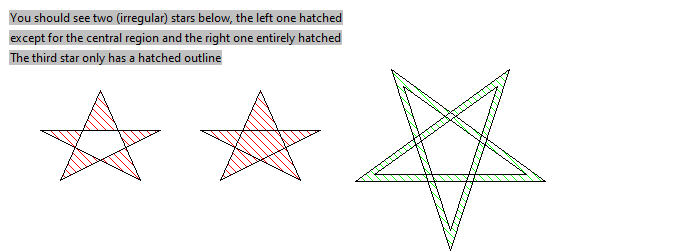
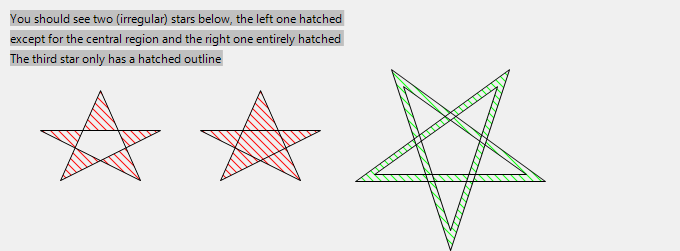

I do see that the text is smaller than the much larger (and overlapping because of it...) text shown on screen. But normally I would say that this ought to be fixed with
diff --git a/samples/drawing/drawing.cpp b/samples/drawing/drawing.cpp
index 55e8e62c52..717f880560 100644
--- a/samples/drawing/drawing.cpp
+++ b/samples/drawing/drawing.cpp
@@ -2535,7 +2535,8 @@ void MyFrame::OnSave(wxCommandEvent& WXUNUSED(event))
         else
 #endif // wxUSE_POSTSCRIPT
         {
-            wxBitmap bmp(width, height);
+            wxBitmap bmp;
+            bmp.CreateWithDIPSize(wxSize(width, height), GetDPIScaleFactor());
             wxMemoryDC mdc(bmp);
             mdc.SetBackground(*wxWHITE_BRUSH);
             mdc.Clear();
(the use of DIP size is due to the fact that nothing is being scaled by DPI in this sample right now, so all pixels are actually DPI-independent in it under MSW) but this doesn't work neither right now because the bitmap scale factor is ignored by wxMemoryDC under MSW. I've tried fixing this in #22234 and with it the saved bitmap looks roughly like this in all 3 cases:

which is ugly but corresponds to the picture actually shown on the screen.
—
Reply to this email directly, view it on GitHub, or unsubscribe.
You are receiving this because you are subscribed to this thread.
VZ
I don't see any differences in the text size between the 3 bitmaps saved while running with 200% DPI scaling
Correction: as discussed in #22234, I do see the problem when actually running in 200% DPI and not just moving the window to a monitor using 200% DPI (while the main display still uses 100%).
—
Reply to this email directly, view it on GitHub, or unsubscribe.
You are receiving this because you are subscribed to this thread.
VZ
—
Reply to this email directly, view it on GitHub, or unsubscribe.
You are receiving this because you are subscribed to this thread.
Blake-Madden
Verified in my personal project as well. Thanks for the fix!
—
Reply to this email directly, view it on GitHub, or unsubscribe.
You are receiving this because you are subscribed to this thread.

Eran Ifrah
> +            wxBitmap bmp;
> +            bmp.CreateWithDIPSize(wxSize(width, height), GetDPIScaleFactor());
Sorry to drop on this one, but if this is the solution, why not call it in the c-tor? (wxBitmap(width, height))
This single change (wrong font size using wxMemoryDC) caused me hours of work...
My only solution at the time was to drop wxMemoryDC and use wxClientDC.
Had I known this workaround, I would have used it...
--
You received this message because you are subscribed to the Google Groups "wx-dev" group.
To unsubscribe from this group and stop receiving emails from it, send an email to wx-dev+un...@googlegroups.com.
To view this discussion on the web visit https://groups.google.com/d/msgid/wx-dev/wxWidgets/wxWidgets/issues/22130/1100171515%40github.com.

Maarten Bent
The wxBitmap constructor has no access to the object (wxWindow, wxMemoryDC, ...) that is creating it,
so it cannot call GetDPIScaleFactor() on it.
Maybe CreateWithDIPSize can be mentioned in the changelog so it is easier to notice?
Maarten
To view this discussion on the web visit https://groups.google.com/d/msgid/wx-dev/CAOpAFwWXjvWOW5hPSNWAVfgVfMx%3DyUXz-SKf3HchamO4HjWH_Q%40mail.gmail.com.
Eran Ifrah
To view this discussion on the web visit https://groups.google.com/d/msgid/wx-dev/11b5235f-fcef-c4c8-2438-ea77b7fc947b%40gmail.com.
Maarten Bent
To view this discussion on the web visit https://groups.google.com/d/msgid/wx-dev/CAOpAFwVq6sTW_LA5pzgeLNxzr4ryiJTbQCYKXLd1HLF68VxzKw%40mail.gmail.com.

Vadim Zeitlin
EI> Some background:
EI>
EI> In my code, I used wxMemoryDC when outside of paint handler to calculate
EI> various sizes, and when in OnPaint, I used wxGCDC constructed from wxPaintDC
EI> with the release of 3.1.6 all my custom controls drawings were "off"
EI> (overlapping text misaligned drawings etc)
Sorry, I still don't understand the problem, could you please explain it
in more details? AFAICS with 3.1.6 things should work correctly when using
DPI scaling in the scenario above, provided you use wxMemoryDC with a
bitmap using the same content scaling factor, because now wxMemoryDC uses
the same font size as wxGCDC used even before, whereas previously they
didn't work correctly because wxMemoryDC always used scaling factor of 1.
So how did this work for you before, did you do your own scaling?
Thanks,
VZ