
[vim/vim] gvim spamming console from which it was started (#3628)

F. Eugene Aumson
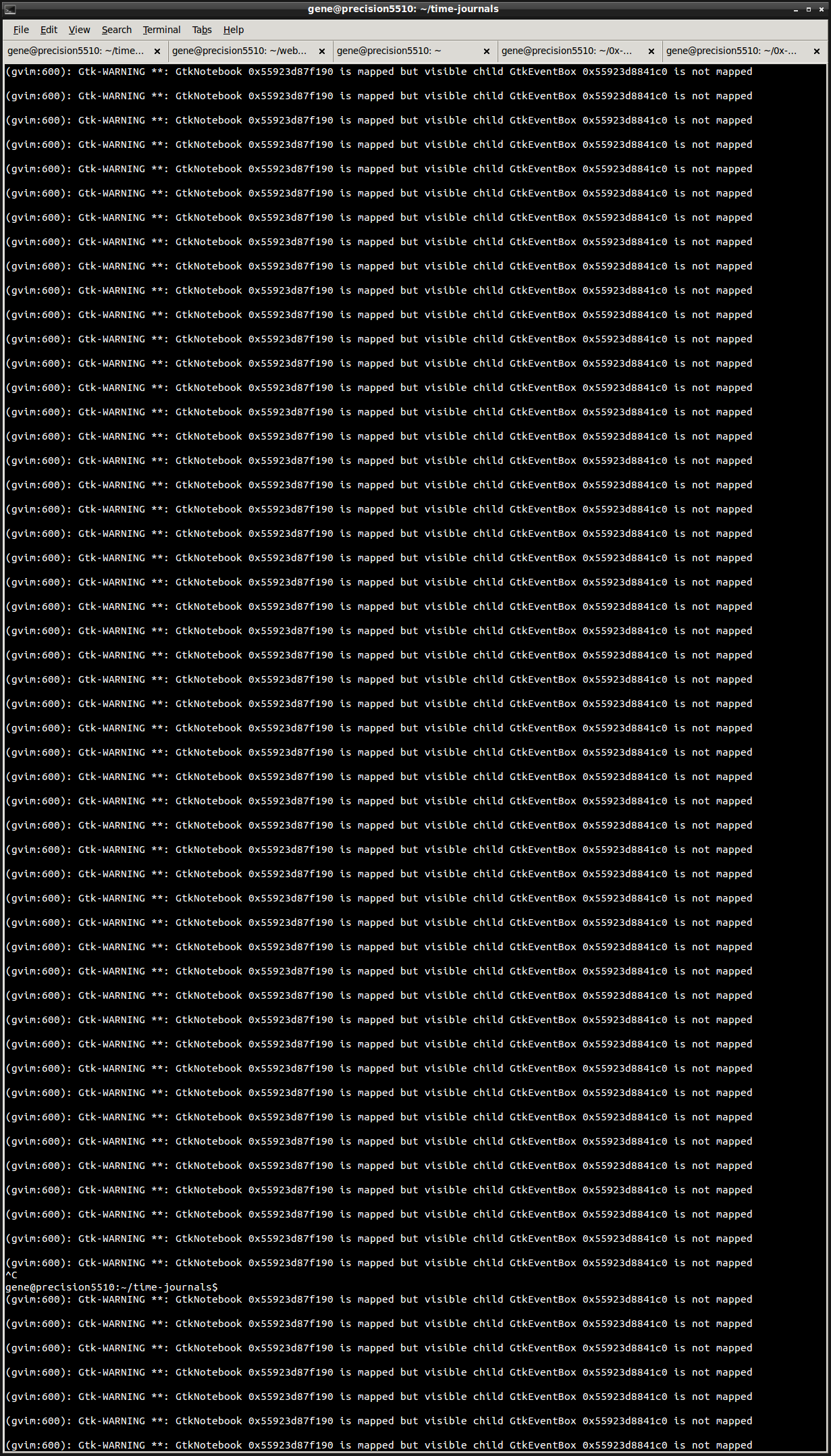
So many repetitions of this they literally fill my 2xHD-height terminal window:
(gvim:600): Gtk-WARNING **: GtkNotebook 0x55923d87f190 is mapped but visible child GtkEventBox 0x55923d8841c0 is not mapped
I often invoke gvim from the command line and leave the process running for an extended period of time, and I do this many times over. Unfortunately, due to this console spam, this effectively leaves my terminal useless. So even though I have the file of interest right at my fingertips in the terminal, I jump through hoops to run gvim from some other context, if I want to continue using that terminal. I love you vim but this is an unacceptable CLI.
—
You are receiving this because you are subscribed to this thread.
Reply to this email directly, view it on GitHub
Tony Mechelynck
These messages may be useful (e.g. for debugging purposes), so rather than killing them altogether (by invoking gvim as gvim > /dev/null on Unix-like or as gvim > NUL on Windows) I'd rather log them (by invoking gvim as (date; gvim || echo 'exit status' $? ; date) >> gvim.log on Unix-like and something similar, perhaps less fancy if CMD.EXE isn't as powerful as bash, on Windows).
A simple way to "run gvim from some other context" is to launch it from a desktop icon. If you don't already have one, making one takes 5 minutes once and for all, or 10 if you haven't yet made shortcut icons: I'd hardly call this "jumping through hoops".
Best regards,
Tony.
F. Eugene Aumson
Thank you Tony for your constructive feedback. I'm not interested in logging the messages, and I'm simply not willing to add in > /dev/null every single time I just want to type gvim filename, which is something I do many, many times a day.
Debugging messages should be disabled for end users. In low volume I could see them being useful, but I'm pretty sure this constitutes spam:
Tony Mechelynck
If it's a bug, it's probably a GTK bug (though I wouldn't stake my head on it); however you can still make a desktop icon for Vim. You only need to make it once, and it will run in its own context, not that of any shell you might have running. Or even simpler: if your window manager is like mine, just hit Alt-F2 and you'll get a prompt which will allow you to start gvim (or any other program, and with any arguments you want that time around) straight from the desktop context with no spamming into any terminal.
Best regards,
Tony.
F. Eugene Aumson
Thanks again Tony.
I do use the equivalent of alt+f2 (win/meta+r on my system). But it's still annoying.
Having to gather the target filename in my terminal is probably the biggest hoop to jump through, bigger than how gvim is launched.
This is a terrible distraction from my terminal flow, and a disappointing command line user experience from vim.
Gary Johnson
> Thanks again Tony.
>
> I do use the equivalent of alt+f2 (win/meta+r on my system). But it's still
> annoying.
>
> Having to gather the target filename in my terminal is probably the biggest
> hoop to jump through, bigger than how gvim is launched.
>
> This is a terrible distraction from my terminal flow, and a disappointing
> command line user experience from vim.
your shell is bash):
alias gvim='&>/dev/null gvim'
HTH,
Gary
vim-dev ML
Bram Moolenaar
I see the same with many other GTK based programs. It's not really a Vim problem but a GTK problem. It seems they assume it's fine to print all kinds of messages in the terminal where a GUI program was started, even when it's in the background.
I don't think there is anything we can do in Vim to avoid this. Perhaps file a but with the GTK project.
—
You are receiving this because you commented.
Bram Moolenaar
fritzophrenic
Having to gather the target filename in my terminal is probably the biggest hoop to jump through, bigger than how gvim is launched.
As a workaround: when I want to use gvim from a terminal, and continue using that terminal, I usually launch gvim separately and then use "vim --remote-tab-silent file.x" or similar to send the file to an existing Vim instead of launching gvim directly on the file.
—
You are receiving this because you commented.
Juan Lanus
Any computer interactive application, whatever it is - like for example online banking or purchases like eBay, that sprouted rafts of warnings every now and then alarming its end users and forcing them to stop doing productive work to research the source, would be regarded as a low-usability UI.
The developers of said application would feel ashamed and would take pride in fixing the issue ASAP. Or at least this is what I would do, instead of arguing along the years.
We developers, as vim end users, should not see these warnings, and those of us who used part of our time in this thread (and its duplicates), should instead be doing productive work.
—
You are receiving this because you commented.
Reply to this email directly, view it on GitHub, or unsubscribe.

Christian Brabandt
Am 08.12.2019 um 14:58 schrieb Juan Lanus (Vim Github Repository) <vim-dev...@256bit.org>:
--
--
You received this message from the "vim_dev" maillist.
Do not top-post! Type your reply below the text you are replying to.
For more information, visit http://www.vim.org/maillist.php
---
You received this message because you are subscribed to the Google Groups "vim_dev" group.
To unsubscribe from this group and stop receiving emails from it, send an email to vim_dev+u...@googlegroups.com.
To view this discussion on the web visit https://groups.google.com/d/msgid/vim_dev/vim/vim/issues/3628/562951298%40github.com.

John Little
On Monday, December 9, 2019 at 2:58:29 AM UTC+13, Juan Lanus wrote:
...