
[vim/vim] Can not show the color theme correctly (#5201)

cs-pchsu
For some reason, I need to build vim by myself, but the built result seem wrong.
The vim I build can not show the color theme correctly.
like this picture ..
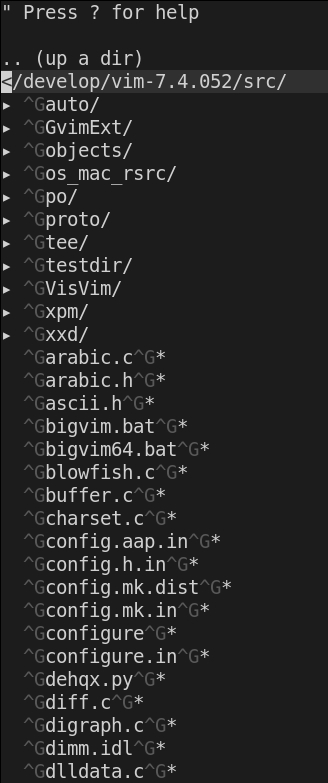
the following is my configure options , then do making,
Which kind person can tell me where the error is, thank you vert much.
./configure --with-features=huge
--enable-multibyte
--enable-rubyinterp=yes
--enable-pythoninterp=yes
--with-python-config-dir=/usr/lib/python2.7/config
--enable-python3interp=yes
--with-python3-config-dir=/usr/lib/python3.5/config
--enable-perlinterp=yes
--enable-luainterp=yes
--enable-gui=gtk2
--enable-cscope
--prefix=/usr/local
—
You are receiving this because you are subscribed to this thread.
Reply to this email directly, view it on GitHub, or unsubscribe.
K.Takata
Lack of information. Why not use the issue template?
Which version of Vim? Which OS and version? What terminal? What colorscheme?
Any error messages?
cs-pchsu
Why not use the issue template? Sorry Sorry for the trouble
Which version of Vim? tag: v8.1.2272
Which OS and version? LUbuntu 18.04.2 LTS
What terminal? konsole
What colorscheme? https://github.com/NLKNguyen/papercolor-theme
Any error messages? No
K.Takata
Does it occur when you use another colorscheme?
cs-pchsu
Even though I removed that color scheme, the problem still exists.
Christian Brabandt
> Am 14.11.2019 um 15:30 schrieb cs-pchsu <notifi...@github.com>:
>
>
> Even though I removed that color scheme, the problem still exists.
>
> —
cs-pchsu
Q: Is vim correctly installed?
A: After I have compiled the project, I execute vim directly in the src directory.
Q:Is the Vimruntime env variable correctly set?
A:What files are there for me to refer to how to set runtime env.
Gary Johnson
> Q: Is vim correctly installed?
> A: After I have compiled the project, I execute vim directly in the src
> directory.
>
> Q:Is the Vimruntime env variable correctly set?
> A:What files are there for me to refer to how to set runtime env.
I assume that you have not installed it (i.e., run "sudo make
install"). Then vim is going to look for its configuration files in
the place it expects them to be installed, not in the place they
currently are.
To be sure you are using the configuration files that match the vim
you just built, before you install it, run vim like this:
$ VIMRUNTIME=runtime src/vim
HTH,
Gary

Christian Brabandt
Am 15.11.2019 um 17:12 schrieb cs-pchsu (Vim Github Repository) <vim-dev...@256bit.org>:
--
--
You received this message from the "vim_dev" maillist.
Do not top-post! Type your reply below the text you are replying to.
For more information, visit http://www.vim.org/maillist.php
---
You received this message because you are subscribed to the Google Groups "vim_dev" group.
To unsubscribe from this group and stop receiving emails from it, send an email to vim_dev+u...@googlegroups.com.
To view this discussion on the web visit https://groups.google.com/d/msgid/vim_dev/vim/vim/issues/5201/554423606%40github.com.
K.Takata
Two messages are not forwarded here:
https://groups.google.com/d/msg/vim_dev/ore6oX0D60w/txILSJx-BQAJ
If you are executing vim directly in the src directory, then
I assume that you have not installed it (i.e., run "sudo make
install"). Then vim is going to look for its configuration files in
the place it expects them to be installed, not in the place they
currently are.To be sure you are using the configuration files that match the vim
you just built, before you install it, run vim like this:$ VIMRUNTIME=runtime src/vimHTH,
Gary
https://groups.google.com/d/msg/vim_dev/ore6oX0D60w/fNCeZDNqBQAJ
Try make install to make sure everything is setup correctly.
—
K.Takata
This is not an issue of Vim itself. So closing.
K.Takata
Closed #5201.