
Import of height map in. bmp file format failed

Wei
The relevant codes are as follows:
terrain.Initialize(vehicle::GetDataFile("terrain/height_maps/757585.bmp"), 1024, 1024, 0, 9, 0.5);
My. bmp file is a grayscale image generated through the mapping software GlobalMapper, as follows:


Radu Serban
Wei,
I cannot reproduce this problem.
It looks like you are running this through the VS debugger. Why not use the debugger to check where and why the code crashed?!?
My guess is that you didn’t place your png file in the correct folder. Note that the demo looks for data files in the build tree (not in the source tree)! Make sure you copy your file in “[…]/chrono_build/bin/data/vehicle/terrain/”.
By the way, I just pushed a modification to demo_VEH_WheeledVehicle to also include this option of initializing the terrain patch from a height field map. I tested it with the png image you provided, and everything works as expected.
--Radu
From: projec...@googlegroups.com <projec...@googlegroups.com>
On Behalf Of Wei
Sent: Monday, October 9, 2023 5:02 AM
To: ProjectChrono <projec...@googlegroups.com>
Subject: [chrono] Import of height map in. bmp file format failed
Hi, all,
I have been trying to use uneven road surfaces recently, using height maps.
The relevant codes are as follows:
terrain.Initialize(vehicle::GetDataFile("terrain/height_maps/757585.bmp"), 1024, 1024, 0, 9, 0.5);
My. bmp file is a grayscale image generated through the mapping software GlobalMapper, as follows:

However, there may be an error during operation where the. bmp file cannot be opened, as follows:
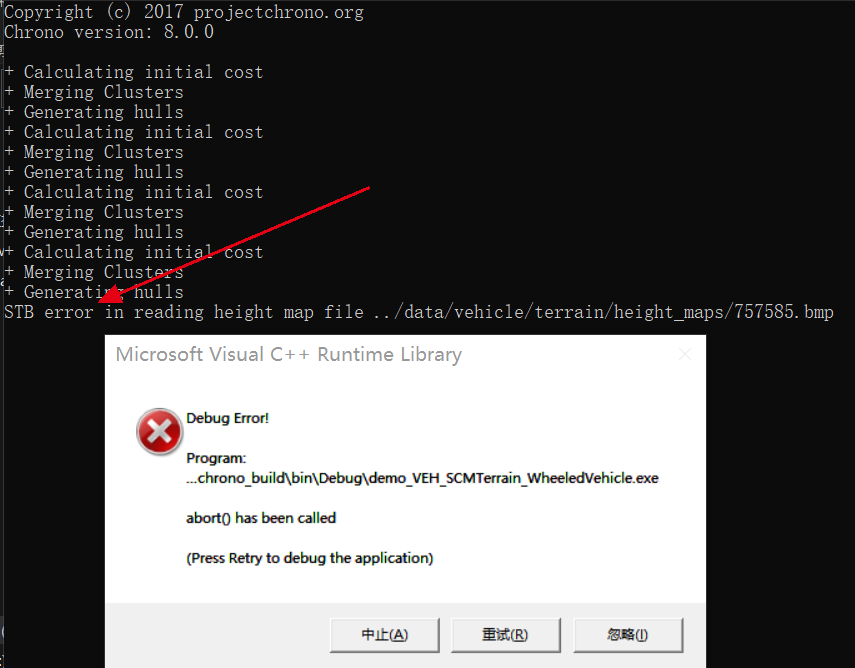
It should be noted that the test64.bmp file in the current software demo can run normally. I am not sure if there are any special formatting requirements for the. bmp file here?
Are there any recommended software or technical solutions for creating terrain height map in. bmp file format?
Thanks
--
You received this message because you are subscribed to the Google Groups "ProjectChrono" group.
To unsubscribe from this group and stop receiving emails from it, send an email to
projectchron...@googlegroups.com.
To view this discussion on the web visit
https://groups.google.com/d/msgid/projectchrono/81a26d82-823a-453e-bec5-a21ffd6aa78bn%40googlegroups.com.