QtQuickVcp Cetus tutorial with Beaglebone

265 views
Skip to first unread message

Jo sias

unread,
Jan 5, 2020, 6:29:03 AM1/5/20
to Machinekit
Hi there I'd like to make it happen.

i have a good running configuration and axis running in the UI

my config is located at /home/machinekit/config/ARM.BeagleBone.Panther/Panther-3-Axis.ini

and i have set all the things written here:


Prepare Machinekit

To enable remote communication you have to set REMOTE variable to 1 in the ini-file:

sudo nano /etc/linuxcnc/machinekit.ini

NOTE: Enable remote communications only in a secured private network. At the moment Machinetalk has no security layer.

Prepare your Configs

To use mkwrapper and Machinetalk for your existing configurations you have to do 3 modifications.

Modify the INI-file

Linuxcnc needs to know which user-inferface it should use. For mkwrapper you need to edit following in the DISPLAY section:

DISPLAY = mkwrapper
INTRO_GRAPHIC =
INTRO_TIME = 0
Modify the HAL-file

For some user-interface you need a running Haltalk server. You can add one to you existing configuration by adding following in the end of the HAL file:

# start haltalk server
loadusr -W haltalk


so now, how do i link cetus with my config?

https://github.com/machinekit/Cetus


i made that:

Using Cetus

To use Machineface you have to clone the repository on your Machinekit computer:

Next, you have to supply the path to the directory to the configserver.

configserver -n 'My Machine' ~/Cetus

The UI is then automatically deployed to the Machinekit Client


but i can't see anything in my qt


Anmerkung 2020-01-05 122819.jpg


Anmerkung 2020-01-05 122819.jpg

Aurelien

unread,
Jan 5, 2020, 7:04:09 AM1/5/20
to Machinekit
Hi

Have you created a autostart service for start config and mklauncher ?

[Unit]
Description=Mklauncher service
After=syslog.target network.target
[Service]
Type=simple
ExecStart=/usr/bin/mklauncher /home/machinekit/yourconfigfolder/
User=machinekit
[Install]
WantedBy=multi-user.target

Jo sias

unread,
Jan 5, 2020, 11:58:45 AM1/5/20
to Machinekit

could you tell me all the things i have to do? i haven't found a nice tutorial with all the steps to the success. 
after my successful tries I'll make one with pictures etc..

Aurelien

unread,
Jan 5, 2020, 1:00:33 PM1/5/20
to Machinekit
In your config folder you can manually start the server by simply typing mklauncher

or 

for register.py you need firstly to add execution to chmod, i do this in my config folder chmod +x *.py

after that allways in config folder
sudo ./register.py
1 question is for service name type something like "mklauncherservice" or do not change the default name
2 After which target should the service start : change nothing
3 Which user should start the service : change nothing
4 Please enter the command that should be started : /usr/bin/mklauncher /home/machinekit/yourfolder/ 

after you can activate  this service : sudo systemctl enable mklauncherservice (or the name you type in question 1)
test avec sudo service mklauncher start    status    stop  

But this only start mklauncher service and need more configuration.


you need to configure or create a config startup script
something like runScript.py and allow execution chmod +x runScript.py
i have attached mine but you need to adapt.


and need to link this script in the file launcher.ini
[fcsg1]
name = MynameConfig
description = My test config
command = python runScript.py
variant = a

Br
runScript.py

Jo sias

unread,
Jan 6, 2020, 3:06:58 PM1/6/20
to Machinekit
great, now i have a running service:

machinekit@beaglebone:~/machinekit/configs/ARM.BeagleBone.Panther-1$ sudo service mklauncher stop
machinekit@beaglebone:~/machinekit/configs/ARM.BeagleBone.Panther-1$ sudo service mklauncher start
machinekit@beaglebone:~/machinekit/configs/ARM.BeagleBone.Panther-1$ sudo service mklauncher status
● mklauncher.service - Mklauncher service
   Loaded: loaded (/etc/systemd/system/mklauncher.service; enabled; vendor preset: enabled)
   Active: active (running) since Mon 2020-01-06 19:58:15 UTC; 1min 11s ago
 Main PID: 2811 (mklauncher)
   CGroup: /system.slice/mklauncher.service
           └─2811 /usr/bin/python /usr/bin/mklauncher /home/machinekit/machinekit/configs/ARM.BeagleBone.Panther-1/

and i see an instance on the MK Client

Anmerkung 2020-01-06 210227.jpg

but i cant connect jet:


Anmerkung 2020-01-06 210340.jpg

how can i link now Cetus with the MKlauncher?


my Config is here:

/home/machinekit/machinekit/configs/ARM.BeagleBone.Panther-1/


and I have Cetus here:

/home/machinekit/Cetus/ 


Jan 06 19:58:15 beaglebone systemd[1]: Started Mklauncher service.
machinekit@beaglebone:~/machinekit/configs/ARM.BeagleBone.Panther-1$

Aurelien

unread,
Jan 6, 2020, 4:39:32 PM1/6/20
to Machinekit
the previously attached script need to be edited and chmod +x

#!/usr/bin/python

import sys
import os
import subprocess
import time
from machinekit import launcher
from machinekit import config

launcher.register_exit_handler()
#launcher.set_debug_level(5)
os.chdir(os.path.dirname(os.path.realpath(__file__)))

mkconfig = config.Config()
if 'MACHINEKIT_INI' not in os.environ:  # export for package installs
    os.environ['MACHINEKIT_INI'] = mkconfig.MACHINEKIT_INI
    
if 'HAL_RTMOD_DIR' not in os.environ:  # export for package installs
    os.environ['HAL_RTMOD_DIR'] = '/usr/lib/linuxcnc'
    
#if 'DISPLAY' not in os.environ:  # export for connecting to display
#    os.environ['DISPLAY'] = ':0.0'

try:
    launcher.check_installation()
    launcher.cleanup_session()
#    launcher.load_bbio_file('furaday_stepgen.bbio')
###REALLY UNSURE ABOUT YOUR BBIO file name
    launcher.start_process('machinekit SuperNC.ini')
###REALLY UNSURE ABOUT YOUR ini file name
    
    launcher.register_exit_handler()  # enable on ctrl-C, needs to executed after HAL files
    launcher.ensure_mklauncher()  # ensure mklauncher is started
    launcher.start_process("configserver -n SuperNC ../Cetus")
while True: launcher.check_processes() time.sleep(1) except subprocess.CalledProcessError: launcher.end_session() sys.exit(1) sys.exit(0)


Aurelien

unread,
Jan 6, 2020, 4:43:32 PM1/6/20
to Machinekit
update

#!/usr/bin/python

import sys
import os
import subprocess
import time
from machinekit import launcher
from machinekit import config

launcher.register_exit_handler()
#launcher.set_debug_level(5)
os.chdir(os.path.dirname(os.path.realpath(__file__)))

mkconfig = config.Config()
if 'MACHINEKIT_INI' not in os.environ:  # export for package installs
    os.environ['MACHINEKIT_INI'] = mkconfig.MACHINEKIT_INI
    
if 'HAL_RTMOD_DIR' not in os.environ:  # export for package installs
    os.environ['HAL_RTMOD_DIR'] = '/usr/lib/linuxcnc'
    
#if 'DISPLAY' not in os.environ:  # export for connecting to display
#    os.environ['DISPLAY'] = ':0.0'

try:
    launcher.check_installation()
    launcher.cleanup_session()
#    launcher.load_bbio_file('furaday_stepgen.bbio')
###REALLY UNSURE ABOUT YOUR BBIO file name
    launcher.start_process('machinekit Panther-3-Axis.ini')
###REALLY UNSURE ABOUT YOUR ini file name
    
    launcher.register_exit_handler()  # enable on ctrl-C, needs to executed after HAL files
    launcher.ensure_mklauncher()  # ensure mklauncher is started
    launcher.start_process("configserver -n SuperNC /home/machinekit/Cetus")

while True: launcher.check_processes() time.sleep(1) except subprocess.CalledProcessError: launcher.end_session() sys.exit(1) sys.exit(0)


How do you start Axis ?
 

Jo sias

unread,
Jan 7, 2020, 1:30:18 AM1/7/20
to Machinekit
great i think its almost done!


Anmerkung 2020-01-07 072850.jpg


but its not going further is it because of the .bbio file?

Jo sias

unread,
Jan 7, 2020, 1:39:49 AM1/7/20
to Machinekit
i get now for mklauncher status:

machinekit@beaglebone:~/machinekit/configs/ARM.BeagleBone.Panther-1$ sudo service mklauncher status
● mklauncher.service - Mklauncher service
   Loaded: loaded (/etc/systemd/system/mklauncher.service; enabled; vendor preset: enabled)
   Active: active (running) since Mon 2020-01-06 20:08:25 UTC; 10h ago
 Main PID: 1042 (mklauncher)
   CGroup: /system.slice/mklauncher.service
           └─1042 /usr/bin/python /usr/bin/mklauncher /home/machinekit/machinekit/configs/ARM.BeagleBone.Panther-1/

Jan 07 06:33:01 beaglebone rtapi:0[4852]: unload: 'motmod' not loaded
Jan 07 06:33:01 beaglebone rtapi:0[4852]: unload: 'limit1' not loaded
Jan 07 06:33:01 beaglebone rtapi:0[4852]: unload: 'hal_pru_generic' not loaded
Jan 07 06:33:01 beaglebone rtapi:0[4852]: unload: 'hal_bb_gpio' not loaded
Jan 07 06:33:01 beaglebone msgd:0[4847]: rtapi_app exit detected - scheduled shutdown
Jan 07 06:33:03 beaglebone msgd:0[4847]: msgd shutting down
Jan 07 06:33:03 beaglebone msgd:0[4847]: zeroconf: unregistering 'Log service on beaglebone.local pid 4847'
Jan 07 06:33:03 beaglebone msgd:0[4847]: log buffer hwm: 0% (0 msgs, 0 bytes out of 524288)
Jan 07 06:33:03 beaglebone msgd:0[4847]: normal shutdown - global segment detached
Jan 07 06:33:10 beaglebone syslog[5069]: interpreter startup pid=5069

Jo sias

unread,
Jan 7, 2020, 1:44:18 AM1/7/20
to Machinekit
i made a reboot and its working now :)

Jo sias

unread,
Jan 7, 2020, 2:31:55 AM1/7/20
to Machinekit

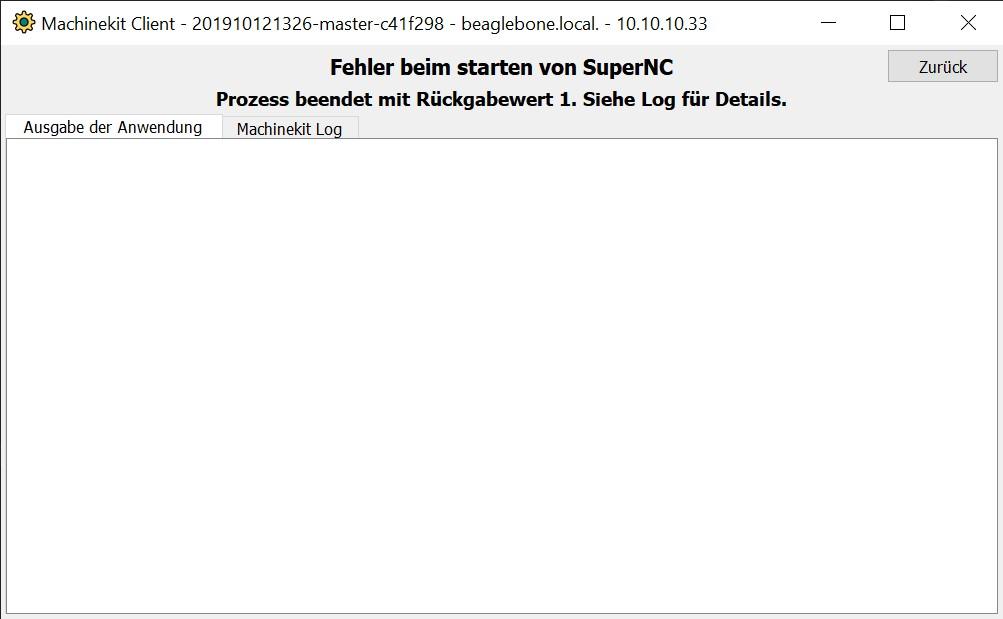
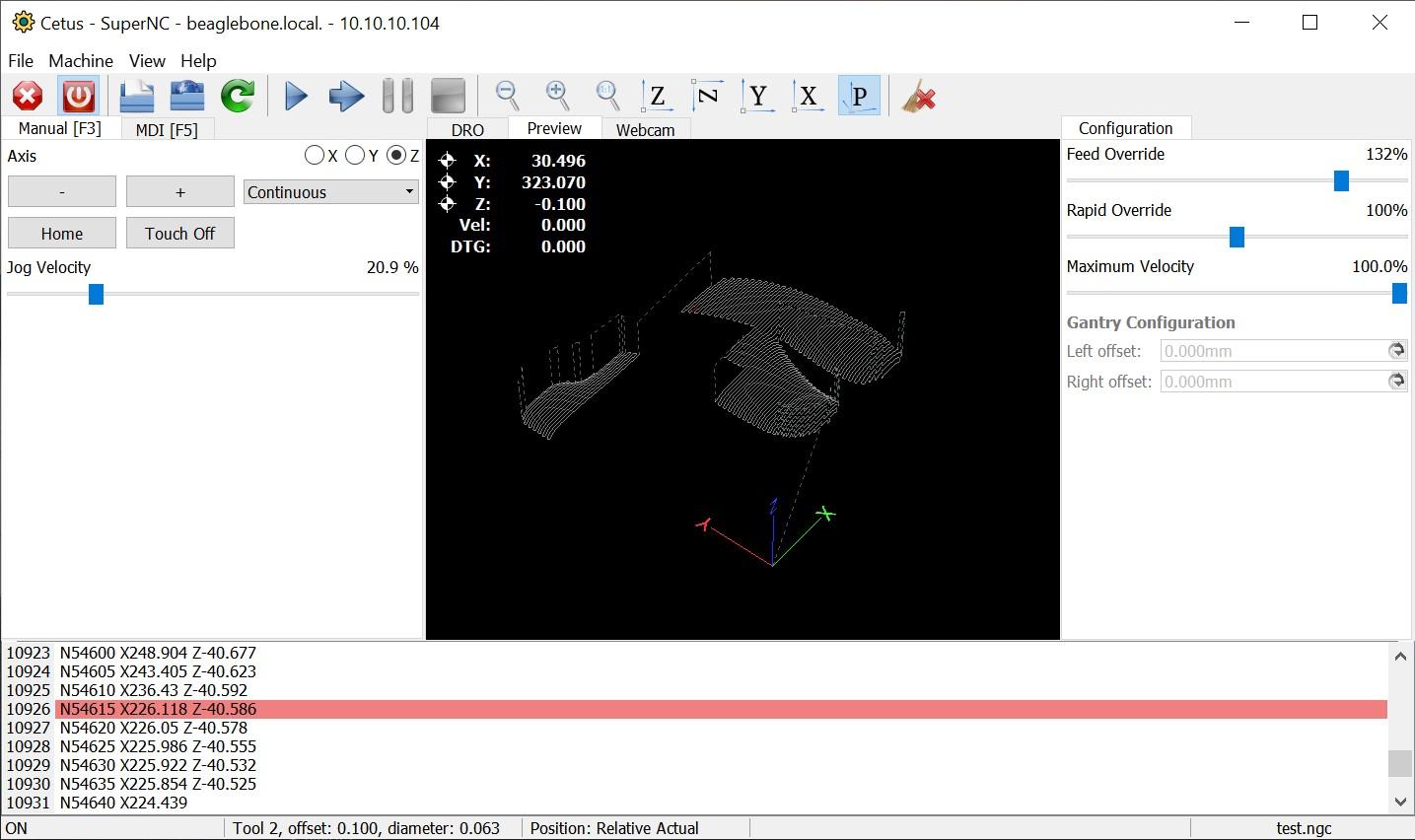
1.jpg 

2.jpg


but next to that its great!


its working, but there are some timeouts form time to time.

Aurelien

unread,
Jan 7, 2020, 8:24:35 AM1/7/20
to Machinekit
Hi
jhappy to read that, Great !!

Br

XQ Zhou

unread,
Dec 2, 2021, 4:53:16 AM12/2/21
to Machinekit

Hello, I also encountered the same problem as yours. I am using the default axis.ini. How can I modify it? Or can you share your configuration file and run.py?
Reply all
Reply to author
Forward
0 new messages