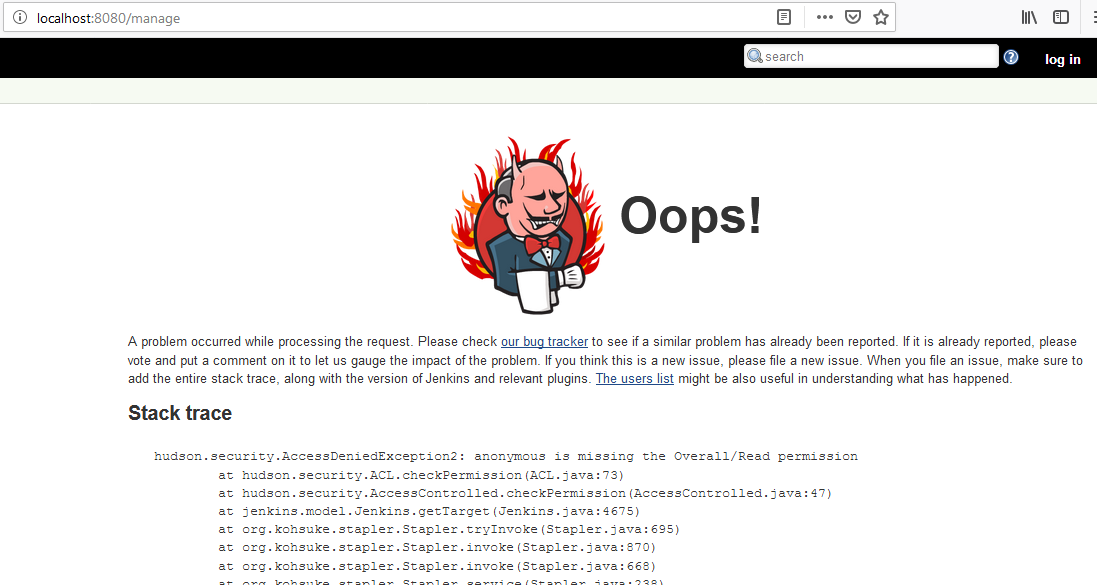
[JIRA] (JENKINS-19010) hudson.security.AccessDeniedException2: anonymous is missing the Overall/Read permission

355 views
Skip to first unread message

nicks9188@gmail.com (JIRA)

unread,
Feb 15, 2019, 10:48:03 PM2/15/19
to jenkinsc...@googlegroups.com
Nicketa Prasad updated an issue
 
Jenkins / Bug JENKINS-19010
hudson.security.AccessDeniedException2: anonymous is missing the Overall/Read permission
Change By: Nicketa Prasad
Attachment: image-2019-02-16-09-17-44-896.png
Add Comment Add Comment
 
This message was sent by Atlassian Jira (v7.11.2#711002-sha1:fdc329d)

nicks9188@gmail.com (JIRA)

unread,
Feb 15, 2019, 10:49:03 PM2/15/19
to jenkinsc...@googlegroups.com
Nicketa Prasad commented on Bug JENKINS-19010
 
Re: hudson.security.AccessDeniedException2: anonymous is missing the Overall/Read permission

Thanks for the resolution. That worked. But what to do after that. It is not letting me login. If I do so, it gives me the error:


PLEASE HELP

nicks9188@gmail.com (JIRA)

unread,
Feb 16, 2019, 12:11:02 AM2/16/19
to jenkinsc...@googlegroups.com

nicks9188@gmail.com (JIRA)

unread,
Feb 16, 2019, 12:11:02 AM2/16/19
to jenkinsc...@googlegroups.com

shimanyi@sisitech.com (JIRA)

unread,
Aug 12, 2019, 11:02:02 AM8/12/19
to jenkinsc...@googlegroups.com
Shimanyi Valentino commented on Bug JENKINS-19010
 
Re: hudson.security.AccessDeniedException2: anonymous is missing the Overall/Read permission


Nicketa Kumar struggling with the same setup in Ubuntu 18.10. Care to share how you resolved this? 

Thanks.

nicks9188@gmail.com (JIRA)

unread,
Aug 13, 2019, 1:15:04 AM8/13/19
to jenkinsc...@googlegroups.com

As stated by deep jain first you need to disable the security. https://issues.jenkins-ci.org/browse/JENKINS-19010?focusedCommentId=185573&page=com.atlassian.jira.plugin.system.issuetabpanels%3Acomment-tabpanel#comment-185573


After that you need to check or configure username and password. Once done, have to enable the security again. Try to login now with the username and password you just configured.

nicks9188@gmail.com (JIRA)

unread,
Aug 13, 2019, 1:19:02 AM8/13/19
to jenkinsc...@googlegroups.com

jenkins@bo3b.net (JIRA)

unread,
Aug 16, 2019, 6:56:02 AM8/16/19
to jenkinsc...@googlegroups.com

I was getting the same error after resetting the security.

The piece I was missing is that you also need to set the Security Realm back to "Jenkins' own user database"

Without that, you get the 403 no valid crumb error.

Reply all
Reply to author
Forward
0 new messages